

LinkedIn Profile Scraper | 9 Fields, No Login or Cookies
Pricing
from $4.00 / 1,000 linkedin profiles
LinkedIn Profile Scraper | 9 Fields, No Login or Cookies
Scrape public LinkedIn profiles in bulk with no login. Name, headline, experience, education, skills, connections, followers. From $4 per 1,000. MCP-ready.
Pricing
from $4.00 / 1,000 linkedin profiles
Rating
0.0
(0)
Developer

The Mine Works
Maintained by CommunityActor stats
0
Bookmarked
84
Total users
11
Monthly active users
14 days ago
Last modified
Categories
Share
From The Mine Works, makers of Threads Scraper and B2B Leads Finder, with over 140,000 runs across 170+ public actors.
Why choose this actor?
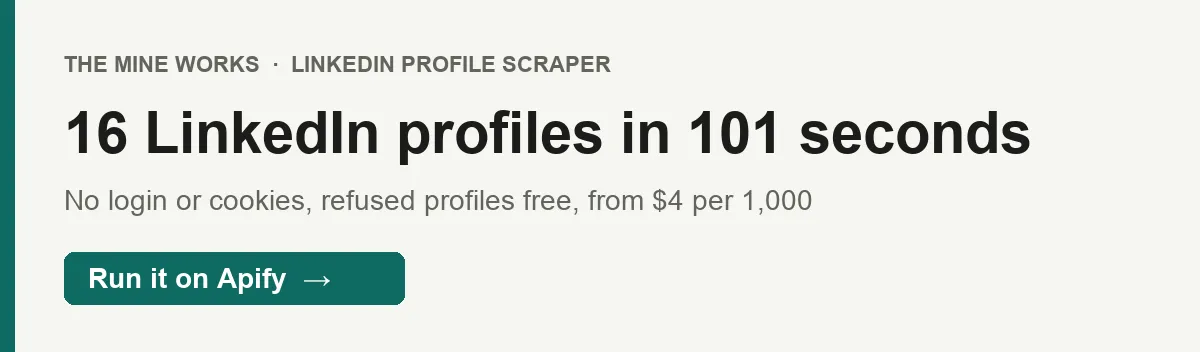
- 16 public profiles in 101 seconds, with no LinkedIn account. A test run on 20 well known business leaders delivered 16 profiles in 101 seconds at 512 MB. There is no login, no cookies and no browser: the actor reads the structured record LinkedIn itself puts in every public profile page.
- Name, job titles, employers, schools and follower count in every row we got. All 16 delivered rows in that test had job titles and a follower count, 15 had a location and 14 had an about section. Fields LinkedIn leaves out are left out, never filled with guesses.
- You pay only for profiles that land in your dataset. $4 to $7 per 1,000 profiles depending on your Apify plan. Profiles LinkedIn refuses or cannot find, duplicate URLs and the summary rows are never charged: the 4 refused profiles in the test cost nothing.

Part of The Mine Works LinkedIn family: LinkedIn Company Scraper, LinkedIn Post Scraper, LinkedIn Employees Scraper, LinkedIn Email Finder, LinkedIn Newsletter Scraper, LinkedIn Candidate Finder.
Try it in one minute
Paste this into the input's JSON tab and start the run. It asks for 10 public profiles of well known founders and executives, all of which came back in our test.
Every entry in profileUrls can be written five ways: a full URL (https://www.linkedin.com/in/satyanadella), a country subdomain URL (https://in.linkedin.com/in/kunalshah1), a URL without https:// (linkedin.com/in/satyanadella), the short form in/satyanadella, or the bare username satyanadella. Query strings and trailing slashes are dropped, usernames are lowercased, and the same profile written two ways is fetched and charged once. Company, school and post URLs are not profile URLs and are skipped.
Apify's free plan includes $5 of credit every month, which covers about 707 profiles at this actor's price (the Free plan rate of $0.007 per profile, plus the $0.005 start fee on each of 10 runs at the default memory).
Copy to your AI assistant
Key features
- One plain HTTP request per profile, no browser. LinkedIn keeps public profiles open to logged out visitors so search engines can index them, and embeds a
Personrecord as JSON-LD in the page. The actor reads that record, not the visual page, at 512 MB of memory. - 9 fields per profile.
profile_url,name,headline,location,about,experience,education,followersandscraped_at. Employers and schools come as arrays of name plus LinkedIn page URL. - Up to 500 profiles per run, deduplicated. Paste a list of any length: the actor cleans each entry, removes duplicates, and stops at
maxResults(and never past 500). - Two tries per profile, each on a fresh IP. Every request goes out on a new Apify datacenter proxy session. If the first try is refused, the actor waits about a second and tries once more on a different IP before it marks the profile
blocked. - A row for every profile you asked for. Profiles that could not be read come back as a short row with
status: "blocked"orstatus: "not_found", so you can see exactly which ones to retry. Those rows are free. - A stop switch for bad IP luck. If 5 profiles in a row are refused, the run stops early instead of working through the rest of your list against a wall, and the summary row shows how far it got.
How to use it
Basic: one profile
This is the smallest useful run: one profile, one charge, done in about 5 seconds on Apify.
Several profiles in one run, written any way
The last two entries are the same person, so the run fetches 4 profiles and charges for at most 4. maxResults is a ceiling, not a target: a list of 4 profiles with maxResults: 50 costs the same as maxResults: 4.
Enrich a candidate shortlist for your ATS
Paste the profile URLs from your sourcing sheet, up to 500 at a time. Export the dataset as CSV or Excel and map name, headline, location, experience and education to your ATS fields. For longer lists, split them into runs of 500.
Check prospects' current employers before outreach
Put your target accounts' contact URLs into a saved task and schedule it weekly (Apify Console, Schedules, Create new). Compare experience with last week's export: a new first entry or a missing company is often a job change worth acting on. Without monitor mode every scheduled run delivers, and charges for, every profile on the list again. With "monitorMode": true a run delivers only the profiles that changed (see Run it on a schedule).
Feed it from our discovery actors
LinkedIn Employees Scraper finds public profiles at a company by job title, and LinkedIn Post Scraper finds the authors of posts on a topic. Both return LinkedIn profile URLs. Pass those URLs to this actor in profileUrls to add employers, schools, about text and follower counts to each person.
Retry only the profiles that were refused
Filter the last run's dataset on status = "blocked", copy those profile_url values into a new run, and start it a little later. Each run gets fresh IPs, so a profile refused once is often readable on the next try. A refused profile costs nothing either time it is refused.
Input parameters
| Parameter | Type | Default | What it does |
|---|---|---|---|
profileUrls | array of strings | none (prefilled with one example) | Public LinkedIn profiles to read: full URLs, country subdomain URLs, linkedin.com/in/... without https://, in/<username> or bare usernames. Duplicates are removed. At most 500 are used. |
maxResults | integer | 10 | Most profiles processed in the run, 1 to 500. Applied after duplicates are removed. This is also your cost cap. |
proxy | object | Apify proxy, datacenter | Proxy settings. Leave it as it is: public profile pages need no special proxy, and each profile already goes out on a fresh datacenter IP session. |
monitorMode | boolean | false | Deliver only profiles that are new or whose headline, employers, schools, location or About text changed since an earlier run with the same list. Unchanged profiles are not charged. Made for weekly schedules. |
If no entry in profileUrls looks like a LinkedIn profile, the run writes only a summary row with note: "no_valid_urls" and charges no profiles.
What data do you get?
One row per profile you asked for, then a summary row. Profile rows have no _type and no status field, which is the simplest way to filter them.
The person: name, profile_url (the address LinkedIn's record gives, which can be a country subdomain such as https://in.linkedin.com/in/kunalshah1), location (as shown on the profile, for example Redmond, Washington, United States), about (the about section text), followers (the follower count, as a string).
Job titles: headline holds the job titles LinkedIn lists in the profile's public record, joined with commas, one per position, for example Chairman and CEO, Member Board Of Trustees. It is not the free text headline under the person's name, and the titles are not paired with companies.
Employers: experience, an array of { "company", "company_url" } from the record's list of organizations the person works or worked for.
Schools and other affiliations: education, an array of { "school", "school_url" } from the record's list of organizations the person is an alumnus of. LinkedIn often files board seats, nonprofits and past companies here too (Satya Nadella's list includes Starbucks and Fred Hutch), and sometimes puts a university under experience. The actor reports both lists exactly as LinkedIn labels them.
When: scraped_at, the ISO time the row was written.
Rows for profiles that could not be read (never charged): profile_url, status (blocked when LinkedIn refused the request or showed a sign in wall, not_found when the profile does not exist or is unavailable) and scraped_at.
Summary row (_type: "summary", never charged): requested, scraped, blocked, not_found, charged_for, charge_failures and scraped_at, plus note: "no_valid_urls" when the input had no usable profile. A run that reaches its time limit writes a summary marked as ended on the deadline.
Info row (_type: "info", never charged): written when at least one profile was delivered, with delivered, a message, a scheduling tip and scraped_at. With monitor mode on, profile rows also carry monitor_status (new or changed), and a last info row gives the monitor counts.
Stable fields for automations
These fields were present in all 16 profile rows of the test run and are written for every delivered profile. Their names will not change, so a Google Sheet, Zapier zap or n8n flow can map them once.
| Field | What it is |
|---|---|
profile_url | The profile's LinkedIn URL, the key to store and join on |
name | Full name as shown on the profile |
experience | Array of employers; can be empty |
experience[].company | Organization name as LinkedIn labels it |
experience[].company_url | That organization's LinkedIn page, or null |
education | Array of schools and other affiliations; can be empty |
education[].school | Organization name as LinkedIn labels it |
education[].school_url | That organization's LinkedIn page, or null |
scraped_at | When this row was written, ISO 8601 |
headline and followers were also in all 16 rows of the test, location in 15 and about in 14, but the actor leaves any of them out when LinkedIn's record has no value, so treat them as optional.
Output examples
A full profile (test run, 1 Oct 2026):
A sparse profile (same run): no location and no about section on the public record, and no schools, so those keys are missing and education is empty.
A profile where LinkedIn masked some text (same run): for some profiles LinkedIn replaces parts of the public record with asterisks for logged out visitors. The actor passes them through unchanged. This happened on 3 of the 16 profiles in the test.
A refused profile and the summary row (same run; nothing charged for the refused profile):
charged_for is 0 here only because the test ran on our own machine, outside Apify billing. On Apify it counts the profiles charged, 16 in a run like this one.
Pricing
Pay per event. You are charged for each profile delivered to your dataset, plus a small start fee per run. The rate falls as your Apify plan rises.
| Event | Free | Bronze | Silver | Gold and above |
|---|---|---|---|---|
Profile delivered (profile-scraped), per profile | $0.007 | $0.00625 | $0.0056 | $0.004 |
| Per 1,000 profiles | $7.00 | $6.25 | $5.60 | $4.00 |
Run start (apify-actor-start) | $0.005 per GB of run memory, minimum one event | same | same | same |
The start fee, exactly. Apify's apify-actor-start event is charged once when a run starts, one event per GB of memory with a minimum of one. At the default 512 MB, and at 1 GB, that is one event, $0.005 per run. A 4 GB run would pay $0.02. This actor does not need more than 512 MB.
Never charged: profiles LinkedIn refused (status: "blocked"), profiles that do not exist (status: "not_found"), duplicate URLs in your list, the summary row and the info row. A run in which every profile is refused pays only the start fee.
Charged like any other profile: a profile whose public record LinkedIn has partly masked with asterisks. The row has a name and real data, so it counts as delivered.
What real jobs cost on Gold: 500 profiles cost $2.00 plus $0.005. A weekly check of 50 prospects costs $0.205 a week. On the Free plan, 100 profiles cost $0.70 plus $0.005.
There is no price change scheduled for this actor. The Pricing tab on this page always shows the rate for your own plan.
Run it on a schedule
Switch on monitorMode to hear about a person only when their profile changes. The first run delivers every profile. After that, a profile comes back only when the name, headline, location, About text, employers or schools change, and you pay only for the profiles delivered. A new first employer is what a job change looks like.
- Fill in the input, tick Monitor mode, and save it as a task.
- In Apify Console open Schedules, click Add schedule, and pick Weekly (or a cron such as
0 6 * * 1). - Add the saved task to the schedule and click Save.
Each delivered row carries monitor_status: new the first time, changed when the profile differs from the version you last received. An unchanged profile is read but not delivered and not charged; the start fee applies to every run as usual. The follower count alone does not count as a change. A read where LinkedIn masked some text with asterisks is never sent as a change; it waits for a clean read. The last row of each run (_type: "info") gives new_this_run, changed_this_run and skipped_already_seen. The history belongs to the list: change profileUrls and a new history starts; change maxResults and it carries on.
FAQ
What does this actor read from LinkedIn?
LinkedIn is the professional network where people list their jobs and education. For each public profile page (linkedin.com/in/...) it reads the structured Person record that LinkedIn embeds for search engines: name, job titles, location, about text, the organizations the person works or worked for, schools and affiliations, and follower count.
How many profiles can I get?
Up to 500 per run, set with maxResults. LinkedIn refuses some requests from any IP pool: in our 20 profile test, 16 came back and 4 were refused with LinkedIn's HTTP 999 response. Refused profiles are free, and the run tells you which ones they were.
How fresh is the data?
Live. Every run requests each page at the moment it runs, so job titles, employers and follower counts are what LinkedIn shows that day, stamped in scraped_at.
Do I need a LinkedIn account, cookies or an API key? No. The actor never logs in, never uses cookies and never acts as any LinkedIn user, so there is no account on your side that could be restricted.
Do I need a proxy? No setup is needed. The actor uses Apify's datacenter proxy by default and sends each profile on a fresh IP session.
Why is there no skills list, connection count or job dates?
They are not in the public record LinkedIn embeds for logged out visitors. The actor returns organization names and links for experience and education, not job titles per company, dates or descriptions, and never invents values it cannot read.
Why are some values shown as asterisks?
For some profiles LinkedIn masks parts of the public record, for example "headline": "********** * ***". That is what LinkedIn serves to logged out visitors, and the actor passes it through as is. It happened on 3 of 16 profiles in our test.
Why does education list companies?
The actor copies LinkedIn's own labelling. LinkedIn's record often lists board seats, nonprofits or earlier companies among a person's affiliations, which this actor returns as education. If you need schools only, filter on school_url containing /school/.
What happens with private, deleted or misspelled profiles?
A profile that does not exist comes back as status: "not_found". A private or walled profile, or one LinkedIn refused, comes back as status: "blocked". Neither is charged. Before marking a profile blocked, the actor tries twice on two different IPs.
Why did my run stop before the end of my list?
If 5 profiles in a row are refused, the actor stops so it does not keep requesting pages that will not load. The summary row shows scraped, blocked and not_found. Start a new run with the rest of the list a little later. A run also stops delivering profiles when your maximum cost per run in Apify is reached.
How do I get the data out?
From the run's Storage tab as JSON, CSV, Excel, XML or HTML, or through the Apify API. JSON keeps the experience and education arrays intact. CSV and Excel flatten them into numbered columns.
Can I run it on a schedule?
Yes. Save your input as a task, then add a schedule in Apify Console (Schedules, then Create new, for example every Monday at 06:00). Without monitor mode every run delivers and charges every profile in the list; with monitorMode on, only profiles that are new or changed since the last run.
Can I use it from Claude, ChatGPT or another AI assistant?
- Connector URL:
https://mcp.apify.com/?tools=themineworks/linkedin-profile-scraper. - Claude: Settings > Connectors > Add custom connector, paste the URL, sign in with Apify.
- ChatGPT: developer mode, add an MCP connector with the URL, sign in with Apify.
- Cursor or VS Code: add it as an HTTP MCP server with that URL.
- Claude Code:
claude mcp add -t http linkedin-profile-scraper "https://mcp.apify.com/?tools=themineworks/linkedin-profile-scraper".
It is also one of the tools inside our Recruiting & Jobs MCP server, which bundles 10 recruiting tools.
Is it legal to scrape public LinkedIn profiles? The actor reads only pages LinkedIn shows to anyone without logging in, and nothing behind a login. In hiQ Labs v. LinkedIn, a US appeals court held that scraping publicly accessible pages does not by itself violate the Computer Fraud and Abuse Act. Profiles still contain personal data, so you are responsible for how you use it, including LinkedIn's terms and data protection law such as GDPR and CCPA. This is general information, not legal advice. This actor is independent and not affiliated with or endorsed by LinkedIn.
Integrations
Results land in a standard Apify dataset, so they connect without extra code:
- Google Sheets: send each run's profiles to a sheet with Apify's Google Sheets integration.
- Make, Zapier and n8n: start a run and read its dataset with the official Apify apps and nodes.
- Webhooks: get a call to your own URL when a run succeeds, then fetch the dataset.
- API and SDKs: start runs and read results with the Apify API, or the Python and JavaScript clients.
- MCP clients: Claude, ChatGPT, Cursor and other MCP clients can call the actor through
https://mcp.apify.com/?tools=themineworks/linkedin-profile-scraper.
More from The Mine Works
- LinkedIn Company Scraper
- LinkedIn Post Scraper
- LinkedIn Employees Scraper
- LinkedIn Email Finder
- LinkedIn Newsletter Scraper
- LinkedIn Candidate Finder
Social media and video
Leads and business directories
Marketing, SEO and reviews
Real estate
Science, health and government data
Jobs and hiring
E-commerce and marketplaces
Company and business data
Food and local services
Developer and AI tools
More tools
Support
Found a bug or need a field? Open an issue on the Issues tab of this actor. To ask for a new source, email dmineworks@gmail.com.
LinkedIn Profile Scraper turns public LinkedIn profile URLs into rows of name, job titles, employers, schools and follower counts, with no login, from $4 per 1,000 profiles.


![LinkedIn Profile Posts Scraper - Bulk [NO COOKIES] ✅ avatar](https://images.apifyusercontent.com/OavDED5gNBRYMSWd9uEONykjVXz6b1U3Ew75sjoMKlU/rs:fill:76:76/cb:1/aHR0cHM6Ly9hcGlmeS1pbWFnZS11cGxvYWRzLXByb2QuczMudXMtZWFzdC0xLmFtYXpvbmF3cy5jb20vc0NDU2R3bm1LTUoxUTJzVG4tYWN0b3ItZ0huQXJqSlF1anIwWmZwdTkteHE3N1F0WEx1SC1jek5tY3kxd2NtbDJZWFJsTDNKaGQzQnBlR1ZzWDJsdFlXZGxjeTkzWldKemFYUmxYMk52Ym5SbGJuUXZiSEl2.webp)


