
Bulk Image Downloader & Converter — Resize, WebP, ZIP
Pricing
from $1.60 / 1,000 image saveds
Bulk Image Downloader & Converter — Resize, WebP, ZIP
Download images in bulk from image URLs or whole web pages. Optionally resize, compress and convert to JPG, PNG or WebP (HEIC and AVIF input supported), dedupe, filter small icons and get one ZIP. Public link, size and dimensions per image. Failed images are free.
Pricing
from $1.60 / 1,000 image saveds
Rating
0.0
(0)
Developer

tidydata
Maintained by CommunityActor stats
0
Bookmarked
2
Total users
1
Monthly active users
4 days ago
Last modified
Categories
Security
Limited permissionsShare
🖼️ Bulk Image Downloader & Converter — resize, compress, WebP, ZIP
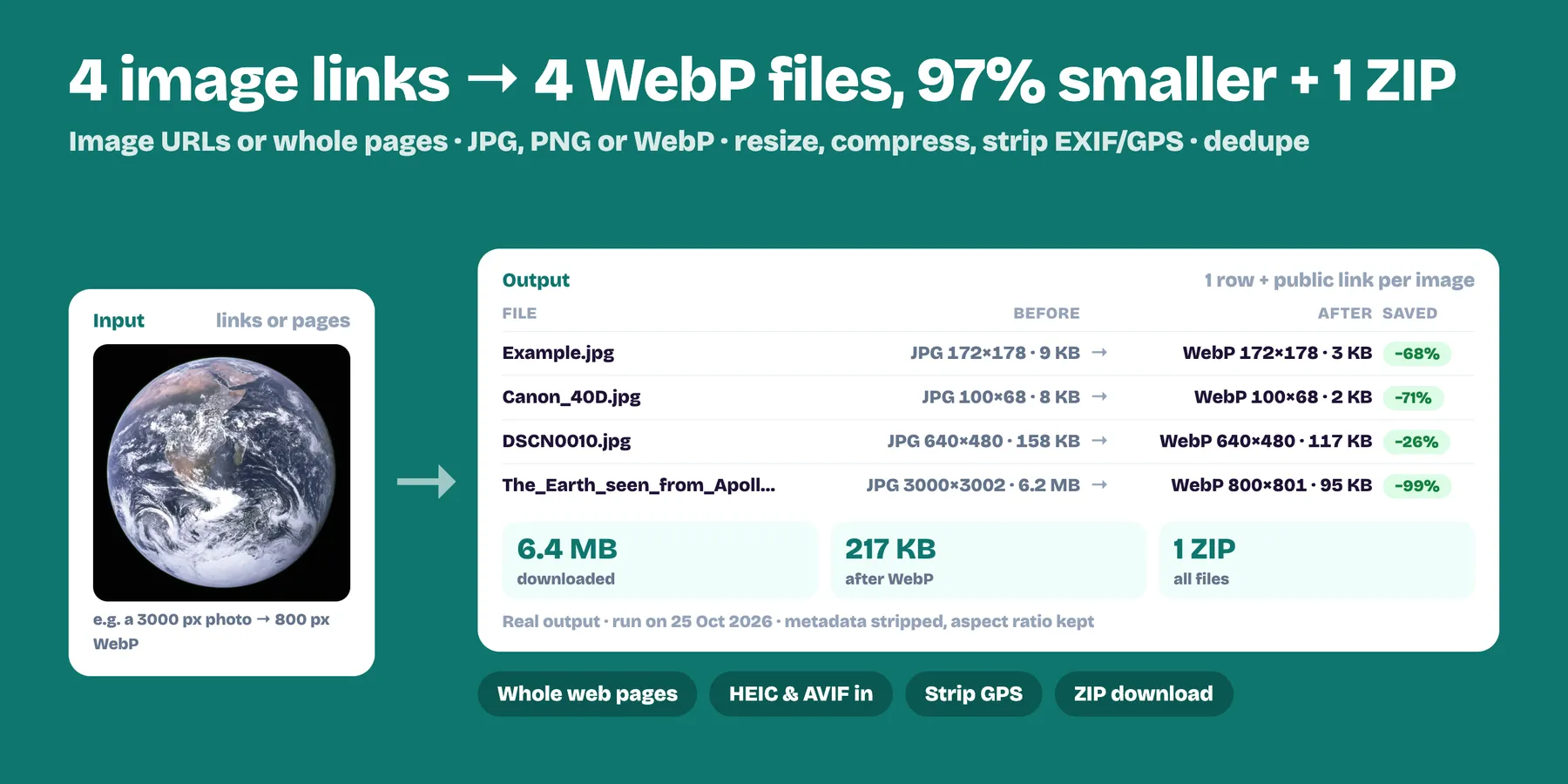
Download images in bulk from a list of image URLs or whole web pages, and get every file back with a public download link, its size and dimensions. Optionally resize, compress and convert everything to JPG, PNG or WebP in the same run, and bundle it all in one ZIP.
- ✅ Image URLs or web pages: pages are scanned for
<img>,srcset(the largest version is picked), lazy-loaded images,og:imageand links to image files - ✅ Convert to JPG, PNG or WebP — reads JPG, PNG, WebP, GIF, BMP, TIFF, HEIC (iPhone) and AVIF
- ✅ Resize to a max width/height (aspect ratio kept, never upscaled) and compress with a quality setting
- ✅ Remove EXIF/GPS metadata for privacy (photos are rotated upright first)
- ✅ Skip icons and tracking pixels with a minimum width/height
- ✅ Dedupe identical images (SHA-256)
- ✅ One ZIP with everything, optional
- ✅ You only pay for images saved. Failed, skipped and duplicate images are free.
How to use it
- Paste image URLs or page URLs (one per line, or upload a list / use a dataset from another Actor).
- Pick an output format (keep Original to just download), and optionally a max width/height and quality.
- Run. Each image becomes one row in the dataset with a
fileUrlyou can open, embed or download. Turn on Create ZIP to getimages.ziptoo (link in the Output tab and run log).
Output example
Images that can't be saved get a row with status: "failed" or "skipped" and the reason in error (broken link, not an image, too small, duplicate, too big). You are not charged for them.
Use cases
- 🛒 E-commerce — download your product photos from your own store or supplier feeds and convert them to WebP at a fixed size.
- 🤖 Datasets for AI / ML — collect, dedupe and normalise images to one format and size.
- 🌐 Web performance — turn heavy JPG/PNG into light WebP for your site.
- 📱 iPhone HEIC to JPG in bulk.
- 🗄️ Backups and migrations — move a media library from one platform to another, with a ZIP.
- 🔗 Automations — chain it after any scraper that outputs image URLs (Make, Zapier, n8n, API).
FAQ
What do I get back? One row per image with a public fileUrl, its format, width, height and size in bytes, and the same details of the original. The files are in the run's key-value store, plus images.zip when Also create one ZIP file is on.
How much does it cost? $2 per 1,000 images saved ($0.002 each), resizing and format conversion included. Failed, skipped and duplicate images are free.
Are there size limits? Each file can be up to Max file size (MB) (30 MB by default, 200 MB at most), and a run saves up to Max images in total (1,000 by default). Each page gives up to Max images per page (200 by default). The ZIP is skipped when it would be bigger than 450 MB.
Does it need a login or an API key? No. It downloads public URLs only. Images behind a login, or added by JavaScript after the page loads, may be missed.
Why was an image skipped or failed? Skipped: smaller than the minimum width/height, a duplicate of an image already saved, or an SVG while converting or resizing (SVG can only be kept as Original). Failed: a broken link, a page that is not an image, or a file over the size limit. The reason is in error.
Can it run on a schedule or after another scraper? Yes. Schedule it in Apify, or start it from the API or an integration (Make, Zapier, n8n) and pass the image or page URLs in urls.
Related Actors
- Video Frame Extractor — extract frames and thumbnails from videos
- Image Upscaler 2x & 4x — upscale small images
Pricing
$2 per 1,000 images saved ($0.002 each), resizing and format conversion included: 500 product photos cost $1. Failed, skipped and duplicate images are free. Higher Apify plans get an automatic discount (down to $0.0016). Set Max images in total to cap the cost of a run.
Good to know
- Files are stored in the run's key-value store and follow your Apify data retention settings; download them or the ZIP before they expire.
- SVG (vector) images are kept as they are with Original format; they can't be converted to bitmaps.
- Pages that build their images with JavaScript after loading may show fewer images; in that case pass the image URLs directly (for example from another scraper's output).
- Only download images you have the right to use. This tool fetches the URLs you provide; copyright and terms of use of the source sites remain your responsibility.


