

Sitemap Extractor — All URLs from sitemap.xml · $0.30/1k
Pricing
from $0.24 / 1,000 url extracteds
Sitemap Extractor — All URLs from sitemap.xml · $0.30/1k
Sitemap scraper and sitemap.xml parser: extract every URL from any website's sitemap. Finds sitemaps via robots.txt, follows sitemap indexes and .gz files, returns lastmod, priority and change frequency. $0.30 per 1,000 URLs.
Pricing
from $0.24 / 1,000 url extracteds
Rating
0.0
(0)
Developer

tidydata
Maintained by CommunityActor stats
0
Bookmarked
2
Total users
1
Monthly active users
4 days ago
Last modified
Categories
Security
Limited permissionsShare
🗺️ Sitemap Extractor — every URL of any website's sitemap.xml
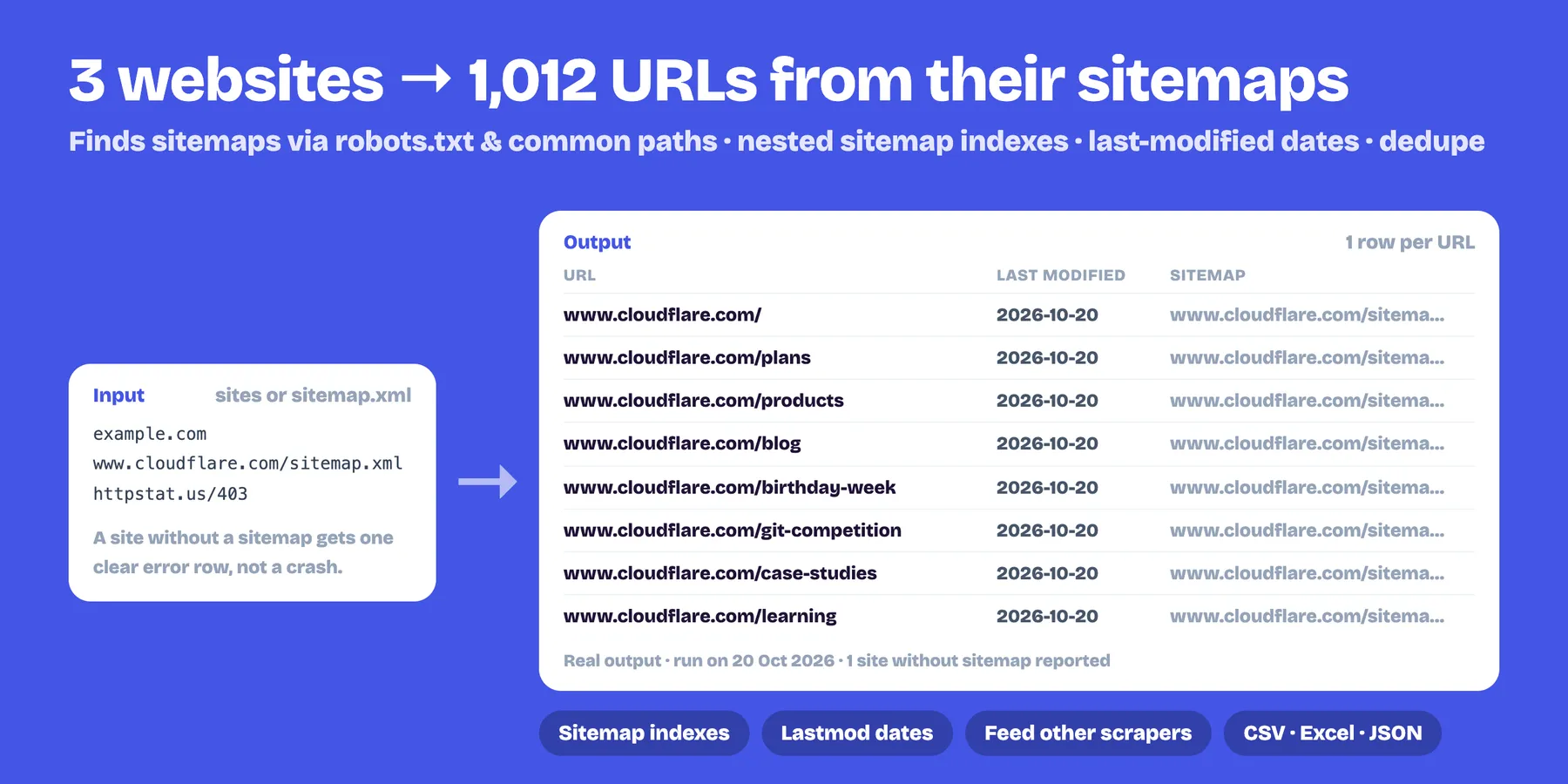
Give it a website and get all the URLs listed in its sitemaps, with lastmod, priority and changefreq. It finds the sitemaps through robots.txt and the usual locations, follows sitemap indexes and reads .gz files. $0.30 per 1,000 URLs.
- ✅ Works with a website address or a direct sitemap link
- ✅ Nested sitemap indexes and compressed sitemaps
- ✅ Filter by text (e.g. only
/blog/) and remove duplicates - ✅ Cost limit per website, so a huge site never surprises you
- ✅ Great as the first step of SEO audits, content inventories, migrations and AI crawlers
How to use it
- Paste one or more websites (
https://example.com) or sitemap links. - Optionally set the maximum URLs per site and a text filter.
- Run and export CSV, Excel, JSON or XML.
Output example
FAQ
What does it return?
One row per URL with lastmod, changefreq and priority exactly as the sitemap writes them, plus the sitemap file it came from and the domain. Export as CSV, Excel, JSON or XML.
How does it find the sitemap?
It reads the Sitemap: lines of robots.txt, then tries the usual locations (/sitemap.xml, /sitemap_index.xml, /wp-sitemap.xml and others). You can also paste a sitemap link directly. Sitemap indexes and .gz files are followed automatically.
Are there limits? 5,000 URLs per website by default (you can raise it up to 2,000,000), files up to 80 MB each and up to 5,000 sitemap files per website.
How much does it cost? $0.0003 per URL extracted ($0.30 per 1,000). Websites without a sitemap return one free row saying so.
Does it need an API key or a login? No. It only reads sitemaps that websites publish publicly; it doesn't crawl pages or invent URLs.
Can I send the URLs to another Actor? Yes. Chain it with an integration or the API, for example into the SEO Audit Tool or the URL Status & Redirect Checker.
Related Actors
- SEO Audit Tool — audit the pages you found for SEO issues
- Lighthouse & PageSpeed Bulk Audit — Core Web Vitals and speed for every URL
- URL Status & Redirect Checker — find broken links and redirects in the list
Pricing
$0.0003 per URL extracted ($0.30 per 1,000). Websites without a sitemap return one free row saying so.
Notes
- Only sitemaps that the website publishes are read. If a site has none, nothing is invented.
- Files up to 80 MB each; up to 5,000 sitemap files per website.


