

Tech Stack Detector — Website Technology & CMS Lookup · $1/1k
Pricing
from $0.80 / 1,000 website analyseds
Tech Stack Detector — Website Technology & CMS Lookup · $1/1k
Tech stack lookup: find out what any website is built with — CMS, e-commerce platform, JavaScript frameworks, analytics, ad pixels, CDN, hosting, chat widgets and more. A fast Wappalyzer and BuiltWith alternative, no browser needed. $1 per 1,000 websites.
Pricing
from $0.80 / 1,000 website analyseds
Rating
0.0
(0)
Developer

tidydata
Maintained by CommunityActor stats
0
Bookmarked
2
Total users
1
Monthly active users
4 days ago
Last modified
Categories
Security
Limited permissionsShare
🧩 Tech Stack Detector — website technology, CMS, frameworks, analytics, CDN
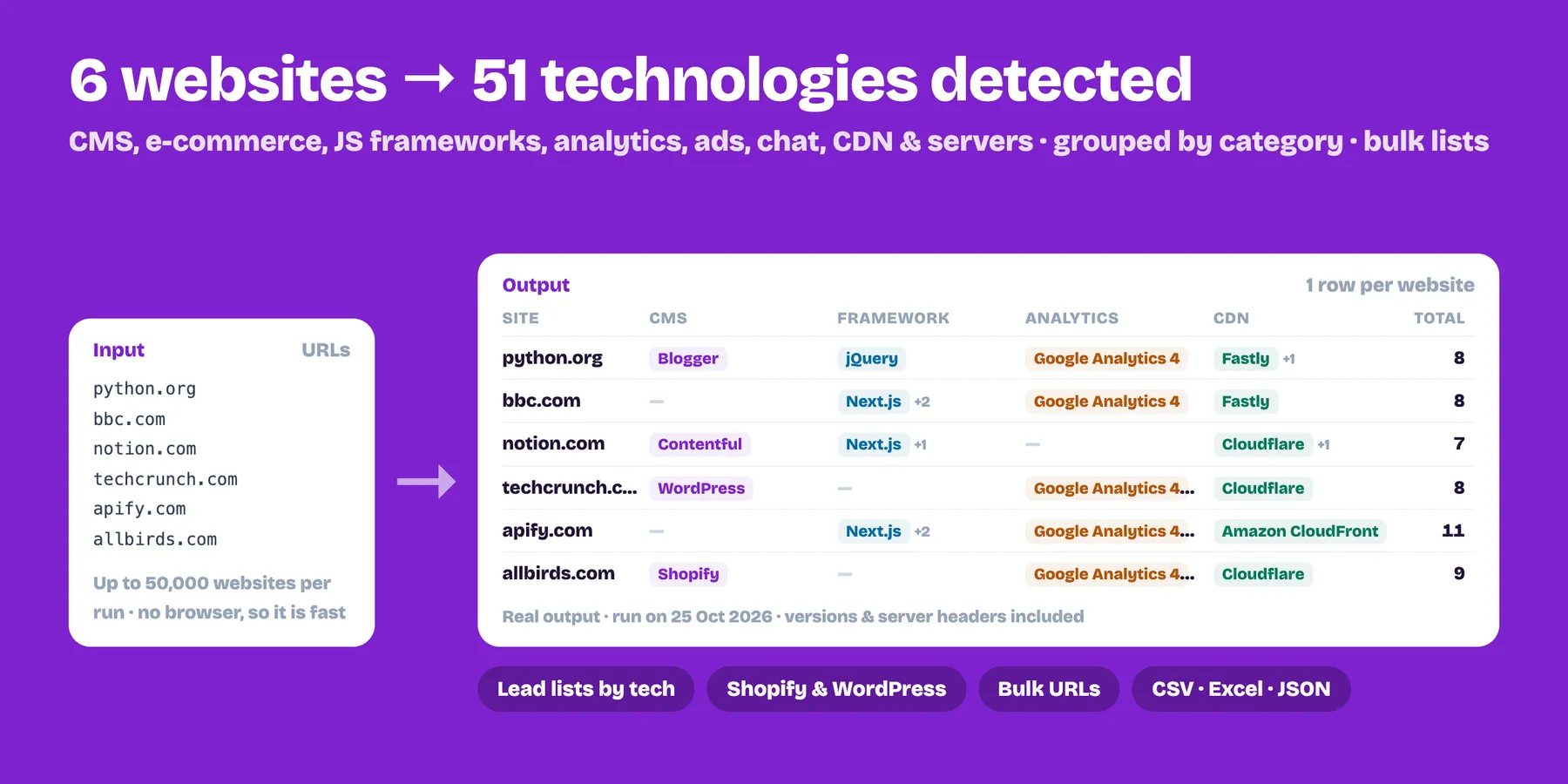
Find out what any website is built with: CMS (WordPress, Shopify, Wix, Webflow…), e-commerce, JavaScript frameworks (React, Next.js, Vue, Angular…), analytics and ad pixels, chat and marketing tools, CDN and hosting, web server and language. No browser, so it is fast. $1 per 1,000 websites.
- ✅ 130+ technologies detected from the page code, headers, cookies and meta tags
- ✅ Versions when the site reveals them (WordPress, PHP, nginx…)
- ✅ Grouped by category, plus a flat list for filtering
- ✅ Great for lead generation ("all Shopify stores that use Klaviyo"), competitor research and agency prospecting
- ✅ Up to 50,000 websites per run
How to use it
- Paste websites (with or without
https://). - Run and export CSV, Excel or JSON.
- Filter the
technologiescolumn.
Output example
FAQ
What does it return?
One row per website: a flat technologies list (with versions when the site reveals them), the same technologies grouped in categories, a technologyDetails list with name, category and version, plus the HTTP status, final URL, page title and Server header.
How does it detect technologies? It loads the URL you give once, without a browser, and matches the HTML, response headers, cookies and meta tags against 130+ known signatures. It does not crawl other pages, so tools that only load after JavaScript runs may be missed.
How much does it cost? $0.001 per website analysed ($1 per 1,000). Websites that cannot be reached are free. A site that answers, even with an error page, counts as analysed.
How many websites can I check per run?
Up to 50,000 websites per run, with or without https://.
Do I need an API key? No. It reads public pages only; private and internal addresses are blocked.
Can I combine it with other Actors? Yes. Run the same list through Website Contact Extractor to add e-mails and phones, or schedule it in Apify to track when sites change their stack.
Related Actors
- Domain Availability Checker & Bulk WHOIS — add domain age, expiry and DNS to each site
- Sitemap Extractor — list every page of a site
- Website Contact Extractor — find emails and phones on the same websites
Pricing
$0.001 per website analysed ($1 per 1,000). Websites that cannot be reached are free.
Limits
- Detection uses what the server sends; technologies that only appear after JavaScript runs in a browser may be missed.
- No detection is perfect: treat results as strong hints.


