

Nathan
DeprecatedPricing
Pay per usage
Pricing
Pay per usage
Rating
0.0
(0)
Developer

Nathan Oriely
Maintained by CommunityActor stats
0
Bookmarked
2
Total users
1
Monthly active users
18 days ago
Last modified
Categories
Share
Playwright test template
Run your Playwright tests on the Apify platform effectively and easily. Just set up your test environment using a user-friendly UI and let the platform do the rest.
Note: This is a custom version of Playwright Test Runner Actor. Unlike the original Actor, this version reads test suite files from the tests folder and does not allow you to pass the test files via Apify input.
Features
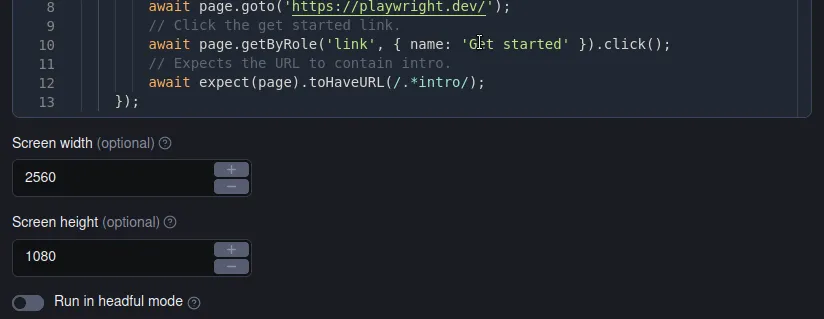
Run your Playwright tests on the Apify platform
No more pre-commit hooks or CI/CD pipelines. Integrate your tests with the Apify Platform using a user-friendly UI and forget about the hassle of setting up your test environment.
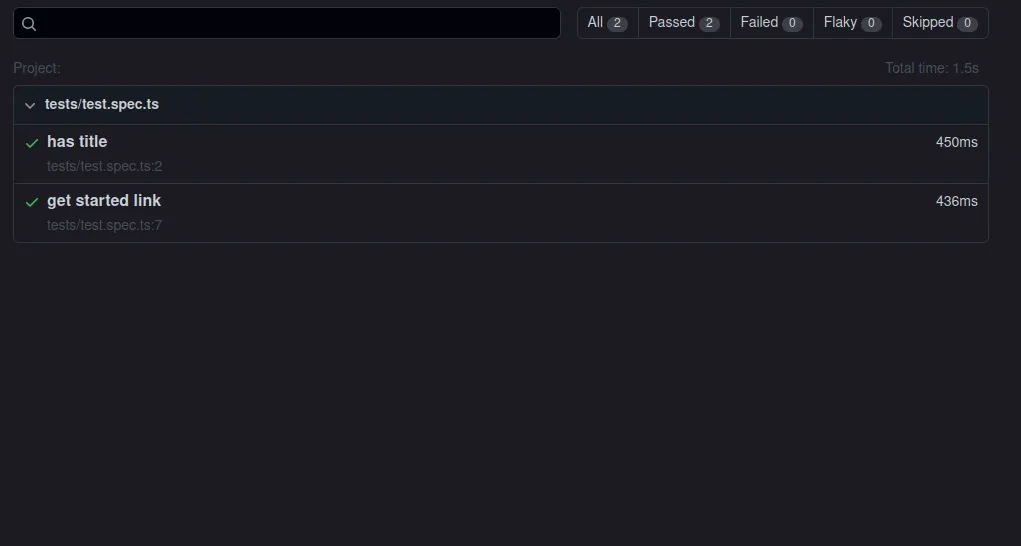
Collect and analyze your test results online
After running the tests, the Apify platform stores the results in comprehensive datasets. You can view the results directly on the platform or download them to your local machine using a REST API.
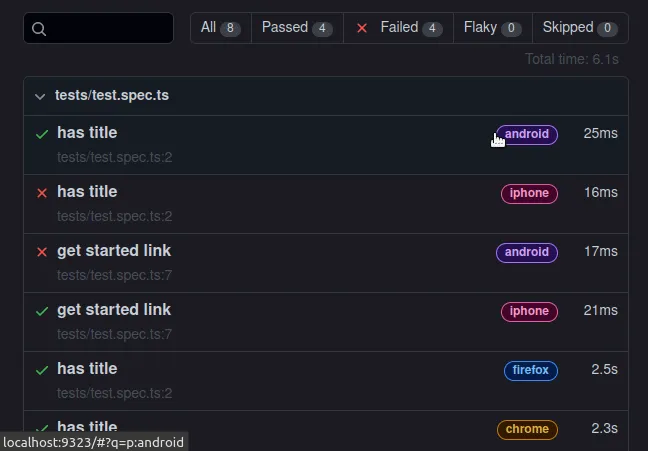
No more problems with incompatible browser versions
Playwright Test toolkit automatically downloads the latest versions of Chromium, Firefox, and WebKit browsers and installs them in the Apify platform.
This way, you can test your websites using all the popular browsers without worrying about compatibility issues.
How to use
Just provide your test suite files in the tests folder and run the Actor. The Actor will automatically run all the tests in the tests folder and store the results in the KVS/dataset fields.
You can also customize the test run by specifying other options in the input, e.g. the screen size, headful/headless execution or the maximum run time.
Test Generator
You can also use the Playwright Codegen to compose your test suites even faster. Just run npm run codegen in your project folder and record your workflow.
The code generator will automatically create a test suite file for you and save it in the tests folder.
Resources
- Original Playwright Test Runner Actor
- Playwright testing: how to write and run E2E tests properly
- Video guide on getting scraped data using Apify API
- Integration with Make, GitHub, Zapier, Google Drive, and other apps
- Video tutorial on how to run end-to-end Playwright tests
- A short guide on how to build web scrapers using code templates
Getting started
For complete information see this article. In short, you will:
- Build the Actor
- Run the Actor
Pull the Actor for local development
If you would like to develop locally, you can pull the existing Actor from Apify console using Apify CLI:
-
Install
apify-cliUsing Homebrew
$brew install apify-cliUsing NPM
$npm -g install apify-cli -
Pull the Actor by its unique
<ActorId>, which is one of the following:- unique name of the Actor to pull (e.g. "apify/hello-world")
- or ID of the Actor to pull (e.g. "E2jjCZBezvAZnX8Rb")
You can find both by clicking on the Actor title at the top of the page, which will open a modal containing both Actor unique name and Actor ID.
This command will copy the Actor into the current directory on your local machine.
$apify pull <ActorId>
Documentation reference
To learn more about Apify and Actors, take a look at the following resources:


