

JustDial Phone Number Scraper & Leads API
Pricing
from $2.24 / 1,000 business lead extracteds
JustDial Phone Number Scraper & Leads API
JustDial phone number scraper and India business leads API. Search by category and city, then export company names and public phone numbers. Guide: https://konabayev.com/tools/justdial-leads-extractor/?utm_source=apify_info&utm_medium=referral&utm_campaign=justdial-leads-extractor
Pricing
from $2.24 / 1,000 business lead extracteds
Rating
0.0
(0)
Developer

Tugelbay Konabayev
Maintained by CommunityActor stats
1
Bookmarked
173
Total users
23
Monthly active users
4 days ago
Last modified
Categories
Share
JustDial phone number scraper for India business leads: search a category and city, then export public company names, phone numbers, addresses, ratings, listing URLs, and optional detail-page fields to an Apify dataset.
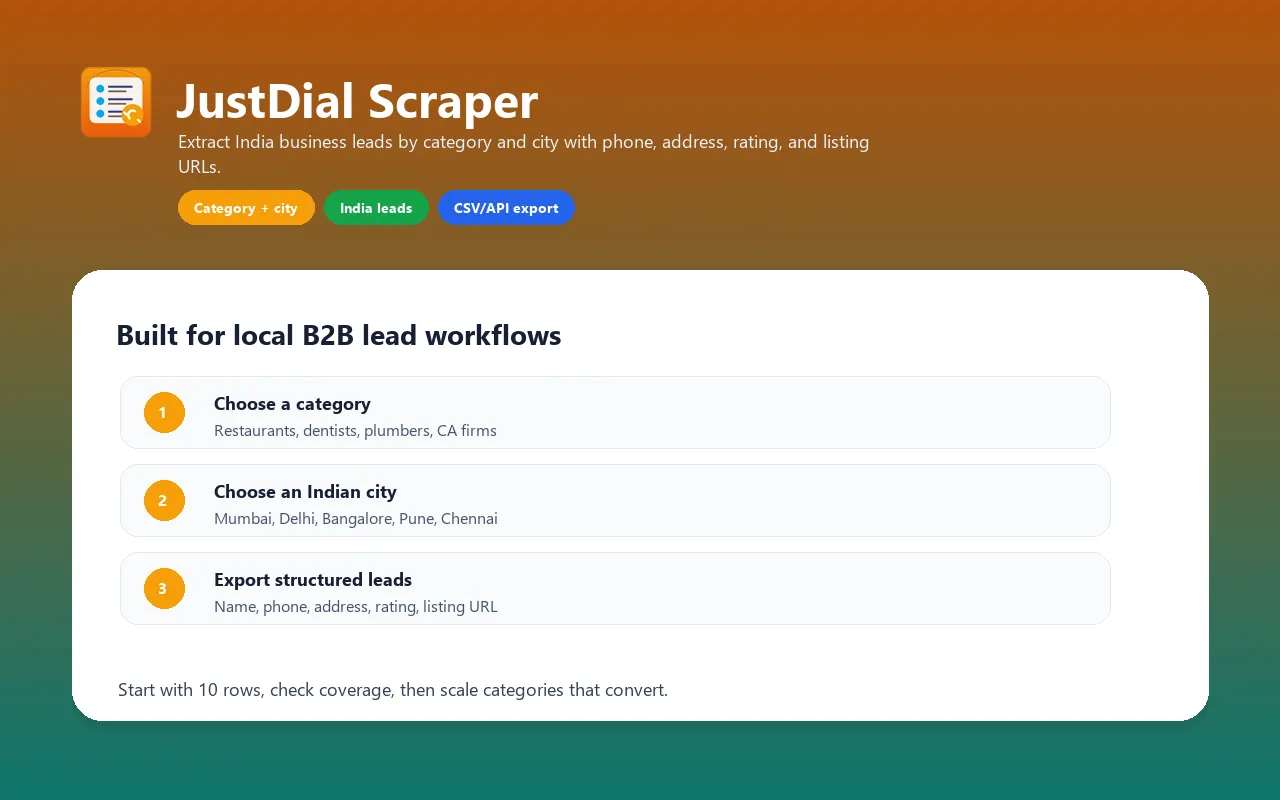
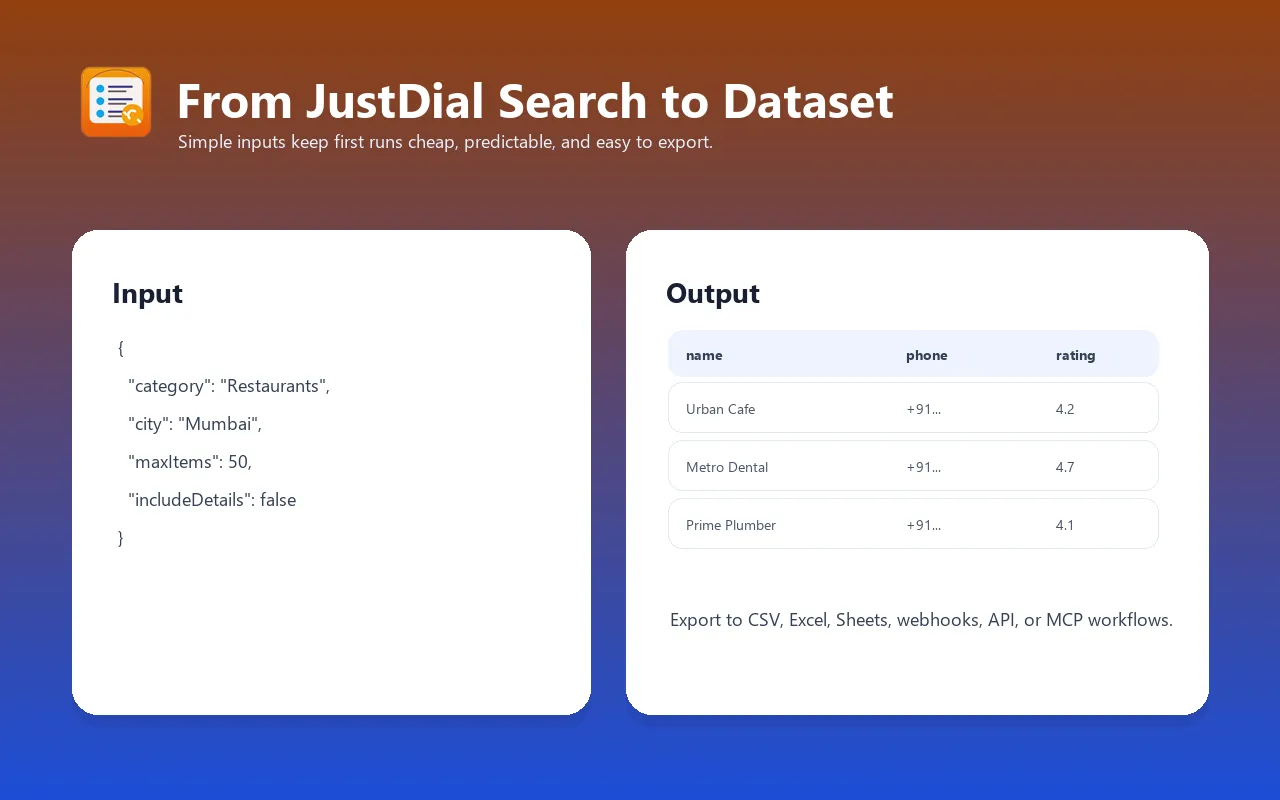
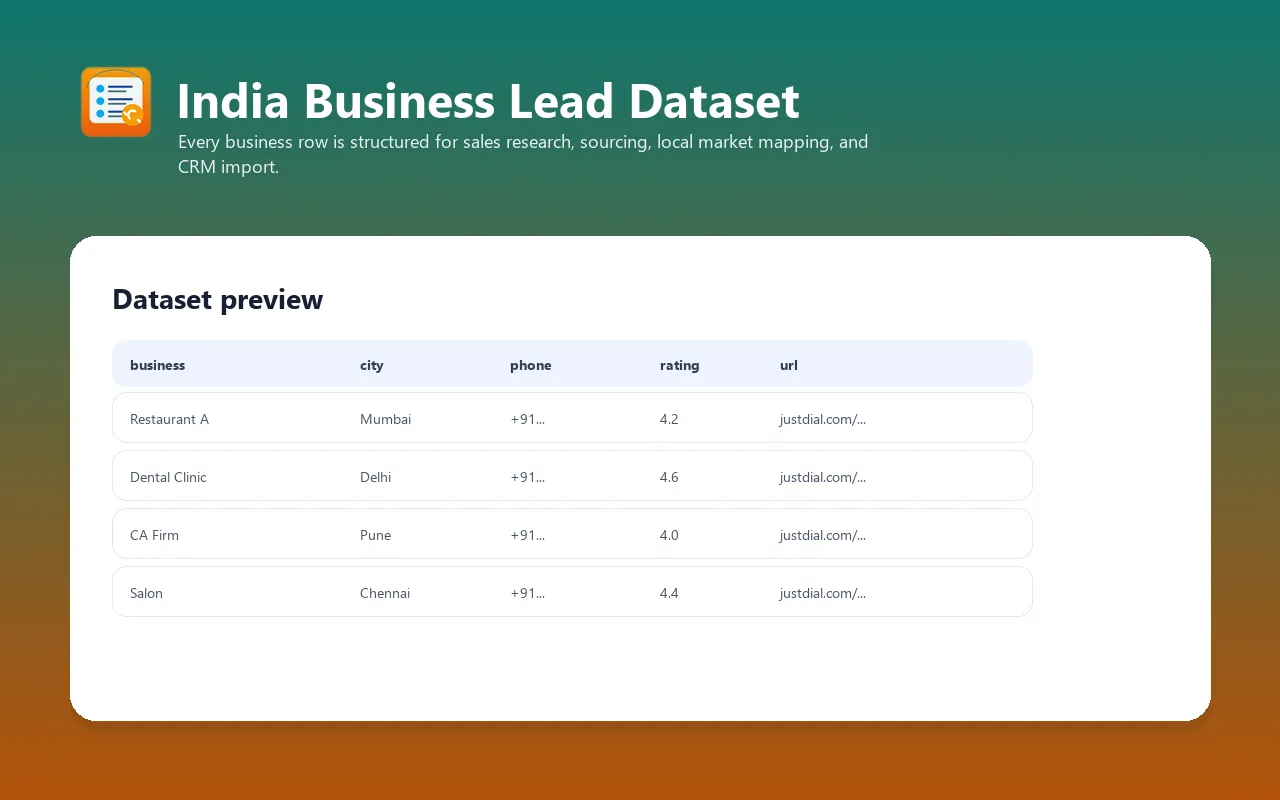
Extract JustDial business leads by category and city — enter
Digital Marketing Agencies+Mumbaiand get structured rows with business name, phone, address, rating, listing URL, and optional detail-page enrichment. Built for India B2B lead workflows — export to CSV, Excel, Google Sheets, webhooks, CRM import, Apify API, or MCP/AI workflows. Use samples to validate, then run paid production lead lists — start with 10-20 rows, check phone/address coverage for your category and city, then scale to 50-500+ rows when the data fits your sales workflow. Pay per result — as of 2026-07-14, Store pricing is $2.24 to $3.20 per 1,000 extracted businesses, depending on your Apify plan tier.
For implementation notes, examples, and India lead-generation workflows, see the JustDial Leads Extractor guide on Konabayev.com.
JustDial Scraper & Leads Extractor collects public business listing data from JustDial.com for sales prospecting, market research, competitor mapping, vendor sourcing, and local directory analysis in India.
Use it when you need a focused, Apify-native JustDial scraper with simple inputs, structured dataset output, scheduling, and API access.
How to run: from sample to production
Use the first 10-20 rows to validate a category/city pair. If the sample contains useful names, phones, addresses, ratings, and listing URLs, move to a production lead-list run:
- Set
maxItemsto100-500for one city and category. - Keep
includeDetails: falsefor faster list building; turn it on only when websites, public emails, hours, or coordinates are worth the extra runtime. - Use Apify dataset export, integrations, webhooks, or the API to move the result into CSV, Excel, Google Sheets, your CRM, or an internal sales workflow.
This actor is strongest when you need repeatable India business lead lists by category and city, not one or two manual lookups.
Fast Answers
Can I scrape JustDial leads and phone numbers?
Yes. This JustDial scraper extracts public business listings by category and city, including phone numbers when they are visible, business names, addresses, ratings, rating counts, and listing URLs. Optional detail enrichment can add websites, public emails, working hours, coordinates, photos count, and category breadcrumbs when JustDial exposes them.
Is this a JustDial business directory API?
Yes. It runs as an Apify Actor, so you can call it through the Apify API, schedule recurring category/city searches, export datasets to CSV or Excel, send results to Google Sheets, and connect the output to CRM or automation workflows.
When should I use a paid production run?
Use the free Apify trial or free credits for a small validation sample. Use paid production runs when you need a real India business lead list for sales prospecting, agency outreach, vendor sourcing, local market research, or recurring monitoring.
Direct Answers for Search and AI Agents
- JustDial scraper: searches JustDial by category and city and returns structured business rows.
- JustDial leads extractor: exports India business leads with names, phones, addresses, ratings, and listing URLs.
- JustDial phone number scraper: captures visible public phone numbers when JustDial exposes them in the listing.
- India business leads API: runs through Apify API, schedules, webhooks, datasets, CSV, Excel, and Google Sheets exports.
- Paid production fit: best for 50-500+ lead rows per category/city, not one or two manual lookups.
What This Actor Does
The actor searches JustDial by business category and Indian city, then returns one dataset item per business listing.
Default mode is intentionally fast and cheap: it extracts search-result data only. Turn on includeDetails when you need extra fields from each business page.
Data You Can Extract
Default search-result fields:
- business name
- category
- address
- city
- pincode when visible
- phone number when visible
- rating and rating count when visible
- verified flag when visible
- JustDial listing URL
Optional detail enrichment can add:
- website URL when listed
- email when publicly visible on the page
- working-hours text when visible
- coordinates when embedded in the page
- photo count or price-range hints when visible
- additional category breadcrumbs when visible
Important: JustDial pages vary by category, city, listing type, and current frontend version. Some fields can be empty even when the run succeeds.
Best Use Cases
- India B2B lead generation — build category-by-city prospect lists such as restaurants in Mumbai, dentists in Delhi, salons in Pune, or CA firms in Bangalore.
- Local market research — estimate how many competitors exist in a city/category and compare ratings, review volume, and local coverage.
- Vendor sourcing — collect plumbers, electricians, event venues, clinics, logistics providers, repair shops, and other local suppliers.
- CRM enrichment — export names, phones, addresses, ratings, and listing URLs into a sales or operations workflow.
- Recurring monitoring — schedule the same category/city query weekly or monthly and compare exported datasets over time.
Why Use This Instead of Alternatives?
| Need | This actor | Other Apify JustDial scrapers | Manual research | Generic scraper APIs |
|---|---|---|---|---|
| Input model | Category + city form | Often URL/search specific | Manual search terms | Build your own parsing |
| Pricing model | Pay per extracted business | Mixed PPE or per-item pricing | Labor time | API calls plus custom code |
| Apify workflow | Scheduler, API, datasets, webhooks, MCP | Usually available | No | Requires integration work |
| Detail mode | Optional, off by default | Varies | Manual clicks | Custom implementation |
| Best fit | India lead lists and market snapshots | Similar JustDial extraction jobs | One-off checks | Custom data products |
This actor's advantage is a simple, safe default path: get a quick sample with maxItems: 10, then scale only the categories and cities that produce useful data.
Production Lead List Recipes
Use maxItems: 10-25 only to validate a new category/city. For paid production runs, start with 100-500 businesses per city and export the dataset directly to CSV, Excel, Google Sheets, webhooks, or your CRM. Scale above 500 only after the sample confirms that the category has useful phone/address coverage and the run time fits your workflow.
This actor is designed for buyers who need repeatable India business data, not one manual lookup. If you only need a few companies, manual JustDial search may be enough. If you need hundreds or thousands of CRM-ready rows across cities, API calls, scheduled runs, and dataset exports are where this actor pays for itself.
Paid buyer category ideas:
| Paid workflow | Category examples | City examples | First production size |
|---|---|---|---|
| Local B2B sales | CA Firms, Digital Marketing Agencies, Clinics | Mumbai, Delhi, Bangalore, Pune | 100-250 |
| Home services outreach | Plumbers, Electricians, Packers And Movers | Chennai, Hyderabad, Kolkata, Ahmedabad | 100-500 |
| Hospitality and vendors | Restaurants, Hotels, Banquet Halls, Caterers | Mumbai, Goa, Jaipur, Delhi | 100-500 |
| SMB partnerships | Salons, Gyms, Dental Clinics, Repair Shops | Bangalore, Pune, Surat, Chandigarh | 100-250 |
| Agency prospecting | SEO Agencies, Web Designers, Advertising Agencies, Printers | Mumbai, Delhi, Pune, Hyderabad | 50-200 |
For a repeatable sales workflow, create one scheduled run per category/city pair and send new datasets to Google Sheets or a CRM webhook.
Input Examples
B2B agencies in Mumbai
Dentists in Delhi with detail enrichment
Plumbers in Chennai
Input Parameters
| Parameter | Type | Default | Required | Description |
|---|---|---|---|---|
category | String | Digital Marketing Agencies | Yes | Business category or keyword to search on JustDial, such as Digital Marketing Agencies, CA Firms, Dentists, Hotels, Plumbers, or Restaurants. |
city | String | Mumbai | Yes | Indian city name, such as Mumbai, Delhi, Bangalore, Chennai, Kolkata, Hyderabad, Pune, or Ahmedabad. |
maxItems | Integer | 10 | No | Hard limit on total businesses to extract. Start small, then increase after checking data quality for your category/city. |
includeDetails | Boolean | false | No | Visit each business detail page to enrich website, email, hours, coordinates, photos count, price hints, and categories when visible. Slower than default mode. |
proxyConfiguration | Object | Apify proxy, India residential | No | Proxy settings. Default uses Apify Residential proxy with country IN for better JustDial access. |
Output Format
Each business becomes one dataset item.
| Field | Type | Description |
|---|---|---|
name | String | Business name from JustDial. |
leadSource | String | Source directory, currently JustDial. |
extractionMode | String | search for search-result mode or details for detail enrichment. |
searchCategory | String | Requested category or keyword for this lead list. |
searchCity | String | Requested city for this lead list. |
category | String | Category text parsed from the listing or requested category fallback. |
allCategories | String | Detail-page category breadcrumbs when available. |
address | String | Address text when visible. |
city | String | Input city. |
pincode | String | Six-digit pincode when detected. |
phone | String | Phone number when visible in listing text. |
email | String | Public email when visible in detail-page HTML. Empty if not found. |
website | String | External website URL when listed. |
rating | Number or null | Average rating when visible. |
ratingCount | Integer | Rating count when visible. |
verified | String | Yes / No / empty based on visible listing markers. |
workingHours | String | Hours snippet when visible. |
latitude | Number or null | Latitude when embedded in the page. |
longitude | Number or null | Longitude when embedded in the page. |
photoCount | Integer | Photo count when visible. |
priceRange | String | Price hint when visible. |
url | String | JustDial listing URL. |
scrapedAt | String | UTC time when this row was collected, not when JustDial updated it. |
Example Output
scrapedAt is the UTC collection time for that dataset row, not a claim that
JustDial updated the underlying listing at the same moment.
Cost Estimation
This actor uses Pay-Per-Event (PPE) pricing. Each dataset item is one billable extracted business.
Current Store pricing is tiered by Apify plan:
| Plan tier | Price per business | Approx. per 1,000 businesses |
|---|---|---|
| Free | $0.00320 | $3.20 |
| Bronze | $0.00288 | $2.88 |
| Silver | $0.00256 | $2.56 |
| Gold+ | $0.00224 | $2.24 |
Example costs:
| Run size | Estimated cost |
|---|---|
| 10 businesses | ~$0.0224-$0.032 |
| 100 businesses | ~$0.224-$0.32 |
| 1,000 businesses | ~$2.24-$3.20 |
| 5,000 businesses | ~$11.20-$16 |
Apify platform compute and proxy usage can also affect total account spend, especially with detail enrichment and large runs.
Free Apify plan limits: runs on the free plan are capped at 25 leads per run and 75 leads per month per account. The actor exits gracefully with a status message when the monthly allowance is reached. A paid Apify plan removes both limits.
Integrations
Python (ApifyClient)
LangChain
Install langchain-apify:
As an agent tool:
As a RAG document loader:
JavaScript (ApifyClient)
n8n
- Install or add the Apify community node:
@apify/n8n-nodes-apify - Add an Apify node → operation Run Actor
- Authenticate with your Apify API token
- Actor:
tugelbay/justdial-leads-extractor - Input JSON:
{ "category": "Salons", "city": "{{ $json.city }}", "maxItems": 50 }
- Pipe output to Airtable, Google Sheets, CRM, or Slack nodes
Make (Integromat)
- Add Apify app to scenario → module Run an Actor
- Connect your Apify token
- Actor:
tugelbay/justdial-leads-extractor - Map
category,city, andmaxItemsfrom upstream data - Route structured output to Make's 1,500+ apps (Airtable, Google Sheets, email, webhook)
Zapier
- Create a Zap, add Apify as an action app → Run Actor
- Authenticate with your Apify API token
- Actor:
tugelbay/justdial-leads-extractor - Map trigger data (
category,city,maxItems) to actor inputs - Send extracted
name,phone,addressto Zapier's 6,000+ apps (CRM, Salesforce, Google Sheets, email)
MCP / AI Agents (Claude, ChatGPT, OpenAI Agents SDK)
The actor is exposed through the Apify MCP server at https://mcp.apify.com (Streamable HTTP). Any MCP-compatible client (Claude Desktop, Claude Code, ChatGPT, OpenAI Agents SDK, Vercel AI SDK) can discover and run tugelbay/justdial-leads-extractor as a tool. Agents pay per use via agentic payments.
Automated Exports
Use Apify's built-in dataset exports:
- CSV or Excel for spreadsheet workflows
- Google Sheets for live lead lists
- Webhooks for CRM or Slack notifications
- Direct API for custom apps and pipelines
Practical Workflow
- Start with
maxItems: 10for one category and city. - Check the dataset for phone/address/rating coverage.
- Turn on
includeDetailsonly if you need websites, emails, hours, coordinates, or extra fields. - Increase
maxItemsafter the sample looks useful. - Schedule recurring runs for the categories that matter.
FAQ
Does it extract emails?
Sometimes. Emails are extracted only when they are publicly visible in the listing or detail-page HTML. Many JustDial listings do not expose email, so phone and listing URL should be treated as the primary contact fields.
Does it extract reviews?
No. The current production actor returns rating and rating count when visible. It does not currently extract individual review text.
Does it support search URLs or multiple searches in one run?
No. The current input model is one category and one city per run. For multiple categories or cities, create multiple runs or schedules.
Why are some fields empty?
JustDial listing layouts vary and not every business exposes phone, website, email, hours, coordinates, photos, or price hints. Empty fields mean the data was not visible or could not be parsed reliably for that listing.
How many results should I request?
Start with 10 to verify a category/city. For production, use 50-500 per run depending on your budget and latency tolerance. Very large runs can take longer and may hit site or proxy limits.
Is this legal to use?
This actor extracts publicly available business listing data. You are responsible for using the output lawfully, respecting JustDial's terms, privacy rules, telemarketing rules, and any local regulations that apply to outreach or resale.
Troubleshooting
No results found
- Check city spelling.
- Try a broader category, such as
Restaurantsinstead of a narrow long-tail phrase. - Test the category/city manually on JustDial.
- Lower filters by using the simple category and city inputs only.
Run is slow
- Keep
includeDetailsoff unless needed. - Reduce
maxItems. - Split large category/city lists into separate runs.
- Avoid starting many large runs at the same time.
Phone or email is missing
- The listing may not expose it publicly.
- Try
includeDetails: truefor extra fields. - Use the JustDial listing URL to manually verify high-value leads.
Proxy or access errors
- Keep the default Apify Residential proxy with country
IN. - Retry later if JustDial temporarily limits access.
- Reduce run size if you repeatedly hit access issues.
Validation evidence and official source (2026-07-14)
Validation on 2026-07-14 records what can be checked, without promising complete lead coverage:
- JustDial is the source directory, and its current Terms of Use are authoritative for access and downstream use.
- The dataset exposes listing URLs and only returns phone/email fields when the source makes them public; absence is a valid result.
- The Actor's schema, PPE events, metadata, links, Docker surface, and bounded input defaults pass strict local QA before release.
- Pricing in this README is a dated snapshot; the public Store Pricing tab remains authoritative.
Users must follow JustDial's terms, applicable privacy and marketing law, suppression lists, and consent requirements. This evidence does not verify ownership of a phone number, guarantee contactability, rankings, revenue, or AI citations.
Limitations
- One category and one city per run.
- No individual review-text extraction.
- Detail enrichment is slower and field coverage varies by page.
- Emails, websites, coordinates, photos, and price hints are best-effort fields.
- Phone numbers can be absent or outdated; verify before outreach.
- Large runs can take longer and can be affected by JustDial rate limiting.
- Output reflects current JustDial pages at extraction time; it is not historical data.
Support & Feedback
If this actor saves you time, please leave a review on its Store page — it takes under a minute and is the main trust signal that helps other users find a reliable tool.
Hit a bug or missing a feature? Open a ticket on the Actor's Issues tab — issues are typically answered within 24-48 hours and fixes ship fast.
Related Actors
- Google Maps Lead Extractor — Extract business leads from Google Maps
- 2GIS Scraper — Extract business data from 2GIS
- Website Tech Stack Detector — Identify technologies on any website
- RAG Web Browser — Search Google and extract pages as Markdown for AI workflows
See all actors: apify.com/tugelbay
Changelog
- 2.0.42 (2026-07-02) — Reliability pass: a remaining-run-time guard now lets large jobs finish
SUCCEEDEDwith partial data instead of timing out; detail-page enrichment is skipped (and reported asstopped_early) once time is short instead of silently degrading; 0-lead runs caused by the time guard now report a timeout instead of a generic "check spelling" hint.


