Black Friday & Holiday Promo Ad Tracker
Pricing
from $5.00 / 1,000 promo ads
Black Friday & Holiday Promo Ad Tracker
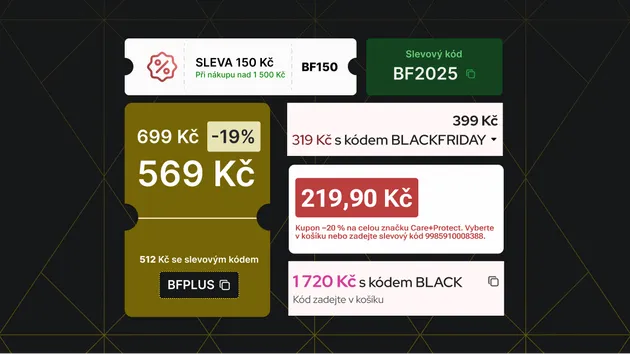
Track competitors' Black Friday, Cyber Monday and holiday promotions across Google Ads and Microsoft (Bing) Ads: discounts, promo codes, free shipping, sale events and deadlines pulled from the ad copy, with a promo summary per brand.
Pricing
from $5.00 / 1,000 promo ads
Rating
0.0
(0)
Developer

Weirworks
Maintained by CommunityActor stats
0
Bookmarked
2
Total users
1
Monthly active users
14 days ago
Last modified
Categories
Share
See what your competitors are promoting, and when, across Google Ads and Microsoft (Bing) Ads. Enter brands or domains and get every promotional ad with the promotion pulled out into clean fields:
- discount % and $ off
- promo codes
- sale events: Black Friday, Cyber Monday, early access, holiday, Christmas...
- offers: free shipping, BOGO, gift with purchase
- urgency and deadlines: "ends Sunday", "today only", doorbusters
Each brand also gets a promo summary: share of ads running promos, top discount, codes found, events and offers.
Built for DTC brands, e-commerce managers, agencies and analysts planning Black Friday / Cyber Monday (BFCM) and holiday campaigns. Schedule it daily through November to see the moment a competitor starts its sale.
How it works
- Google: the Actor reads the brand's ads from the public Google Ads Transparency Center. Most Search ads there are only images of the ad, so it reads the copy with OCR. That's how you get real headlines, descriptions and codes, not just thumbnails.
- Microsoft: it reads ads from the official Microsoft Ad Library (ads served in the EU/EEA).
- Promo extraction: every ad's copy is checked for promotional signals. Everyday ad words like "deals" or "save" don't count on their own, so the results aren't padded with non-promotions.
Input
Output
Promo ad:
Brand summary ("type": "brand-summary"): adsScanned, promoAds, promoShare, maxDiscountPercent, promoCodes, saleEvents, offers and earliestPromoFirstShown.
Pricing
- You pay for promotions found, not for scanning:
- $5 per 1,000 promo ads ($0.005 each)
- $0.02 per brand summary
- Other ads:
- With Only ads with a promotion turned on (the default), ads without a promo cost nothing.
- With it turned off, non-promo ads cost $2 per 1,000.
No start fee. You can set a maximum cost per run.
Tips
- Use domains (
bestbuy.com) for the most precise Google results; brand names are matched to the advertiser account. - Microsoft's Ad Library only covers ads served in the EU/EEA. For US-only brands, Google is the main source.
- Promotions in image and video ads appear only if their text is shown; this Actor reads search-ad copy and image text, not video audio.
Questions or custom reports: open an issue or email hello@weirworks.com.
Independent tool by weirworks. Not affiliated with Google or Microsoft.