

Website Screenshot Generator — Full Page, Pay Only If Usable
Pricing
from $20.00 / 1,000 usable screenshots
Website Screenshot Generator — Full Page, Pay Only If Usable
Blank, blocked, bot-checked and 404 pages are reported with the reason and never charged — you pay only for images you can use. Full-page captures that reach the bottom: lazy content loaded, cookie banners removed, sticky headers stopped from repeating. Batch many URLs per run.
Pricing
from $20.00 / 1,000 usable screenshots
Rating
0.0
(0)
Developer

Vanja V
Maintained by CommunityActor stats
0
Bookmarked
2
Total users
1
Monthly active users
19 hours ago
Last modified
Categories
Share
Full-page screenshots of any list of URLs. Lazy content is loaded before the capture, cookie banners are removed, and sticky headers are stopped from repeating down the image.
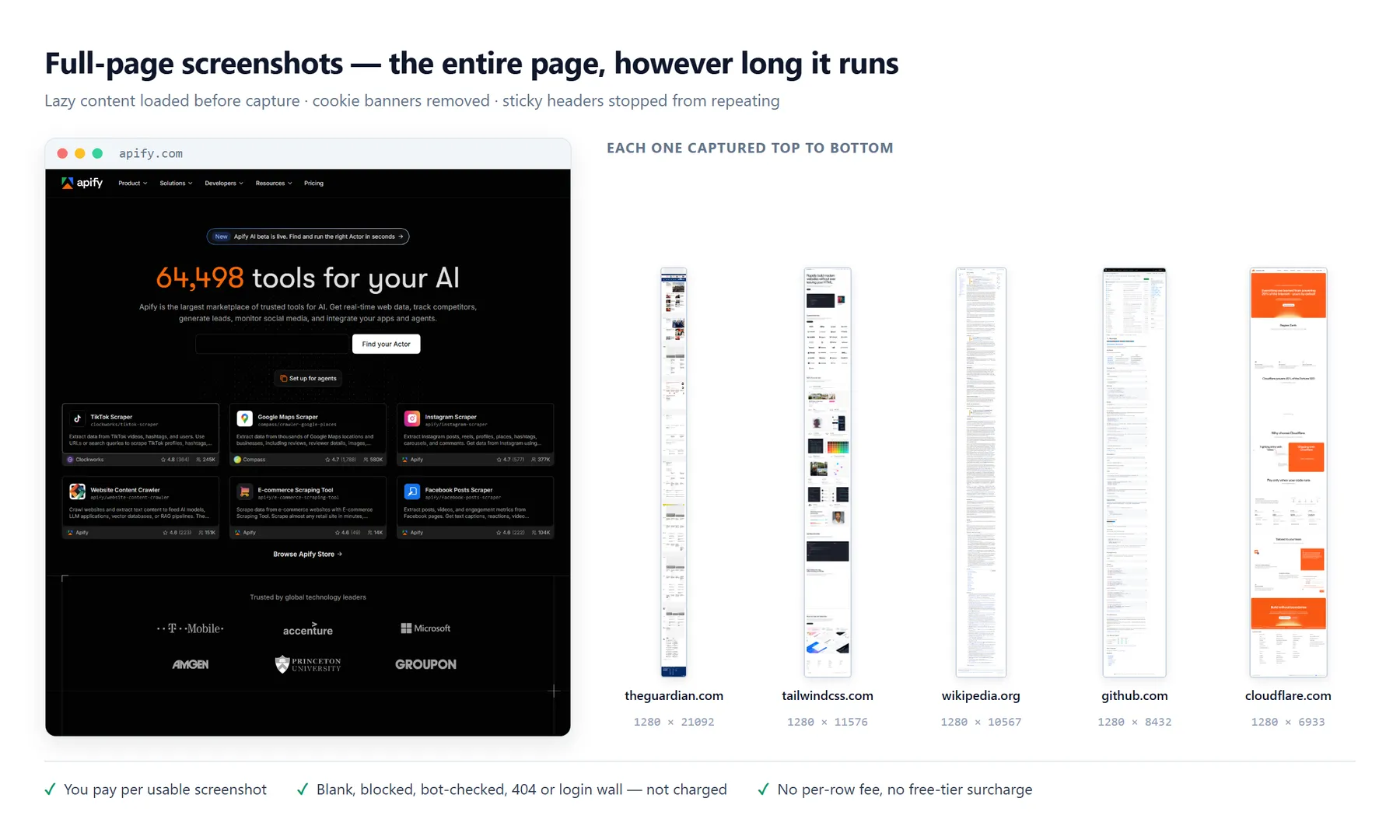
You are charged for images you can use. When a page comes back blank, blocked, bot-checked, behind a login wall or as a 404, you get the reason in the output row and that URL costs nothing.
What you pay for
One flat price per usable screenshot. No free-tier surcharge, no per-row fee, no charge for anything the run could not capture.
| outcome | charged |
|---|---|
| a real screenshot of a real page | yes |
| the site returned 4xx or 5xx | no |
| the page rendered blank or nearly empty | no |
| a bot check or CAPTCHA came back instead of the page | no |
| a consent or paywall overlay survived removal and still covers the page | no |
| a login wall with nothing behind it | no |
| the page painted almost nothing | no |
| the URL timed out, failed to load, or the domain does not exist | no |
| your CSS selector was not on the page | no |
| the run budget ran out before that URL started | no |
Every one of those reasons is written into the results table, the gallery and the run summary. The detector fails open on purpose: a signal we could not measure never withholds payment.
What you get
The run opens on Screenshots — a gallery of every capture in the run, click any image for the full-size version. Anything that was not charged for carries an amber border and says why in plain words. The gallery link is signed and opens with no login, so you can send it to a client as it is.
Also in every run:
- Image files — the PNG/JPEG/WebP records themselves, named
001-example-com.pngand so on. - Results table — one row per URL with a direct image link, page title, pixel size, file size, timing, whether it was charged for, and if not, why.
- Run summary JSON — captured, charged, not charged, failed and skipped counts, plus the settings the run used.
Image links are signed URLs. They open with no Apify account, so they can go straight into a report, a sheet, or another system.
Input
urls is the only field without a working default — a first run never fails because something
was left blank.
Options
Page preparation — remove cookie and consent banners (on), load lazy content before capturing (on), stop sticky headers repeating (on), block ad networks (off).
Image — full page or viewport, PNG / JPEG / WebP, viewport width and height, pixel density up to 3x, JPEG/WebP quality, maximum page height, transparent background.
Part of a page — capture one CSS selector such as main or #pricing, or a fixed region in
page coordinates such as {"x":0,"y":0,"width":1200,"height":630} for a social preview.
Loading and timeouts — what counts as loaded (load, domcontentloaded, networkidle,
commit), wait for a selector, a fixed extra delay, per-URL time limit, ignore certificate errors.
Batch — URLs at a time, a run budget that stops starting new work rather than overrunning, and retries per URL. A domain that does not exist is never retried.
Advanced — colour scheme, locale, time zone, user agent, page preparation budget.
What this cannot do
Read this before you buy. Every limit here is one we measured.
- Sites that block datacenter traffic will not be captured. This Actor runs from Apify's data
centre with no residential proxy option. Cloudflare-protected sites — Stack Overflow is the
standing example — return a bot check instead of the page. You get
http-403orbot-checkas the reason and you are not charged, but you also do not get the screenshot. - A few consent dialogs cannot be removed without breaking the site. Sourcepoint keeps its
state on the page's root element; removing it blanks the whole site, so it is left alone.
theguardian.comis the known case: the article renders and the capture is useful, with the dialog still over part of it. Most CMPs (57 selector families) are removed cleanly. - We remove banners, we never click them. Clicking "Accept all" would consent to tracking on your behalf. A site that renders nothing at all until consent is given comes back with the reason, unbilled.
- Very tall pages are clipped, and say so. The default ceiling is 12,000 pixels and the maximum
is 30,000; browsers cannot reliably capture much beyond 16,000. A clipped row is marked
truncated. Nothing is ever silently cut. - No logged-in pages. There is no cookie, session or credential input. Anything behind a login
comes back as
login-walland is not charged. - No interaction before the capture. No clicking, typing, scrolling to a specific element or dismissing modals beyond consent handling. You can wait for a selector and add a fixed delay.
- Images only. No PDF export, no HTML archive, no text extraction.
- One run is one moment. There is no change tracking or visual diff between runs.
- Apify stops any run at 5 minutes. The run budget defaults to 4 minutes and stops starting new URLs before that. For large batches, split them across runs or raise the budget and memory.
- Concurrency 2 is the measured default. It is sized for 2 GB of memory. Raising it without raising memory makes captures slower and more likely to time out.
Pricing
$0.02 per usable screenshot. One price for every buyer on every plan. Apify bills its own compute on top, at cost.
A measured six-URL run — four capturable, two not — costs $0.08 in screenshots plus $0.012 to $0.022 in Apify compute, and finishes in about seventy seconds. The two that failed cost nothing.
Notes
- Set
formattojpegfor long pages — a full-page PNG of a tall site can reach several megabytes, and JPEG or WebP cuts that sharply. - Use
width: 390for a mobile-width layout. blockAdsis off by default: a cookie banner is an artefact of our visit, and an ad is part of the page as published. Turn it on for a cleaner marketing shot.


