
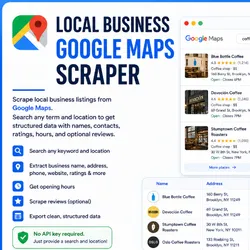
Local Business Google Maps Scraper
Pricing
Pay per usage
Local Business Google Maps Scraper
Scrape local business listings from Google Maps. Search any term and location to get structured data with names, contacts, ratings, hours, and optional reviews. No API key required.
Pricing
Pay per usage
Rating
0.0
(0)
Developer

Proyecto Apify
Maintained by CommunityActor stats
0
Bookmarked
2
Total users
1
Monthly active users
3 months ago
Last modified
Categories
Security
Limited permissionsShare
Search Google Maps for any business type and location, and get back a structured dataset of local listings — names, addresses, phone numbers, websites, ratings, hours, and optionally reviews. No Google Places API key needed.
How It Works
The Actor opens Google Maps in a real browser (Playwright), searches for your term + location, scrolls through the results panel to load listings, and opens each business detail page to extract structured data. Deduplication by Google Maps place ID ensures no duplicates in a single run.
Input
| Field | Type | Default | Description |
|---|---|---|---|
searchTerm | string | "coffee shops" | Business type to search for |
location | string | "Austin, TX" | City, state, or lat/lng coordinates |
maxResults | integer | 50 | Maximum listings to extract (1–500) |
language | string | "en" | Google Maps interface language code |
includeReviews | boolean | false | Fetch reviews for each business |
maxReviewsPerBusiness | integer | 5 | Reviews per business (if includeReviews is true) |
proxyConfiguration | object | Apify proxy | Proxy settings (residential recommended) |
Output
Each row in the dataset contains:
- name — Business name
- category — Google Maps category label
- fullAddress — Street address
- phone — Phone number
- website — Website URL
- rating — Star rating (numeric, null if unavailable)
- totalReviewCount — Number of Google reviews
- priceLevel — 1 ($), 2 ($$), 3 ($$$), 4 ($$$$), or null
- openingHours — Formatted hours string
- listingUrl — Direct Google Maps URL
- placeId — Google Maps place identifier
- reviews (optional) — Array of { reviewerName, rating, reviewText, relativeDate }
Proxy Configuration
Google Maps is aggressive about blocking automated requests. For best results, use Apify residential proxies (the default). If you encounter frequent CAPTCHAs, ensure your Apify plan includes residential proxy access and that proxyConfiguration.useApifyProxy is set to true.
Notes
- This Actor extracts only publicly visible data from Google Maps' web interface. No login, no Google Places API.
- Selectors use multiple fallbacks to handle Google's frequent UI changes, but extraction accuracy may vary.
- If a run returns zero results, check logs for CAPTCHA/block warnings and try again with residential proxies.
- This Actor performs read-only extraction. No data is written, posted, or modified on Google's platform.
Example Usage
Search for dentists in Chicago with reviews:
Disclaimer
This tool extracts only publicly available information from Google Maps. Users are responsible for ensuring their use complies with Google's Terms of Service and applicable local laws. The Actor does not guarantee unblockable scraping and does not claim to bypass any terms of service.


