

X (Twitter) Followers Scraper | $0.00015/User | Pay-Per-Result
Pricing
from $0.00015 / followers
X (Twitter) Followers Scraper | $0.00015/User | Pay-Per-Result
Twitter followers scraper. Export X followers, following, list & community members with the emails, phones & links each profile publishes, from $0.00015 per delivered profile. Filter by email. No X login. World's fastest & cheapest X (Twitter) scraper service. Not affiliated with X Corp.
Pricing
from $0.00015 / followers
Rating
5.0
(6)
Developer

Xquik
Maintained by CommunityActor stats
12
Bookmarked
609
Total users
128
Monthly active users
21 hours ago
Last modified
Share
English · Español · Türkçe · 简体中文 · 日本語 · 한국어 · Deutsch · Français · Italiano
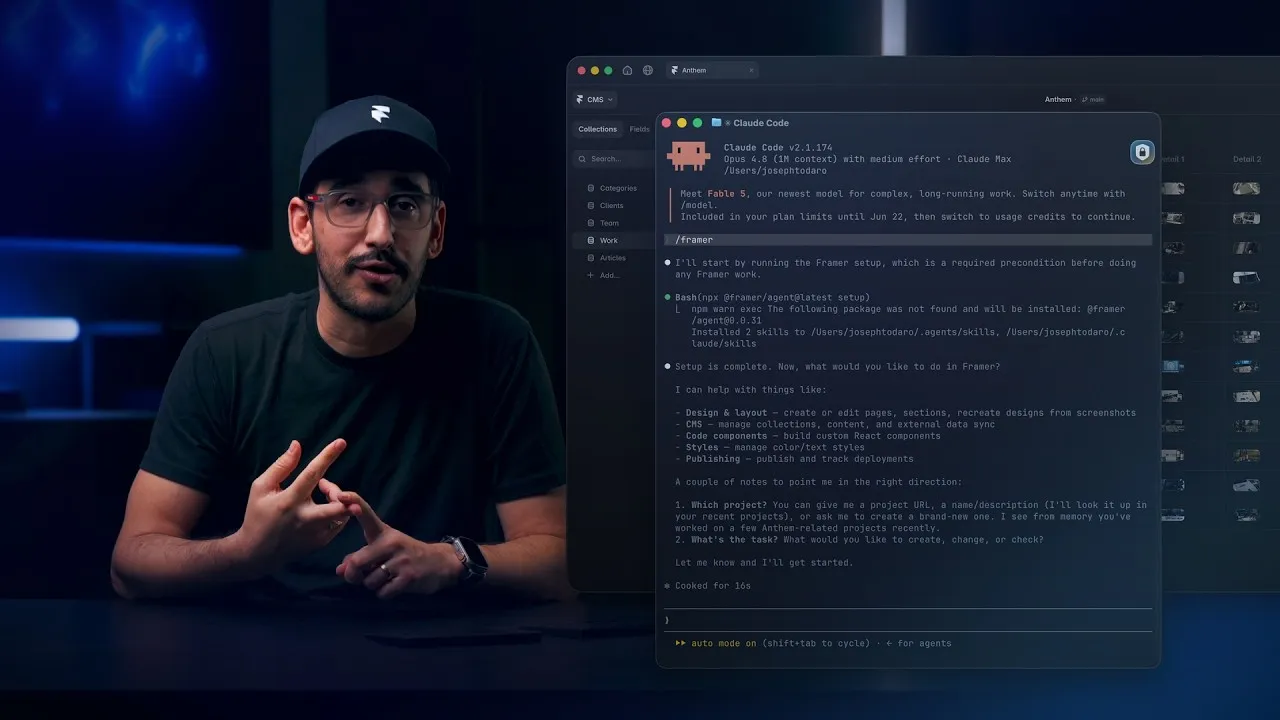
Watch how Framer uses Xquik scrapers
with Claude Code, Codex, Cursor & more, from 6:07.
Xquik is the world's fastest & cheapest X (Twitter) scraper service with the most complete X data. Xquik's X Follower Scraper collects followers, following, list members, subscribers & community members. Public benchmarks show it is the cheapest & fastest of 5 follower Actors. Filtered by follower count, it's 39 to 273 times cheaper per useful profile. Its full rows carry 1.6x the median Actor's fields, as the benchmark below shows. Most other Apify Actors charge before filtering or deduplicating. Xquik charges only for delivered, unique, filter-matching results.
Export a Twitter followers list with following, verified followers, List members, List subscribers & Community members. Xquik's X Follower Scraper costs from $0.00015 per delivered profile on every Apify plan. Apify bills platform usage separately. You need no X login, & Xquik adds no start or query fee.
Xquik is an independent third-party service. Not affiliated with X Corp. "Twitter" and "X" are trademarks of X Corp.
What does X Follower Scraper do?
Xquik's X Follower Scraper returns available public profile data for followers, following, Lists & Communities. Each row names its source target & relation.
Core behavior
- Filters & duplicate removal run before billing.
- By default, a profile shared by several targets appears & bills once.
- 1 run accepts handles, numeric IDs, URLs & short paths.
- Merge mode records shared profiles, sources, relations &
overlapCount. - Run logs show page timing in
fetchDurationMs,processingDurationMs,pushDurationMs,statusDurationMs&fullPageDurationMs. - Runs keep delivered rows & progress when Apify restarts them.
What data can X Follower Scraper extract?
| Field | Description |
|---|---|
id | Numeric X user ID |
username | Handle (without @) |
name | Display name |
description | Bio text |
followers | Follower count |
following | Following count |
statusesCount | Total tweets posted |
mediaCount | Total media uploaded |
favouritesCount | Total likes given |
verified | Combined public Blue or legacy verified flag |
verifiedType | blue, business, government, or none |
location | Self-reported location |
url | Website URL from profile |
email | First email the profile publishes |
contactInfo | Emails, phones & links the profile publishes |
profilePicture | Avatar URL at 48 px |
profilePictureOriginal | The same avatar at full size, to download |
coverPicture | Banner URL |
createdAt | Account creation timestamp string from X |
sourceTarget | Handle / ID you scraped this profile from |
sourceRelation | Relation, such as followers or list_members |
sourceUrl | Exact URL the profile was discovered on |
sourceTargets | All targets that matched this profile in merge mode |
sourceRelations | All relations that matched this profile in merge mode |
sourceUrls | All source URLs that matched this profile in merge mode |
overlapCount | Number of matching relation-target pairs in merge mode |
resultType | Row type in full and raw output modes |
raw | Safe source profile before Actor-specific formatting |
Rows carry public profile fields for identity, counts, verification, availability, affiliates, professional data & biographies. Source attribution, entities & pinned tweet IDs remain available. See OpenAPI for the exact fields.
Set outputMode: "raw" or includeRaw: true to add a raw field. It holds a
safe copy of the source profile. Compact mode is the default.
Set outputMode: "full" for the most data per row. Rows also carry up to 13
extra profile fields that X sends in follower & following lists, such as
listedCount, defaultProfileImage & advertiserAccountType. Full rows put
them at the end. Compact rows stay smaller & cost less to store.
verifiedOnly accepts public Blue & legacy verified profiles. A profile counts
as verified when any of X's verification flags says so. blueVerifiedOnly keeps
the profiles X marks as blue verified. X marks many business & government
accounts blue too. Set verifiedType to keep 1 badge type.
Rows never include viewer-only state. Xquik removes follow, block, mute, DM, notification & similar viewer flags. Raw output drops them too.
Use cases
- Enrich leads & build research datasets with more fields per profile. Our median full row had 38 fields on 2026-09-29. That is 2.5x the median of 9 other Actors.
- Export competitor followers for lead research.
- Compare audiences across your account, competitors & public figures.
- Filter by follower count & verification to find matching profiles.
- Export X Community members.
- Build public social-network datasets for research.
- Segment follower bases by bio keyword, location, or profile type.
How do I use X Follower Scraper to scrape follower data?
New to Apify? Create a free account first. The free plan needs no credit card & gives $5 to spend each month. At $0.00015 per profile, $5 pays for up to 33,000 profiles before platform usage. Then come back here & press Try for free.
- Open Xquik's X Follower Scraper in Apify Console.
- Add profile, List or Community URLs, X handles or numeric IDs.
- Pick a relation, such as
followersorverified_followers. - Set
maxItems& any profile filters. - Start the run.
- Export the dataset as JSON, CSV, Excel or HTML.
Each input below is complete & covers a common job. Pick the one that fits your data.
Paste profile or list URLs
Paste profile, List or Community URLs. Each URL sets the relation to scrape.
Bulk handles
twitterHandles is shorthand for many /<handle>/followers targets. Handles
work with or without @.
relation sets what to scrape for every handle. Use followers, following or
verified_followers.
Use follower_ids or following_ids when you need user IDs only. Each row
holds 1 user ID, its source target & its relation, & a page holds up to 5,000
IDs. Profile filters need profile fields, so leave them empty for these 2
relations.
Use affiliates for the accounts an organization lists as its affiliates, such
as a company's staff & products. Each row is a full profile. An account without
affiliates returns no rows.
Use subscriptions for the creators an account subscribes to. An account that
hides its subscriptions returns no rows.
Use similar for the accounts X lists as similar to an account. Each row is a
full profile. X lists a short set of accounts & can change it between runs.
The same input also accepts username, usernames & user_names as aliases.
Multi-relation runs
Set relations to read several relations for the same handles.
Booleans such as getFollowers, getFollowing, getVerifiedFollowers,
getListMembers, getListFollowers & getCommunityMembers also work.
Scrape by numeric user, list, or community IDs
Numeric user IDs also accept the twitterUserIds & user_ids aliases.
relation applies to numeric user IDs. List IDs default to members. Community
IDs always use members. maxItemsPerTarget keeps the first large target from
using up maxItems.
Filter before you pay
Add filters so only matching profiles enter your dataset.
The Actor may inspect more profiles than it writes. You pay only for rows that
pass every filter & enter your dataset. The last status of a filtered run says
how many profiles it checked & how many passed. A filtered run stops at 100,000
scanned profiles a list by default. Set maxScan to read fewer or more.
Separate bioContains alternatives with commas or new lines. A profile passes
when its bio contains any supplied term. Matching ignores case.
Find audience overlap
Use merge mode to compare competitors, lists, communities, or relation types.
The output has 1 row per unique profile. Shared profiles include
sourceTargets, sourceRelations, sourceUrls, sourceTargetKeys &
overlapCount. Sort by overlapCount or export the rows to CSV. Rows follow
your target order. Keep maxItems high enough for every target to add rows.
When maxItems ends a run early, the profiles it keeps can change between runs.
Use maxItemsPerTarget to set the depth for each account.
Check who follows whom
List source & target accounts to check follows between them.
The run checks each source against each target, so this input makes 4 checks.
Each check is 1 row & 1 result, at the profile price. A row holds isFollowing
(the source follows the target) & isFollowedBy (the target follows back), with
both accounts' sourceUsername, sourceId, targetUsername & targetId.
Accounts take user IDs, usernames with or without @, or profile URLs. A number
is a user ID. The Follow checks view lists these rows.
Accepted URL shapes
| URL | Relation |
|---|---|
https://x.com/<handle>/followers | followers |
https://x.com/<handle>/verified_followers | verified_followers |
https://x.com/<handle>/following | following |
https://x.com/<handle>/affiliates | affiliates |
https://x.com/<handle> | relation, else followers |
https://x.com/i/lists/<id>/members | list_members |
https://x.com/i/lists/<id>/followers | list_followers |
https://x.com/i/lists/<id> | list_members |
https://x.com/i/communities/<id>/members | community_members |
https://x.com/i/communities/<id> | community_members |
<handle>/followers | followers |
<handle>/following | following |
<handle>/verified_followers | verified_followers |
<handle>/affiliates | affiliates |
lists/<id>/members | list_members |
lists/<id>/followers | list_followers |
communities/<id>/members | community_members |
twitter.com & mobile.twitter.com URLs work everywhere too. URLs without
https://, such as x.com/nasa, also work.
Task examples
Choose from 50 public tasks. Each has a bounded input & a matching dataset view. Every task opens with a real audience or filter. Edit it before you run it.
- Discover AI builders in OpenAI followers
- Build an X audience dataset for AI agents
- Collect X audience data for RAG
- Find AI SEO practitioners on X
- Check who follows who on Twitter
- Export Twitter followers to CSV
- Analyze competitor follower overlap
- Find micro-influencers in X followers
- Export curated Twitter list members
- Analyze public X Community members
- Collect Community members for AI agents
- Create repeatable X follower snapshots
How much does it cost to scrape X followers?
Xquik's X Follower Scraper costs $0.00015 per delivered profile on every Apify plan. Apify bills your platform usage separately. Xquik applies one charge per delivered data row. You need no separate Xquik subscription, & Xquik adds no start fee. Starts, targets & relation selection add no separate query charge. A follow check is 1 row at the same price.
For more volume, pick an Apify plan with more prepaid usage.
One run can read many targets. Caps, deduplication & billing stay exact across them.
- Filters run before a profile enters your dataset, so filtered rows cost nothing.
- Number filters are
minFollowers,maxFollowers,minFollowing,maxFollowing,minStatuses,maxStatuses&minAccountAgeDays. - Profile filters are
verifiedOnly,blueVerifiedOnly,verifiedType,bioContains,locationContains,usernameContains,hasWebsite&hasLocation. - Email filters are
hasEmail,businessEmailOnly&emailDomains. They keep rows whose profile publishes an email. - The Actor removes repeats across targets before writing. Set
dedupeAcrossTargets: falseto keep them. - Xquik never bills rows the dataset rejects.
- Diagnostics are free in the
diagnosticsoutput. - No-input, invalid-input & zero-output runs write 1 actionable record to the
free
diagnosticsoutput.
A run that hits a problem, or a large run, also writes a run-report record.
Its estimatedChargeUsd uses the live pay-per-event price Apify exposes to the
Actor. A small run that goes well skips it & saves Apify usage. Turn on
alwaysSaveRunRecords to write it on every run.
Benchmark
Xquik's X Follower Scraper beat 4 other follower Actors on cost & speed. With a follower count filter, the others billed every profile they read. They cost 39 to 273 times more per useful profile.
Followers with a follower count filter
Every Actor read followers of NASA with 1,000+ followers each. Xquik's runs asked for 100. The other Actors can't filter by follower count, so they read 500 followers. Their cost counts every row they billed. Xquik was 2.1x faster. A useful profile is unique with 1,000+ followers.
xquik/x-follower-scraperdelivered 100 useful profiles at $0.000164 per useful profile, 1.8 per second & 42 fields per row. View runxquik/x-follower-scraperdelivered 100 useful profiles at $0.000163 per useful profile, 2.0 per second & 42 fields per row. View runxquik/x-follower-scraperdelivered 100 useful profiles at $0.000165 per useful profile, 1.6 per second & 42 fields per row. View runxquik/x-follower-scraperdelivered 100 useful profiles at $0.000163 per useful profile, 1.9 per second & 42 fields per row. View runapi-ninja/x-twitter-followers-scraperdelivered 22 useful profiles at $0.006364 per useful profile, 0.3 per second & 8 fields per row. View runaltimis/scweetdelivered 22 useful profiles at $0.007091 per useful profile, 0.1 per second & 21 fields per row. View runapidojo/twitter-user-scraperdelivered 23 useful profiles at $0.008330 per useful profile, 0.9 per second & 25 fields per row. View runkaitoeasyapi/premium-x-follower-scraper-following-datadelivered 2 useful profiles at $0.045000 per useful profile, 0.2 per second & 48 fields per row. View run
Followers of NASA, SpaceX & esa
Every Actor read 1,000 followers of NASA, SpaceX & esa. Xquik was 2.6x faster at the lowest cost per useful profile. Its median full row had 39 fields, 1.6x the median of the others. Runs at 18:17 & 20:20 UTC delivered 51.4 to 76.5 useful profiles per second. Its September runs reached 77.9 & 100.0. A useful profile is unique & 30+ days old. It has 1+ follower & 1+ post.
xquik/x-follower-scraperdelivered 1,000 useful profiles at $0.000155 per useful profile, 72.9 per second & 39 fields per row. View runxquik/x-follower-scraperdelivered 1,000 useful profiles at $0.000155 per useful profile, 58.9 per second & 39 fields per row. View runxquik/x-follower-scraperdelivered 1,000 useful profiles at $0.000155 per useful profile, 76.5 per second & 39 fields per row. View runxquik/x-follower-scraperdelivered 1,000 useful profiles at $0.000155 per useful profile, 72.6 per second & 39 fields per row. View runxquik/x-follower-scraperdelivered 1,000 useful profiles at $0.000155 per useful profile, 73.1 per second & 39 fields per row. View runxquik/x-follower-scraperdelivered 1,000 useful profiles at $0.000155 per useful profile, 62.8 per second & 39 fields per row. View runxquik/x-follower-scraperdelivered 1,000 useful profiles at $0.000155 per useful profile, 51.4 per second & 39 fields per row. View runxquik/x-follower-scraperdelivered 1,000 useful profiles at $0.000155 per useful profile, 57.0 per second & 39 fields per row. View runkaitoeasyapi/premium-x-follower-scraper-following-datadelivered 347 useful profiles at $0.000519 per useful profile, 25.6 per second & 48 fields per row. View runkaitoeasyapi/premium-x-follower-scraper-following-datadelivered 337 useful profiles at $0.000534 per useful profile, 25.2 per second & 48 fields per row. View runapi-ninja/x-twitter-followers-scraperdelivered 418 useful profiles at $0.000687 per useful profile, 5.5 per second & 8 fields per row. View runaltimis/scweetdelivered 306 useful profiles at $0.001000 per useful profile, 15.9 per second & 21 fields per row. View runapidojo/twitter-user-scraperdelivered 314 useful profiles at $0.001194 per useful profile, 16.6 per second & 25 fields per row. View run
All runs took place on 2026-10-15 on the Bronze tier. Cost is the customer's total spend per useful result. Ours includes the Apify usage our customers pay. Fields per row is the median count of non-empty fields. That count includes nested fields, & a list counts as 1. Open a run for its input, log & dataset.
Input
The Input tab lists every option. Add at least 1 of startUrls,
twitterHandles, userIds, listIds or communityIds, or both
followCheckSources & followCheckTargets. Their documented aliases count too.
Every other field is optional.
Try these inputs.
- Add a competitor handle to
twitterHandleswithrelation: "followers". - Paste
https://x.com/<handle>/verified_followersinto Start URLs for verified profiles. - Paste a list URL into Start URLs to audit its members.
- Add 2+ handles. A shared profile appears once, under the target that returns
it first. That target can change between runs. Use
dedupeMode: "merge"for 1 stable row with every matching target. SetdedupeAcrossTargets: falseto keep 1 row per target.
Console & API input
The Console form has these controls.
- The Start URLs field accepts URL strings or
{ "url": "..." }objects. Its JSON editor keeps both API formats. - Relation, Output Mode & Dedupe Mode are select lists with fixed choices.
- Relations is a multi-select list for multi-relation runs.
- Result limits accept whole numbers of 1 or more.
- Numeric profile filters accept whole numbers of 0 or more.
Use canonical fields in new integrations. Aliases still work in JSON, API, SDK,
automation & task inputs. outputVariant & includeRaw are Output Mode
aliases. dedupeAcrossTargets is a Dedupe Mode alias. The visual form hides
aliases that duplicate a canonical control. Existing JSON & saved task inputs
with aliases keep working. Saved inputs with dedupeAcrossTargets: false or
dedupeMode: "none" keep 1 row per target.
Migrate from another follower Actor
Paste the input you already use. Xquik's X Follower Scraper reads the field names other X follower Actors use. It maps them to its own fields. Canonical names stay the documented default. An alias never drops a field & never changes what you pay.
Each line names the fields you already use, then the field they map to.
twitterHandles,usernames,user_names,handles,userNameList,screenNamesmap totwitterHandles.username,handle,screenName, as one string, map totwitterHandles.twitterUserIds,user_ids,userIdListmap touserIds.user_id,userId, as one string, map touserIds.startUrls,urls,targets,profileUrls,accountUrlsmap tostartUrls.profileUrl, as one string, maps tostartUrls.getFollowers,getFollowingmap torelations.typewithfollowersorfollowingmaps torelation.relationship,relationshipType,listType,scrape_typemap torelation.relationshipsmaps torelations.modewithfollowers,followingorbothmaps torelationorrelations.categorywithfollowers,followingoraffiliatesmaps torelation.profile_urlsmaps tostartUrlsfor links,twitterHandlesfor handles.maxResults,max_results,resultsLimit,count,max_itemsmap tomaxItems.per_profile_limit,maxItemsPerUser,maxUsersPerAccount,max_followers_per_user,max_following_per_user,follower_limitmap tomaxItemsPerTarget. 0 sets no cap for each account.max_following_per_useralso setsrelationtofollowing.scrapeAllResultssets no per-target cap.minTweetsmaps tominStatuses.includeRawUsermaps toincludeRaw.outputVariantmaps tooutputMode.requireEmailmaps tohasEmail.requireWebsitemaps tohasWebsite. It keeps a profile with any link in its website field, & the run status says so.onlyVerified,blue_verified_onlymap toblueVerifiedOnly. An input withsource_modeleavesblue_verified_onlywithout effect.- In
verification,any_verifiedsetsverifiedOnly,blue_verifiedsetsblueVerifiedOnly,business&governmentsetverifiedType.unverifiedstops the run before any read or charge. bioKeywordsmaps tobioContains. Any 1 of its terms may match.locationKeywordswith 1 value maps tolocationContains. More values stop the run before any read or charge.emailDomainsas a list maps toemailDomains.outputEmail,resolveShortLinksneed no field. Every row carries its emails & X's full links.findEmails,extractEmailsneed no field. Rows carry the emails a profile publishes on X. The run status says the Actor reads no linked site.validateEmailsneeds no field. The run status says emails come as published, since the Actor checks no mailbox.
A pasted input behaves like this.
- A list named in other words reads as this Actor's name for it.
followings,Verified Followers&verifiedFollowersread asfollowing&verified_followers, inrelationtoo. - When you set an alias & its canonical field, the canonical value wins. The run log names the alias that lost.
- A list the Actor does not read, such as
mutuals, stops the run before any read or charge. - A mode that is another Actor's job stops the run the same way.
source_modedoes forsearch&profiles.modedoes forprofiles&all.categorydoes for a job such astweets,user_infoorreplies. The message names the Actor to use.
2 names mean something else here. In some Actors maxFollowers & maxFollowing
cap how many rows a run returns. In Xquik's X Follower Scraper they filter
profiles by their follower & following counts. Use maxItems to cap rows. A run
that sets maxFollowers & no row cap says in its log & last status that it
filtered accounts. The Actor has no page unit, so replace maxPages with
maxItems.
Always use the latest build
Store runs use the latest build of Xquik's X Follower Scraper. In API calls,
omit the build override or pass build=latest. Update Tasks & integrations that
pin an older build. Pinned builds never move on their own.
Output
Each profile is a JSON object. Compact mode returns normalized public fields, schema version fields & source metadata when available.
The dataset & run-report schemas describe every returned field. Primitive fields also carry examples for agents & generated integrations.
Sample values below are illustrative. Your rows carry live data at run time. A compact row looks like this.
Merge dedupe mode adds overlap fields.
A follow check row looks like this.
Export the Apify dataset as JSON, CSV, Excel or HTML.
Output columns
8 inputs shape each row after the run reads it. They run no code & change no price.
| Field | What it does |
|---|---|
fields | Keep only these fields, in the order & spelling you write |
omitFields | Drop these fields & keep the rest |
renameFields | Move a field to a column with a new name |
flatten | Turn each nested object into top-level columns |
fillMissingFields | Fill a kept field a row lacks with null. On by default |
joinFields | Turn each of these lists into 1 text value |
joinSeparator | Text between joined items. The default is a comma & a space |
constantFields | Add a column with the same text on every row |
- Use a dot for a field inside an object. Case & underscores do not matter.
- Every row keeps its
id. - With
fields, a field a row lacks arrives asnull. Every row then has the same columns. - A wrong field name stops the run before it reads & charges nothing.
- If names cannot be checked, the run reads on & lists unseen names last.
- The run ignores a map function or jq filter written for another Actor.
Run options
Set maxTotalChargeUsd in the Apify API to hard-cap spend. In Console, the same
limit is Max cost per run. Apify passes that limit to Xquik's X Follower Scraper
as ACTOR_MAX_TOTAL_CHARGE_USD. It stops before it accepts rows beyond the
limit. Leave maxItems empty to return as many profiles as the spend cap
allows. Set maxItems & maxItemsPerTarget only when you want fewer profiles
than the budget allows.
- Combine profile filters, such as
minFollowers,verifiedType&bioContains, to narrow the billed dataset. - By default, runs keep only unique profiles across targets. Set
dedupeAcrossTargets: falseto keep 1 row per target. - Set
dedupeMode: "merge"for 1 row per profile with every matching source target. - Set
outputMode: "full"for optional profile fields when available. These include pinned tweet IDs, entities & profile metadata. - Set
outputMode: "raw"orincludeRaw: trueto include a sanitizedrawobject beside normalized fields. - Schedule repeat runs & store each dataset to compare profile IDs. Xquik monitors emit supported tweet & profile events, not follower-list changes.
Empty, partial & stopped runs
Xquik's X Follower Scraper explains empty, partial & stopped runs with free diagnostics. A successful Actor exit confirms delivery, not complete extraction.
An interrupted run writes a free partial diagnostic. Results already delivered
stay in the dataset. Read availableResults, failedTargets, retryable &
nextAction before you retry.
The run status says why the run stopped. It also counts charged results, skipped
duplicates & targets read. The status names every cause of an early stop.
stopCauses lists each cause with its own message, retryable &
nextAction. The causes are target_not_found, target_suspended,
target_protected, target_failed & deadline_reached. target_suspended
names the accounts X suspended. A missing or suspended account joins the list
only when another cause stopped the run. The run is retryable when any cause
is.
X keeps the lists of a protected account private. That target gets
target_protected in 1 free diagnostic, & the run reads the other targets.
failedTargets counts targets that stopped after an error. These runs use
completionReason: "partial_failure". Their delivered profiles stay billable
data rows.
The default Apify timeout is 0, so runs have no time limit. The run continues
until it reaches the cap or runs out of profiles. You can still set a finite
timeout. Then completionReason: "deadline_reached" means that limit is near.
The run saves profiles & the report, then exits cleanly before the limit.
Delivered profiles bill once.
Runs with a problem always write run-report, including no-input and
invalid-input exits. run-report also has a version field with the exact
published Actor source version.
Related Xquik Actors
Every Xquik Actor shares the same extraction engine, filter-first billing & diagnostics. Pick the one that matches the data you need.
- X Tweet Scraper scrapes tweets from searches, profile timelines, Lists & tweet IDs with 50+ filters & flat exports. Use it when you need tweet data without analysis. From $0.00015 per row.
- X Profile Scraper scrapes profiles plus their posts, replies, media & followers from handles, IDs or URLs. Use it when you start from accounts rather than searches. From $0.00015 per row.
- X Reply Scraper scrapes replies, comments & whole conversations under posts with 25+ filters. Use it when you need the discussion beneath tweets. From $0.00015 per row.
- X Engagement Scraper scrapes replies, quotes, retweeters & threads for post URLs or IDs in bulk. Use it when you measure who engaged with posts. From $0.00015 per row.
- X Quote Tweets Scraper scrapes the quote tweets of posts with text, media, counts, authors & 11 filters. Use it when you study who quoted posts & what they said. From $0.00015 per tweet.
- X User Search Scraper searches users by handle, bio & location with follower, verification, age & location filters. Use it when you build account lists from search. From $0.00015 per profile.
- X Account Location Scraper checks where accounts are based with X's "Account based in" label, "connected via" & username changes. Use it when you vet where accounts are based. From $0.00015 per account.
- X Email Scraper gets the emails, phones & links accounts publish on their profiles, from handles, followers or user searches. Use it when you need the emails profiles publish. From $0.00015 per profile.
- X List Scraper scrapes List posts, members & followers from List URLs or IDs. Use it when a curated List defines your sources. From $0.00015 per row.
- X Community Scraper scrapes Community info, posts, searches, members & moderators. Use it when your sources are X Communities. From $0.00015 per row.
- X Space Scraper finds Spaces by keyword & reads their titles, states, times, listener counts, hosts & speakers. It also reads broadcasts by URL or ID. Use it when you track live audio & video on X. From $0.00015 per Space or broadcast.
- X Trends Scraper scrapes real-time trends by location with rank, volume, query & WOEID. Use it when you track what is trending where. From $0.00015 per trend.
- X Jobs Scraper scrapes X job listings by keyword, place, workplace, seniority & company, with salaries & apply links. Use it when you collect job openings posted on X. From $0.00015 per job.
- X Article Scraper scrapes long-form X Articles as Markdown & text with covers, authors, dates & metrics. Use it when you need article bodies, not tweets. From $0.00015 per article.
- X Media Downloader extracts or stores photos, videos & GIFs from posts or profiles with MP4 & metadata options. Use it when you need the media files themselves. From $0.00015 per media row.
- X (Twitter) Brand Monitoring with AI Analysis tracks brand mentions with AI relevance, sentiment & customer-experience answers & compares runs. Use it when you watch a brand over time. From $0.0003 per analyzed tweet.
- X Tweet Sentiment Analysis with AI labels attitude, intensity & sarcasm probability for every tweet with AI. Use it when you need general sentiment on any topic. From $0.0003 per analyzed tweet.
- X (Twitter) Stock & Crypto AI Trading Signals labels bullish, bearish, neutral or mixed stance, content type, conviction & asset relevance with AI. Use it when you follow stocks, crypto or trading talk. From $0.0003 per analyzed tweet.
- X (Twitter) News Monitor with AI Analysis labels news posts by format, source attribution & topic relevance with AI. Use it when you separate reporting from commentary. From $0.0003 per analyzed tweet.
- X Tweet Classifier with AI Analysis answers your own category, score & yes/no questions for every tweet with AI. Use it when the preset analyses do not fit your labels. From $0.0003 per analyzed tweet.
- X Tweet Viral Score Analyzer with AI estimates a Viral Score from 0 to 100 & a verdict for every tweet from 8 AI trait answers. Use it when you study why tweets spread or flop. From $0.0003 per analyzed tweet.
FAQ
Answers to common questions, then where to get help.
Do I need an X API key?
No. You need no X API key, login or credentials.
What limits a run?
Your item limit & your Apify spend limit stop the run. Apify account & platform limits still apply.
How fast is it?
The speed of Xquik's X Follower Scraper depends on target size, filters & X availability. Its 8 benchmark runs delivered 51.4 to 76.5 useful profiles per second.
Why does my run return fewer rows than my limit?
Filters such as minFollowers, verifiedOnly & bioContains apply before
writes. Relax them to return more results. A filtered run also stops at 100,000
scanned profiles a list unless you set maxScan. Xquik's X Follower Scraper
also removes repeats across targets.
How many followers can I scrape from a single account?
As many as X shows for that account. The run continues until your cap, your
spend limit or the end of the list. maxItemsPerTarget caps each target only. A
filtered run stops at 100,000 scanned profiles a list unless you set maxScan.
Does the Actor retry temporary failures?
Yes. It recovers from temporary X errors on its own. After a hard failure, the run keeps its partial results.
What happens near the Apify run time limit?
Xquik's X Follower Scraper adds no shorter deadline of its own. Before your limit, it saves profiles, writes the report & exits. Rows that never reach the dataset cost nothing.
Can I resume where I left off?
Not yet. A new run on the same target starts from the beginning.
Can I use the Apify API to run this?
Yes. See the API tab for Python, JavaScript & cURL examples.
Can I schedule recurring scrapes?
Yes. Use Apify's built-in scheduling to run this Actor on a cron. Compare stored datasets to find follower changes.
Is it legal to scrape X data?
Xquik's X Follower Scraper requests public X profile fields. Results can contain personal data, including self-reported locations. Confirm a lawful purpose & follow applicable privacy rules. Ask qualified counsel when uncertain.
Where do I get help?
Open an issue in the Issues tab with the run ID.
Where are the API docs?
The API tab has Python, JavaScript & cURL examples for this Actor. Find Xquik's website on its Apify profile.


