

Spotify Play Count Scraper: $0.15 per 1,000 Tracks
Pricing
from $0.12 / 1,000 tracks
Spotify Play Count Scraper: $0.15 per 1,000 Tracks
Exact Spotify play counts for any track, album or playlist, and monthly listeners, followers, world rank and top cities for any artist. Each row shows how much it grew since your last run, so a daily schedule becomes a stream tracker. No login, no Spotify account or API key. $0.15 per 1,000 tracks.
Pricing
from $0.12 / 1,000 tracks
Rating
0.0
(0)
Developer

Zaiq
Maintained by CommunityActor stats
0
Bookmarked
2
Total users
1
Monthly active users
10 days ago
Last modified
Categories
Features
Share
Spotify Play Count Scraper API: exact streams, monthly listeners and daily growth
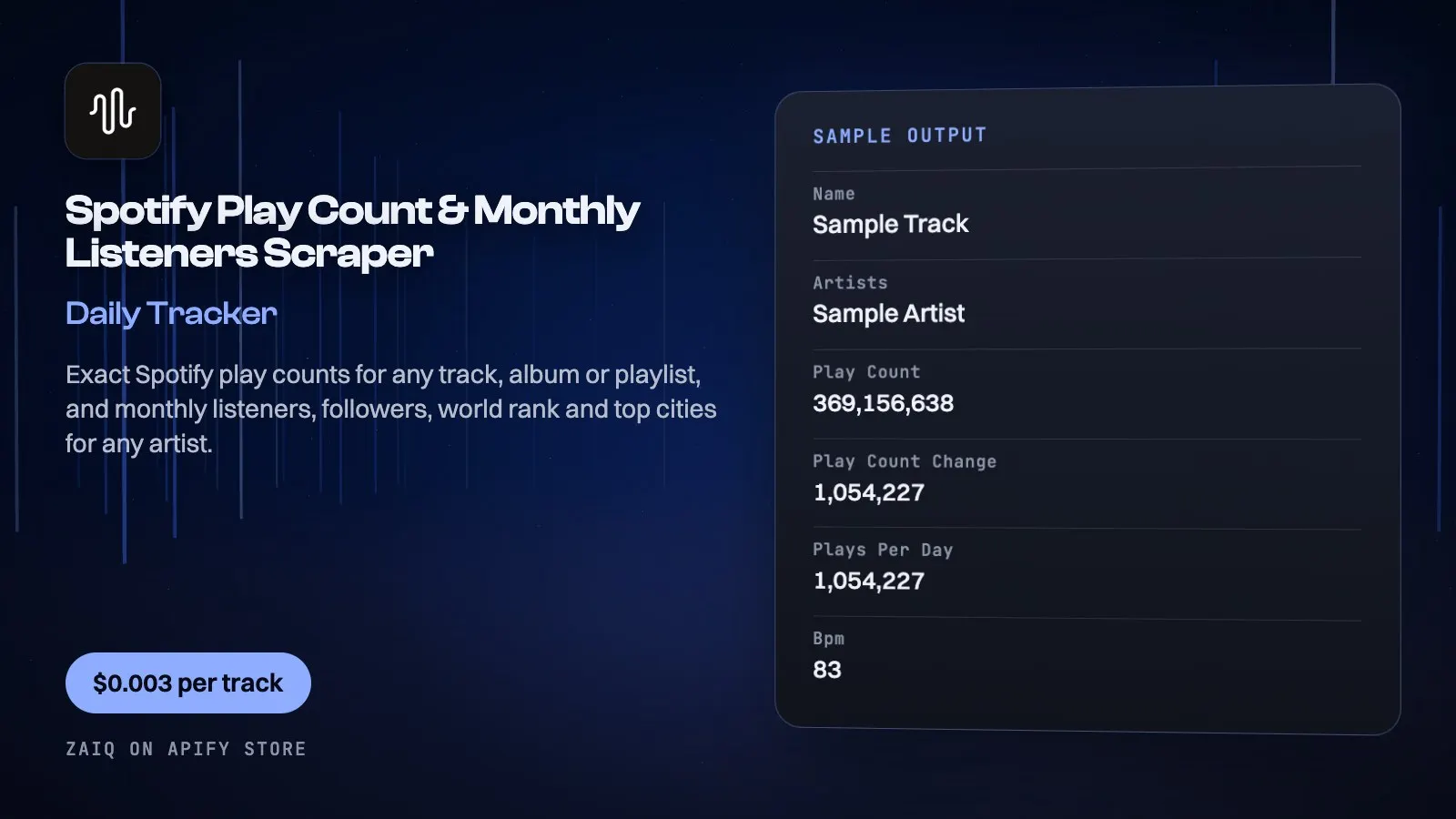
Get the exact Spotify play count for any track, album or playlist, and monthly listeners, followers, world rank and top cities for any artist. No login, no Spotify account and no API key: Spotify's official API does not give play counts at all.
Each row shows how much it grew since your last run, with plays per day, so a daily schedule becomes a stream tracker for your roster. Playlist rows add BPM, musical key and the date a track was added. Built for labels and managers, playlist marketers, music investors and AI agents.
What you get
| Field | What it holds |
|---|---|
| Track rows | trackId, name, artists, playCount, album, albumId, releaseDate, durationMs, explicit, trackNumber, playable, source, url, label (albums) |
| Playlist extras | playlistPosition, addedToPlaylist, playlistFollowers, bpm, camelotKey, musicalKey |
| Artist rows | artistId, name, monthlyListeners, followers, worldRank, verified, topCities, albums, singles, externalLinks, url |
| Growth | previousPlayCount, playCountChange, playCountChangePercent, playsPerDay, previousMonthlyListeners, monthlyListenersChange, monthlyListenersChangePercent, firstSeenAt, previousCheckAt |
What people use it for
- Stream tracking: run your roster every day and see plays per day for each track
- Release reports: pull an album's plays per track on a schedule
- Playlist pitching: see what a playlist's tracks actually do, with BPM and key
- Music investing: compare catalogues by real play counts before you buy
- Artist research: see monthly listeners, top cities and growth
- AI agents: Spotify numbers inside any workflow, per track
How to use it
- Paste Spotify links: tracks, albums, artists or playlists, in any mix.
- Click Start.
- Set a daily schedule to track growth.
Input
| Field | Example | Notes |
|---|---|---|
| Spotify links | https://open.spotify.com/track/... | Up to 500, or spotify: URIs |
| Include each artist's top tracks | on | Up to 10 track rows per artist |
| Tracks per album or playlist | 500 | Up to 10,000 |
| Compare with my last run | on | Free |
| Tracking name | my-label | Optional, one history per list |
Output
Each result is one row in the run's dataset (download it as JSON, CSV, Excel, XML or HTML, or read it through the API). An example row (values shortened):
A record named SUMMARY in the run's key-value store says what each input returned, with any notes (for example an account that does not exist), what was charged and how much traffic the run used.
Pricing
- $0.00015 per track ($0.15 per 1,000)
- $0.005 per artist
- Growth tracking is free
- Links that cannot be read are free
- Apify's $0.00005 start charge counts towards your Maximum cost per run.
- Launch price on the main events. It may rise later; Apify emails every user 14 days before any price increase takes effect, and a rise can happen at most once a month.
What typical jobs cost at the list price:
| Job | Cost |
|---|---|
| One track | $0.00015 |
| 100 tracks | $0.015 |
| A 50-track playlist | $0.0075 |
| 20 tracks every day for a month | $0.09 |
On Apify's Scale and Business plans the per-event prices are lower (Store discounts). Set Maximum cost per run and the Actor stops cleanly when it is reached: you never pay more than that.
Tips
- Use one tracking name per roster so each list keeps its own history.
- Turn off top tracks to pay for just the artist row.
- An artist's top tracks are the fastest way to find their biggest songs.
Use it through the API
Python
JavaScript
HTTP (one call, results back)
Integrations and schedules
- Schedules: run it every hour, day or week from the Apify Console (Schedules) and keep a history of results.
- Make, Zapier, n8n, Google Sheets, Slack, Airtable: connect it through Apify's integrations, or send each finished run to a webhook.
- Datasets: results stay in the run's dataset; export them or read them by API whenever you need them.
Use it with AI agents (MCP)
Add Apify's MCP server with this Actor already pinned (https://mcp.apify.com?tools=zaiq/spotify-play-count-scraper) to Claude, ChatGPT, Cursor, VS Code or any MCP client. The agent can find this Actor and run it for you: ask it for "how many plays this artist's top tracks got since yesterday". AI agents can also pay for runs directly through Apify's agentic payments.
Limits
- Numbers are what Spotify shows publicly. Spotify does not update play counts live, so running more often than daily mostly shows no change.
topCitieslists the five Spotify shows;worldRankappears only for artists Spotify ranks.- An artist's top tracks carry no album name or release date; read the track link for those.
- Private playlists cannot be read.
- Apify's free plan: one link and 10 rows.
FAQ
Do I need a Spotify account or API key?
No.
Doesn't Spotify's API give this?
No. Spotify's official API does not return play counts. This reads the numbers its public web player shows.
How does growth tracking work?
Each row is compared with your last run. The history is kept in a store in your own Apify account, and it is free.
How often should I run it?
Once a day is enough. Spotify does not update play counts live.
Can I track a whole label?
Yes. Paste up to 500 links in any mix and set a daily schedule.
What if a link cannot be read?
It is listed in the run's summary and you pay nothing for it.
Related Actors from Zaiq
- tiktok-transcript-scraper: what is said in TikTok videos
- youtube-outlier-finder: a channel's videos that beat its own average
- instagram-reels-outlier-finder: a creator's Reels that beat their own average
Support
Questions, a site that changed, or a field you need? Open an issue on this Actor's Issues tab: we answer there, usually within a day.
Also found as: spotify play count, spotify play count scraper, spotify monthly listeners, spotify stream tracker, spotify streams api, spotify scraper, spotify data, artist analytics, music analytics, playlist data.


