

App Store Scraper – Developer Leads, Emails & App Data
Pricing
from $0.50 / 1,000 app rows
App Store Scraper – Developer Leads, Emails & App Data
Scrape App Store app details, keyword search results, top free / paid charts and developer portfolios from Apple's official APIs, plus the contact e-mails developers publish on their own website, support or privacy page. Source on every row. Not affiliated with Apple.
Pricing
from $0.50 / 1,000 app rows
Rating
0.0
(0)
Developer

Badr Bouargan
Maintained by CommunityActor stats
0
Bookmarked
2
Total users
1
Monthly active users
7 hours ago
Last modified
Categories
Features
Share
Turn the Apple App Store into a clean dataset and a list of developer leads. Get full app details, keyword search results, top free and top paid charts and complete developer portfolios from Apple's official APIs, then, if you want, the contact e-mails each developer publishes on its own website, support page or privacy-policy page. Every row says where it comes from.
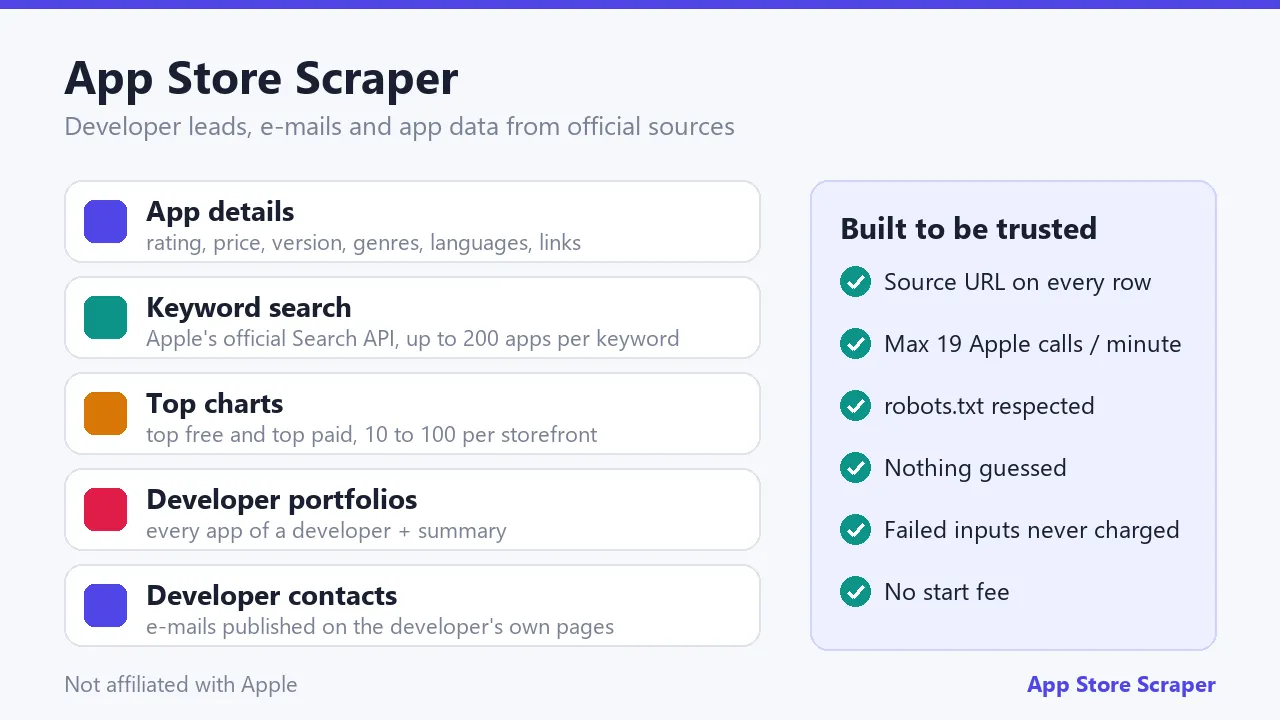
Not affiliated with, endorsed by or sponsored by Apple Inc. "App Store" is a trademark of Apple Inc., used here only to describe the data source.
What you can do with it
- Find apps to partner with, advertise in or sell to: search a niche ("habit tracker", "budget planner"), keep the apps rated 4+ with enough ratings, and get the developers' published contact e-mails.
- Monitor a market: top free and top paid charts per country, prices, ratings, versions and update dates, in 1 storefront, a list of them, or all 175 App Store storefronts at once (
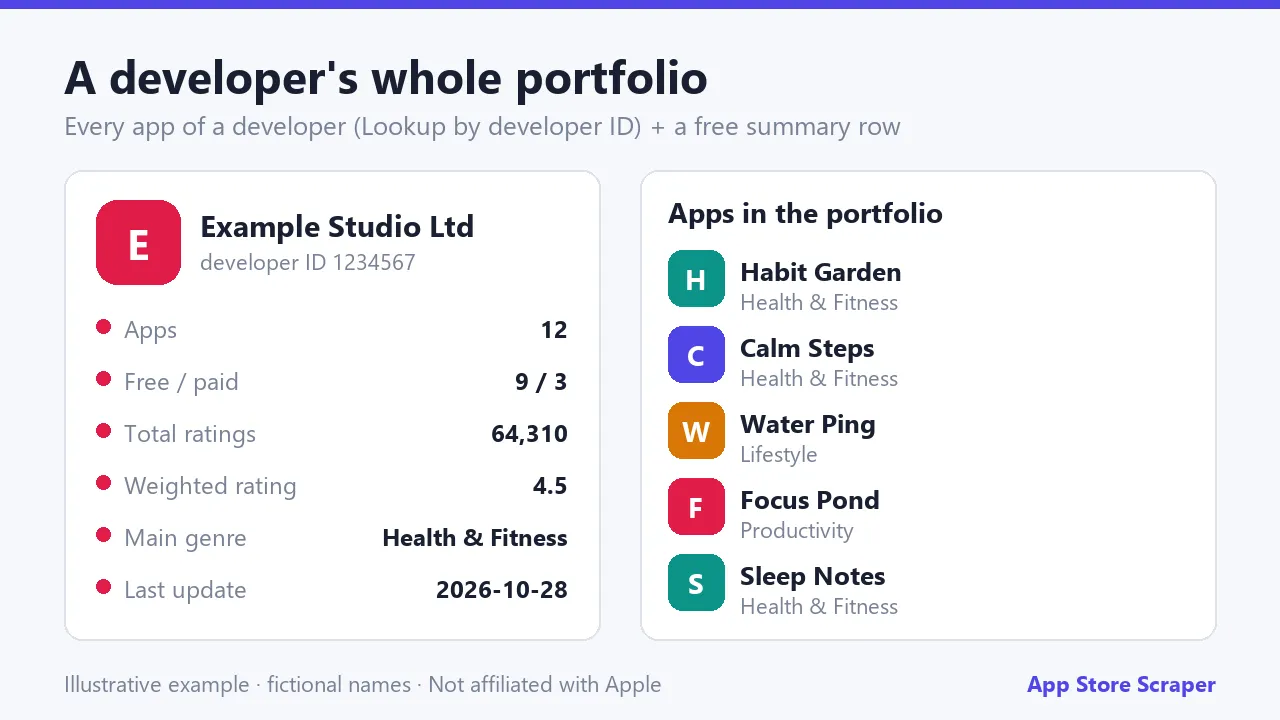
allCountries). - Map a competitor: every app of a developer, with a free summary row (apps count, free / paid, total ratings, weighted rating, genres, last update).
- Enrich your own list: paste app IDs, bundle IDs or App Store links and get one complete row per app and storefront.
What you get
| Service | Source | What you get |
|---|---|---|
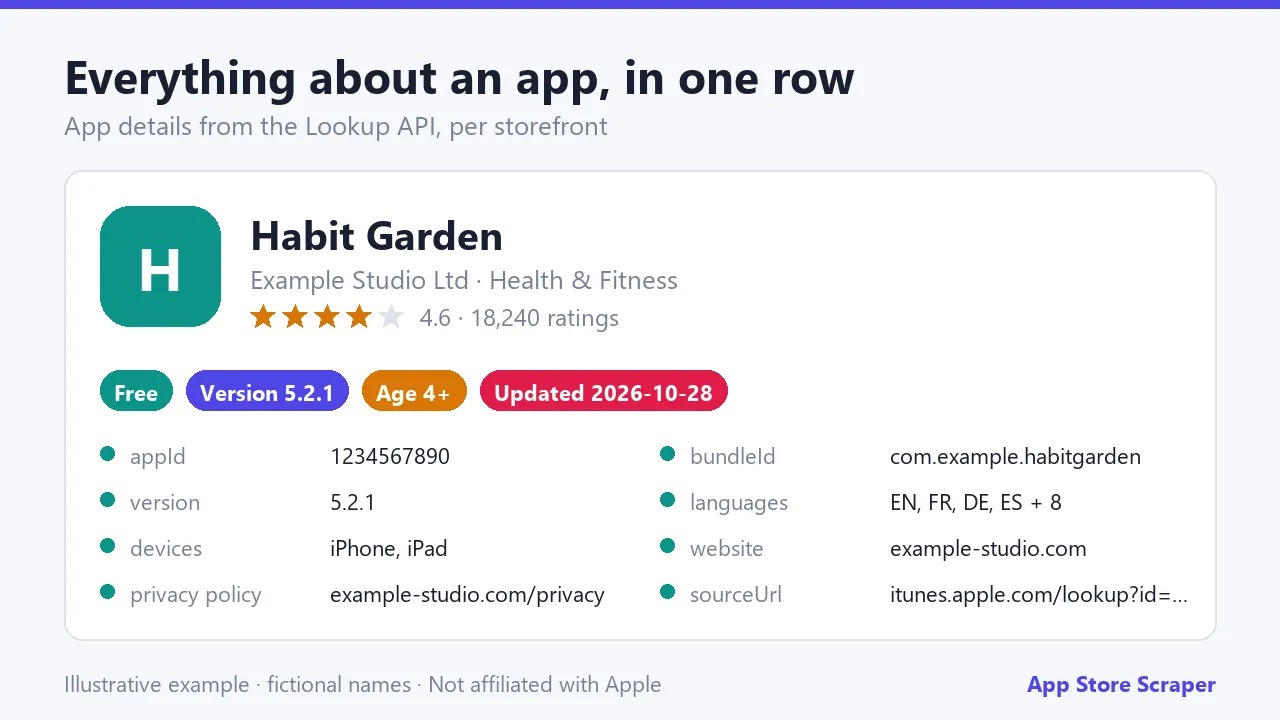
| App details | Apple Lookup API (official) | name, IDs, bundle ID, developer and seller, developer website, description, version and release notes, release and update dates, genres, age rating, price and currency, rating and ratings count (all versions and current version), minimum OS, file size, languages, device families, icon and screenshot URLs, privacy-policy and support links when the developer writes them in the description |
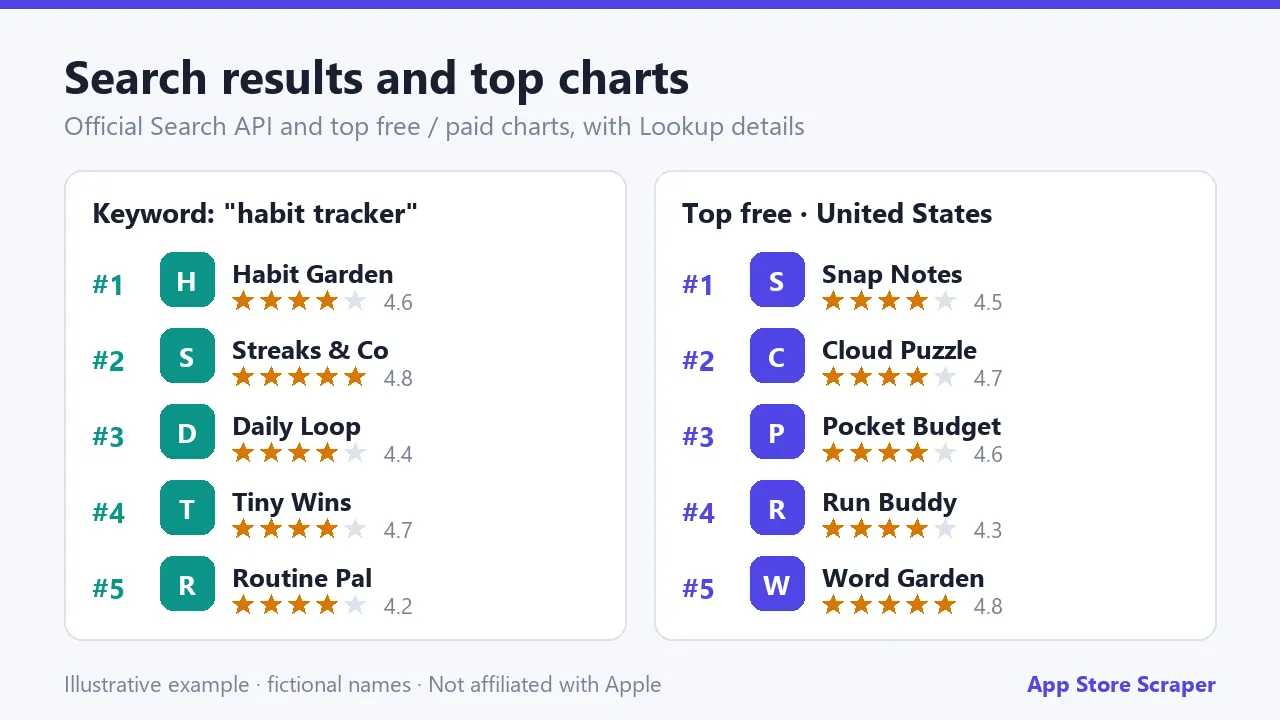
| Keyword search | Apple Search API (official) | up to 200 apps per keyword and storefront, in Apple's order, with the same full details |
| Top charts | Apple's official RSS v2 chart feed | top free and top paid, 10 / 25 / 50 / 100 entries per storefront, with rank and chart date; full details added from the Lookup API when you ask for them (or when filters or contacts need them) |
| Developer portfolio | Apple Lookup API (official) | every app of a developer (up to 200) + one free summary row |
| Developer contacts | the developer's own pages | e-mails published on the developer's website, support page or privacy-policy page, each with the exact page it was found on, a category, a confidence level and free domain checks |
How it works
- Apple data comes only from Apple's official, documented sources: the Lookup API, the Search API and the RSS v2 chart feed. No Apple account, no cookie, no CAPTCHA solving, no App Store web page and no private API is used.
- Polite by design: Apple documents its Search API at "approximately 20 calls per minute". This Actor sends at most 19 Search + Lookup calls per minute in total, groups up to 50 app IDs in one Lookup call, retries temporary errors, and switches between Apple's two official chart hosts when one is slow.
- Developer contacts (optional): Apple does not publish developers' e-mails. When you turn this on, the Actor visits, for each developer in your results, at most 3 pages the developer itself publishes (its website, support page and privacy-policy page), respects each site's robots.txt, and returns the addresses written there. Nothing is guessed and no address is built from a name.
- Every row carries its
sourceUrl,sourceApiandscrapedAttimestamp.
Developer contacts, done carefully
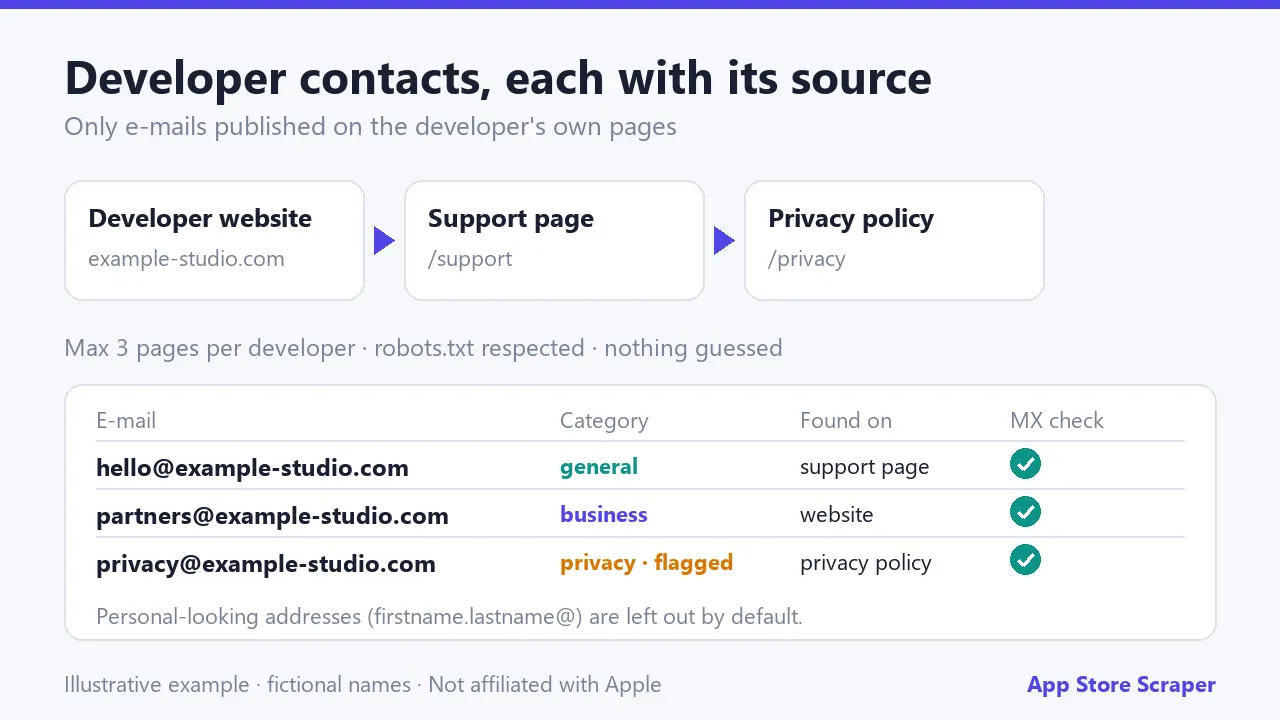
- One visit per developer, max 3 pages: support page, website, privacy policy (in that order, when they exist).
- robots.txt respected on every site; a site whose robots.txt cannot be read is not visited.
- Source on every e-mail:
sourceUrl(the exact page),sourceType(support-page,website,privacy-policy), the text around it (context) and the other pages where it also appears. - Personal-looking addresses are left out by default (
firstname.lastname@…, free webmail with a person's name). They are counted in the run summary, not delivered and not charged. - Privacy mailboxes (
privacy@,dpo@,gdpr@…) are delivered but flaggedprivacyMailbox: truewith the note "For data-protection requests only, not for marketing." You can leave them out entirely. - Free checks on every delivered address: syntax, MX record of the domain, disposable domain, role address (
info@,support@…). This is not mailbox verification. - E-mails appear only in contact rows: if an app description contains an e-mail, it is replaced by a placeholder in the app row.
- Developers without a published e-mail are listed in
DEVELOPERS_WITHOUT_CONTACTwith the reason (no pages, robots.txt, no e-mail on the pages…) and are never charged.
Input
Use any mix of the four sources. Each one runs in each storefront you list. With an empty input, a small example run is made.
| Field | What it does |
|---|---|
apps | App IDs (570060128, id570060128), bundle IDs (com.spotify.client) or App Store links |
keywords, maxResultsPerKeyword | Official Search API, 1 to 200 apps per keyword |
charts, chartSize, chartDetails | top-free / top-paid, 10 to 100 entries; chartDetails adds full details |
developers, maxAppsPerDeveloper | Developer (artist) IDs or developer links; up to 200 apps each |
countries, language | Two-letter storefront codes (default us); en_us / ja_jp or the storefront's language |
allCountries | Every App Store storefront (175 codes). The countries you list run first, then the largest markets. See "All countries" below |
developerContacts + options | Contacts on / off, leave out personal-looking addresses (default on), leave out privacy mailboxes (default off), free domain checks (default on) |
| Filters | minRating, minRatingsCount, priceType, maxPrice, genres, updatedSince (2026-01-31 or 90 days), contentRatings |
maxApps | Stop after this many app rows (contacts of the apps already delivered are still searched) |
maxAppsPerCountry | 0 = no limit. Each storefront stops at this many app rows; Apple is never asked for more entries than can still be delivered |
failRunOnError | Off (default): failed inputs are listed and the run ends SUCCEEDED. On: the run is marked FAILED when an input fails |
Malformed values (a word instead of an ID, a 3-letter country…) are rejected by the input form. Through the API, they are skipped and listed in FAILED_INPUTS.
All countries
"allCountries": true runs every input in all 175 App Store storefronts (Apple's App Store Connect list of countries and regions). The countries you list in countries run first, then the largest markets (us, gb, ca, au, de, fr, jp…), then the others alphabetically, so a run that stops early still has the most useful markets.
Apple's pace is the limit: one chart = 1 call to the official chart feed (20 per minute), and with chartDetails 1 Lookup call per 50 entries (Search + Lookup share 19 calls per minute). Expected duration for both charts (top free + top paid) in all 175 storefronts, when Apple's feed answers normally:
| Input | App rows | Duration | Recommended run timeout |
|---|---|---|---|
top 10, chartDetails off | up to 3,500 | about 18–20 min | 1,800 s |
top 10, chartDetails on | up to 3,500 | about 23–25 min | 2,400 s |
top 100, chartDetails on | up to 35,000 | about 40–47 min | 4,200 s |
top 100, chartDetails on, developer contacts on | up to 35,000 | 1.5–2 h or more | split the run |
Recommendations: raise maxApps (default 1,000) to at least the app rows above, or use maxAppsPerCountry to keep every country (Apple is then asked only for what can still be delivered). RUN_SUMMARY.estimate and the first log lines give the estimate and the recommended timeout for your exact input. If Apple's feed is slow that day, or the timeout comes first, the run still ends SUCCEEDED: the countries done are in RUN_SUMMARY.countriesDone, the others in countriesRemaining and in FAILED_INPUTS (TIME_LIMIT); run again with those countries.
Output
One dataset with three kinds of rows (rowType). Views: Apps, Developer contacts, All fields. Export to JSON, CSV, Excel, XML or HTML.
App row (shortened):
Contact row (shortened):
(Illustrative values, fictional names.)
International domains are supported: email keeps the address as published (e.g. info@müller.de), emailAscii is its punycode form (info@xn--mller-kva.de, used for dedupe, the MX check and billing: one address is one developer-contact whatever form it was published in) and emailDisplay its readable form. For ordinary addresses the three are identical.
Run files (key-value store): RUN_SUMMARY (rows, Apple calls and pace, billing, rows removed by filters, stop reason), FAILED_INPUTS (each failed input with a stable code such as APP_NOT_FOUND, NO_SEARCH_RESULTS, CHART_UNAVAILABLE, TIME_LIMIT, and a reason), DEVELOPERS_WITHOUT_CONTACT. RUN_SUMMARY also lists countriesDone, countriesRemaining, remaining (inputs not processed), estimate (expected duration and recommended timeout) and timeLimit.
Pricing
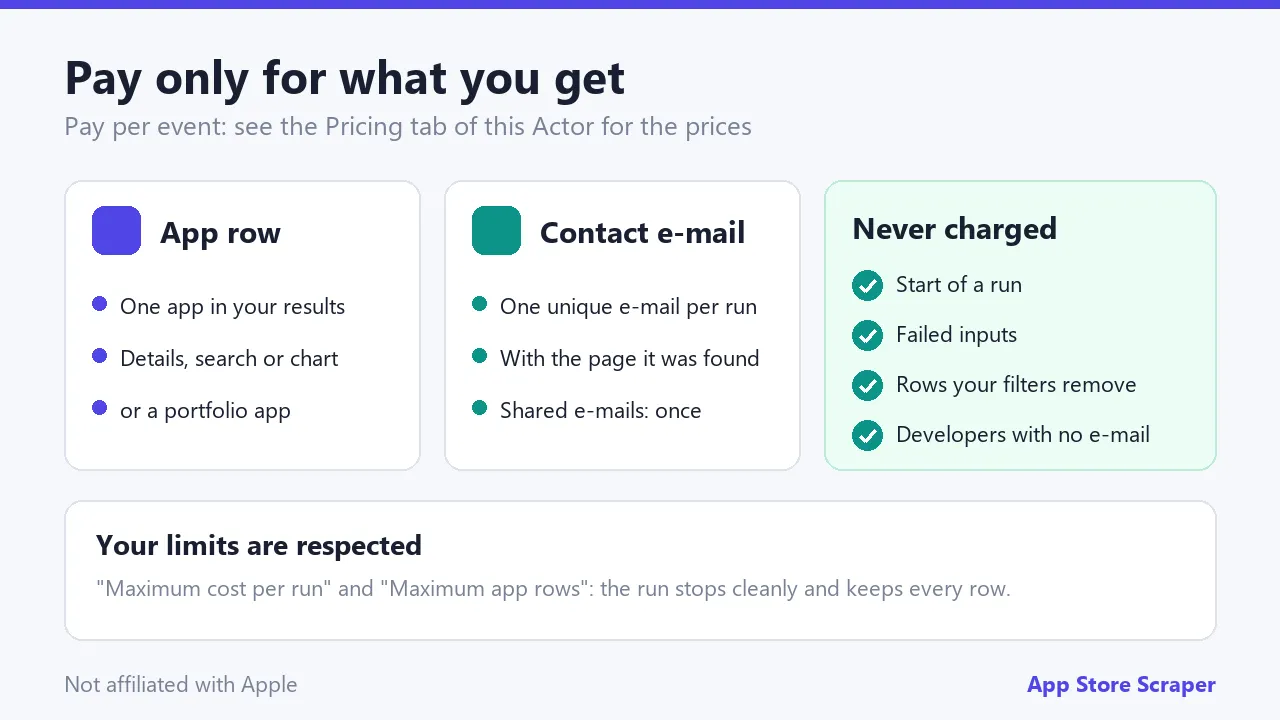
Pay per event. The Pricing tab of this Actor is the reference for the current prices.
- App row: one per app row delivered (app details, search result, chart entry or portfolio app) and per storefront. The same app in the same context is never charged twice in a run.
- Developer contact: one per unique e-mail delivered in the run. If several developers or apps share the same address, it is charged once.
- Never charged: starting a run, failed inputs, rows removed by your filters, developer summary rows, developers without a published e-mail, personal-looking addresses that are left out.
- Your Maximum cost per run is respected: the run stops cleanly and keeps every row already delivered.
Honest limits
- No reviews in this version. Ratings averages and counts are included; review texts are not.
- Apple shows no developer e-mail. Contacts are found only when the developer publishes one on its own website, support page or privacy-policy page. Many large companies publish none, or only behind a contact form or JavaScript: expect a lower hit rate for big brands than for independent studios.
- Search is Apple's own Search API: up to 200 results per keyword, in Apple's order (not always identical to the App Store app's on-device ranking).
- Charts: Apple's official feed offers top free and top paid only (no top grossing, no category charts). The feed is sometimes slow: the Actor retries, uses the second official host, falls back from 100 to 50 entries if needed, and lists a chart that still fails in
FAILED_INPUTS(not charged). - Not in the Lookup data: in-app purchase list, privacy labels, rating histogram (1 to 5 stars), similar apps. These fields are not invented.
- Speed: Apple's pace (19 calls per minute) is the limit. 50 app IDs fit in one call, a search or a portfolio is one call; developer contacts take a few seconds per developer.
- The run stops cleanly before its timeout: new work stops max(45 s, 10 % of the timeout) before it so that every result is saved, unprocessed inputs are listed with code
TIME_LIMIT(and inRUN_SUMMARY.remaining/countriesRemaining) and the run ends SUCCEEDED. Run it again with only those inputs, or with a longer timeout.
Related Actors
Other Actors by the same developer that work well with this one:
- Google Play Scraper – the same app or developer on Android: installs, ratings and developer contact.
- Business Email Finder – find more public e-mails on the developer websites you collected.
FAQ
Do I need an Apple account or an API key? No.
How fresh is the data? Every run reads live data from Apple and from the developer pages. Nothing is cached between runs.
Can I run several countries at once? Yes, any list of storefronts, or all 175 with allCountries (see "All countries" for the duration). Prices, ratings and charts differ by country, so each country gives its own rows.
Why did a developer get no e-mail? See DEVELOPERS_WITHOUT_CONTACT: no website declared on the App Store, robots.txt disallows reading, the pages publish no e-mail, or only personal-looking addresses were found.
Are the e-mails verified? They get free syntax, MX, disposable-domain and role checks. That is not a mailbox verification: no e-mail is sent.
Can I schedule it? Yes, with Apify schedules. Each scheduled run is an independent snapshot.
Privacy and compliance
- Only public data: Apple's official APIs and pages that developers publish themselves.
- Business contacts only by default: personal-looking addresses are left out unless you turn that option off.
- You are the data controller for any use of the contacts you collect: rely on a lawful basis (for example legitimate interest for B2B outreach), tell people where you found their address when you first contact them, honour objections and opt-outs, keep only what you need, and do not send unsolicited bulk marketing where local law forbids it (GDPR, ePrivacy / PECR, CAN-SPAM).
- Icons and screenshots are delivered as URLs only, for referencing the apps; respect Apple's and the developers' rights when you display them.
Support
Found a bug or need a field? Open an issue on the Actor's Issues tab and include your run ID.


