
App Store Rankings Scraper: Top Charts by Country
Pricing
from $0.56 / 1,000 ranking scrapeds
App Store Rankings Scraper: Top Charts by Country
Scrape Apple App Store top charts: rankings by category, country and chart type, with app metadata, publisher and price. Track rank movement over time.
Pricing
from $0.56 / 1,000 ranking scrapeds
Rating
0.0
(0)
Developer

Arman Hossain
Maintained by CommunityActor stats
0
Bookmarked
3
Total users
1
Monthly active users
3 months ago
Last modified
Categories
Share
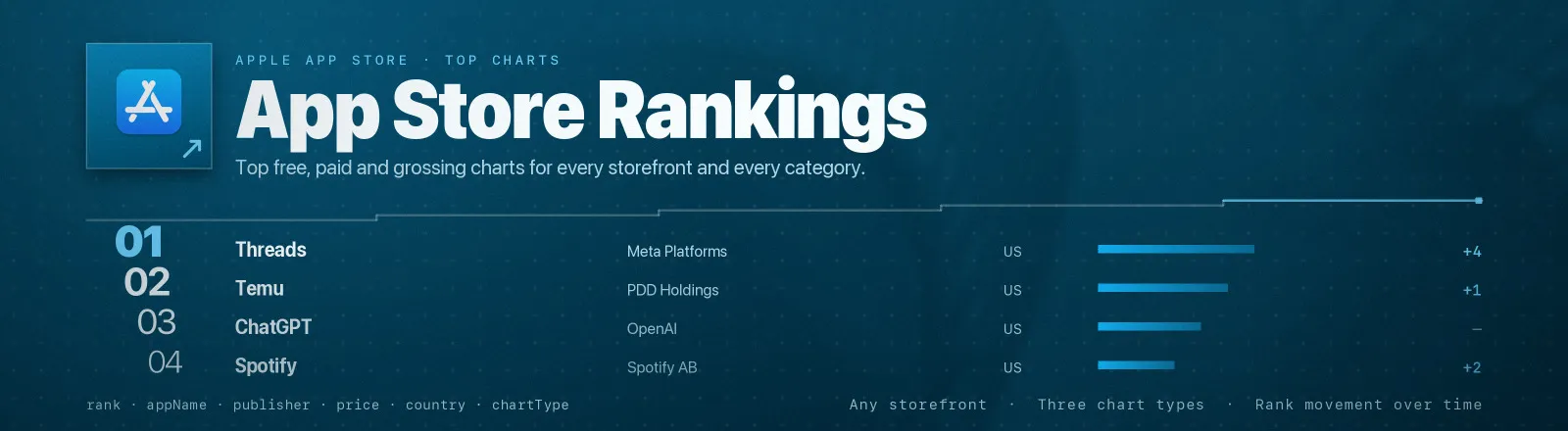
App Store Rankings Scraper pulls Apple's top free, top paid and top grossing charts for any storefront and any App Store category, rank, app name, publisher, price, currency, category, release date, icon and the full store description.
Every combination of country × chart type × category is fetched as its own chart, so one run can cover a dozen markets at once. No proxy setup, no browser, no credentials to manage.
Agent skill: SKILL.md
What you get
| Output field | Meaning |
|---|---|
country | Storefront the chart came from, e.g. us, gb |
chartType | topfree, toppaid or topgrossing |
categoryId | Apple genre ID requested, or null for the overall chart |
rank | Position in that chart, 1-based |
appId | Apple's numeric app ID, your join key across runs |
appName | App name as it appears in the store |
publisher | Developer / seller name |
price, currency | Numeric price and the storefront's currency (0 + USD for free apps) |
category | The app's own primary category, which can differ from the chart you pulled |
releaseDate | First release date, ISO 8601 with the store's timezone offset |
iconUrl | Highest-resolution icon Apple ships in the feed (100×100) |
summary | Full store description text |
rights | Copyright line |
scrapedAt | Run timestamp, the field you diff on to measure rank movement |
A RUN_SUMMARY record in the key-value store holds per-run counts, per-chart counts, the filters applied and any chart that failed.
Input
| Field | Type | Default | Notes |
|---|---|---|---|
countries | array | ["us"] | Two-letter storefront codes, lowercase. An unknown code returns HTTP 400 and is recorded as a failure without stopping the run. |
chartTypes | array | ["topfree"] | Any of topfree, toppaid, topgrossing. An unrecognised value fails validation up front. |
categoryIds | array | [] | Apple genre IDs. Empty = the overall chart. |
limit | integer | 100 | Chart depth. Capped at 200, though Apple currently truncates at ~100. |
Which combinations make sense
- The run fetches the full cross product: 4 countries × 3 chart types × 2 categories is 24 requests and up to 2,400 records. Size
limitaccordingly. topgrossingis the most useful signal for revenue tracking;topfreemoves fastest day to day.categoryIdsis where breakout detection lives, a new entrant at rank 40 in Games is far more informative than rank 400 overall.
Common category IDs: 6014 Games · 6015 Finance · 6016 Entertainment · 6017 Education · 6018 Books · 6020 Medical · 6023 Food & Drink · 6002 Utilities · 6005 Social Networking · 6008 Photo & Video · 6012 Lifestyle.
Example input
Output
A real record from the run above:
Prices come back in the storefront's own currency, so the same app on the GB chart reads:
RUN_SUMMARY:
Use cases
1. Track your app's rank daily. Schedule a run in the categories and storefronts you care about, then filter the dataset to your appId and plot rank against scrapedAt.
2. Competitive ASO monitoring. Pull the paid and grossing charts for a category and watch which publishers gain positions week over week. summary gives you their live store copy for keyword analysis.
3. Spot breakout apps early. Diff consecutive runs on appId: an app that appears in a category chart for the first time, or jumps more than ~20 places, is a breakout candidate. releaseDate separates new apps from re-surging old ones.
Limits and behaviour
- Charts are already ranked.
rankis the app's position in the feed as Apple ordered it, the Actor does no sorting or scoring of its own. - Apple currently truncates at ~100 entries per chart. The feed URL accepts
limit=200and the Actor caps there, but every chart tested returns 100 (99 fortoppaid). A request for 200 that yields 100 is Apple's behaviour, not a bug here. - The cross product is fetched in full. Requests are sequential, one per chart, and each takes a few hundred milliseconds.
categoryis the app's own category, not the chart's. An app pulled from the Games chart can carry a different primary category; usecategoryIdfor the chart you asked for.- A failing chart never aborts the run. An unknown storefront returns HTTP 400, is recorded in
RUN_SUMMARY.failures, and the next chart proceeds. The Actor only errors out if every chart fails. - Transient errors are retried. 429 and 5xx get three attempts with linear backoff. HTTP 400 fails fast, because retrying an invalid storefront never helps.
- Single-app feeds are handled. With
limit=1Apple returnsentryas a bare object instead of an array; the Actor normalises that. - Public data only. No authentication, no personal data, no access-control bypass.
FAQ
Do I need a proxy? No. Proxy configuration is not required to run this Actor.
Do I need an Apple developer account? No. You supply no credentials.
What happens if a storefront is unavailable? It is reported in RUN_SUMMARY.failures and the run continues with the next chart. The run only fails outright if every chart failed.
Can I schedule it? Yes, daily scheduled runs are the intended pattern. Rank data is only useful as a time series.
Why does toppaid return 99 rows instead of 100? Apple's paid feed itself serves 99 entries. The Actor reports exactly what Apple returned.
How do I measure rank movement? Run on a schedule and diff consecutive datasets on appId within the same country + chartType + categoryId, comparing rank across scrapedAt.
Does it include ratings or review counts? No, the RSS chart feeds do not carry them. Pair this with an App Store detail scraper if you need ratings.
Can I get iPad or Mac charts? Not currently. The Actor exposes the three iPhone chart types the plan specifies.
Can I integrate it with something else? Yes, Apify API, client libraries, webhooks, scheduled runs, dataset exports (JSON/CSV/Excel) or MCP. Output is structured JSON.
API example
JavaScript example


