
Ad Repository Scraper
Pricing
from $2.10 / 1,000 results
Ad Repository Scraper
⚡ Fast Ad Repository scraper for 12 ad platforms: Facebook, Instagram, X, Google, YouTube, Bing, Amazon, TikTok, Reddit, Pinterest, LinkedIn and display. No login, no API key. Search by keyword or URL: ad text, images, videos, landing pages, advertisers, engagement, countries.
Pricing
from $2.10 / 1,000 results
Rating
0.0
(0)
Developer

Aboo Script
Maintained by CommunityActor stats
0
Bookmarked
2
Total users
1
Monthly active users
5 days ago
Last modified
Categories
Security
Limited permissionsShare
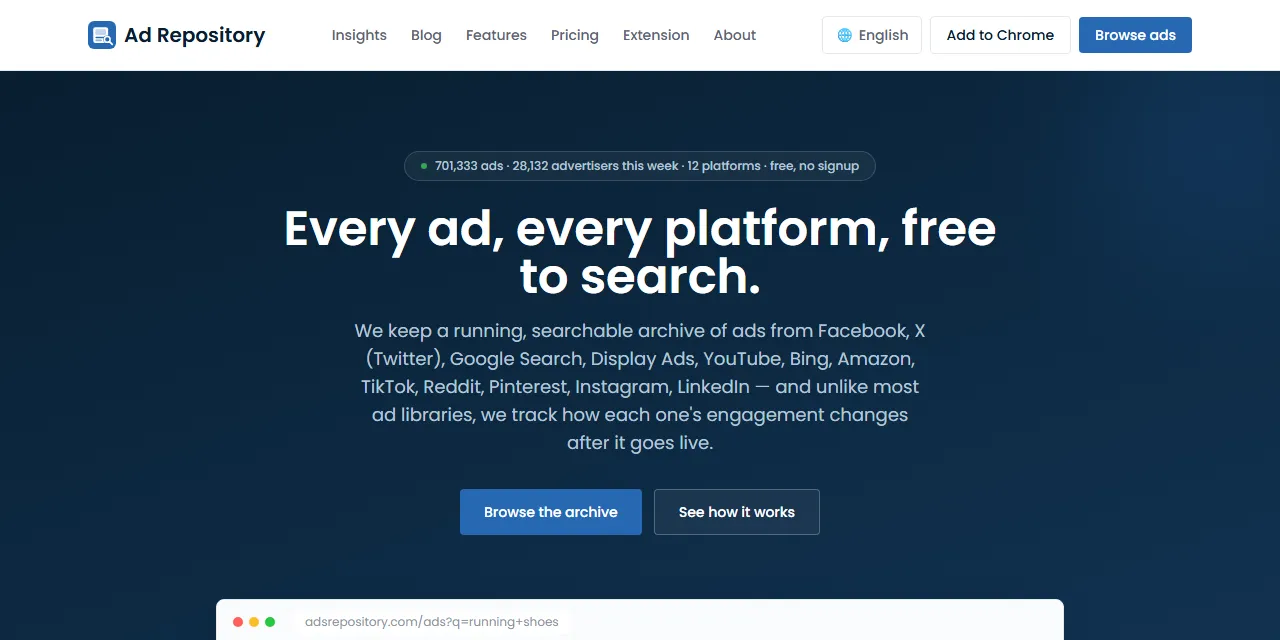
Ad Repository Scraper extracts ads from Ad Repository into clean, structured data you can download as JSON, CSV, Excel, or HTML. Paste any Ad Repository URL or type a few keywords, and get the ad text, images, videos, landing page, advertiser, engagement, and the countries where each ad was seen. One scraper covers Facebook, Instagram, X (Twitter), Google Search, Display, YouTube, Bing, Amazon, TikTok, Reddit, Pinterest, and LinkedIn ads. No account or login required.
Introduction
Ad Repository is a free, searchable archive of ads collected from 12 advertising platforms, with hundreds of thousands of new ads and tens of thousands of advertisers every week. Marketers, agencies, and researchers use it to see which ads brands run, where they run them, and how people react to them.
This actor collects the same public information you see in your browser and turns it into a ready-to-use dataset. You can run it once, schedule it to run daily, or connect it to your own tools.
What data can you extract from Ad Repository?
- 📣 Platform, ad ID, title, ad text, link title, and link description
- 🏢 Advertiser name, username, ID, profile URL, logo, verified badge, and a link to all their ads
- 🖼️ Media type, image, video, carousel cards, and the original post URL
- 🔗 Landing page, display URL, domain, and call to action
- 🔍 Search keyword, ad position, ad format, price, seller, Amazon ASIN, and product rating for search and shopping ads
- 🌐 Display network and publisher site for display ads
- ❤️ Engagement: total, likes, comments, shares, views, and Facebook reactions
- 📅 Published date, first seen and last seen dates, and how many times the ad was seen
- 📍 Country, region, and city where the ad was first seen, plus every country where it was seen
Use Cases
- 📈 Market research: see which messages, offers, and formats brands use across many ad platforms at once.
- 🕵️ Competitor monitoring: follow the ads a competitor runs on search, social, video, and shopping platforms.
- 🎨 Creative inspiration: collect high-engagement images, videos, and copy for your next campaign.
- 🤝 Lead generation: build lists of active advertisers in a country, niche, or domain.
- 🤖 AI and automation: feed clean, structured ad data into spreadsheets, dashboards, or AI workflows.
How to scrape Ad Repository step by step
- Paste one or more Ad Repository URLs into Start URLs, or type keywords into Search queries.
- Optionally pick a platform, media type, country, or other filters for your search queries.
- Set Max results to how many ads you want per URL or per query.
- Click Start and wait for the run to finish.
- Download your data in JSON, CSV, Excel, or HTML from the Output tab.
Input
- Start URLs: Ad Repository URLs to scrape. Supported pages: the ad list (with any filters, such as platform, country, media type, or sort order), advertiser pages, platform pages, and single ad pages. Filters in the URL are kept in the results.
- Search queries: keywords, advertiser names, or domains to search for, one per line. Each query is scraped separately.
- Platform: only ads from one platform, for example Facebook or TikTok.
- Media type: text only, image, video, or carousel ads.
- Country: only ads seen in one country.
- Domain: only ads that lead to a given domain, for example amazon.com.
- Display network: only display ads from Google Display, Taboola, or Outbrain.
- Search ad format: only search ads or only shopping ads.
- Sort by: newest first, recently active, or most engagement.
- Include dynamic product ads: also return dynamic catalog ads, which are hidden by default.
- Max results: how many ads to collect for each start URL or search query. Set 0 for no limit.
The filters apply to search queries. Start URLs keep the filters in their own URL. You can use start URLs, search queries, or both in the same run.
Input Examples
Scrape the latest Facebook ads:
Search by keyword:
Scrape the ads of one advertiser:
Output
Each ad is saved as one item in the dataset. Here is an example of a single item:
You can download the dataset in JSON, CSV, Excel, XML, or HTML, or access it through the Apify API.
Notes
- Ad Repository is a third-party archive: it only contains ads that its community collected, so it does not list every ad an advertiser runs.
- The available fields depend on the platform. For example, search keyword and position exist only for search and shopping ads, and reactions only for Facebook ads. Fields that do not apply are returned as
null. - Some Facebook landing pages are a Facebook redirect link when the real address is not shown on the ad.
- Ad text is returned in the original language of the ad.
- Ad Repository has no date filter. Use Sort by and Max results to get the most recent ads.
- Unsupported URLs (blog, pricing, or insights pages) are skipped.
Why use the Ad Repository Scraper?
- ✅ No login needed: works with public data only, so there is no account to manage.
- 🌍 12 platforms in one run: Facebook, Instagram, X, Google Search, Display, YouTube, Bing, Amazon, TikTok, Reddit, Pinterest, and LinkedIn.
- 🎯 Keeps your filters: paste any Ad Repository URL from your browser and get exactly what you see there.
- 🧹 Clean data: one consistent format for every platform, real numbers, and standard dates.
- 💸 Pay for what you need: set a result limit per URL or query and keep every run small and cheap.
- 🔄 Ready for automation: schedule runs, export to Google Sheets, or connect to Make, Zapier, and n8n.
FAQ
How many results can I scrape?
You can set any number in Max results, or 0 for no limit. The actor keeps going until it reaches your limit or runs out of ads.
Do I need an Ad Repository account?
No. The actor only collects publicly available data. You do not need to log in or provide any account details.
Can I scrape data on a schedule?
Yes. Use Apify Schedules to run the actor every hour, day, or week, and get fresh ads automatically.
Why are some fields empty?
Each platform shows different information, and some ads do not show every detail. When a field is not available, it is returned as null.
Can I request a new feature or filter?
Yes. Right now the actor supports start URLs, search queries, and the filters of the Ad Repository website. If you need something else, get in touch and it can be added.
Can I get a custom or private version?
Yes. The actor can be customized for your workflow, delivered as a private version, or a new scraper can be built for a different website. Use the contact details below.
Need to scrape other ad libraries?
- Facebook Ads Library Scraper: ads from the official Meta Ad Library.
- Google Ads Transparency Scraper: Google search, display, and YouTube ads by advertiser.
- TikTok Ad Library Scraper: ads from the TikTok Ad Library.
- X Ads Repository Scraper: EU ads from X (Twitter) with targeting and reach.
- Snapchat Ads Gallery Scraper: ads from the Snapchat Ads Gallery.
Need help or want a custom solution?
- 📧 Email: aboo.script@gmail.com
- 🧩 More scrapers: Apify profile
Image Credit
Image credit: Ad Repository


