
Google Ads Transparency Scraper
Pricing
from $1.40 / 1,000 results
Google Ads Transparency Scraper
[💰$2 / 1K] ⚡ Fast Google Ads Transparency Center scraper. No login, no API key. Get ads by domain, advertiser name/ID or ad URL with region, platform, format and date filters: advertiser, country, format, image, first/last shown dates, YouTube link and per-country impressions.
Pricing
from $1.40 / 1,000 results
Rating
0.0
(0)
Developer

Aboo Script
Maintained by CommunityActor stats
0
Bookmarked
2
Total users
1
Monthly active users
a day ago
Last modified
Categories
Share
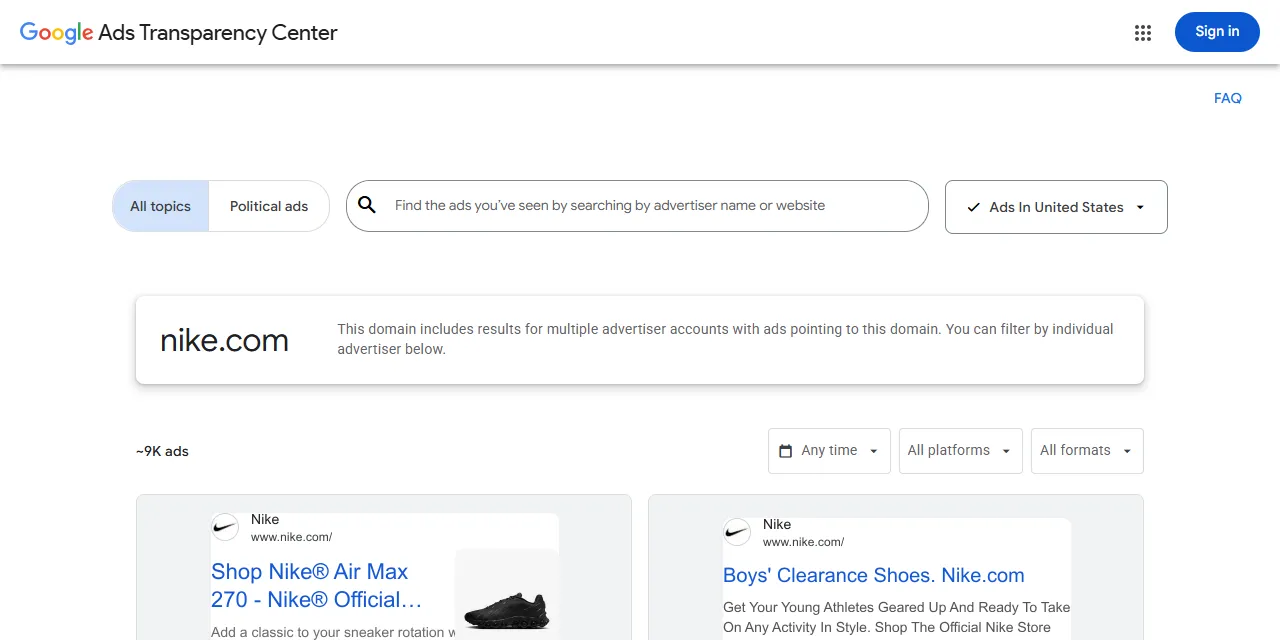
Google Ads Transparency Scraper extracts ads from the Google Ads Transparency Center into clean, structured data you can download as JSON, CSV, Excel, or HTML. Paste a domain or advertiser page, or type a domain or advertiser name, and get the advertiser, verified country, ad format, ad image, first and last shown dates, and (optionally) every country the ad ran in with impressions and platforms. No account or login required.
Introduction
The Google Ads Transparency Center is Google's public library of ads shown on Google Search, YouTube, Google Play, Google Maps, Google Shopping, and partner websites. It lists every verified advertiser and the ads they run, so it is one of the best sources to see what competitors advertise, where, and for how long.
This actor collects the same public information you see in your browser and turns it into a ready-to-use dataset. You can run it once, schedule it to run daily, or connect it to your own tools.
What data can you extract from Google Ads Transparency Center?
- 🔗 Direct link to every ad and its advertiser page
- 🏢 Advertiser name, ID, country, and verification status
- 🧩 Ad format (text, image, or video) and the domain the ad points to
- 📅 First shown date, last shown date, and number of days shown
- 🖼️ Ad image with width and height, or the ad preview link
- 🎬 YouTube link of video ads (with ad details)
- 🌍 Countries where the ad ran, with first and last shown dates per country (with ad details)
- 📊 Impression ranges per country and per platform for ads shown in the EU (with ad details)
- 🗂️ All variations of each ad (with ad details)
Use Cases
- 🕵️ Competitor monitoring: see every ad a competitor runs, which formats they use, and how long each ad stays live.
- 📈 Market research: compare the advertising activity of brands across countries and platforms.
- 🎨 Creative inspiration: collect ad images and videos from top advertisers in your niche.
- 🤝 Lead generation: find businesses that actively advertise on Google, with their country and website.
- 🛡️ Brand protection: spot advertisers that point ads to your domain.
- 🤖 AI and automation: feed clean, structured ad data into spreadsheets, dashboards, or AI workflows.
How to scrape Google Ads Transparency Center step by step
- Paste one or more Google Ads Transparency Center URLs into Start URLs, or type domains or advertiser names into Search queries.
- Optionally choose a Region, Platform, Ad format, or date range for your search queries, and turn on Include ad details for countries, impressions, and video links.
- Set Maximum number of results to how many ads you want per URL or per query.
- Click Start, wait for the run to finish, and download your data in JSON, CSV, Excel, or HTML from the Output tab.
Input
- Start URLs: Google Ads Transparency Center URLs to scrape. Supported pages: domain searches (
https://adstransparency.google.com/?region=US&domain=nike.com), advertiser pages (https://adstransparency.google.com/advertiser/AR16735076323512287233), and single ads (https://adstransparency.google.com/advertiser/AR.../creative/CR...). The region, platform, format, and date filters you set on the website are kept in the results. - Search queries: domains (
nike.com), advertiser IDs (AR16735076323512287233), or advertiser names (Nike), one per line. Each query is scraped separately. An advertiser name is matched to the advertiser with that name and the most ads. - Region: only ads shown in this country. Applies to search queries.
- Platform: only ads shown on Google Search, YouTube, Google Play, Google Maps, or Google Shopping. Applies to search queries.
- Ad format: only text, image, or video ads. Applies to search queries.
- Shown from and Shown until: only ads shown within this date range. Applies to search queries.
- Include ad details: also open every ad to add all its variations, the countries it ran in, impressions and platforms for EU countries, and the YouTube link of video ads. Runs take longer with this option.
- Maximum number of results: how many ads to collect for each start URL or search query. Use 0 for no limit.
- Proxy configuration: Google limits how many requests one address can make, so a proxy is required. The default Apify datacenter proxy works well.
You can use start URLs, search queries, or both in the same run.
Input Examples
Scrape all ads that point to a domain, as shown on the website:
Search by domain with the default filters:
Get YouTube video ads of an advertiser in the United States, with countries and video links:
Output
Each ad is saved as one item in the dataset. Here is an example of a single item with ad details (lists shortened):
You can download the dataset in JSON, CSV, Excel, XML, or HTML, or access it through the Apify API.
Notes
- A proxy is required: Google limits how many requests one address can make. Keep the default Apify proxy turned on.
- Only domain searches, advertiser pages, and single ad pages are supported. The home page and political ads pages are skipped.
regions,variations, andvideoUrlare filled only when Include ad details is on. Google publishes impressions and platforms per country only for ads shown in the EU.- Google publishes most text ads as images, so a text ad is returned as an image (
imageUrl) instead of text. Some ads only have an interactive preview, returned aspreviewUrl. domainis filled for domain searches. For advertiser pages, advertiser names, and single ads it isnull.- Google keeps a limited history for the date filter, so very old date ranges may return no ads.
- Large domains can have tens of thousands of ads. Use filters or a result limit to keep runs short.
Why use the Google Ads Transparency Scraper?
- ✅ No login needed: works with public data only, so there is no account to manage.
- 🎯 Keeps your filters: paste any domain or advertiser URL from your browser and get exactly what you see there.
- 🌍 Country-level detail: optional per-country dates, impressions, and platforms for each ad.
- 🧹 Clean data: dates use one standard format, numbers are real numbers, and every ad has a direct link.
- 💸 Pay for what you need: set a result limit per URL or query and keep every run small and cheap.
- 🔄 Ready for automation: schedule runs, export to Google Sheets, or connect to Make, Zapier, and n8n.
FAQ
How many results can I scrape?
You can set any number in Maximum number of results, or 0 for no limit. The actor keeps going until it reaches your limit or runs out of ads.
Do I need a Google account?
No. The actor only collects publicly available data. You do not need to log in or provide any account details.
Can I search by advertiser name?
Yes. Type the name in Search queries. The actor picks the advertiser with that name and the most ads. For an exact advertiser, paste its advertiser page URL or ID instead.
Can I scrape data on a schedule?
Yes. Use Apify Schedules to run the actor every hour, day, or week, and track new ads from your competitors.
Can I request a new feature or filter?
Yes. Right now the actor supports domains, advertisers, single ads, and region, platform, format, and date filters. If you need other inputs, such as political ads, get in touch and they can be added.
Can I get a custom or private version?
Yes. The actor can be customized for your workflow, delivered as a private version, or a new scraper can be built for a different website. Use the contact details below.
Need help or want a custom solution?
- 📧 Email: aboo.script@gmail.com
- 🧩 More scrapers: Apify profile
Image Credit
Image credit: Google Ads Transparency Center


