
Agoda Flights Scraper
Pricing
from $1.40 / 1,000 results
Agoda Flights Scraper
[💰$2 / 1K] ⚡ Fast, cheap Agoda Flights scraper. No login, no API key. Search any route by airport code, city or URL in 60 currencies: airlines, flight numbers, times, terminals, stops, layovers, baggage, price, discount, promo codes, booking link and a price calendar.
Pricing
from $1.40 / 1,000 results
Rating
0.0
(0)
Developer

Aboo Script
Maintained by CommunityActor stats
0
Bookmarked
2
Total users
1
Monthly active users
21 hours ago
Last modified
Categories
Share
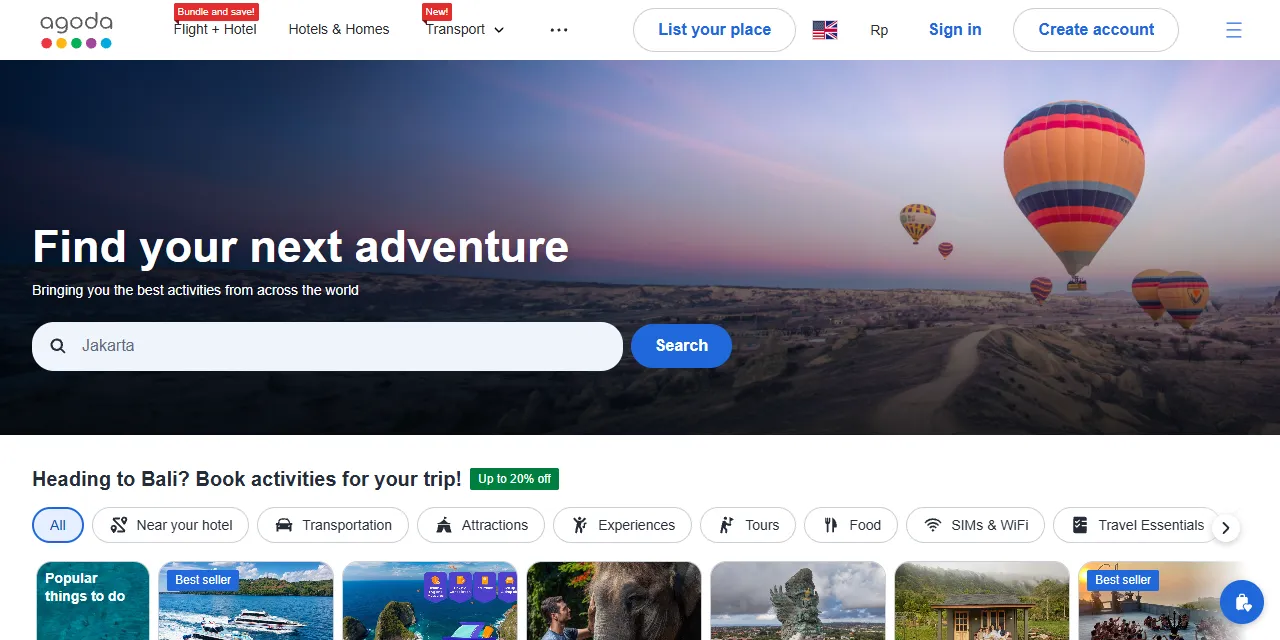
Agoda Flights Scraper extracts flight search results from Agoda Flights into clean, structured data you can download as JSON, CSV, Excel, or HTML. Type a route such as CGK-DPS or Singapore - London, or paste an Agoda flights results URL, and get every itinerary with its airlines, flight numbers, departure and arrival times, terminals, stops and layovers, duration, baggage, price, discount, promo codes, and booking link. No account or login required.
Introduction
Agoda is one of the largest online travel platforms in Asia. Agoda Flights compares fares from hundreds of airlines, including low-cost carriers across Southeast Asia, and shows them in many currencies.
This Agoda flights scraper collects the same public results you see in your browser and turns them into a ready-to-use dataset. Run it once, schedule it every day to follow fares on your routes, or connect it to your own tools.
What data can you extract from Agoda Flights?
- ✈️ Airline names, codes, and logos, and every flight number
- 🕒 Departure and arrival time, total duration in text and minutes
- 🛫 Departure and arrival airports with names, cities, and terminals
- 🔁 Number of stops, plus layover airport and layover time for each connection
- 💲 Price, original price, discount, and currency
- 🏷️ Promo codes shown with the fare, with their discount and final price
- 🧳 Cabin bag and checked baggage included or not
- 🎖️ Badges such as Cheapest and Best
- 💺 Cabin class, passengers, trip type (one-way or round trip)
- 🔗 Results page URL and booking link
- 📅 Optional price calendar: cheapest fare for the 2 days before and after your date
Use Cases
- 📈 Fare tracking: follow prices on your routes every day and spot the best time to book.
- 🕵️ Airline and travel agency research: compare carriers, schedules, and fares on busy routes.
- 🧳 Travel planning tools: power deal alerts, travel blogs, or trip planners with real fares.
- 🗂️ Market research: study route coverage, low-cost carrier pricing, and connection options.
- 🤖 AI and automation: feed clean, structured data into spreadsheets, dashboards, or AI workflows.
How to scrape Agoda Flights step by step
- Type one or more routes into Routes (for example
CGK-DPSorJakarta - Bali), or paste Agoda flights results URLs into Start URLs. - Pick the Departure date, and a Return date for round trips.
- Set passengers, cabin class, sort order, and currency if needed.
- Set Maximum flights per route to how many itineraries you want per route.
- Click Start and download your data in JSON, CSV, Excel, or HTML from the Output tab.
Input
- Start URLs: Agoda flights results URLs, such as
https://www.agoda.com/flights/results?departureFrom=CGK&departureFromType=1&arrivalTo=DPS&arrivalToType=1&departDate=2026-12-16&searchType=1&cabinType=Economy&adults=1&sort=8. The route, dates, passengers, cabin class, and sort order in the URL are used as they are. - Routes: one route per line. Use airport codes (
CGK-DPS), city codes that cover every airport of a city (LON-NYC), or place names (Jakarta - Bali,Singapore to London). - Maximum flights per route: how many itineraries to collect for each start URL or route. Use 0 for all results.
- Departure date: departure date for the routes. Leave empty for 14 days from today.
- Return date: set it for a round trip, leave it empty for one-way flights.
- Adults, Children, Infants: passengers for the routes.
- Cabin class: economy, premium economy, business, or first.
- Sort by: best, cheapest, shortest, fewest stops, earliest departure, or earliest arrival.
- Currency: currency of all prices, for routes and start URLs.
- Include price calendar: adds one extra item per route with the cheapest fare of the days around your date.
You can use start URLs, routes, or both in the same run.
Input Examples
Search two routes:
Round trip in business class for two adults, cheapest first, in euros, with the price calendar:
Scrape a results page from Agoda:
Output
Each itinerary is saved as one item in the dataset. Here is an example:
With Include price calendar, each route also gets one item like this:
You can download the dataset in JSON, CSV, Excel, XML, or HTML, or access it through the Apify API.
Notes
- Round trips list the outbound flights with the total round-trip price, like the first step on Agoda. Return flight details and the booking link are not included for round trips.
- Prices are the total for all passengers, rounded the same way as on Agoda. The price calendar shows exact cheapest fares, so it can differ by a few cents.
- Times are local airport times.
- Filters you set in the Agoda sidebar (airlines, stops, duration, price) are not applied; the route, dates, passengers, cabin class, and sort order are.
- Results URLs with a past departure date and unknown places are skipped with a warning.
- Fares change quickly, so the same search can return different prices a few minutes later.
- Some airlines do not show baggage details, so
cabinBagIncludedandcheckedBagIncludedarenull.
Why use the Agoda Flights Scraper?
- ✅ No login needed: works with public data only, so there is no account to manage.
- 🌍 Simple routes: type codes or place names, no need to build URLs.
- 💱 Any currency: prices in 60 currencies.
- 🧩 Full itinerary detail: every segment with terminals, layovers, and baggage.
- 📅 Price calendar: see if a nearby day is cheaper.
- 🧹 Clean data: numbers are real numbers, durations come in minutes too, and text is free of HTML.
- 💸 Pay for what you need: set a limit per route and keep every run small and cheap.
FAQ
How many flights can I scrape?
Set any number in Maximum flights per route, or 0 for all results. The actor keeps going until it reaches your limit or Agoda has no more results.
Do I need an Agoda account?
No. The actor only collects publicly available fares. You do not need to log in or provide any account details.
Can I track fares every day?
Yes. Use Apify Schedules to run the actor every day with the same routes and dates, and compare prices over time.
Why are some fields empty?
Not every fare shows every detail. When a value is not shown on Agoda, it is returned as null.
Can I request a new feature or filter?
Yes. If you need other inputs, such as airline or stop filters, multi-city trips, or return flight details, get in touch and they can be added.
Can I get a custom or private version?
Yes. The actor can be customized for your workflow, delivered as a private version, or a new scraper can be built for a different website. Use the contact details below.
Need to scrape other travel platforms?
- Agoda Reviews Scraper: hotel reviews from Agoda and Booking.com, and tour reviews from Agoda Activities.
- Ticketmaster Scraper: concerts, sports, and theater events with venues, dates, and ticket prices.
Need help or want a custom solution?
- 📧 Email: aboo.script@gmail.com
- 🧩 More scrapers: Apify profile
Image Credit
Image credit: Agoda


