
Amazon Brand Store Scraper
Pricing
from $1.40 / 1,000 results
Amazon Brand Store Scraper
[💰$2 / 1K] ⚡ Fast Amazon Brand Store scraper. No login, no API key. Paste any brand store URL from any Amazon marketplace and get the full catalog: title, ASIN, price, rating, reviews, bought in past month, images, bullets, availability and store page. Perfect for competitor and price monitoring.
Pricing
from $1.40 / 1,000 results
Rating
0.0
(0)
Developer

Aboo Script
Maintained by CommunityActor stats
0
Bookmarked
2
Total users
1
Monthly active users
5 days ago
Last modified
Categories
Security
Limited permissionsShare
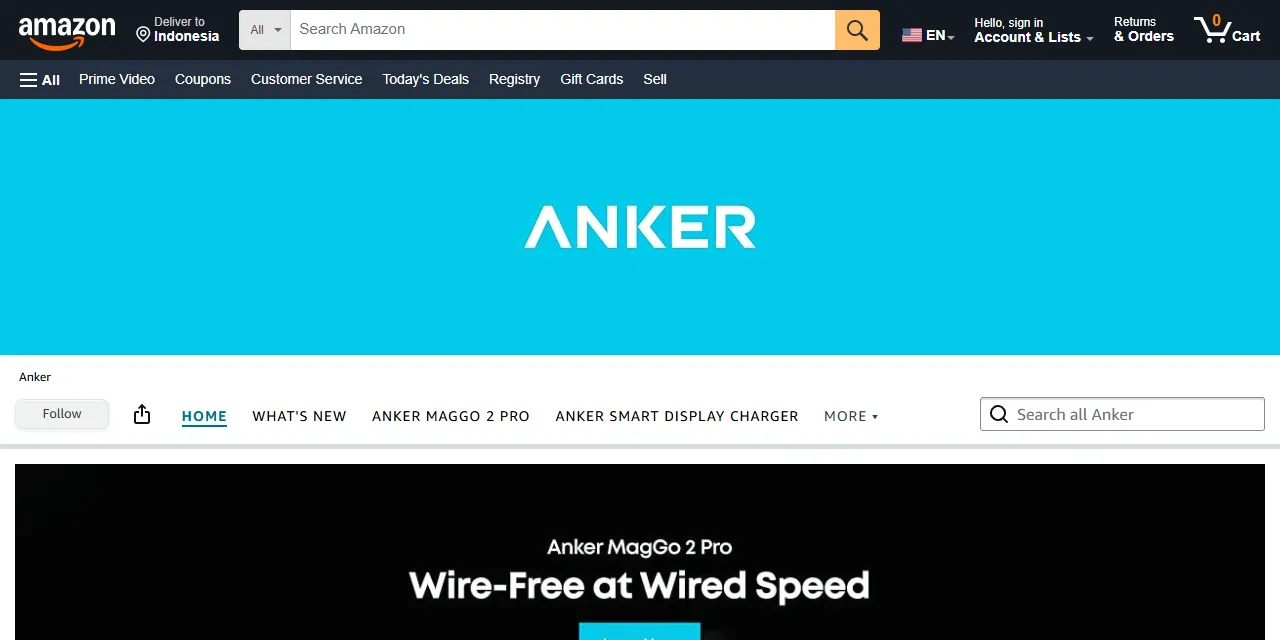
Amazon Brand Store Scraper extracts every product from an Amazon Brand Store into clean, structured data you can download as JSON, CSV, Excel, or HTML. Paste the URL of any brand store on any Amazon marketplace and get the title, ASIN, price, rating, reviews, images, feature bullets, availability, and the store page of each product. No account or login required.
Introduction
Amazon Brand Stores are the official mini-sites that brands build on Amazon. Each store groups the brand's catalog into pages such as new arrivals, best sellers, and product categories, which makes it the most complete public view of what a brand sells on Amazon.
This actor collects the same public information you see in your browser and turns a whole brand store into a ready-to-use product list. It follows the store's own navigation, so one URL is enough to get the full catalog, and it works on every Amazon marketplace (amazon.com, amazon.co.uk, amazon.de, amazon.fr, amazon.ca, amazon.co.jp, and more).
What data can you extract from Amazon Brand Stores?
- 🏷️ Product title, short title, ASIN, and brand
- 💲 Price, highest offer price, currency, and number of offers
- ⭐ Rating and number of reviews
- 🔥 Sales signal such as "8K+ bought in past month"
- 📦 Availability and availability message
- 🗂️ Category and product type, and whether the product has variations
- 🖼️ Main image and all product images in high resolution
- 📝 Feature bullets (the "About this item" points)
- 🏬 Store name, the store page the product is listed on, and links to the store page and store home
Use Cases
- 🕵️ Competitor research: get a brand's full Amazon catalog with prices and ratings in one run.
- 📈 Price monitoring: schedule runs to track price changes across a brand's whole assortment.
- 🧭 Assortment analysis: see how a brand organizes its store, which product lines it pushes, and which products sell best.
- 🤝 Brand and reseller management: check that every product in your store is live, priced right, and in stock.
- 🤖 AI and automation: feed clean product data into spreadsheets, dashboards, alerts, or AI workflows.
How to scrape Amazon Brand Stores step by step
- Paste one or more Amazon Brand Store URLs into Start URLs. To find one, click the brand name ("Visit the ... Store") on any product page and copy the URL from your browser.
- Keep Include all store pages on to scrape the whole store, or turn it off to scrape only the pages you entered.
- Set Maximum number of results to how many products you want per URL.
- Click Start, then download your data in JSON, CSV, Excel, or HTML from the Output tab.
Input
- Start URLs: Amazon Brand Store page URLs from any marketplace, such as
https://www.amazon.com/stores/Anker/page/D24FDA17-DECF-46BB-AF47-AF4647D2B1F8orhttps://www.amazon.co.uk/stores/page/28305445-0656-4727-B7EC-193D6A029857. You can use the store home page or any page inside the store. - Include all store pages: when on (default), the actor also scrapes every page in the store menu (categories, new arrivals, best sellers, and others). When off, only the products shown on the pages you entered are collected.
- Maximum number of results: how many products to collect for each start URL. Set
0to collect every product in the store.
Input Examples
Scrape the Anker brand store on amazon.com:
Scrape only the "What's New" page of a store, with all its products:
Output
Each product is saved as one item in the dataset. Here is an example of a single item (long lists shortened):
You can download the dataset in JSON, CSV, Excel, XML, or HTML, or access it through the Apify API.
Notes
- Only Amazon Brand Store pages (
/stores/...) are supported. Product pages, search pages, seller storefronts, and short brand links such asamazon.com/ankerare skipped with a warning; open the short link in your browser and paste the store URL it leads to. - A store home page often shows only banners. With Include all store pages turned off, a home page can return few or no products; keep it on to get the full catalog.
- Each product appears only once per start URL, even when the store shows it on several pages.
storePageis the first page where it was found. - Prices are returned in the marketplace's own currency (USD on amazon.com, GBP on amazon.co.uk, EUR on amazon.de, and so on). Products without an active offer have no price.
- Availability depends on the delivery location Amazon assumes for the visit. On marketplaces outside the United States, many products can show as unavailable with the message "This item cannot be shipped to your selected delivery location", even if they are in stock for local shoppers.
boughtInPastMonthandshortTitleare only filled when Amazon shows them for the product.
Why use the Amazon Brand Store Scraper?
- ✅ No login needed: works with public data only, so there is no account to manage.
- 🏬 Whole store from one URL: follows the store menu automatically and removes duplicates.
- 🌍 All marketplaces: the same input works for amazon.com, amazon.co.uk, amazon.de, amazon.fr, amazon.ca, amazon.co.jp, and more.
- 📦 Full product data: prices, ratings, reviews, images, and feature bullets, not just a list of ASINs.
- 💸 Pay for what you need: set a result limit per URL and keep every run small and cheap.
- 🔄 Ready for automation: schedule runs, export to Google Sheets, or connect to Make, Zapier, and n8n.
FAQ
How many products can I scrape?
Set any number in Maximum number of results, or 0 to get every product in the store. Large brand stores usually list a few hundred products.
Do I need an Amazon account?
No. The actor only collects publicly available data. You do not need to log in or provide any account details.
How do I find a brand's store URL?
Open any product of the brand on Amazon and click the brand link under the product title ("Visit the ... Store"). Copy the URL of the page that opens.
Can I scrape several stores at once?
Yes. Add as many store URLs as you like to Start URLs. The result limit applies to each URL separately.
Can I request a new feature or filter?
Yes. Right now the actor works with brand store URLs. If you need other inputs, such as a brand name search or seller storefronts, get in touch and they can be added.
Can I get a custom or private version?
Yes. The actor can be customized for your workflow, delivered as a private version, or a new scraper can be built for a different website. Use the contact details below.
Need to scrape other e-commerce platforms?
- Amazon Ad Library Scraper: ads, advertisers, products, and impressions from the Amazon Ad Library in the EU.
- Versace Scraper: clothing, bags, and accessories with prices from 80+ Versace country stores.
- Moncler Scraper: Moncler products and prices in all country markets.
- Givenchy Scraper: bags, shoes, and clothing with prices from the Givenchy store.
Need help or want a custom solution?
- 📧 Email: aboo.script@gmail.com
- 🧩 More scrapers: Apify profile
Image Credit
Image credit: Amazon


