

Fragrantica News Scraper
Pricing
from $2.80 / 1,000 results
Fragrantica News Scraper
⚡ Fast Fragrantica news scraper that works on Cloudflare-protected pages. No login, no API key. One row per article: category, authors, date, full text, images, mentioned perfumes, brands, perfumers, all comments. By article, category or author URL, with a date filter for monitoring.
Pricing
from $2.80 / 1,000 results
Rating
0.0
(0)
Developer

Aboo Script
Maintained by CommunityActor stats
0
Bookmarked
2
Total users
1
Monthly active users
7 days ago
Last modified
Categories
Share
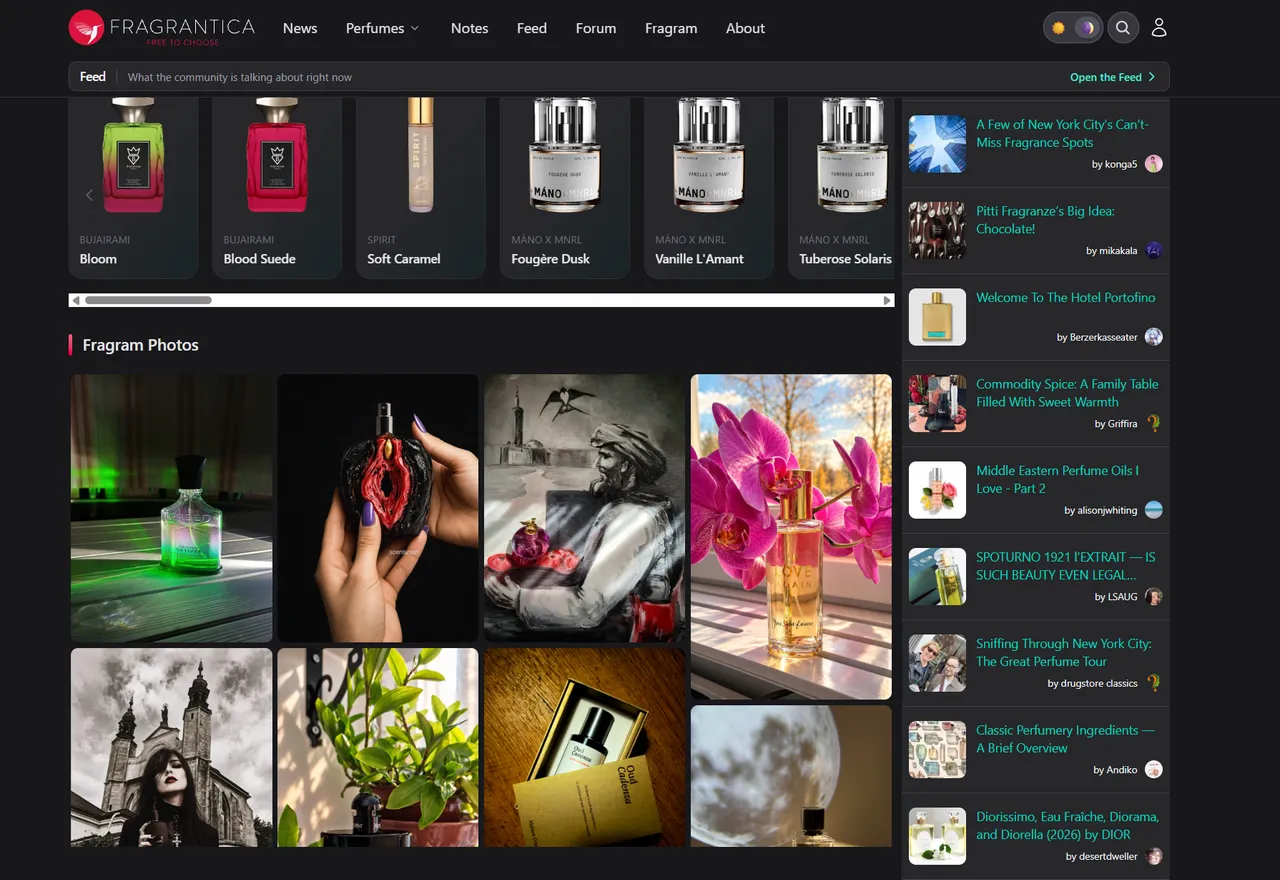
Fragrantica News Scraper extracts news articles, fragrance reviews, and columns from Fragrantica into clean, structured data you can download as JSON, CSV, Excel, or HTML. Paste an article, a news category, or an author page and get one row per article with its category, authors, publish date, full text, images, the perfumes, brands, and perfumers it mentions, and every reader comment. No account or login required.
Introduction
Fragrantica is the largest online perfume encyclopedia, and its news section publishes new launches, fragrance reviews, interviews, history columns, events, and giveaways every day, with an archive that goes back more than ten years. Readers discuss each article in the comments.
This Fragrantica scraper turns that news section into a ready-to-use dataset. Use it as a Fragrantica API alternative for news: monitor new articles about the brands you follow, collect launch announcements, or build a content and sentiment dataset from articles and comments.
What data can you extract from Fragrantica news?
- 📰 Article title, ID, URL, and short summary
- 🗂️ Category (Fragrance News, Fragrance Reviews, New Fragrances, Columns, Interviews, and more) with a link to the category
- ✍️ Authors with their page, photo, role, and short bio
- 📅 Publish date in ISO 8601 format
- 📄 Full article text as plain text, split into paragraphs
- 🖼️ Main image and every image inside the article
- 🧴 Perfumes mentioned in the article, with their ID, URL, and brand page
- 🏷️ Brands and perfumers mentioned in the article
- 💬 Comment count and every visible comment and reply: author, profile, avatar, signature perfume, date, and text
Use Cases
- 📈 Media monitoring and PR: track every article that mentions your brand or your competitors.
- 🚀 Launch tracking: collect new fragrance announcements as soon as they are published.
- 💬 Sentiment analysis: analyze what readers say about new releases in the comments.
- 🤖 AI and content datasets: train models or build knowledge bases on fragrance reviews and history articles.
- 🔎 Market research: see which brands and perfumes get the most coverage over time.
How to scrape Fragrantica news step by step
- Paste one or more Fragrantica news URLs into Start URLs.
- Set Maximum number of articles to how many articles you want per URL.
- Optionally set Published after to get only recent articles, and turn Include comments on or off.
- Click Start and wait for the run to finish.
- Download your data in JSON, CSV, Excel, or HTML from the Output tab.
Input
- Start URLs: Fragrantica news URLs to scrape. Supported pages:
- A single article, such as
https://www.fragrantica.com/news/Creed-Iris-Debonair-Steel-Rebar-Wrapped-in-Silk-26340.html. - A news category, such as
https://www.fragrantica.com/news/fragrance-news/,https://www.fragrantica.com/news/fragrance-reviews/,https://www.fragrantica.com/news/new-fragrances/, orhttps://www.fragrantica.com/news/1001-past-tales/. You can find every category at the bottom of any Fragrantica article. - An author page, such as
https://www.fragrantica.com/news/author/Igor-Masyukov/. - A later page of a category or author (for example
https://www.fragrantica.com/news/fragrance-news/50) starts from that page.
- A single article, such as
- Maximum number of articles: how many articles to collect for each start URL. Set 0 to get every article of a category or author.
- Published after: only scrape articles of category and author pages published on or after this date. Leave it empty to get all articles.
- Include comments: add every comment and reply of the article. On by default.
- Proxy configuration: Fragrantica blocks many IP addresses. The default Apify Proxy works well.
Category and author pages are scraped from the newest article to the oldest.
Input Examples
Scrape the latest fragrance news and reviews:
Monitor new articles since a date:
Output
Each article is saved as one item in the dataset. Here is an example of a single item (long text and lists are shortened):
You can download the dataset in JSON, CSV, Excel, XML, or HTML, or access it through the Apify API.
Notes
- Only fragrantica.com news articles, news categories, and author pages are supported. Other URLs (for example perfume or brand pages, or
https://www.fragrantica.com/news/, which has no article list) are skipped with a warning. - Fragrantica has no search for news articles, so articles are collected from categories and author pages.
- The whole archive of a category or author can be scraped, back to the oldest article Fragrantica still lists (for example 2011 for Fragrance News).
- Published after applies to category and author pages. Article URLs you paste directly are always scraped.
- Older articles show only a publish day on Fragrantica, so their time is
00:00 UTC. Newer articles and comments include the exact time. - The comment count is the number Fragrantica shows, which also counts deleted or hidden comments, so the list of comments can be a little shorter.
- A comment reply has the ID of the comment it answers in
parentId; top-level comments haveparentId: null. - An article reached from several start URLs (for example a category and an author page) is saved only once.
- Need every article of every category, or other data without these limits? Ask for a custom version using the contact below.
Why use the Fragrantica News Scraper?
- ✅ No login needed: works with public data only, so there is no account to manage.
- 🛡️ Works on Cloudflare-protected pages: get results reliably with the default proxy settings.
- 💬 Comments included: every visible comment and reply in the same row as the article.
- 🧴 Mentions as data: the perfumes, brands, and perfumers of each article as clean lists with links.
- 📅 Built for monitoring: the date filter stops at the first older article, so scheduled runs stay fast and cheap.
- 🔄 Ready for automation: schedule runs, export to Google Sheets, or connect to Make, Zapier, and n8n.
FAQ
How many articles can I scrape?
As many as Fragrantica lists. Set Maximum number of articles to 0 to get every article of a category or an author.
Do I need a Fragrantica account?
No. The actor only collects publicly available data. You do not need to log in or provide any account details.
How do I get only new articles?
Set Published after to a date and schedule the actor with Apify Schedules. Each run only collects the articles published on or after that date.
Can I request a new feature or filter?
Yes. Right now the actor supports articles, categories, author pages, a date filter, and comments. If you need other inputs or data, get in touch and they can be added.
Can I get a custom or private version?
Yes. The actor can be customized for your workflow, delivered as a private version, or a new scraper can be built for a different website. Use the contact details below.
Need to scrape other perfume data?
- Fragrantica Scraper: perfume details from Fragrantica, including the notes pyramid, accords, perfumers, ratings, and community votes.
- Fragrantica Reviews Scraper: perfume reviews from Fragrantica, one row per review with the reviewer's rating, longevity, sillage, and season votes.
- Fragrantica Designers Scraper: perfume brands from Fragrantica, with country, parent company, website, perfume counts, perfumers, and collections.
- Fragrantica Perfumers Scraper: perfumers (noses) from Fragrantica, with their company, biography, and perfumes.
- Fragrantica Notes Scraper: perfume notes from Fragrantica, with latin name, group, odor profile, perfume counts, and popular perfumes.
Need help or want a custom solution?
- 📧 Email: aboo.script@gmail.com
- 🧩 More scrapers: Apify profile
Image Credit
Image credit: Fragrantica
![Google News Scraper [only $0.7/1K] avatar](https://images.apifyusercontent.com/Twu1TG04ITI_hwjby-GKjS3ch9YgJ3AaSAGKR67WRFo/rs:fill:76:76/cb:1/aHR0cHM6Ly9hcGlmeS1pbWFnZS11cGxvYWRzLXByb2QuczMudXMtZWFzdC0xLmFtYXpvbmF3cy5jb20vUmVkNnNHSEFOa0x6b3NzdkUtYWN0b3ItemVOd3Z2dk5VNnpWMWFra1MtMTBnTFVnUzdoSS1nb29nbGVfbmV3c19zY3JhcGVyX2Zhc3QucG5n.webp)


