

Get-In Scraper - Events
Pricing
from $2.10 / 1,000 results
Get-In Scraper - Events
⚡ Fast Get-In.com scraper. No login, no API key. Extract events, parties, festivals, and concerts across 22 countries by keyword or URL. Get every ticket tier, prices, currency, venue & GPS coordinates, organizer profile, artist lineups, categories, and schedules.
Pricing
from $2.10 / 1,000 results
Rating
0.0
(0)
Developer

Aboo Script
Maintained by CommunityActor stats
0
Bookmarked
2
Total users
1
Monthly active users
2 days ago
Last modified
Categories
Share
Get-In Scraper
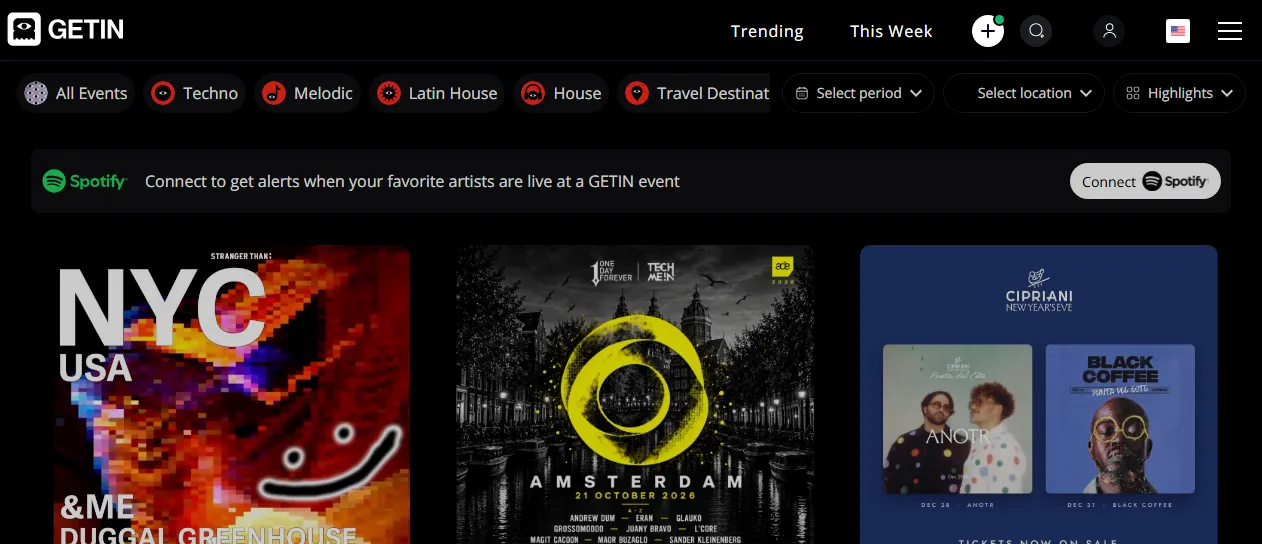
Get-In Scraper extracts event listings, parties, festivals, and concerts from Get-In into clean, structured data you can download as JSON, CSV, Excel, or HTML. Paste a Get-In URL or type search keywords to collect every ticket tier, price range, venue address and coordinates, organizer profile, artist lineup, and event schedule. No account or login required.
Introduction
Get-In is an international ticketing and event management platform focused on nightlife, electronic music, festivals, art conventions, and live experiences across North America, Europe, Latin America, the Middle East, and Asia. Event producers and clubs use it to publish lineups, manage multi-tier ticket sales, and promote upcoming shows.
This actor collects the same public event information you see in your browser and turns it into a ready-to-use dataset. You can run it once, schedule it to run daily, or connect it to your own analytics and marketing tools as a Get-In data source.
What data can you extract from Get-In?
- 🏷️ Event overview: event ID, public URL, slug, title, active/past status, plain-text description, HTML description, age limit, recurring flag, views count, and shares count
- 📅 Schedule: start date and end date (ISO 8601 with the event time zone offset), timezone, and linked multi-date occurrences (
multiDates) - 💲 Pricing summary: lowest ticket price (
priceFrom), highest ticket price (priceTo), currency code, free-event flag (isFree), and sold-out flag (isSoldOut) - 🎟️ All ticket types (
tickets): ticket ID, tier name, price, currency, type (regular, registration, donation, waiting list, table), availability status, sold-out and coming-soon flags, minimum and maximum per order, sale start and end dates, category label, and tier description - 📍 Venue and location (
venue): venue ID, name, full address, street, city, state, postal code, country, ISO country code, GPS coordinates (latitude,longitude), phone number, Google Place ID, and Google Maps link - 🏢 Organizer / producer (
organizer): organizer ID, name, profile slug, profile URL, biography, avatar image, cover image, and follower count - 🎧 Artists and lineup (
artists): artist ID, name, profile slug, Get-In profile URL, photo URL, follower count, and external music profile link (such as Spotify) - 🗂️ Categories, media, and FAQs: event categories (
categories), desktop cover image (imageUrl), mobile cover image (mobileImageUrl), gallery images (images), promo videos (videos), and event FAQs (faqs)
Use Cases
- 📈 Event market research: track ticket price ranges, popular genres (Techno, House, Melodic, Latin House), and venue capacity trends across cities and countries.
- 🕵️ Competitor and promoter monitoring: follow what event producers, nightclubs, and festival organizers publish, when ticket tiers sell out, and how early-bird vs. VIP tiers are priced.
- 🤝 Lead generation and partnerships: build structured lists of active event organizers, venues, and touring artists with their profile links and follower counts.
- 🗂️ Event aggregation and discovery: populate event calendars, nightlife guides, or travel apps with up-to-date listings, lineups, and coordinates.
- 🤖 AI and automation: feed structured event, lineup, and ticket availability data into spreadsheets, dashboards, or automated alerting workflows.
How to scrape Get-In step by step
- Paste one or more Get-In URLs into Start URLs, or type keywords into Search queries.
- Optionally choose Country, Category / Event Type, Start Date From, Start Date To, or Event Status when searching by keywords.
- Set Maximum number of results to how many events you want per URL or per query.
- Click Start and wait for the run to finish.
- Download your data in JSON, CSV, Excel, or HTML from the Output tab.
Input
- Start URLs: Get-In URLs to scrape. Supported pages include the homepage (
https://get-in.com/en), category and filtered discovery pages (https://get-in.com/en/category?tab=events&id=9&country=US), search result URLs (https://get-in.com/en/search?q=Halloween), producer profile pages (https://get-in.com/en/producer/pacha-Ibiza), artist profile pages (https://get-in.com/en/artist/marco-carola), and single event detail pages (https://get-in.com/en/ArtFairTampa). Any filters already present in a start URL (country, category, city, coordinates, or date range) are kept automatically. - Search queries: keywords to search on Get-In, one per entry (minimum 3 characters). Each query is scraped separately.
- Country: filter keyword search results by country (such as United States, Canada, Mexico, United Arab Emirates, Netherlands, Spain, Israel, United Kingdom, and 14 others). Applies to Search queries only; Start URLs keep the filters in their own URL.
- Category / Event Type: filter keyword search results by category or highlight type (Nightlife, Festivals, Experiences, Techno, Travel destinations, House, Latin House, Melodic, Trending, Featured, Free events, This week). Applies to Search queries only.
- Start Date From: filter keyword search results to events starting on or after this date (
YYYY-MM-DD). Applies to Search queries only. - Start Date To: filter keyword search results to events starting on or before this date (
YYYY-MM-DD). Applies to Search queries only. - Event Status: choose whether keyword searches return all events (upcoming first, followed by past events), upcoming events only, or past events only. Applies to Search queries only.
- Maximum number of results: maximum number of events to collect per start URL or search query (default:
5).
You can use start URLs, search queries, or both in the same run.
Input Examples
Scrape events from a Get-In start URL:
Search events by keyword with filters:
Output
Each scraped event is saved as one item in the dataset. Here is an example of a real item:
You can download the dataset in JSON, CSV, Excel, XML, or HTML, or access it through the Apify API.
Notes
- Get-In search requires keywords to be at least 3 characters long; shorter search queries are skipped with a warning.
- Event URL slugs on Get-In are case-sensitive (for example,
https://get-in.com/en/ArtFairTampa). Paste event URLs with their original capitalization from your browser. - Only homepage, category/filter, search, producer profile, artist profile, and event detail URLs on
get-in.com(or its legacy aliastzkrti.com) are supported; static pages such as terms, privacy, or sign-in pages are skipped. - By default, keyword searches (
eventStatus: "all") collect matching upcoming events first and then continue with past events if yourmaxResultslimit has not been reached yet. Set Event Status toUpcoming events onlyif you only want future shows. - Some events hide their exact venue street or ticket prices (for example, private RSVP events or past shows where ticket tiers were removed by the organizer); in those cases, unavailable fields are returned as
nullor empty arrays. - Events that appear in multiple start URLs or search queries within the same run are automatically deduplicated by event ID.
Why use the Get-In Scraper?
- ✅ No login needed: works with public event data out of the box, with no account or credentials to manage.
- 🎟️ Complete ticket breakdown: captures every published ticket tier, price, sale window, order limit, and availability status instead of only a summary price.
- 🎯 Flexible discovery: scrape by homepage, category URL, producer page, artist page, single event URL, or keyword search with country, category, and date filters.
- 🧹 Clean, normalized data: prices and coordinates are real numbers, HTML is stripped from plain-text descriptions and FAQs, and organizer and artist profiles are structured consistently.
- 🔄 Ready for automation: schedule recurring runs, export to Google Sheets, or connect directly to Make, Zapier, and n8n.
FAQ
How many results can I scrape?
You can set any number in Maximum number of results. The actor collects up to that number of events for each start URL or search query until it reaches your limit or runs out of matching events.
Do I need a Get-In account?
No. The actor only collects publicly available event information. You do not need to log in or provide any account details.
Can I scrape data on a schedule?
Yes. Use Apify Schedules to run the actor every hour, day, or week and collect newly published events and updated ticket availability automatically.
Why are some fields empty?
Not every organizer fills in every optional section on Get-In (such as artist lineups, promo videos, FAQs, or venue phone numbers). When information is not published on the event page, the corresponding field is returned as null or [].
Can I request a new feature or filter?
Yes. Right now the actor supports start URLs, search queries, and filters for country, category, date range, and event status. If you need additional filters or custom fields, get in touch and they can be added.
Can I get a custom or private version?
Yes. The actor can be customized for your workflow, delivered as a private version, or a new scraper can be built for a different ticketing website. Use the contact details below.
Need to scrape other event platforms?
- Ticketmaster Scraper: Extract concerts, sports, and theater events across 18 countries with ticket prices, presales, and venue details.
- Fever Scraper: Scrape Fever events and experiences by city, category, keyword, or event URL with venues, ratings, photos, and date and time slots.
Need help or want a custom solution?
- 📧 Email: aboo.script@gmail.com
- 🧩 More scrapers: Apify profile
Image Credit
Image credit: Get-In


