
Google AI Mode Scraper - Answers & Sources
Pricing
from $3.50 / 1,000 results
Google AI Mode Scraper - Answers & Sources
[💰$5 / 1K] Google AI Mode scraper that gets through anti-bot blocking. No login, no API key. Ask any question or paste a Google search URL, in any country and language, and get the full answer as text and markdown plus every cited source with title, URL, site name and snippet.
Pricing
from $3.50 / 1,000 results
Rating
0.0
(0)
Developer

Aboo Script
Maintained by CommunityActor stats
0
Bookmarked
2
Total users
1
Monthly active users
4 days ago
Last modified
Categories
Share
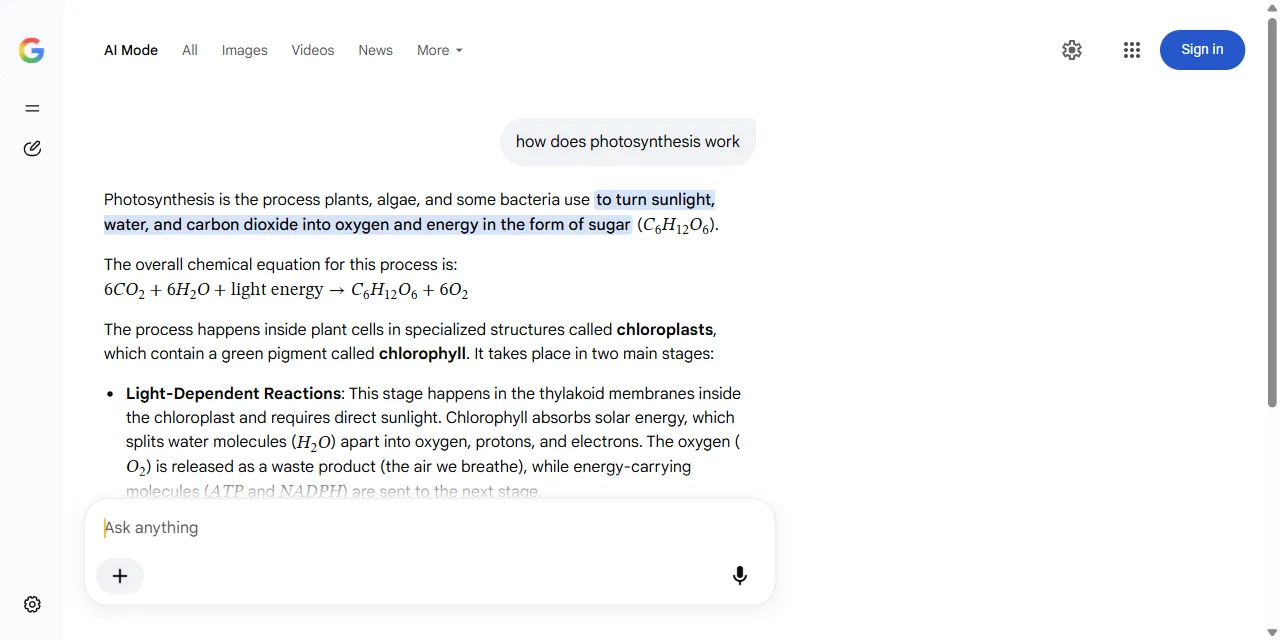
Google AI Mode Scraper extracts the full answers that Google AI Mode gives to your questions, into clean, structured data you can download as JSON, CSV, Excel, or HTML. Type your questions or paste Google search URLs, and get the answer as plain text and markdown, plus every source Google cites, with title, URL, site name, and snippet. No account or login required.
Introduction
Google AI Mode is the conversational, AI-powered search experience in Google Search. Instead of a list of links, it writes a complete answer and backs it up with sources from across the web. For brands, publishers, and SEO teams, it shows what Google tells people about a topic and which websites it trusts enough to cite.
This actor collects the same public answer you see in your browser and turns it into a ready-to-use dataset. You can run it once, schedule it to run daily to track how answers change, or connect it to your own tools.
What data can you extract from Google AI Mode?
- 💬 Full answer text, plus a markdown version that keeps headings, lists, bold text, tables, and formulas
- 🔗 Every source: page title, URL, site name, and snippet
- ✅ Whether each source is cited inline in the answer
- 🔢 Number of sources per answer
- ❓ The question, with the country and language of the Google market
- 🧾 Optional raw HTML of each answer
- 🌐 Direct AI Mode URL for every question
Use Cases
- 📈 AI search visibility (GEO): see whether your brand, products, or pages appear in Google's AI answers and which competitors get cited instead.
- 🕵️ Competitor monitoring: track which websites Google cites for the questions that matter in your market.
- 📝 Content research: learn how Google summarizes a topic and find gaps your content can fill.
- 🌍 Market comparison: ask the same question in different countries and languages and compare the answers.
- 🤖 AI and automation: feed clean answers and sources into spreadsheets, dashboards, or AI workflows.
How to scrape Google AI Mode step by step
- Type your questions into Search queries, one per line, or paste Google search URLs into Start URLs.
- Set Max results to how many questions you want answered in this run.
- Optionally choose the Country and Language of the Google market.
- Click Start and wait for the run to finish.
- Download your data in JSON, CSV, Excel, or HTML from the Output tab.
Input
- Search queries: questions to ask Google AI Mode, one per line. Each question returns one answer.
- Start URLs: Google search URLs, for example
https://www.google.com/search?q=what+is+blockchain. Any Google search URL is turned into its AI Mode version, and the language and country settings in the URL are kept. URLs from other Google domains (such as google.de) work too. - Max results: the maximum number of questions to answer in one run, counting search queries and start URLs together. Use 0 for no limit.
- Country: two-letter country code of the Google market for search queries, for example
us,gb, orde. - Language: language of the answer for search queries, for example
en,de,fr, orpt-BR. - Include answer HTML: also save the raw HTML of each answer. Results get larger.
- Proxy configuration: each question group runs on its own IP address. The default datacenter proxies work well; pick a proxy country only if you want answers as seen from that location.
You can use search queries, start URLs, or both in the same run.
Input Examples
Ask a list of questions (the default input):
Use Google search URLs:
Output
Each answered question is saved as one item in the dataset. Here is an example of a single item (long text shortened):
With Include answer HTML turned on, each item also has an answerHtml field with the raw answer HTML.
You can download the dataset in JSON, CSV, Excel, XML, or HTML, or access it through the Apify API.
Notes
- Google does not show sources for every answer: in our tests about half of the answers came without any sources, so
sourcesis an empty list for them. Asking the same question again later can return a version with sources. - Sources that Google cites inline have their direct page URL. Some extra sources that Google only lists next to the answer link through a Google redirect URL, which opens the source page.
- Answers can differ between runs, countries, and languages, the same way they do in your browser.
- Only Google search URLs are supported as start URLs; other URLs are skipped.
- Each answer takes a few seconds; the first answers of a run can take up to a minute or two while the run gets ready.
Why use the Google AI Mode Scraper?
- ✅ No login needed: works with public answers only, there is no Google account to manage.
- 🔗 Every source included: not just the visible links, but every source Google attaches to the answer, with a flag for inline citations.
- 🌍 Any market: choose country and language, or paste Google search URLs from any Google domain.
- 🧹 Clean data: plain text for analysis and markdown for display, with no HTML clutter.
- 💸 Pay for what you need: set a question limit and keep every run small and cheap.
- 🔄 Ready for automation: schedule runs, export to Google Sheets, or connect to Make, Zapier, and n8n.
FAQ
How many questions can I ask in one run?
As many as you like. Set Max results to the number of questions you want answered, or 0 to answer all of them.
Do I need a Google account?
No. The actor only collects publicly available answers. You do not need to log in or provide any account details.
Can I track AI Mode answers over time?
Yes. Use Apify Schedules to run the same questions every day or week and compare the answers and sources between runs.
Can I request a new feature or filter?
Yes. Right now the actor supports search queries, Google search URLs, country, and language. If you need something else, such as follow-up questions or brand mention detection, get in touch and it can be added.
Can I get a custom or private version?
Yes. The actor can be customized for your workflow, delivered as a private version, or a new scraper can be built for a different website. Use the contact details below.
Need help or want a custom solution?
- 📧 Email: aboo.script@gmail.com
- 🧩 More scrapers: Apify profile
Image Credit
Image credit: Google AI Mode


