
Google Maps Photos Scraper
Pricing
from $1.40 / 1,000 results
Google Maps Photos Scraper
[💰$2 / 1K] ⚡ Fast, cheap Google Maps photos scraper. No login, no API key. Get every photo and video of any place from place links or Maps searches: full-resolution image URL, size, upload date, uploader name and profile, owner photo flag, video link, GPS and place details.
Pricing
from $1.40 / 1,000 results
Rating
0.0
(0)
Developer

Aboo Script
Maintained by CommunityActor stats
0
Bookmarked
2
Total users
1
Monthly active users
20 hours ago
Last modified
Categories
Share
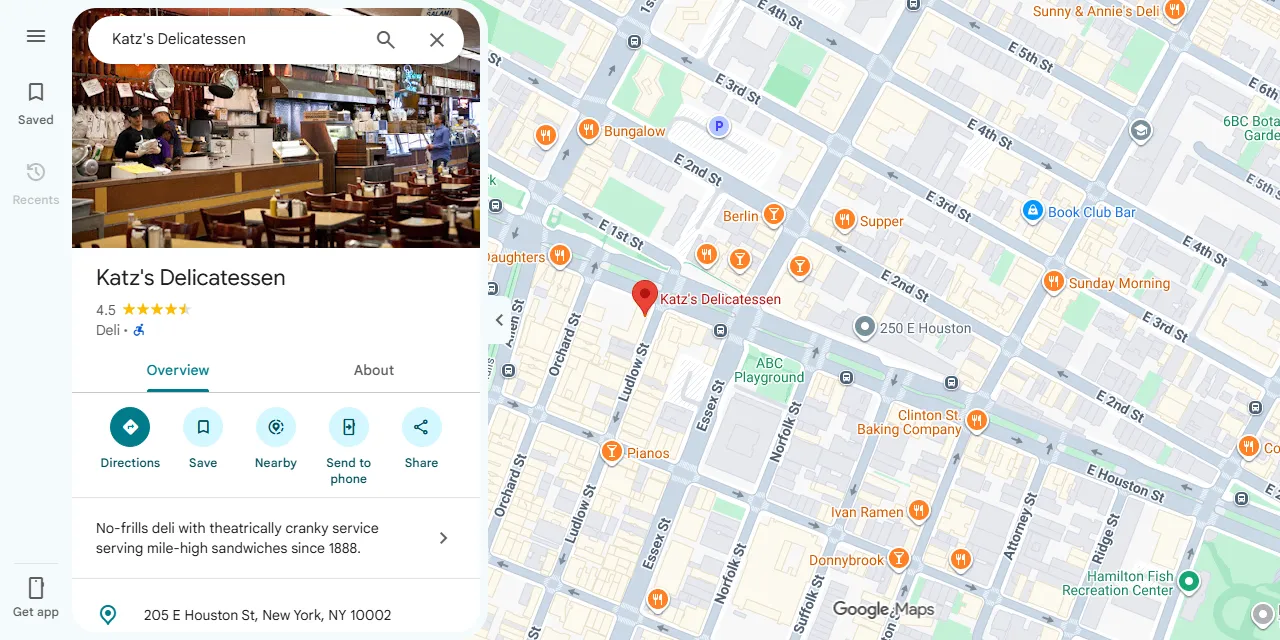
Google Maps Photos Scraper extracts the photos and videos of any place on Google Maps into clean, structured data you can download as JSON, CSV, Excel, or HTML. Paste Google Maps place links or type a search like "pizza in Chicago", and get the full-resolution image URL, size, upload date, uploader name and profile, owner photo flag, and video links for every photo. No account or login required.
Introduction
Google Maps is the world's largest map and local business directory. Every restaurant, hotel, shop, and attraction on it has a photo gallery filled by the business owner and by visitors, which makes it one of the richest public sources of real-world images of places.
This Google Maps photo scraper collects the same public photos you see in your browser and turns them into a ready-to-use dataset, one row per photo. You can run it once, schedule it to run daily, or connect it to your own tools.
What data can you extract from Google Maps photos?
- 🖼️ Full-resolution image URL, a smaller preview URL, and the photo size in pixels
- 🎬 Media type (photo, video, or 360 photo), video URL, and video length
- 📅 Upload date of each photo
- 👤 Uploader name, uploader ID, profile URL, and profile picture
- 🏢 Whether the photo was posted by the business owner or by a visitor
- 📍 Latitude and longitude where the photo was taken
- 🏷️ Place name, address, categories, rating, number of reviews, place ID, and CID
- 🔗 Direct Google Maps link to each photo and to its place
Use Cases
- 🍽️ Menu and catalog building: collect restaurant and shop photos for food delivery apps, travel guides, or local directories.
- 🕵️ Competitor monitoring: see how competing locations present themselves and what customers post about them.
- 🏨 Real estate and hospitality: gather interior, exterior, and ambience photos of hotels, venues, and properties.
- 📊 Brand and franchise audits: check owner photos across many locations and spot outdated or missing images.
- 🤖 AI and machine learning: build labeled image datasets grouped by place, category, and location.
How to scrape Google Maps photos step by step
- Paste one or more Google Maps place links into Google Maps URLs, or type searches into Search queries.
- Set Max photos per place to how many photos you want from each place.
- For searches, set Max places per search to how many places to take from each search.
- Click Start and wait for the run to finish.
- Download your data in JSON, CSV, Excel, or HTML from the Output tab.
Input
- Google Maps URLs: place links (
https://www.google.com/maps/place/...,https://maps.app.goo.gl/...share links,?cid=links, orplace_id:links) or Google Maps search links (https://www.google.com/maps/search/pizza+in+Chicago). A search link collects photos from the places it lists. - Search queries: Google Maps searches such as "pizza in Chicago" or "hotels in Lisbon", one per line. Photos are collected from the places each search returns.
- Max photos per place: how many photos and videos to save for each place, in the order of the place's gallery. Set 0 to save every available photo.
- Max places per search: how many places to take from each search query or search link. Set 0 for every place the search returns.
You can use Google Maps URLs, search queries, or both in the same run.
Input Examples
Scrape photos from Google Maps place links:
Scrape photos from the places of a Google Maps search:
Output
Each photo is saved as one item in the dataset. Here is an example of a single item:
You can download the dataset in JSON, CSV, Excel, XML, or HTML, or access it through the Apify API.
Notes
- Photos come in the same order as the place's gallery on Google Maps, starting with the cover photos.
- The gallery tabs shown on Google Maps (such as Menu, Food & drink, or Vibe) are not part of the results. Use mediaType and isOwnerPhoto to separate videos, 360 photos, owner photos, and visitor photos.
- Some photos are picked by Google from other websites. They have no uploader, so the uploader fields are
nulland the photo link points to the image itself. - The upload date is precise to the hour, as shown by Google Maps.
- A place found by several start URLs or searches is scraped only once.
- Links that are not Google Maps place or search pages are skipped.
Why use the Google Maps Photos Scraper?
- ✅ No login needed: works with public data only, so there is no account to manage.
- 🔎 Search or links: scrape photos from single places or from every place a Google Maps search returns.
- 👤 Full uploader details: name, profile link, and picture for every visitor photo.
- 🧹 Clean data: one row per photo, real numbers, and one standard date format.
- 💸 Pay for what you need: set a photo limit per place and keep every run small and cheap.
- 🔄 Ready for automation: schedule runs, export to Google Sheets, or connect to Make, Zapier, and n8n.
FAQ
How many photos can I scrape?
You can set any number in Max photos per place, or 0 for every photo. The actor keeps going until it reaches your limit or the end of the place's gallery.
Do I need a Google account?
No. The actor only collects publicly available photos. You do not need to log in or provide any account details.
Can I download the images themselves?
The dataset contains direct image links in full resolution. You can open or download them with any tool, or use the preview link for a smaller version.
Can I scrape data on a schedule?
Yes. Use Apify Schedules to run the actor every hour, day, or week, and get fresh photos automatically.
Can I request a new feature or filter?
Yes. Right now the actor supports Google Maps links and search queries. If you need other filters, such as an upload date range or owner photos only, get in touch and they can be added.
Can I get a custom or private version?
Yes. The actor can be customized for your workflow, delivered as a private version, or a new scraper can be built for a different website. Use the contact details below.
Need to scrape other Google Maps data?
- Google Maps Business Posts Scraper: updates, offers, and events that businesses post on their Google profile.
- Google Maps Contributor Scraper: profiles, reviews, and photos of Google Maps reviewers.
Need help or want a custom solution?
- 📧 Email: aboo.script@gmail.com
- 🧩 More scrapers: Apify profile
Image Credit
Image credit: Google Maps


