

TikTok Profile Scraper
Pricing
from $1.40 / 1,000 results
TikTok Profile Scraper
[💰$2 / 1K] ⚡ Fast, cheap TikTok profile scraper. No login, no API key. Get exact followers, following, likes, video count, bio, bio link and verified status by profile URL or username, plus up to 500 latest videos with views, likes, comments, shares, hashtags and sounds.
Pricing
from $1.40 / 1,000 results
Rating
0.0
(0)
Developer

Aboo Script
Maintained by CommunityActor stats
0
Bookmarked
2
Total users
1
Monthly active users
6 days ago
Last modified
Categories
Features
Share
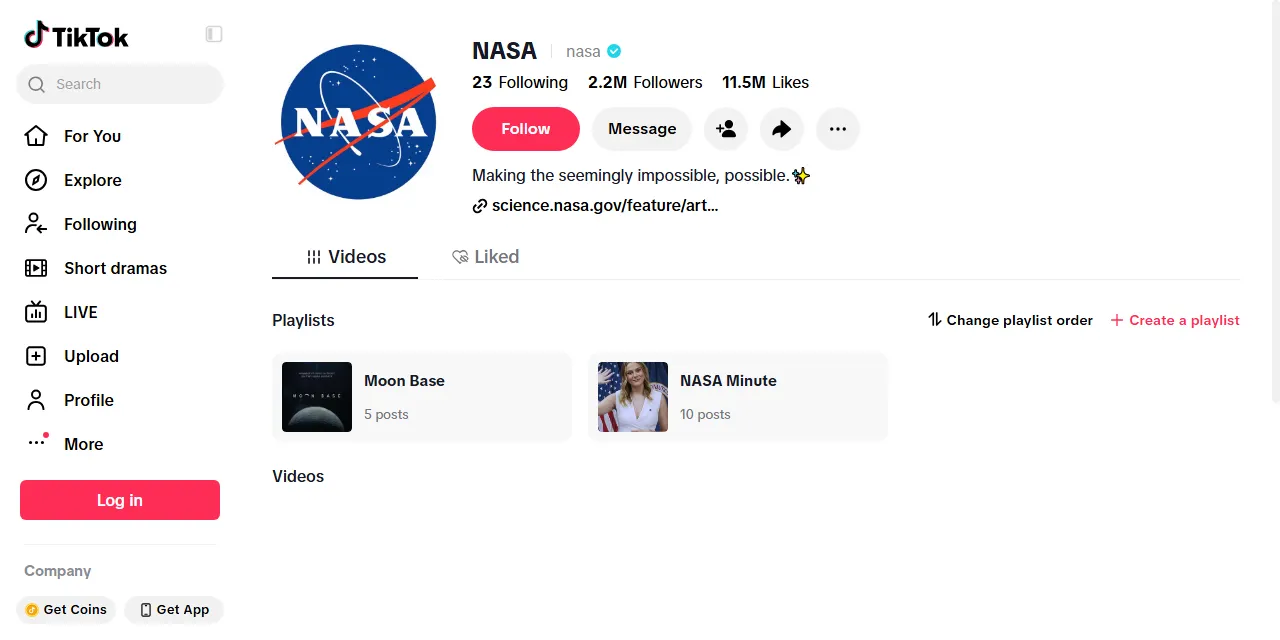
TikTok Profile Scraper extracts public TikTok profile data into clean, structured data you can download as JSON, CSV, Excel, or HTML. Paste TikTok profile URLs or type usernames, and get followers, following, total likes, video count, bio, bio link, verification status, and the latest videos with their views, likes, comments, shares, and saves. You get one result per profile. No account or login required.
Introduction
TikTok is one of the largest short-video platforms in the world, where creators, brands, and public organizations publish videos to millions of followers. Profile statistics and recent video performance are key signals for influencer marketing, brand monitoring, and social media research.
This actor collects the same public information you see on a TikTok profile page and turns it into a ready-to-use dataset. You can run it once, schedule it to run daily to track growth, or connect it to your own tools.
What data can you extract from TikTok?
- 👤 Username, display name, bio, and bio link
- 🖼️ Profile picture URL
- ✔️ Verified badge, private account, organization, seller, and business account flags
- 📊 Exact follower, following, total likes, video, and friend counts
- 🌐 Profile language and account creation date
- 🎬 Latest videos and photo posts: URL, description, publish date, and type (video or photo)
- 📈 Views, likes, comments, shares, saves, and reposts for each post
- #️⃣ Hashtags and mentioned accounts for each post
- 🎵 Sound used in each post: title, author, and album
- 🖼️ Cover image, photo post images, video length, and whether the post is an ad
Use Cases
- 📈 Influencer marketing: compare creators by followers, likes, and the real engagement of their latest videos before you reach out.
- 🕵️ Competitor monitoring: follow what competing brands post on TikTok, how often, and how well each video performs.
- 📊 Growth tracking: schedule daily runs to record follower and like counts over time.
- 🤝 Lead generation: build lists of creators and businesses with their bio links and account types.
- 🤖 AI and automation: feed clean, structured data into spreadsheets, dashboards, or AI workflows.
How to scrape TikTok profiles step by step
- Paste one or more TikTok profile URLs into Profile URLs, or type usernames into Usernames.
- Set Recent videos per profile to how many of the latest posts you want for each profile, or 0 for profile data only.
- Click Start and wait for the run to finish.
- Download your data in JSON, CSV, Excel, or HTML from the Output tab.
Input
- Profile URLs: TikTok profile URLs such as
https://www.tiktok.com/@nasa. Mobile links (m.tiktok.com) work too. Links to single videos, hashtags, or sounds are skipped. - Usernames: TikTok usernames, one per line, with or without
@(for examplezachkingor@natgeo). - Recent videos per profile: how many of the latest videos and photo posts to include for each profile, up to 500. Use 0 to get profile data only.
You can use profile URLs, usernames, or both in the same run.
Input Examples
Scrape profiles by URL:
Scrape profiles by username:
Output
Each profile is saved as one item in the dataset, with its latest posts in recentVideos. Here is an example of a single item (shortened to two posts):
You can download the dataset in JSON, CSV, Excel, XML, or HTML, or access it through the Apify API.
Notes
- Only public profile pages are supported. Links to single videos, hashtags, sounds, or other websites are skipped with a warning.
- Usernames that do not exist are skipped with a warning, and the run continues with the other profiles.
- Private accounts return their profile data and counts, but
recentVideosis empty because their posts are not public. - Recent videos are ordered from newest to oldest by publish date. Pinned posts are not marked separately.
- If the same profile is entered twice (for example as a URL and as a username), it is scraped only once.
- Image and cover links are temporary links from TikTok and stop working after some time. Download the images you need soon after the run.
- With Recent videos per profile set to 0, a few accounts that hide some counts on their profile page may show 0 followers or following.
Why use the TikTok Profile Scraper?
- ✅ No login needed: works with public data only, so there is no TikTok account to manage.
- 🧾 One row per profile: profile statistics and recent posts come together in one item, ready for comparison tables.
- 🔢 Exact numbers: follower and like counts are exact numbers, not rounded labels like "2.2M".
- 🧹 Clean data: dates use one standard format, and hashtags and mentions are already extracted.
- 💸 Pay for what you need: choose how many recent posts to collect per profile and keep every run small and cheap.
- 🔄 Ready for automation: schedule runs, export to Google Sheets, or connect to Make, Zapier, and n8n.
FAQ
How many videos can I get per profile?
Up to 500 of the latest videos and photo posts per profile. If a profile has fewer posts, you get all of them.
Do I need a TikTok account?
No. The actor only collects publicly available data. You do not need to log in or provide any account details.
Can I track follower growth over time?
Yes. Use Apify Schedules to run the actor every day or week with the same profiles, and compare the follower and like counts between runs.
Why are some fields empty?
Some profiles do not have a bio link, and some posts have no hashtags or album. When a value is not available on TikTok, it is returned as null or an empty list.
Can I request a new feature or filter?
Yes. Right now the actor supports profile URLs and usernames. If you need other inputs, such as filtering posts by date or collecting followers lists, get in touch and they can be added.
Can I get a custom or private version?
Yes. The actor can be customized for your workflow, delivered as a private version, or a new scraper can be built for a different website. Use the contact details below.
Need to scrape other TikTok and social media data?
- TikTok Trending Videos Scraper: top trending TikTok videos by country and period from TikTok Creative Center.
- TikTok Trending Hashtags Scraper: trending TikTok hashtag rankings by country and industry.
- TikTok Ad Library Scraper: TikTok ads with advertiser details and audience targeting.
- YouTube Live Chat Scraper: live chat messages and chat replays from YouTube videos and streams.
Need help or want a custom solution?
- 📧 Email: aboo.script@gmail.com
- 🧩 More scrapers: Apify profile
Image Credit
Image credit: TikTok


