
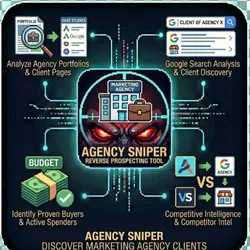
Agency Sniper Find Marketing Agency Clients Reverse Prospecting avatar
Agency Sniper Find Marketing Agency Clients Reverse Prospecting

Pricing

Pay per event

Go to Apify Store
Agency Sniper Find Marketing Agency Clients Reverse Prospecting

Agency Sniper Find Marketing Agency Clients Reverse Prospecting

The #1 reverse prospecting tool for discovering who marketing agencies work with. Find businesses that already invest in marketing by automatically analyzing agency portfolios, case studies, client pages & Google SERP. Built for sales, marketing agencies & competitive intelligence professionals.

Pricing

Pay per event

Rating

0.0

(0)

Developer

John Rippy

John Rippy

Maintained by Community

Actor stats

0

Bookmarked

2

Total users

1

Monthly active users

3 days ago

Last modified

Share

Agency Sniper - Discover Marketing Agency Clients | Reverse Prospecting Tool

The #1 reverse prospecting tool for discovering who marketing agencies work with. Find businesses that already invest in marketing by automatically analyzing agency portfolios, case studies, client pages, and Google search results. Built for sales teams, marketing agencies, and competitive intelligence professionals.

Stop cold prospecting. Start smart prospecting. If a company already hired a marketing agency, they're a proven buyer. Agency Sniper finds these pre-qualified leads for you.


Table of Contents

  1. Why Agency Sniper?
  2. Who Is This For?
  3. Use Cases
  4. How It Works
  5. Quick Start Guide
  6. Input Parameters
  7. Output Format
  8. Code Examples
  9. Integration with God Mode Intel
  10. Pricing
  11. Best Practices
  12. FAQ
  13. Troubleshooting
  14. API Keys Setup
  15. Support

๐ŸŽฏ Why Agency Sniper?

The Problem with Traditional Prospecting

Traditional B2B prospecting is broken:

  • Cold lists are garbage - 90% of "leads" have no budget or intent
  • Intent data is expensive - Bombora, G2, and ZoomInfo charge $20K+/year
  • SDRs waste time - Calling companies that will never buy

The Agency Sniper Solution

Reverse prospecting flips the script:

  1. Proven Buyers: If a company hired Agency X, they have budget for marketing services
  2. Known Investors: These companies already understand the value of professional services
  3. Active Spenders: They're not "thinking about it" - they're actively paying for marketing
  4. Competitor Intel: See exactly who your competitors' agencies serve

By the Numbers

MetricCold ProspectingAgency Sniper
Lead qualityLow (5% qualified)High (80%+ qualified)
Cost per lead$50-200$0.025
Response rate1-3%10-25%
Time to listHours/daysMinutes
Intent signalNoneProven buyer

๐Ÿ‘ค Who Is This For?

Sales Development Representatives (SDRs)

Build high-quality prospect lists in minutes instead of hours. Every company discovered has already invested in professional services.

Perfect for:

  • Account-based marketing (ABM) campaigns
  • Targeted outbound sequences
  • Pipeline generation

Marketing Agency Owners

Discover who your competitors serve. Understand market positioning. Find businesses already spending on services like yours.

Perfect for:

  • Competitive analysis
  • Market research
  • New client acquisition

Business Development Teams

Identify partnership opportunities and potential clients by seeing who works with complementary agencies.

Perfect for:

  • Strategic partnerships
  • Channel development
  • Referral networks

Private Equity & M&A Analysts

Research marketing agency client bases for due diligence, valuation, and competitive analysis.

Perfect for:

  • Portfolio company analysis
  • Market sizing
  • Competitive landscape mapping

Freelancers & Consultants

Find businesses that value professional marketing help and have budget to pay for it.

Perfect for:

  • Client acquisition
  • Niche market research
  • Service positioning

๐Ÿ’ผ Use Cases

1. Competitive Intelligence

Scenario: You're a marketing agency and want to see who your top competitor works with.

{
"agencyName": "WebFX",
"agencyDomain": "webfx.com",
"maxClients": 100
}

Result: List of 50-100 companies that work with WebFX, their industries, and confidence scores.

Next Steps:

  • Analyze industry concentrations
  • Identify underserved verticals
  • Target similar companies

2. Lead Generation for Marketing Services

Scenario: You sell SEO services and want to find companies already investing in digital marketing.

{
"agencyName": "Ignite Visibility",
"agencyDomain": "ignitevisibility.com",
"maxClients": 50
}

Result: Companies that hired Ignite Visibility = companies that buy SEO services.

Why It Works: These companies:

  • Understand SEO value
  • Have allocated budget
  • Are likely to switch or add vendors

3. Account-Based Marketing (ABM)

Scenario: You're building an ABM campaign targeting e-commerce companies.

Strategy:

  1. Run Agency Sniper on 5-10 e-commerce focused agencies
  2. Aggregate the results
  3. Enrich with decision-maker contacts
  4. Launch targeted campaigns

Agencies to Target:

  • Blue Acorn iCi (Shopify/BigCommerce)
  • Groove Commerce
  • Electric Eye
  • Absolute Web

4. Partnership & Channel Development

Scenario: You sell marketing technology and want to partner with agencies.

Use Agency Sniper to:

  • See which agencies serve your target market
  • Understand agency client quality
  • Identify agencies worth partnering with

5. Market Research & Sizing

Scenario: You're entering a new vertical and need to understand who the players are.

Strategy:

  1. Identify top agencies in the vertical
  2. Extract their client lists
  3. Analyze industry distribution
  4. Size the addressable market

6. Due Diligence & Valuation

Scenario: You're acquiring a marketing agency and need to understand their client base.

Use Agency Sniper to:

  • Verify claimed client lists
  • Assess client quality and industries
  • Identify concentration risk
  • Compare to competitors

7. Franchise & Multi-Location Discovery

Scenario: You sell services to franchises and need to find all locations of a brand or discover which businesses use a common technology/service provider.

{
"agencyName": "Orangetheory Fitness",
"agencyDomain": "orangetheory.com",
"enableFooterAttribution": true,
"enableSocialMediaSearch": true,
"maxClients": 100
}

Result: Discover franchise locations, dealers, or resellers by finding sites that:

  • Have footer credits linking to the franchisor
  • Mention the brand on social media
  • Use the same website template/technology

Perfect for:

  • Franchise sales and expansion
  • Multi-location service providers
  • Technology resellers/dealers
  • Network marketing and MLM

8. Web Design Template Discovery

Scenario: You want to find all websites built on a particular platform or by a specific design agency.

How It Works:

  1. Use footer attribution search to find "Powered by [Platform]" credits
  2. Aggregate all discovered sites
  3. Enrich with contact information

Use Cases:

  • Find websites using a competitor's platform
  • Identify potential migration targets
  • Build lists for platform-specific services

โš™๏ธ How It Works

Agency Sniper uses a 6-layer discovery engine to find agency clients:

Layer 1: Website Crawling

Automatically scans 12 common client-related URL patterns:

URL PatternPurpose
/clientsDirect client list page
/our-clientsClient showcase
/portfolioWork portfolio with client names
/workProject showcase
/our-workFeatured projects
/case-studiesDetailed client success stories
/case-studyIndividual case studies
/success-storiesClient testimonials
/testimonialsClient quotes and logos
/customersCustomer list
/projectsProject portfolio
/resultsResults/ROI pages

Technology: Uses Firecrawl for reliable, JavaScript-rendered web scraping.


Layer 2: Google Search Discovery

Searches Google for agency mentions using 5 query patterns:

"Agency Name" clients
"Agency Name" "worked with"
"Agency Name" portfolio companies
"Agency Name" customer success
site:agencydomain.com clients OR portfolio OR "case study"

Why Google Search?:

  • Finds press releases mentioning agency partnerships
  • Discovers client testimonials on third-party sites
  • Uncovers award announcements with client names
  • Catches clients mentioned in blog posts and interviews

Layer 3: AI Extraction with Claude

Uses Claude AI (Anthropic) to intelligently extract company names:

What Claude Does:

  • Identifies actual company names vs. generic terms
  • Filters out service descriptions and buzzwords
  • Assigns confidence scores (0-100)
  • Extracts context about the relationship
  • Guesses industry based on company name/context
  • Infers website URLs when not explicitly listed

Why AI?:

  • Pattern matching fails on unstructured content
  • Client names appear in many formats
  • Context matters for confidence scoring
  • Industry classification requires understanding

Discovers agency clients by finding websites with footer credits:

Search Patterns:

"Powered by [Agency Name]"
"Built by [Agency Name]"
"Website by [Agency Name]"
"Designed by [Agency Name]"
"Developed by [Agency Name]"
"Created by [Agency Name]"

How It Works:

  1. Searches Google for sites with footer attribution links
  2. Extracts the company/website from search results
  3. Verifies the footer link points to the agency
  4. Adds to client list with high confidence (90-100%)

Why This Works:

  • Many web design agencies add footer credits to client sites
  • These are definitive proof of agency-client relationship
  • Often reveals smaller clients not shown on portfolio pages

Layer 5: Social Media Scanning

Finds agency clients mentioned across social platforms:

Platforms Searched:

PlatformWhat We Find
YouTubeAgency video features, client testimonials
VimeoPortfolio videos, case study content
LinkedInAgency posts about clients, employee mentions
FacebookClient shoutouts, project announcements
InstagramPortfolio posts, behind-the-scenes content
Twitter/XClient launches, partnership announcements

Search Queries:

site:youtube.com "[Agency Name]" client
site:linkedin.com "[Agency Name]" + "client" OR "worked with"
site:facebook.com "[Agency Name]" + "launch" OR "partnership"

Why This Matters:

  • Agencies often announce new clients on social media
  • LinkedIn posts reveal relationship timelines
  • Video content shows actual work deliverables

Layer 6: Google Reviews Discovery

Identifies clients through agency Google Business Profile reviews:

How It Works:

  1. Searches for the agency's Google Business reviews
  2. Identifies reviewers who are business owners
  3. Extracts company information from reviewer profiles
  4. Cross-references with other discovery sources

Why Reviews Help:

  • Business owners often thank agencies in reviews
  • Review context reveals project types and satisfaction
  • Provides timing intel (when work was completed)

๐Ÿš€ Quick Start Guide

Step 1: Get Your API Keys

You'll need two API keys:

  1. Firecrawl API Key (for web crawling)

  2. Anthropic API Key (for AI extraction)

Step 2: Run Your First Snipe

Via Apify Console:

  1. Go to Agency Sniper on Apify
  2. Enter agency name and domain
  3. Paste your API keys
  4. Click "Start"

Via API:

curl -X POST "https://api.apify.com/v2/acts/jrippy~agency-sniper/runs?token=YOUR_APIFY_TOKEN" \
-H "Content-Type: application/json" \
-d '{
"agencyName": "WebFX",
"agencyDomain": "webfx.com",
"maxClients": 25,
"firecrawlApiKey": "your-firecrawl-key",
"anthropicApiKey": "your-anthropic-key"
}'

Step 3: Get Results

Results are saved to the dataset. Each client includes:

  • Company name
  • Website URL
  • Discovery source
  • Confidence score (0-100)
  • Context/evidence
  • Industry classification

๐Ÿ“ฅ Input Parameters

ParameterTypeRequiredDefaultDescription
agencyNamestringYes-Exact name of the marketing agency (as it appears on their website)
agencyDomainstringYes-Agency's website domain (e.g., webfx.com, not https://webfx.com)
maxClientsnumberNo25Maximum number of clients to discover (5-100)
searchGooglebooleanNotrueEnable Google search for agency mentions
crawlWebsitebooleanNotrueCrawl agency website for client pages
firecrawlApiKeystringYes*-Your Firecrawl API key (required if crawlWebsite is true)
anthropicApiKeystringYes-Your Anthropic API key for Claude AI extraction
demoModebooleanNofalseReturn sample data without making API calls

Input Examples

Minimal Input (uses defaults):

{
"agencyName": "Ignite Visibility",
"agencyDomain": "ignitevisibility.com",
"firecrawlApiKey": "fc-xxx",
"anthropicApiKey": "sk-ant-xxx"
}

Full Configuration:

{
"agencyName": "Ignite Visibility",
"agencyDomain": "ignitevisibility.com",
"maxClients": 50,
"searchGoogle": true,
"crawlWebsite": true,
"firecrawlApiKey": "fc-xxx",
"anthropicApiKey": "sk-ant-xxx"
}

Website Only (faster, lower cost):

{
"agencyName": "WebFX",
"agencyDomain": "webfx.com",
"searchGoogle": false,
"crawlWebsite": true,
"firecrawlApiKey": "fc-xxx",
"anthropicApiKey": "sk-ant-xxx"
}

Demo Mode (test without API calls):

{
"agencyName": "Test Agency",
"agencyDomain": "testagency.com",
"demoMode": true
}

๐Ÿ“ค Output Format

Individual Client Record

{
"companyName": "Hilton Hotels",
"website": "https://hilton.com",
"source": "case-study",
"confidence": 100,
"context": "Full case study: 'How we increased Hilton's organic traffic by 340%'",
"industry": "Hospitality"
}

Field Descriptions

FieldTypeDescription
companyNamestringCompany/brand name discovered
websitestringCompany website URL (extracted or inferred)
sourceenumHow the client was discovered
confidencenumberConfidence score 0-100
contextstringEvidence of the agency relationship
industrystringIndustry classification (AI-inferred)

Source Types

SourceDescriptionTypical Confidence
case-studyDedicated case study page95-100
websiteListed on client/portfolio page80-95
footer-attributionFooter credit on client site90-100
social-mediaSocial media mention/post70-85
google-reviewGoogle Business review75-90
googleFound via Google search60-85

Confidence Score Guide

Score RangeMeaningAction
90-100Explicitly listed as clientHigh-priority lead
70-89Strong evidence (logo, testimonial)Qualified lead
50-69Mentioned in contextVerify before outreach
Below 50Weak/indirect mentionResearch further

Summary Output

Also saved to key-value store as summary:

{
"agencyName": "WebFX",
"agencyDomain": "webfx.com",
"totalClientsFound": 47,
"sources": {
"website": 28,
"caseStudy": 12,
"google": 7
},
"avgConfidence": 82,
"industries": ["E-commerce", "Healthcare", "SaaS", "Manufacturing", "Finance"]
}

๐Ÿ’ป Code Examples

JavaScript/Node.js

import { ApifyClient } from 'apify-client';
const client = new ApifyClient({ token: 'YOUR_APIFY_TOKEN' });
// Run Agency Sniper
const run = await client.actor('jrippy/agency-sniper').call({
agencyName: 'WebFX',
agencyDomain: 'webfx.com',
maxClients: 50,
searchGoogle: true,
crawlWebsite: true,
firecrawlApiKey: process.env.FIRECRAWL_API_KEY,
anthropicApiKey: process.env.ANTHROPIC_API_KEY,
});
// Get results
const { items } = await client.dataset(run.defaultDatasetId).listItems();
// Filter high-confidence clients
const qualifiedLeads = items.filter(client => client.confidence >= 70);
console.log(`Found ${qualifiedLeads.length} qualified leads`);
qualifiedLeads.forEach(lead => {
console.log(`${lead.companyName} (${lead.industry}) - ${lead.confidence}% confidence`);
});

Python

from apify_client import ApifyClient
client = ApifyClient("YOUR_APIFY_TOKEN")
# Run Agency Sniper
run_input = {
"agencyName": "Ignite Visibility",
"agencyDomain": "ignitevisibility.com",
"maxClients": 50,
"searchGoogle": True,
"crawlWebsite": True,
"firecrawlApiKey": "your-firecrawl-key",
"anthropicApiKey": "your-anthropic-key",
}
run = client.actor("jrippy/agency-sniper").call(run_input=run_input)
# Get results
items = list(client.dataset(run["defaultDatasetId"]).iterate_items())
# Analyze by industry
from collections import Counter
industries = Counter(item.get("industry") for item in items if item.get("industry"))
print("Industry distribution:", industries.most_common(5))

cURL

# Start the run
RUN_ID=$(curl -s -X POST "https://api.apify.com/v2/acts/jrippy~agency-sniper/runs?token=$APIFY_TOKEN" \
-H "Content-Type: application/json" \
-d '{
"agencyName": "WebFX",
"agencyDomain": "webfx.com",
"maxClients": 25,
"firecrawlApiKey": "'"$FIRECRAWL_KEY"'",
"anthropicApiKey": "'"$ANTHROPIC_KEY"'"
}' | jq -r '.data.id')
echo "Run started: $RUN_ID"
# Wait and get results
sleep 60
curl -s "https://api.apify.com/v2/actor-runs/$RUN_ID/dataset/items?token=$APIFY_TOKEN"

Make.com / Zapier

HTTP Request Configuration:

  • URL: https://api.apify.com/v2/acts/jrippy~agency-sniper/run-sync-get-dataset-items?token=YOUR_TOKEN
  • Method: POST
  • Headers: Content-Type: application/json
  • Body:
{
"agencyName": "{{agency_name}}",
"agencyDomain": "{{agency_domain}}",
"maxClients": 25,
"firecrawlApiKey": "{{FIRECRAWL_API_KEY}}",
"anthropicApiKey": "{{ANTHROPIC_API_KEY}}"
}

๐Ÿ”— Integration with God Mode Intel

Agency Sniper is designed to work seamlessly with God Mode Intel MCP V2 - the ultimate B2B intelligence suite.

The Complete Workflow

Agency Sniper God Mode Intel
โ”‚ โ”‚
โ–ผ โ”‚
โ”Œโ”€โ”€โ”€โ”€โ”€โ”€โ”€โ”€โ”€โ”€โ”€โ”€โ”€โ” โ”‚
โ”‚ Discover โ”‚ โ”‚
โ”‚ Agency โ”‚ โ”‚
โ”‚ Clients โ”‚ โ”‚
โ””โ”€โ”€โ”€โ”€โ”€โ”€โ”€โ”€โ”€โ”€โ”€โ”€โ”€โ”˜ โ”‚
โ”‚ โ”‚
โ–ผ โ–ผ
โ”Œโ”€โ”€โ”€โ”€โ”€โ”€โ”€โ”€โ”€โ”€โ”€โ”€โ”€โ”€โ”€โ”€โ”€โ”€โ”€โ”€โ”€โ”€โ”€โ”€โ”€โ”€โ”€โ”€โ”€โ”€โ”€โ”€โ”€โ”
โ”‚ enrich_company_contacts โ”‚
โ”‚ Get decision-maker contacts โ”‚
โ”‚ (CEO, VP Marketing, etc.) โ”‚
โ””โ”€โ”€โ”€โ”€โ”€โ”€โ”€โ”€โ”€โ”€โ”€โ”€โ”€โ”€โ”€โ”€โ”€โ”€โ”€โ”€โ”€โ”€โ”€โ”€โ”€โ”€โ”€โ”€โ”€โ”€โ”€โ”€โ”€โ”˜
โ”‚
โ–ผ
โ”Œโ”€โ”€โ”€โ”€โ”€โ”€โ”€โ”€โ”€โ”€โ”€โ”€โ”€โ”€โ”€โ”€โ”€โ”€โ”€โ”€โ”€โ”€โ”€โ”€โ”€โ”€โ”€โ”€โ”€โ”€โ”€โ”€โ”€โ”
โ”‚ score_and_prioritize โ”‚
โ”‚ AI lead scoring by ICP fit โ”‚
โ”‚ Hot / Warm / Cold ranking โ”‚
โ””โ”€โ”€โ”€โ”€โ”€โ”€โ”€โ”€โ”€โ”€โ”€โ”€โ”€โ”€โ”€โ”€โ”€โ”€โ”€โ”€โ”€โ”€โ”€โ”€โ”€โ”€โ”€โ”€โ”€โ”€โ”€โ”€โ”€โ”˜
โ”‚
โ–ผ
โ”Œโ”€โ”€โ”€โ”€โ”€โ”€โ”€โ”€โ”€โ”€โ”€โ”€โ”€โ”€โ”€โ”€โ”€โ”€โ”€โ”€โ”€โ”€โ”€โ”€โ”€โ”€โ”€โ”€โ”€โ”€โ”€โ”€โ”€โ”
โ”‚ generate_outreach โ”‚
โ”‚ Hyper-personalized messaging โ”‚
โ”‚ Multiple channels & variants โ”‚
โ””โ”€โ”€โ”€โ”€โ”€โ”€โ”€โ”€โ”€โ”€โ”€โ”€โ”€โ”€โ”€โ”€โ”€โ”€โ”€โ”€โ”€โ”€โ”€โ”€โ”€โ”€โ”€โ”€โ”€โ”€โ”€โ”€โ”€โ”˜

Example: Full Pipeline

// Step 1: Discover agency clients
const clients = await Actor.call('jrippy/agency-sniper', {
agencyName: 'WebFX',
agencyDomain: 'webfx.com',
maxClients: 50,
firecrawlApiKey: 'xxx',
anthropicApiKey: 'xxx'
});
// Step 2: Enrich high-confidence clients with God Mode
for (const client of clients.filter(c => c.confidence >= 80)) {
const enriched = await Actor.call('jrippy/god-mode-intel-mcp-v2', {
tool: 'enrich_company_contacts',
toolInput: {
domain: client.website,
titles: ['CEO', 'Owner', 'VP Marketing', 'CMO'],
maxContacts: 3
},
apolloApiKey: 'xxx',
firecrawlApiKey: 'xxx',
anthropicApiKey: 'xxx'
});
// Step 3: Generate personalized outreach
const outreach = await Actor.call('jrippy/god-mode-intel-mcp-v2', {
tool: 'generate_outreach',
toolInput: {
lead: enriched,
channel: 'email',
context: `They currently work with ${agencyName}`,
valueProposition: 'Your value prop here'
}
});
}

๐Ÿ’ฐ Pricing

Pay-Per-Event Model

EventPriceDescription
client_discovered$0.05Each unique client found and verified
website_crawled$0.02Each page crawled with Firecrawl
google_search$0.01Each Google search query performed
ai_extraction$0.03AI-powered company name extraction
footer_attribution_found$0.04Client found via footer credit
social_media_mention$0.03Client found via social media
google_review_client$0.04Client found via Google Reviews
lead_enriched$0.10Contact enrichment (Apollo, BBB, SOS)

No results = minimal charge. You primarily pay for actual discoveries.

Cost Examples

Agency SizeTypical Clients FoundEstimated Cost
Small agency10-20 clients$1.50 - $3.00
Mid-size agency30-50 clients$4.00 - $7.50
Large agency75-100 clients$10.00 - $15.00
With full enrichment+50% for contacts+$5.00 - $10.00

External API Costs

These are billed directly to your API provider accounts:

  • Firecrawl: ~$0.01-0.02 per page (JS-rendered crawling)
  • Anthropic Claude: ~$0.01-0.03 per extraction call
  • Apollo (enrichment): Per your Apollo plan

Total cost per agency: Typically $2.00 - $15.00 depending on features enabled


โœ… Best Practices

1. Use Exact Agency Names

// Good
{ "agencyName": "WebFX" }
// Bad - may not match website content
{ "agencyName": "Web FX" }
{ "agencyName": "WEBFX" }

2. Start with Demo Mode

Test the output format before using API credits:

{ "demoMode": true }

3. Enable Both Sources

Website + Google gives the most comprehensive results:

{
"searchGoogle": true,
"crawlWebsite": true
}

4. Focus on High-Confidence Leads

Filter for confidence >= 70 for qualified outreach:

const qualified = clients.filter(c => c.confidence >= 70);

5. Batch Multiple Agencies

For market research, run Agency Sniper on multiple agencies:

const agencies = [
{ name: 'WebFX', domain: 'webfx.com' },
{ name: 'Ignite Visibility', domain: 'ignitevisibility.com' },
{ name: 'Thrive Internet Marketing', domain: 'thriveagency.com' }
];
for (const agency of agencies) {
await Actor.call('jrippy/agency-sniper', {
agencyName: agency.name,
agencyDomain: agency.domain,
...commonConfig
});
}

6. Deduplicate Across Agencies

Same clients may appear on multiple agency sites:

const allClients = [...agency1Results, ...agency2Results];
const unique = [...new Map(allClients.map(c =>
[c.companyName.toLowerCase(), c]
)).values()];

โ“ Frequently Asked Questions

General Questions

Q: How accurate is client discovery?

A: Accuracy varies by source:

  • Case studies: 95-100% accurate
  • Portfolio pages: 85-95% accurate
  • Google search: 70-85% accurate

We recommend focusing on confidence scores >= 70 for outreach.


Q: How long does a run take?

A: Typical run times:

  • Website only: 30-60 seconds
  • Website + Google: 60-120 seconds
  • Large agencies (100 clients): 2-3 minutes

Q: Do you find ALL of an agency's clients?

A: No. We only find clients that are publicly mentioned. Many agencies don't disclose all clients due to:

  • NDAs
  • Client preference for privacy
  • Outdated website content

Expect to find 20-50% of actual clients.


Q: Can I use this for any type of agency?

A: Yes! Works for:

  • Digital marketing agencies
  • SEO agencies
  • PPC/advertising agencies
  • Web design agencies
  • PR agencies
  • Branding agencies
  • Creative agencies

Technical Questions

Q: Why do I need a Firecrawl key?

A: Firecrawl handles JavaScript-rendered content that simple HTTP requests can't capture. Many agency websites use React, Vue, or other frameworks that require JavaScript execution.


Q: Why do I need an Anthropic key?

A: Claude AI is used to intelligently extract company names from unstructured text. Pattern matching alone would miss many clients and include false positives.


Q: What if an agency has no client page?

A: Agency Sniper still works by:

  1. Crawling the homepage for client logos
  2. Searching Google for press releases and mentions
  3. Finding case studies in blog posts

Q: Can I run this on competitor agencies without them knowing?

A: Yes. Agency Sniper only reads publicly available information. There's no login or authentication - just web scraping of public pages.


Billing Questions

Q: When am I charged?

A: Only when clients are discovered. If an agency's website has no client information and Google returns nothing, you pay $0.


Q: Are there monthly fees?

A: No. Pay-per-event pricing only. Use it once or 1000 times - you only pay for what you discover.


Q: Do demo mode runs cost money?

A: No. Demo mode returns sample data without making any API calls.


๐Ÿ”ง Troubleshooting

"No clients found"

Possible causes:

  1. Agency doesn't publicly list clients
  2. Client pages are behind login
  3. Domain is incorrect

Solutions:

  • Try searchGoogle: true to find mentions elsewhere
  • Verify the domain matches their actual website
  • Check if the agency has a separate portfolio site

"API key invalid"

For Firecrawl:

For Anthropic:


"Timeout errors"

Cause: Large agency websites take longer to crawl.

Solutions:

  • Reduce maxClients to 25 or less
  • Disable Google search for faster results
  • Try again - some websites have intermittent issues

"Low confidence scores"

Cause: Clients mentioned indirectly or in passing.

Solutions:

  • Focus on confidence >= 70
  • Enable both website crawling and Google search
  • Some agencies simply don't provide clear client attribution

๐Ÿ”‘ API Keys Setup

Firecrawl API Key

  1. Go to firecrawl.dev
  2. Sign up for free account
  3. Navigate to Dashboard โ†’ API Keys
  4. Create new key
  5. Copy key (starts with fc-)

Free tier: 500 credits included


Anthropic API Key

  1. Go to console.anthropic.com
  2. Create account and add payment method
  3. Navigate to API Keys
  4. Create new key
  5. Copy key (starts with sk-ant-)

Recommended: Start with $5 credit


๐Ÿ“ž Support

Resources

Get Help


๐Ÿ“„ License

MIT License - Free for commercial use.


Built by John Rippy | Actor Arsenal

Agency Sniper - Stop cold prospecting. Start smart prospecting.
