
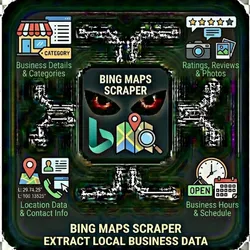
Bing Maps Scraper Extract Local Business Data
Pricing
from $0.01 / 1,000 results
Bing Maps Scraper Extract Local Business Data
Google Maps gets all the attention, but Bing Maps has unique business data. Many businesses are listed on Bing but not Google & B2B companies. The Bing Maps Scraper extracts business listings including: Business details Location data Contact information Ratings & reviews Business hours Photos
Pricing
from $0.01 / 1,000 results
Rating
0.0
(0)
Developer

The Howlers
Maintained by CommunityActor stats
0
Bookmarked
63
Total users
6
Monthly active users
12 hours ago
Last modified
Categories
Security
Limited permissionsShare
Bing Maps Scraper - Extract Local Business Data
Scrape business listings from Bing Maps. Extract business names, addresses, phone numbers, ratings, reviews, hours, and more. Great for local SEO research and competitive analysis.
Quick Start
Test with Demo Mode (free, no API key needed)
Run with real data
Input Parameters
| Parameter | Type | Default | Required | Description |
|---|---|---|---|---|
searchQueries | array | - | No | List of search queries. Use format: "category city state" (e.g., "plumber denver co", "restaurants in Seattle WA") |
searchQuery | string | - | No | Single search query. Use this or searchQueries above (e.g., "plumber denver co") |
maxResults | integer | 20 | No | Maximum number of business listings to scrape per search query |
includeReviews | boolean | false | No | Scrape individual reviews for each business (slower but more data) |
maxReviews | integer | 10 | No | Maximum number of reviews to scrape per business (if includeReviews is true) |
proxyConfiguration | object | Apify Proxy, US | No | Proxy settings for the scraper. Leave it empty to use Apify Proxy with US IP addresses |
webhookUrl | string | - | No | URL to send results to (Zapier, Make, n8n, etc.) for automation workflows |
demoMode | boolean | false | No | Run in demo mode with sample data (no real scraping). You MUST set this to false (uncheck) for real results. Demo mode returns 3 fake Seattle businesses, not your actual search. |
Search location
Put the place in the query, for example "plumber denver co", "restaurants in Seattle, WA" or "bakery 80202". The scraper looks up that place, asks Bing Maps to search around it, and drops any result whose location puts it outside the area (about 80 km from the center, more for large cities). Bing does not always follow the requested map center, so this filter, not the map center, is what keeps results in the place you named. Dropped results are not saved and not charged. A city named without its state, such as "pizza in Springfield", can match several places; the results then follow the one Bing searched. A query without a place, such as "plumber", is searched as typed.
Queries that name no place, such as "coffee near me", "plumbers close to me" or "pizza in town", are also searched as typed, and Bing picks the area. A two-letter state code counts only next to a city: "dentist boise id" is searched in Boise, Idaho, but "best tacos LA" is searched as typed instead of in Louisiana. Use the full state name or the "in city, state" form when the code could be read as a word. A city that exists in more than one country, such as "San Jose", is searched at the best-known one unless the state or country is given ("tacos in San Jose, CA").
The OUTPUT record in the run's key-value store lists, for each query, the place it was searched around (searchAreas) and how many results were dropped as outside it (droppedOutsideArea), plus the number of place lookups the run made (placeLookups).
Place lookup uses the OpenStreetMap Nominatim service within its usage policy: at most one lookup per second, each place looked up once per run, and the requests identify this actor. Map data © OpenStreetMap contributors, available under the Open Database License (https://www.openstreetmap.org/copyright). If the lookup service cannot be reached, a query that names a state keeps only results in that state.
Pricing
This actor uses pay-per-event billing:
| Event | When it is charged | Price |
|---|---|---|
| Actor start | Once when the run starts, one event per GB of memory (minimum one). At the default 2 GB of memory a run starts at $0.20 | $0.10 per GB |
| Business Listing Scraped | Each business listing extracted from Bing Maps | $0.01 |
| Result | Each item written to the default dataset | $0.00001 |
Demo mode is free -- no charges for sample data.
Troubleshooting
"API error 429" or "Rate limit"
Too many requests. Wait a minute and try again, or reduce the number of items per run.
No results or empty dataset
Check the run log for error messages. Common causes:
- Invalid input format (check the examples above)
- The target data doesn't exist or is too small to track
Results from the wrong city
Name the city and state in the query ("dentist boise id") or use "in" ("pizza in Albany NY"). Results outside the place named are dropped, so a query whose results are all far from it ends with no results; the run log says where the search was centered and which results were dropped.
The run stopped before its timeout
About 75 seconds before the run timeout, the scraper stops starting new queries, saves the businesses it already found, and finishes normally. The OUTPUT record in the run's key-value store lists the queries it did not process (notProcessed). Raise the run timeout, or split the queries across runs, to process them. With Include Reviews on, reviews stop being collected a minute before a query's time limit so the businesses found are still saved; those queries are listed under reviewsIncomplete.
How do I test without an API key?
Enable Demo Mode in the input. This returns realistic sample data so you can verify the output format works for your workflow.
Built by John Rippy | Actor Arsenal


