
Apple Maps Scraper - Phones, Ratings, Hours & Photos
Pricing
from $3.29 / 1,000 places
Apple Maps Scraper - Phones, Ratings, Hours & Photos
Extract place data from Apple Maps at scale. Get phone numbers, ratings, opening hours, amenities, photos, and full addresses for any business. Search by query + location, paste place URLs, or replay search URLs. 30+ fields per place. Parallel requests. No Apple account needed. $2.99/1,000 places.
Pricing
from $3.29 / 1,000 places
Rating
0.0
(0)
Developer

Zen Studio
Maintained by CommunityActor stats
2
Bookmarked
142
Total users
44
Monthly active users
9 days ago
Last modified
Categories
Share
Apple Maps Scraper Pro | Extract Place Data from Apple Maps (2026)
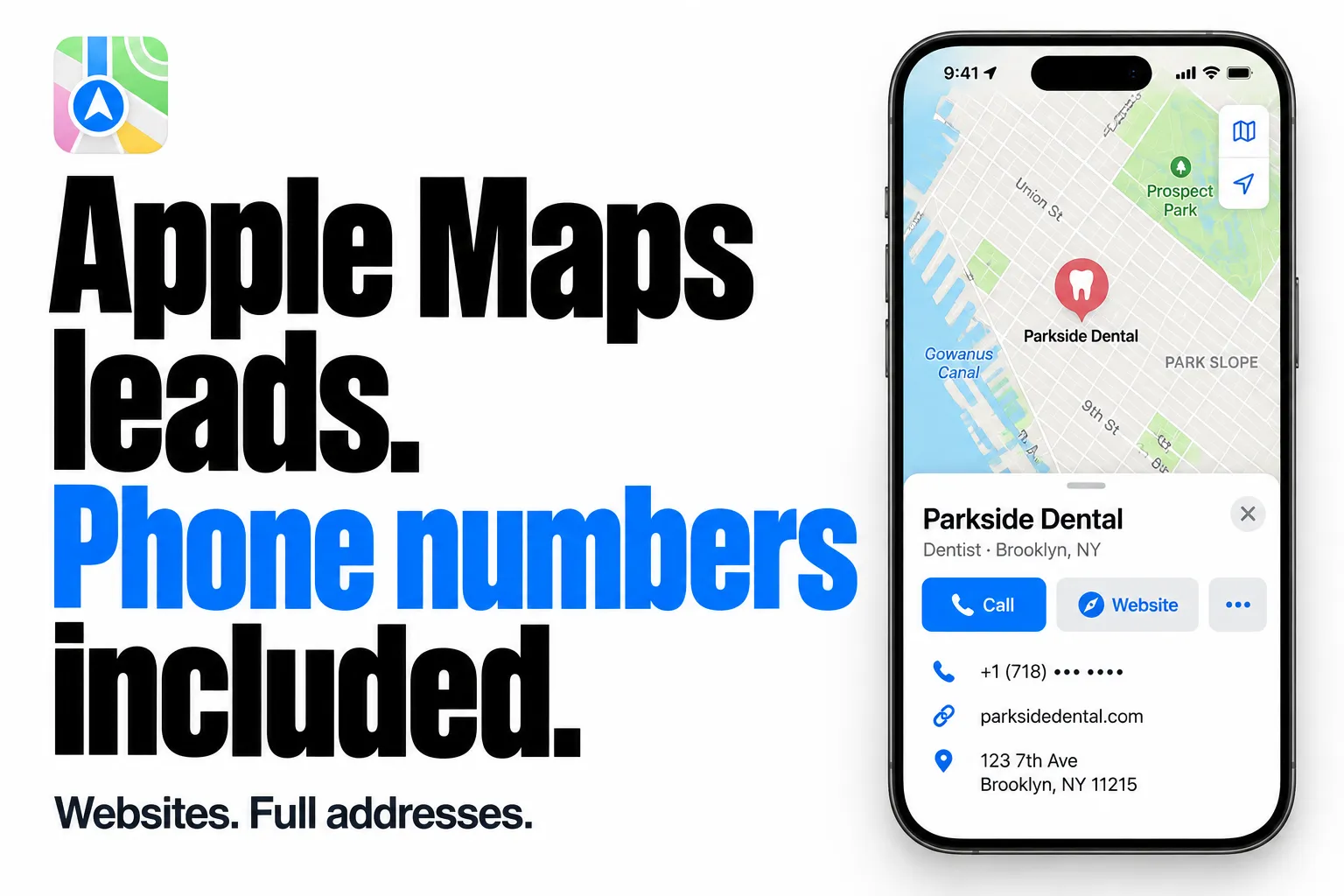
From Zen Studio, creators of Yandex Maps Scraper and 2GIS Scraper. One studio behind a suite of local-business data tools.
Why choose this actor?
313 ms average for single-place details. Get published phone numbers, websites and full addresses in a single run. Measured from actor start to completion for single-place runs; excludes Apify queue and container startup. Actual times vary.
Build a contact list, not just a list of names. Collect published phone numbers, websites and full addresses together, ready to export to your CRM.
Qualify businesses before reaching out. Use categories, ratings, opening hours and amenities to narrow your shortlist.
Search an area or bring your own places. Search by business type and location, or supply Apple Maps place URLs to collect their details in bulk.
Contact details and other fields are returned when Apple Maps publishes them. The hero shows an illustrative place card with a masked phone number.

Try your first search
Start with 20 dentists in Brooklyn. Change the business type and location to your target market.
Open the actor input, paste this example and start your search. Phone numbers need no additional input switch. A search covers the area around your location; this is not a complete city directory.
| Zen Studio · Maps & Local Leads | ||
 Apple Maps Apple MapsYou are here |  Yandex Maps Yandex MapsBusiness leads & reviews |  2GIS Places 2GIS PlacesPhones, emails & reviews |
Copy to your AI assistant
Copy this block into ChatGPT, Claude, Cursor, or any LLM to start using this actor.
How to Scrape Apple Maps Places
Three input modes, use any combination:
Search by Query + Location
The most common way. Enter what you're looking for and where. The location is automatically converted to coordinates.
Each query searches a ~5 km radius around the geocoded location. More specific locations give more accurate results -- "Soho, London" is better than "London".
Scrape Specific Places by URL
Paste Apple Maps place URLs directly. Supports place IDs, address URLs with a business name, and short share links from the Apple Maps app.
Supported URL formats:
- Place ID URLs --
place?place-id=...orplace?auid=... - Address URLs --
?q=Business+Name&address=...(copied from the browser address bar) - Share URLs --
maps.apple/p/g.xxxshort links (from the share button in Apple Maps)
Replay a Search URL
Copy a search URL from your browser after searching on Apple Maps. The query, coordinates, and zoom level are preserved.
The span parameter controls the search radius. Smaller values = tighter area.
Scrape an Apple Maps Guide
Guides are the curated lists in Apple Maps, such as "Coolest Bars in Chicago" by OpenTable or "The Toughest Reservations In The US" by The Infatuation. Paste a guide link and every place in it is scraped with full details.
Each place records the guide it came from in sourceGuide: the guide's title, publisher, description and cover image, the place's position in the guide, and what the guide writes about that place. A guideId from any place's featuredIn list works as input too.
Places from a guide are billed like any other place.
Country and Language Change Your Results
These aren't just formatting options. They affect which places Apple Maps returns and how it ranks them.
Country code sets the regional context. Searching "cafe" near Paris with US returns Cafe de Flore, but with FR returns Le Peloton Cafe. Set this to match where your target places are.
Language controls category names, address formatting, and result ranking. Searching near Berlin with de-DE vs en-US can return different first results and categories ("Kaffeehaus" vs "Coffee Shop").
Integrations and scheduling
Run the Apple Maps places scraper on a schedule in Apify Console, daily for new-listing alerts, weekly for market snapshots. Each run can call a webhook when it finishes, so n8n, Make and Zapier flows pick up new rows without polling. The Apify API and the Apify MCP server take the same input, for scripts and AI agents.
Pricing
Pay-per-event pricing. You pay per place successfully scraped.
| Plan | Per 1,000 places | Per place |
|---|---|---|
| Regular | $3.99 | $0.00399 |
| Bronze | $3.79 | $0.00379 |
| Silver | $3.49 | $0.00349 |
| Gold and above | $3.29 | $0.00329 |
Cost Examples (Regular Plan)
| Places | Cost |
|---|---|
| 100 | $0.40 |
| 500 | $2.00 |
| 1,000 | $3.99 |
Try it free -- new Apify users get $5 in platform credits. That's ~1,250 places at no cost.
Budget controls are built in. Set a maximum spend and the Actor stops automatically when the limit is reached.
Input Parameters
| Parameter | Type | Default | Description |
|---|---|---|---|
searchQueries | array | -- | Search queries with location. Each entry has query, location, and optional maxResults. |
placeUrls | array | -- | Direct Apple Maps place URLs. |
searchUrls | array | -- | Apple Maps search URLs with embedded coordinates. |
openNow | boolean | false | Keep only places open at run time, in the place's local time. |
minRating | string | -- | Keep only places rated at or above this: "3", "3.5", "4" or "4.5", on a 0-5 scale. |
hasPhone | boolean | false | Keep only places with a published phone number. |
hasWebsite | boolean | false | Keep only places with a published website. |
countryCode | string | US | Affects result ranking and which places are returned. |
language | string | en-US | Affects category names, addresses, and result ranking. |
maxResults | integer | 50 | Max places per search query. The console form starts at 20. Apple typically ranks 20-30 places per search. |
includeNearbyPlaces | boolean | false | Also collect the matching places shown around the search area. Roughly 80% more places per search on dense queries. |
sortBy | string | best match | Order of each search: "relevance" (Apple's best match), "distance" (nearest first) or "rating" (highest rated first). |
guideUrls | array | -- | Apple Maps guide links. Every place in each guide is scraped. |
At least one of searchQueries, placeUrls, searchUrls, or guideUrls is required.
Output Example
Each place in the dataset looks like this:
Fields That Depend on the Place
The example above is a restaurant. Other kinds of place return their own detail, and the fields below come from real results.
Ratings, price and reviews
Ratings keep the scale and the source they came from, so a 4.6 out of 5 is never reported as 92 out of 100. Places outside your language also carry their local name.
Visitor tips
Short notes left by visitors, separate from full reviews.
Charging stations
Connectors, charging speed, power and how many are free right now.
Transit stops
The lines that serve the stop, upcoming departures, the operators and any service alerts.
Trailheads
The trails you can reach from the trailhead, with their length.
Venues and landmarks
Capacity, the place that contains it, and whether Look Around imagery exists.
Guides
Guides the place appears in, including what the guide wrote about this place specifically.
What Each Place Includes
| Group | Fields |
|---|---|
| Identity | Name, local-language name, place type, category list, category path (dining.bar.cocktail_bar), category group, venue capacity |
| Contact | Phone, formatted phone, alternate phones, fax, website, quick links, business messaging |
| Location | Full and structured address, suite/unit, neighborhood, coordinates, entrances, timezone and UTC offset, ISO 3166 subdivision, parent place |
| Reputation | Rating with its source and native scale, category ratings, price level, reviews, visitor tips, awards |
| Editorial | Description, editorial write-ups with their source, guides the place appears in, and what each guide says about it |
| Hours | Weekly hours, closed days, 24-hour flag, service-specific hours (delivery, takeout), and whether the place was open when it was scraped |
| Media | Photos with caption, author, source and added date, owner cover photo, brand icon |
| Provenance | Which query and location found the place, the location Apple matched that to, the place's rank in the results for that search, and the guide it came from (empty for places given by URL) |
| Category-specific | EV charging connectors with power and availability, transit lines, departures, operators and service alerts, trails at a trailhead with their length |
Fields are returned when Apple Maps publishes them for that place.
A location is matched loosely, so a search always lands somewhere. searchLocation and matchedLocation record what you asked for and what it was matched to, which is how you catch a location that was understood differently than you meant it.
searchRank is the place's position in Apple Maps results for your search, 1 being the first result. Run the same search on a schedule to track how a business ranks over time. It is empty for places given by URL and for places added by Include Nearby Matches, which Apple shows on the map but does not rank.
API Integration
Python
JavaScript
Advanced Usage
Multi-City Search
Search the same category across multiple cities in one run:
All searches run in parallel.
Per-Query Result Limits
Override the global maxResults for individual queries:
Collect More Places per Search
A search returns the places Apple ranks for your query. Turning on Include Nearby Matches (includeNearbyPlaces) also collects the matching places shown around your search area, which is usually around 80% more for a dense query such as bars, parking or trailheads. A search for one named landmark is unaffected.
Each extra place is a place you pay for, so it is off by default. Max Results per Query still caps the total.
Sort by Distance or Rating
Searches come back in Apple's best-match order. Pick another order and Apple ranks the places that way instead:
"rating": highest rated first, within the search area. For 25 cocktail bars in River North, Chicago, the first five averaged 4.7 stars against 4.2 in the default order."distance": nearest to the search point first. Apple returns fewer, closer places: the same search returned 23 bars, all within 300 m.
searchRank follows the order you pick. Sorting applies to search queries with a location and to search URLs.
Filter the Results
Narrow the output to the places you actually want. Filters are optional; leave them off and every place found is returned.
Filtered-out places are not stored and not billed. Ratings arrive on different scales depending on the source and are converted to 0-5 before comparison, so minRating: "4.5" means four and a half stars everywhere. Places that publish no rating, no phone or no opening hours cannot satisfy the matching filter, so they are left out.
Mixed Input Modes
Combine all three input modes in a single run:
Results are deduplicated automatically.
Localized Data Extraction
Extract place data in the local language for international markets:
Category names, addresses, and ranking will reflect the Japanese market.
Data Export
Export results from the Apify Console in:
- JSON -- programmatic analysis, database import
- CSV -- spreadsheets, quick analysis
- Excel -- reporting, pivot tables
- XML -- legacy system integration
Nested fields (address, rating, hours) are flattened automatically in tabular formats.
FAQ
How many places can I scrape per search? Apple Maps typically returns 20-30 places per search query. Use multiple queries with different locations to cover larger areas.
Do I need an Apple account? No. No login, no cookies, no authentication required.
How fresh is the data? Data is fetched in real time from Apple Maps. You get whatever Apple Maps currently shows.
What's the rating scale? Apple Maps uses a 0-100 score (not 5-star). A score of 82 roughly corresponds to 4.1 stars. Per-category ratings (food, service, ambiance) are included when available.
Can I scrape places in non-English languages?
Yes. Set language to any locale (e.g., de-DE, ja-JP, fr-FR). Category names and addresses will be localized. This also affects which places are returned.
What phone number formats are included?
Three fields: phone (raw, e.g., +12125551234), phoneFormatted (human-readable, e.g., +1 (212) 555-1234), and altPhones (array of alternate numbers).
Is there a free trial? New Apify users get $5 in platform credits, enough for ~1,200 places at no cost.
What happens when I hit my budget limit? The Actor stops gracefully and keeps all data scraped so far. Nothing is lost.
More Zen Studio scrapers for maps & local data
- Apple Maps Directions & Route API
- Baidu Maps Scraper
- Google Maps Scraper
- Google Maps Directions & Routes API
- Yandex Maps Scraper
Also from the same studio (name, then account/slug for the URL https://apify.com/account/slug):
- Yandex Maps Reviews Scraper (
zen-studio/yandex-maps-reviews-scraper) - 2GIS Places Scraper (
zen-studio/2gis-places-scraper-api) - 2GIS Reviews Scraper (
zen-studio/2gis-reviews-scraper) - Naver Map & Place Scraper (
zen-studio/naver-place-scraper) - Bing Maps Scraper (
zen-studio/bing-maps-scraper)
Full directory: Zen Studio on Apify
Disclaimer
Data is collected from publicly available sources and provided "as is" for informational purposes. Users are responsible for compliance with Apple's terms of service and applicable regulations in their jurisdiction.


