
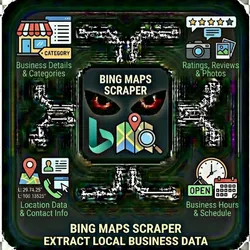
Bing Maps Scraper Extract Local Business Data
Pricing
from $0.01 / 1,000 results
Bing Maps Scraper Extract Local Business Data
Google Maps gets all the attention, but Bing Maps has unique business data. Many businesses are listed on Bing but not Google & B2B companies. The Bing Maps Scraper extracts business listings including: Business details Location data Contact information Ratings & reviews Business hours Photos
Pricing
from $0.01 / 1,000 results
Rating
0.0
(0)
Developer

The Howlers
Maintained by CommunityActor stats
0
Bookmarked
59
Total users
2
Monthly active users
8 days ago
Last modified
Categories
Share
Bing Maps Scraper - Extract Local Business Data
Scrape business listings from Bing Maps. Extract business names, addresses, phone numbers, ratings, reviews, hours, and more. Great for local SEO research and competitive analysis.
Quick Start
Test with Demo Mode (free, no API key needed)
Run with real data
Input Parameters
| Parameter | Type | Default | Required | Description |
|---|---|---|---|---|
searchQueries | array | - | No | List of search queries. Use format: "category city state" (e.g., "plumber denver co", "restaurants in Seattle WA") |
searchQuery | string | - | No | Single search query — use this OR searchQueries above (e.g., "plumber denver co") |
maxResults | integer | 20 | No | Maximum number of business listings to scrape per search query |
includeReviews | boolean | false | No | Scrape individual reviews for each business (slower but more data) |
maxReviews | integer | 10 | No | Maximum number of reviews to scrape per business (if includeReviews is true) |
proxyConfiguration | object | - | No | Proxy settings for the scraper |
webhookUrl | string | - | No | URL to send results to (Zapier, Make, n8n, etc.) for automation workflows |
demoMode | boolean | false | No | Run in demo mode with sample data (no real scraping). You MUST set this to false (uncheck) for real results. Demo mode returns 3 fake Seattle businesses, not your actual search. |
Pricing
This actor uses pay-per-event billing:
| Event | Description | Price |
|---|---|---|
| Business Listing Scraped | Each business listing extracted from Bing Maps | $0.06 |
Demo mode is free -- no charges for sample data.
Troubleshooting
"API error 429" or "Rate limit"
Too many requests. Wait a minute and try again, or reduce the number of items per run.
No results or empty dataset
Check the run log for error messages. Common causes:
- Invalid input format (check the examples above)
- The target data doesn't exist or is too small to track
How do I test without an API key?
Enable Demo Mode in the input. This returns realistic sample data so you can verify the output format works for your workflow.
Built by John Rippy | Actor Arsenal


