Cloudflare API - DNS, Zones, Cache & Security
Pricing
from $0.01 / 1,000 results
Cloudflare API - DNS, Zones, Cache & Security
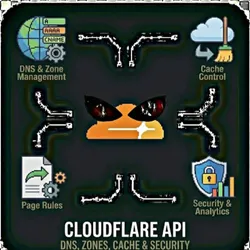
Manage your Cloudflare infrastructure programmatically. Configure DNS records, manage zones, purge cache, set up page rules, and control security settings through a single interface. Features Zone Management DNS Management Cache Control Page Rules Security & Analytics
Pricing
from $0.01 / 1,000 results
Rating
0.0
(0)
Developer

The Howlers
Maintained by CommunityActor stats
0
Bookmarked
1
Total users
0
Monthly active users
2 months ago
Last modified
Categories
Share
Manage Cloudflare programmatically. Configure DNS records, manage zones, purge cache, set up page rules, and control security settings. Perfect for DevOps automation, multi-site management, and infrastructure-as-code workflows.
BYOK (Bring Your Own Key) -- you provide your own API credentials.
Before You Start
This actor requires your own API credentials to fetch real data.
Where to get your key: Cloudflare API token with appropriate permissions
Quick Start
Run with real data
Input Parameters
| Parameter | Type | Default | Required | Description |
|---|---|---|---|---|
task | string | "list_zones" | Yes* | The operation to perform on Cloudflare |
zoneId | string | - | No | Cloudflare zone ID (found in zone overview dashboard) |
zoneName | string | - | No | Domain name to look up zone ID (alternative to zoneId) |
recordId | string | - | No | DNS record ID for get/update/delete operations |
recordType | string | "A" | No | Type of DNS record |
recordName | string | - | No | DNS record name (e.g., 'www', '@' for root, or full domain) |
recordContent | string | - | No | DNS record content/value (e.g., IP address, target domain) |
recordTtl | integer | 1 | No | Time to live in seconds (1 = automatic) |
recordProxied | boolean | true | No | Whether traffic is proxied through Cloudflare (orange cloud) |
recordPriority | integer | - | No | Priority for MX records |
purgeUrls | string | - | No | Comma-separated URLs to purge from cache |
pageRuleUrl | string | - | No | URL pattern for page rule (e.g., 'example.com/images/') |
pageRuleActions | string | - | No | JSON array of page rule actions |
settingId | string | - | No | Zone setting to update (e.g., 'ssl', 'always_use_https', 'minify') |
settingValue | string | - | No | New value for the setting |
analyticsStartDate | string | - | No | Start date for analytics (ISO format) |
analyticsEndDate | string | - | No | End date for analytics (ISO format) |
apiToken | string | - | Yes* | Cloudflare API token with appropriate permissions |
webhookUrl | string | - | No | URL to receive results via webhook for automation platforms |
Pricing
This actor uses pay-per-event billing:
| Event | Description | Price |
|---|---|---|
| API Request | Each Cloudflare API request processed | $0.05 |
Troubleshooting
"API key is required"
- Add your API key in the input
"API error 403" or "Unauthorized"
Your API key is invalid, expired, or doesn't have access to this specific API endpoint. Double-check your key and account permissions.
"API error 429" or "Rate limit"
Too many requests. Wait a minute and try again, or reduce the number of items per run.
No results or empty dataset
Check the run log for error messages. Common causes:
- Invalid input format (check the examples above)
- API key without proper permissions
- The target data doesn't exist or is too small to track
How do I test without an API key?
Run the actor without an API token, or set demoMode to true, and it returns labeled sample zones, DNS records, and settings showing the exact output format. Every sample item carries demo: true and a _notice field, and no calls are made to the Cloudflare API. Sample runs charge no task events; provide your own Cloudflare API token to receive live data.
Built by John Rippy | Actor Arsenal