
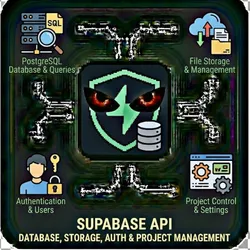
Supabase API Database, Storage, Auth & Project Management
Pricing
from $0.01 / 1,000 results
Supabase API Database, Storage, Auth & Project Management
Access Supabase programmatically through this comprehensive API actor. Query and manage PostgreSQL databases, handle file storage, manage authentication users, and control projects - all through a single interface.
Pricing
from $0.01 / 1,000 results
Rating
0.0
(0)
Developer

The Howlers
Maintained by CommunityActor stats
0
Bookmarked
11
Total users
1
Monthly active users
2 months ago
Last modified
Categories
Share
Supabase API - Database, Storage, Auth & Project Management
Access Supabase programmatically. Query and manage databases, upload/download files from storage, manage authentication users, and control projects. Perfect for database automation, data migration, backup workflows, and Supabase-powered app integrations.
BYOK (Bring Your Own Key) -- you provide your own API credentials.
Before You Start
This actor requires your own API credentials to fetch real data.
Where to get your key: Password for create_user operation
Quick Start
Run with real data
Input Parameters
| Parameter | Type | Default | Required | Description |
|---|---|---|---|---|
task | string | "list_projects" | Yes* | The operation to perform on Supabase |
projectRef | string | - | No | Supabase project reference ID (from your project URL: https://<project_ref>.supabase.co) |
tableName | string | - | No | Database table name for query/insert/update/delete operations |
query | string | - | No | PostgREST query filters (e.g., 'id=eq.5', 'name=ilike.john', 'created_at=gte.2024-01-01') |
selectColumns | string | - | No | Columns to return (comma-separated, e.g., 'id,name,email'). Leave empty for all columns. |
orderBy | string | - | No | Column to sort by (e.g., 'created_at.desc', 'name.asc') |
data | string | - | No | JSON data for insert/update operations. For insert: [{...}] or {...}. For update: {...} |
sqlQuery | string | - | No | Raw SQL query to execute (for run_sql task). Use with caution! |
bucketName | string | - | No | Storage bucket name for file operations |
filePath | string | - | No | File path within the bucket (e.g., 'folder/image.png') |
fileUrl | string | - | No | Public URL of file to upload (for upload_file task) |
userId | string | - | No | User UUID for get_user or delete_user operations |
userEmail | string | - | No | Email address for create_user operation |
userPassword | string | - | Yes* | Password for create_user operation |
limit | integer | 100 | No | Maximum number of results to return |
offset | integer | 0 | No | Results offset for pagination |
supabaseUrl | string | - | No | Your Supabase project URL (https://<project_ref>.supabase.co) |
supabaseKey | string | - | Yes* | Supabase anon key (for public operations) or service_role key (for admin operations) |
managementToken | string | - | Yes* | Personal Access Token for Management API (list_projects, get_project, get_project_settings) |
webhookUrl | string | - | No | URL to receive results via webhook for automation platforms |
Pricing
This actor uses pay-per-event billing:
| Event | Description | Price |
|---|---|---|
| API Request | Each Supabase API request completed | $0.01 |
Troubleshooting
"API key is required"
- Add your API key in the input
"API error 403" or "Unauthorized"
Your API key is invalid, expired, or doesn't have access to this specific API endpoint. Double-check your key and account permissions.
"API error 429" or "Rate limit"
Too many requests. Wait a minute and try again, or reduce the number of items per run.
No results or empty dataset
Check the run log for error messages. Common causes:
- Invalid input format (check the examples above)
- API key without proper permissions
- The target data doesn't exist or is too small to track
How do I test without an API key?
Run the actor without credentials, or set demoMode to true. The run returns a labeled sample shaped like real output: every item includes demo: true and a _notice field explaining that it is sample data. Sample runs charge no task events. Provide your own API credentials in the input to receive live data.
Built by John Rippy | Actor Arsenal


