Discord Bot Poster
Pricing
from $0.01 / 1,000 results
Discord Bot Poster
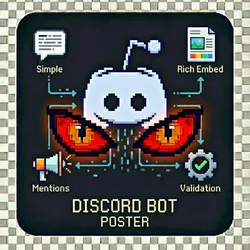
Send automated messages to Discord servers using your bot token. Perfect for announcements, scheduled posts, community updates, and marketing automation. Simple Messages, Rich Embeds, Multi-Channel, Mentions, Batch Messaging & Validation Mode
Pricing
from $0.01 / 1,000 results
Rating
0.0
(0)
Developer

The Howlers
Maintained by CommunityActor stats
0
Bookmarked
3
Total users
0
Monthly active users
a month ago
Last modified
Categories
Share
Discord Bot Poster - Send Messages to Discord Channels
Send automated messages to Discord channels using your bot token. Supports plain text, rich embeds with images and custom colors, multi-channel posting, role/user mentions, batch messaging, and validation mode to check bot permissions before posting.
BYOK (Bring Your Own Key) -- you provide your own API credentials.
Before You Start
This actor requires your own API credentials to fetch real data.
Where to get your key: Your Discord bot token from the Discord Developer Portal. Create one at https://discord.com/developers/applications
Quick Start
Run with real data
Input Parameters
| Parameter | Type | Default | Required | Description |
|---|---|---|---|---|
botToken | string | - | Yes* | Your Discord bot token from the Discord Developer Portal. Create one at https://discord.com/developers/applications |
channelId | string | - | No | The Discord channel ID to post to. Right-click the channel and select 'Copy Channel ID' (requires Developer Mode enabled) |
channelIds | array | - | No | Post to multiple channels at once. One channel ID per line. |
message | string | - | No | The text message to send. Supports Discord markdown formatting. |
messages | array | - | No | Send multiple messages in sequence. Each message on a new line. |
embedTitle | string | - | No | Title for a rich embed message (optional) |
embedDescription | string | - | No | Description text for the embed (optional) |
embedColor | string | "#5865F2" | No | Hex color for the embed sidebar (e.g., #FF5733) |
embedUrl | string | - | No | URL that the embed title links to |
embedImageUrl | string | - | No | URL of an image to display in the embed |
embedThumbnailUrl | string | - | No | URL of a thumbnail image for the embed |
embedFooter | string | - | No | Footer text for the embed |
embedFields | array | - | No | Additional fields for the embed. Format: name/value/inline (one per line) |
mentionRoles | array | - | No | Role IDs to mention in the message (will ping users with these roles) |
mentionUsers | array | - | No | User IDs to mention in the message |
mentionEveryone | boolean | false | No | Include @everyone mention (requires permission) |
suppressEmbeds | boolean | false | No | Prevent URLs in the message from generating preview embeds |
tts | boolean | false | No | Send as a TTS (text-to-speech) message |
validateOnly | boolean | false | No | Only validate bot access to channels without sending messages |
webhookUrl | string | - | No | URL to receive a POST request when the actor run finishes. Useful for integrations with Zapier, Make, n8n, or custom automation workflows. |
utmTracking | object | {"enabled":true} | No | Enable UTM tracking parameters on embed URLs for analytics. Default: { enabled: true } - will auto-add utm_source=discord, utm_medium=social, utm_campaign=discord_post_YYYYMMDD |
Pricing
This actor uses pay-per-event billing:
| Event | Description | Price |
|---|---|---|
| Message Sent | Charged per message successfully sent to a Discord channel | $0.01 |
| Rich Embed Sent | Charged per rich embed message with custom formatting | $0.01 |
| Channel Validated | Charged per channel access validation check | $0.01 |
Troubleshooting
"API key is required"
- Add your API key in the input
"API error 403" or "Unauthorized"
Your API key is invalid, expired, or doesn't have access to this specific API endpoint. Double-check your key and account permissions.
"API error 429" or "Rate limit"
Too many requests. Wait a minute and try again, or reduce the number of items per run.
No results or empty dataset
Check the run log for error messages. Common causes:
- Invalid input format (check the examples above)
- API key without proper permissions
- The target data doesn't exist or is too small to track
How do I test without an API key?
Run the actor without a bot token, or set demoMode to true, and it returns labeled sample post results in the exact format of a live run. No real Discord messages are posted, every sample item carries demo: true and a _notice field, and sample runs charge no task events. Provide your own bot token to post for real.
Built by John Rippy | Actor Arsenal