Firecrawl Pro Advanced Web Scraping Full Firecrawl Features
Under maintenancePricing
from $0.01 / 1,000 results
Firecrawl Pro Advanced Web Scraping Full Firecrawl Features
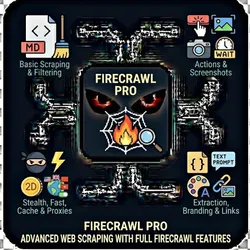
Under maintenanceProfessional scraping using Firecrawl's complete feature set / exposes all Firecrawl capabilities Markdown/HTML Content Filtering Include/Exclude Screenshots Stealth Mode Fast Mode Caching Location Proxies JSON Prompt-Based Branding Link Extraction Image Extraction Autonomous Multi-Page Discovery
Pricing
from $0.01 / 1,000 results
Rating
0.0
(0)
Developer

The Howlers
Maintained by CommunityActor stats
1
Bookmarked
25
Total users
1
Monthly active users
8 days ago
Last modified
Categories
Share
Firecrawl Pro - Advanced Web Scraping
Professional web scraping with Firecrawl's advanced features: Actions (click, type, scroll), Screenshots, Stealth Mode, Caching, Fast Mode, Location Proxies, and Schema Extraction. Perfect for protected sites and complex scraping workflows.
BYOK (Bring Your Own Key) -- you provide your own API credentials.
Before You Start
This actor requires your own API credentials to fetch real data.
Where to get your key: Your Firecrawl API key (get one at https://firecrawl.dev)
Quick Start
Run with real data
Input Parameters
| Parameter | Type | Default | Required | Description |
|---|---|---|---|---|
urls | array | - | No | List of URLs to scrape. Each URL will be processed with the configured options. |
mode | string | "basic" | No | Basic: Single page scrape. Agent: Autonomous multi-page navigation with AI. |
formats | array | ["markdown"] | No | Content formats to extract from each page |
onlyMainContent | boolean | true | No | Extract only the main content, removing headers, footers, and navigation |
includeTags | array | - | No | HTML tags to include in the extraction (e.g., article, main, div.content) |
excludeTags | array | - | No | HTML tags to exclude from extraction (e.g., nav, footer, aside) |
actions | array | - | No | Actions to perform before scraping (click buttons, type text, scroll, wait). Actions execute in order. |
extractionSchema | object | - | No | JSON schema for structured data extraction. Define the fields you want to extract. |
extractionPrompt | string | - | No | Natural language prompt for AI extraction (alternative to JSON schema) |
screenshotOptions | object | {"fullPage":true,"format":"png"} | No | Options for screenshot capture |
enableCaching | boolean | false | No | Use cached results if available (reduces costs on repeated requests) |
cacheMaxAge | integer | 172800 | No | Maximum age of cached results in seconds (default: 172800 = 2 days) |
fastMode | boolean | false | No | Enable fast mode for quicker scraping (may reduce accuracy on complex pages) |
stealthMode | boolean | false | No | Enable stealth mode for better success on protected sites (uses anti-detection techniques) |
proxyLocation | string | "" | No | Geographic location for the proxy (affects content localization) |
waitFor | integer | 0 | No | Wait time in milliseconds before extracting content (for dynamic pages) |
timeout | integer | 30000 | No | Maximum time in milliseconds to wait for page load |
extractBranding | boolean | false | No | Extract branding profile (colors, fonts, logos, typography) |
extractLinks | boolean | false | No | Extract all links from the page with metadata |
extractImages | boolean | false | No | Extract all images from the page with alt text and dimensions |
agentPrompt | string | - | No | Instructions for the autonomous agent (when mode=agent). Describe what data to find. |
agentMaxCredits | integer | 50 | No | Maximum Firecrawl credits to use per agent session |
firecrawlApiKey | string | - | Yes* | Your Firecrawl API key (get one at https://firecrawl.dev) |
webhookUrl | string | - | No | URL to send results via POST request (Zapier, Make, n8n compatible) |
Pricing
This actor uses pay-per-event billing:
| Event | Description | Price |
|---|---|---|
| Page Scraped | Per webpage scraped with markdown/HTML content extraction | $0.02 |
| Screenshot Captured | Per full-page screenshot captured and stored | $0.01 |
| Schema Extracted | Per structured data extraction using JSON schema | $0.03 |
| Actions Executed | Per action sequence executed (click, type, scroll, wait) | $0.01 |
| Agent Navigation | Per autonomous agent navigation session with multi-page discovery | $0.08 |
| Branding Extracted | Per branding profile extraction (colors, fonts, logos) | $0.03 |
Troubleshooting
"API key is required"
- Add your API key in the input
"API error 403" or "Unauthorized"
Your API key is invalid, expired, or doesn't have access to this specific API endpoint. Double-check your key and account permissions.
"API error 429" or "Rate limit"
Too many requests. Wait a minute and try again, or reduce the number of items per run.
No results or empty dataset
Check the run log for error messages. Common causes:
- Invalid input format (check the examples above)
- API key without proper permissions
- The target data doesn't exist or is too small to track
How do I test without an API key?
Built by John Rippy | Actor Arsenal