Clean Web Scraper - Markdown for AI via Firecrawl
Under maintenancePricing
Pay per event
Clean Web Scraper - Markdown for AI via Firecrawl
Under maintenanceConvert any website to clean, LLM-optimized markdown using Firecrawl. Perfect for RAG pipelines, AI training data, and knowledge bases. No login required, 25% cheaper than Firecrawl direct. Batch process hundreds of URLs. Supports PDF/DOCX. Pay only $0.004 per page - no monthly fees.
Pricing
Pay per event
Rating
0.0
(0)
Developer
ClearPath
Maintained by CommunityActor stats
3
Bookmarked
27
Total users
1
Monthly active users
3 days ago
Last modified
Categories
Share
Clean Web Scraper - Markdown for AI | Firecrawl Powered
The easiest way to convert any website to clean, LLM-optimized markdown — no login required, no cookies needed, just paste URLs and get structured content ready for RAG pipelines, fine-tuning, and knowledge bases.
Copy to your AI assistant
Copy this block into ChatGPT, Claude, Cursor, or any LLM to start using this actor.
Built on Firecrawl's production-grade infrastructure, this Actor delivers 25% cheaper pricing than subscribing to Firecrawl directly. Pay only for what you scrape — no monthly commitments.
- ✅ No authentication required — works without browser sessions or cookies
- ✅ Production-grade reliability — powered by Firecrawl's battle-tested infrastructure
- ✅ LLM-optimized output — clean markdown stripped of navigation, ads, and clutter
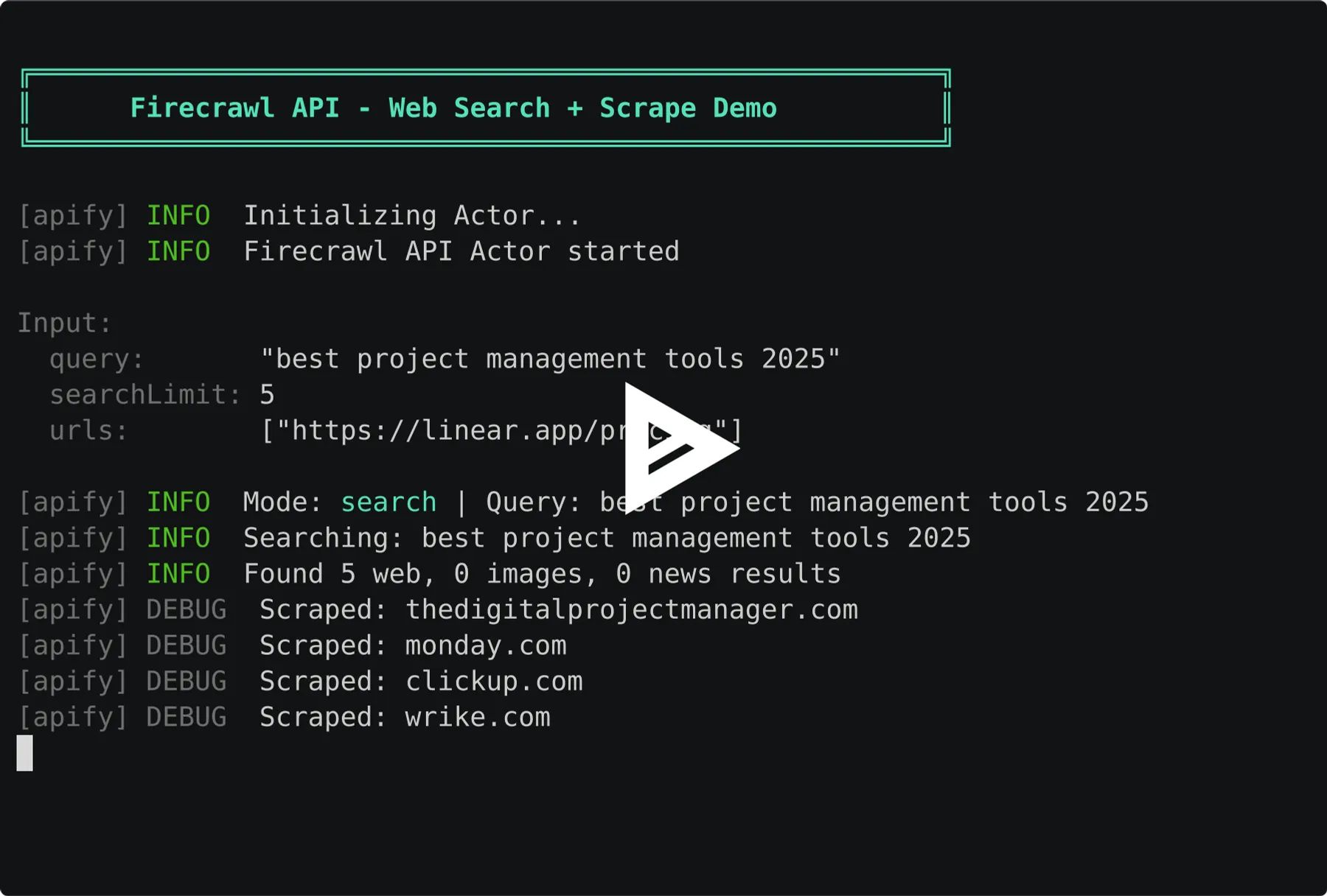
- ✅ Web search — search the web and scrape results in one step
- ✅ PDF support — pass any PDF URL and get clean markdown automatically
- ✅ Batch processing — scrape URLs in parallel
- ✅ Website crawling — discover and scrape all pages from a site automatically
- ✅ Multiple formats — markdown, HTML, raw HTML, links, or screenshots
Why Firecrawl?
Built on Firecrawl's enterprise infrastructure, you get these capabilities automatically — no configuration required:
| Feature | What It Does |
|---|---|
| Smart Wait | Intelligently waits for JavaScript content to load. Dynamic SPAs, lazy-loaded content, and client-rendered pages just work. |
| Stealth Mode | Handles anti-bot protection automatically. Rotates user agents, manages browser fingerprinting, retries with stealth proxies when needed. |
| Intelligent Caching | Recently scraped pages are cached for up to 500% faster repeated requests. |
| Media Parsing | Native PDF and DOCX parsing. Pass any document URL and get clean markdown. |
| Ad Blocking | Ads, cookie banners, and popups automatically blocked for cleaner output. |
⚡ Key Features
📝 LLM-Optimized Content Extraction
- Clean markdown output — Headers, footers, navigation, ads automatically removed
- Smart content detection — Firecrawl identifies and extracts the main article/content
- Preserves semantic structure — Headings, lists, tables, code blocks intact
- Native document parsing — PDFs and DOCX files converted to markdown automatically
- Multiple formats — Get markdown, HTML, raw HTML, links, or screenshots
🔍 Web Search + Scrape
- Search mode — Search the web and scrape results in one API call
- Combine with URLs — Run search AND scrape specific URLs together
- Configurable limit — Return 1-100 search results
🚀 High-Performance Batch Processing
- Single URL mode — Quick scrape for one page
- Batch mode — Process hundreds of URLs in parallel
- Auto-detection — Automatically chooses optimal mode based on input
- Progress tracking — Real-time status updates during batch jobs
💰 Pay-Per-Use Pricing
- No monthly fees — Pay only for pages you scrape
- 25% cheaper — Lower cost than Firecrawl Hobby plan
- Predictable costs — $0.004 per page, no hidden fees
- No commitment — Scale up or down instantly
Use Cases
For Lead Generation & Sales
- Company research — Extract company profiles, team info, and contact details from YC, Crunchbase, LinkedIn
- Prospect enrichment — Scrape about pages, team bios, and social links at scale
- Competitive intelligence — Monitor competitor websites, pricing pages, and product updates
- Investment research — Gather startup data, funding info, and founder backgrounds
For AI/ML Engineers
- Build RAG pipelines — Convert documentation sites to vector embeddings
- Create training datasets — Scrape clean text for LLM fine-tuning
- Feed knowledge bases — Extract content for AI assistants
- Process research papers — Convert PDFs to structured markdown
For Developers
- Documentation scraping — Mirror docs for offline access
- Content migration — Move websites between platforms
- Data extraction — Pull structured content from any page
- API integration — Automate content pipelines
For Content Teams
- Competitive analysis — Extract competitor content for review
- Content auditing — Bulk export site content
- Archive creation — Preserve web content in clean format
- Research compilation — Gather sources into structured documents
Quick Start
Web Search (Search Mode)
Image Search
News Search
Search + Specific URLs (Combined)
Single URL (Scrape Mode)
Multiple URLs (Batch Mode)
Crawl Entire Site (Crawl Mode)
PDF to Markdown (via URL)
PDF/DOCX Upload (Direct File)
You can also upload PDF or DOCX files directly using the Upload PDF or DOCX field in the Apify Console. The file is stored in a key-value store and processed automatically — no hosting required.
Company Research (Lead Gen)
Input Parameters
| Parameter | Type | Required | Default | Description |
|---|---|---|---|---|
query | string | No* | - | Search query. Results are scraped and returned as markdown. Can be combined with URLs. |
searchLimit | integer | No | 5 | Maximum search results to return (1-100). |
searchSources | array | No | ["web"] | Types of results: web, images, news. Can combine multiple. |
searchTimeFilter | string | No | any | Filter by recency: any, hour, day, week, month, year. |
searchLocation | string | No | - | Geographic location (e.g., San Francisco,California,United States). |
searchCategories | array | No | [] | Filter web results: github, research, pdf. |
urls | array | No* | - | One or more URLs to scrape. Single URL triggers scrape mode, multiple URLs trigger batch mode. |
fileUpload | string | No* | - | Upload a PDF or DOCX file directly. File is stored in key-value store and processed automatically. |
crawlUrl | string | No* | - | Base URL to start crawling. Discovers and scrapes all internal pages. |
crawlLimit | integer | No | 500 | Maximum pages to crawl (1-10000). |
crawlDepth | integer | No | 2 | Max link depth from starting URL. 0 = starting page only. |
includePaths | array | No | [] | Only crawl URLs matching these patterns (regex). |
excludePaths | array | No | [] | Skip URLs matching these patterns (regex). |
formats | array | No | ["markdown"] | Output formats to include: markdown, html, rawHtml, links, screenshot |
onlyMainContent | boolean | No | true | When enabled, strips headers, footers, and navigation for cleaner LLM-ready output |
*At least one of crawlUrl, query, urls, or fileUpload is required. All can be combined in one run.
Output Formats Explained
| Format | Description | Best For |
|---|---|---|
markdown | Clean, structured markdown | RAG, LLMs, documentation |
html | Cleaned HTML with structure preserved | Web apps, rendering |
rawHtml | Original HTML untouched | Archival, debugging |
links | All links found on page | Site mapping, crawling |
screenshot | Full-page screenshot | Visual verification |
Output
Each scraped page returns:
Search Output (Web)
When using search mode with searchSources: ["web"] (default):
Search Output (Images)
When using searchSources: ["images"]:
Search Output (News)
When using searchSources: ["news"]:
Batch Output
When scraping multiple URLs, each page is saved as a separate item in the dataset. Access results via:
- Apify Console — View and export from the Dataset tab
- API — Fetch via
GET /datasets/{datasetId}/items - Integrations — Connect to Google Sheets, Airtable, webhooks
Crawl Output
When crawling a website, each discovered page is saved as a separate item. The output format is identical to scrape mode:
A crawl with crawlLimit: 50 produces up to 50 dataset items — one per discovered page.
Pricing - Pay Per Event (PPE)
Transparent, predictable pricing with no monthly fees
| Event | Price | Description |
|---|---|---|
page_scraped | $0.004 | Charged per URL successfully scraped |
Cost Comparison vs Firecrawl Direct
| Pages | This Actor | Firecrawl Hobby ($16/mo) | Savings |
|---|---|---|---|
| 100 | $0.40 | $16.00 | 97% |
| 1,000 | $4.00 | $16.00 | 75% |
| 3,000 | $12.00 | $16.00 | 25% |
Pricing Examples
| Scenario | Pages | Cost |
|---|---|---|
| Research 50 YC companies | 50 | $0.20 |
| Scrape competitor about pages | 100 | $0.40 |
| Build prospect database | 500 | $2.00 |
| Weekly company monitoring | 1,000 | $4.00 |
API Integration
Python
JavaScript
cURL
Advanced Usage
Batch Company Research
Scrape About/Team Pages
Extract Pricing Pages
Get Page Links for Discovery
Technical Requirements
| Requirement | Value |
|---|---|
| Memory | 256-512 MB recommended |
| Timeout | 30 seconds per page default |
| Proxy | Not required (handled by Firecrawl) |
| Rate limits | Managed automatically |
| Anti-bot | Automatic (stealth mode) |
| JS Rendering | Automatic (smart wait) |
| Caching | 2-day default |
Data Export
Export your scraped data in multiple formats:
- JSON — Structured data for programmatic access
- CSV — Spreadsheet-compatible for analysis
- Excel — Ready for business reporting
- XML — Integration with enterprise systems
Access exports from the Apify Console Dataset tab or via API.
Automation
Scheduled Runs
Set up recurring scrapes — hourly, daily, or weekly — directly in Apify Console.
Webhooks
Receive notifications when scraping completes:
Integrations
Connect to 100+ apps via Apify integrations:
- Google Sheets
- Airtable
- Slack
- Zapier
- Make (Integromat)
FAQ
Q: Do I need a Firecrawl account? A: No. This Actor handles all Firecrawl authentication internally. Just run and get results.
Q: How does search mode work?
A: Provide a query parameter and the Actor searches the web, then scrapes each result page. You get both search metadata (title, description) and full page content (markdown). You can combine search with specific URLs to run both in one call.
Q: What websites can I scrape? A: Most public websites work. Firecrawl covers 96% of the web, including JavaScript-heavy and protected pages.
Q: How does it handle JavaScript-heavy sites? A: Firecrawl uses smart wait technology that automatically detects when content has finished loading. Dynamic SPAs, lazy-loaded content, and client-rendered pages work without any configuration.
Q: What about sites with anti-bot protection? A: Stealth mode is enabled by default. Firecrawl automatically handles browser fingerprinting, user agent rotation, and retries with stealth proxies when basic requests fail.
Q: Is there any caching? A: Yes. Firecrawl caches recently scraped pages (default 2 days) for faster repeated requests. You're only charged once per unique scrape within the cache window.
Q: How many URLs can I scrape at once? A: No hard limit. Batch mode processes URLs in parallel for maximum efficiency. For very large jobs (10,000+ URLs), consider splitting into multiple runs.
Q: Is the data real-time? A: Yes. Each run fetches fresh data directly from the target websites.
Q: What if a page fails to scrape?
A: Failed pages return "success": false with error details. You're only charged for successful scrapes.
Q: Can I scrape PDFs? A: Yes. Firecrawl natively parses PDFs and converts them to markdown. Just provide the PDF URL.
Q: How does pricing compare to Firecrawl direct? A: At $0.004/page, you save 25% compared to Firecrawl's Hobby plan ($16/month for ~3,000 credits). Plus, no monthly commitment — pay only for what you use.
Q: Can I use my own Firecrawl API key? A: Currently, the Actor uses a managed Firecrawl account. Contact us if you need custom API key support.
Q: What's the difference between crawl and batch scrape? A: Batch scrape takes explicit URLs you provide. Crawl mode discovers pages automatically — you give it a starting URL and it follows internal links up to your specified depth and limit. Use crawl for "scrape this entire site" and batch for "scrape these specific pages."
Getting Started
1. Create Account
- Sign up for Apify (free)
- No credit card required for free tier
- $5 free platform credit included
2. Configure Input
- Add your target URLs
- Choose output formats (markdown recommended for LLMs)
- Enable
onlyMainContentfor cleaner output
3. Run Actor
- Click Start to begin scraping
- Monitor progress in real-time
- View results in Dataset tab
4. Export & Integrate
- Download as JSON, CSV, or Excel
- Set up scheduled runs for automation
- Connect webhooks for real-time notifications
Support
- 📧 Email: max@mapa.slmail.me
- 💡 Feature requests: Email or Issues Tab
- ⏱️ Response time: Within 24 hours
Legal Compliance
This Actor extracts publicly available web content. Users are responsible for:
- Complying with target website Terms of Service
- Respecting robots.txt directives
- Following data protection regulations (GDPR, CCPA)
- Using extracted data ethically and legally
Content Ownership: Only scrape content you have rights to use.
🚀 Start Scraping Websites to Markdown Now
Convert any website to LLM-ready markdown in seconds. No setup, no monthly fees, no hassle.