

Google Trends Scraper: Interest, Queries, Trending Now
Pricing
from $0.50 / 1,000 results
Google Trends Scraper: Interest, Queries, Trending Now
Google Trends API and scraper, a pytrends alternative: interest over time, interest by region (country, state, city, metro), related queries and topics (top, rising, breakout) and Trending Now by country. Compare up to 5 terms. Failed or empty terms are never charged.

A Google Trends scraper and API that returns interest over time, interest by region, related queries (top and rising) and related topics for any search term, plus today's Trending Now searches for any country, as JSON, CSV or Excel. Compare up to 5 terms on one 0 to 100 scale, pick the location, time range and search type (Web, News, Image, YouTube or Shopping), and call it from code or an AI agent.
It works as a pytrends alternative: the same Trends data, but every 429 or block page swaps in a fresh session and retries with backoff, so you don't babysit rate limits.
Terms that fail are never charged. A term that still fails after every retry becomes an error row with the reason, free.
Who it's for
- SEO and content: spot rising related queries and seasonal peaks.
- Market research: is demand for a product or brand growing, seasonal or fading, and where?
- Competitor tracking: compare up to 5 terms on one 0-100 scale, e.g.
nike, adidas, puma. - News monitoring: daily trending searches with traffic estimates and the news behind them.
- AI agents and pipelines: structured JSON over the Apify API.
Coming from pytrends or a Google Trends API wrapper? Same kind of Trends JSON endpoints, with the retries, sessions and proxy handled for you.
What you get
One row per non-empty search-term group, holding the requested sections that Google provides:
| Field | What it holds |
|---|---|
interestOverTime | date (UTC), formattedTime, a 0-100 value per term, isPartial (true for the latest, unfinished period) |
interestByRegion | geoCode, geoName, a 0-100 value per term. Only regions with data are included |
relatedQueries | Per term: top and rising lists with query, value, formattedValue (e.g. +3,300% or Breakout) and a Trends link |
relatedTopics | Same shape, with topic, type and Google's topic id mid |
status | ok, partial (some sections failed, listed in sectionErrors), no_data (Google had no data for the term; not charged) or error (not charged) |
| Also | searchTerm, terms, geo, timeRange, category, property, scrapedAt |
A real row, trimmed (saree, lehenga, India, past 90 days):
Each Trending Now search is its own row, with geo, rank, title, approxTraffic (e.g. 200+), pubDate, picture, and news (a list of title, url and source).
Ready-made dataset views (Interest over time, Interest by region, Trending now) give flat tables for CSV or Excel.
Use it from code or an AI agent
Run this actor with the Apify API, the Apify Python or JavaScript (JS) clients, or as a tool through the Apify MCP server. Pass the same input JSON through any of these interfaces.
Every output row has a status field; inspect it before processing the row. Term statuses are ok, partial, no_data or error.
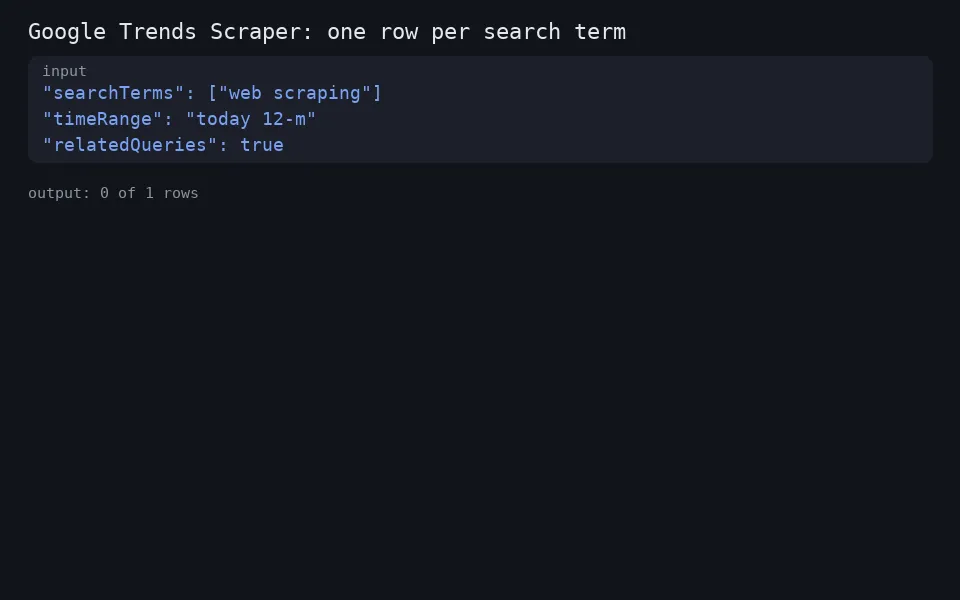
Minimal input:
Coming from pytrends
| pytrends | This actor |
|---|---|
build_payload(kw_list=[...], geo='US', timeframe='today 12-m', cat=0, gprop='') | one line in searchTerms with up to 5 comma-separated terms; geo, timeRange, category, property |
interest_over_time() | interestOverTime (on by default) |
interest_by_region(resolution='CITY') | interestByRegion + regionResolution: "CITY" |
related_queries() / related_topics() | relatedQueries / relatedTopics, each with top and rising |
trending_searches(pn='united_states') | trendingNowGeos: ["US"] (Google's Trending Now feed) |
custom date range '2025-01-01 2025-06-30' | customTimeRange |
You get JSON rows, not pandas DataFrames. In Python:
How to scrape Google Trends data
- Search terms: one query per line. To compare on one scale, put up to 5 on a line, comma-separated:
saree, lehenga. - Location: an ISO code such as
US,IN,GBorUS-CA. Leave it empty for worldwide. - Time range: past hour up to 2004-present (default: 12 months), or a Custom time range
YYYY-MM-DD YYYY-MM-DD. - Category (Google Trends category ID, 0 = all) and Search type: Web, News, Image, YouTube or Google Shopping (
froogle, Google's internal name). - What to collect: toggle each section; region level Auto, Country, Region/state, City or Metro (DMA, US only).
- Trending now (optional): 2-letter country codes. Works with no search terms.
- Reliability: attempts per term (1-12, default 6) and proxy (Apify Proxy by default).
Example inputs:
Compare products by state in India for the past 12 months, plus today's trending searches:
Find rising related queries for a seed keyword (SEO and content research), related queries only:
Google Trends Now (trending searches) for several countries, no search terms needed:
YouTube search interest for a topic over the last 5 years:
Pricing
This actor uses pay-per-event pricing: every run has a small start fee (apify-actor-start), charged once per run (per GB above 1 GB), plus a per-result charge (result). The rates are on the actor's Pricing tab.
- One result is one search-term row that delivered at least one section with real data, or one Trending Now item.
- Not charged:
errorrows (a term or trending feed that still failed after every attempt) andno_datarows (Google answered, but with no data at all: an all-zero timeline, no regions, no related items, as for very rare or misspelt terms). - Charged:
okandpartialrows, which carry at least one section with real data.
Example: 10 search-term lines plus a 10-item trending feed is at most 20 results.
Reliability
- On HTTP 429, a 5xx, a network error, or an HTML block page, the actor discards the session (cookie and connection), opens a new one (with a new proxy session, if a proxy is used), waits with exponential backoff and jitter (up to 3 s at first, capped at 60 s), and retries the whole term.
- A term that still fails becomes an uncharged
errorrow with the reason. The run continues. - A section that fails for a non-temporary reason is listed in
sectionErrors; the row ispartialif another section has data, or an unchargederrorif none does. - Pacing: terms run one at a time, with a short random pause between data requests.
- Invalid input stops the run at the start with a message saying what to fix. No results are charged.
- One failing data call (for example related topics) is retried in place a few times before the whole term is redone, so sections already fetched are kept.
- Close to the run's timeout the actor stops starting new terms. The rest become uncharged
skippedrows and the run ends normally instead of timing out. - The
OUTPUTrecord counts every status (ok,partial,no_data,error,skipped), so you can see how many terms returned data, not just whether the run succeeded.
If the proxy can't be set up, the actor logs a warning and continues without one, which makes rate limits more likely.
Use cases
-
SEO and content strategist: Pull
relatedQueriesfor a seed keyword and scan therisinglist for high-growth queries (likeBreakout), using each row's Trendslinkto dig deeper before adding topics to the content calendar. -
Online fashion retailer: Compare up to five product terms on one line, such as
saree, lehenga, kurti, for India over the past 12 months, then useinterestOverTimeto plan stock around seasonal peaks andinterestByRegionto see which states to advertise in. -
Market research analyst: Run a brand name alongside its competitors for a given country, export the Interest over time and Interest by region dataset views to Excel, and build a report on whether demand is growing, seasonal or fading, and where it concentrates.
-
Newsroom editor: Run a Trending Now search for your country each morning and use each item's
rank,title,approxTrafficand thenewslist (withurlandsource) to pick stories for the morning editorial meeting and cite original coverage. -
Automation or AI engineer: Call the actor through the Apify API or MCP server from an agent or data pipeline; every row's
statusfield lets the code tell success from failure without parsing text, and terms that fail after all retries show up as unchargederrorrows. -
Paid-media buyer: Toggle region level to city or US metro (DMA) and use
interestByRegionwith itsgeoCodeand 0-100 values to decide where to target campaigns and how to split budget across regions.
FAQ
Is it legal, and is it allowed?
It uses Google Trends' public JSON endpoints (/trends/api/...), the public Trending Now RSS feed, and the Trends home page once per session for a cookie, all on trends.google.com. None of these paths is disallowed by that site's robots.txt. It doesn't log in and it paces its requests. This isn't legal advice: you're responsible for your use of the data and for following Google's terms. Not affiliated with Google.
How fresh is the data?
Nothing is cached: every run fetches live from Google. The latest time point is often isPartial: true because that period isn't over. Trending Now is Google's feed at run time.
Are the numbers search volumes?
No. Values are relative (0-100) within each query. Terms on one line share a scale; separate lines don't. approxTraffic on trending rows is Google's rough bucket, e.g. 200+.
Is there a Google Trends API? This actor gives you Google Trends data as JSON through the Apify API, the Python and JavaScript clients, or an MCP client, with the same input fields as the form. It uses Google Trends' public endpoints, so it is not an official Google API.
How do I get Google Trends Now (trending searches) data?
Put 2-letter country codes in trendingNowGeos. Each trending search is one row with rank, title, approxTraffic, pubDate and the related news. You can leave searchTerms empty.
How do I find rising or breakout related queries?
Keep relatedQueries on and read the rising list for each term. Values like Breakout or +3,300% mark the fastest growth.
Why are related topics missing? Google doesn't always return them, especially for comparisons. Then the field is left out.
Do I need a proxy? Apify Proxy is on by default, and every retry gets a new proxy session. Without a proxy, rate limits are more likely.
How many terms per run? Up to 500 lines, each with up to 5 compared terms, run one after another.
What's charged if Google blocks me?
Nothing for blocked terms: only ok and partial rows and Trending Now items are charged.
Limits
- Up to 500 lines of search terms per run. Terms after the 5th on a line are ignored.
- Up to 50 Trending Now countries per run, as 2-letter codes only (no
US-CA). - Custom ranges are whole days, start before end.
- Google is queried in English (
hl=en-US), so formatted dates and topic types come back in English. Timestamps are UTC. - Terms run one after another, so large runs take longer, especially under rate limiting.
Related tools
- Google Sheets Export & Import: send any run's results to a Google Sheet.
- YouTube Transcript Scraper: get video transcripts as text, SRT or VTT.
Support
Term or region not working? Open an issue on the Issues tab with your input. Published by Altronite.


