

YouTube Transcript Scraper: Subtitles & Captions, SRT/VTT
Pricing
from $2.00 / 1,000 transcripts
YouTube Transcript Scraper: Subtitles & Captions, SRT/VTT
YouTube transcript scraper: subtitles and captions from public videos as timed segments, plain text, SRT or VTT. Errors and blocked videos are never charged; you pay only for transcripts delivered.
Pricing
from $2.00 / 1,000 transcripts
Rating
0.0
(0)
Developer

Altronite
Maintained by CommunityActor stats
0
Bookmarked
2
Total users
1
Monthly active users
2 hours ago
Last modified
Categories
Share
A YouTube transcript scraper and API. Get the transcript, subtitles and captions of any public YouTube video from the video's own caption tracks: timed segments, plain text, SRT or WebVTT, plus title and channel. Paste video links, Shorts links or video ids, run it, and download JSON, CSV or Excel.
Errors and blocked videos are never charged. You pay only for transcripts you receive. A video with captions turned off, a private or removed video, a video YouTube keeps blocking, or a bad link gives an error row with the reason, free.
Who it's for
- LLM and RAG builders who need clean transcript text to summarise, tag, search or chat with videos.
- Automation users (n8n, Make, Zapier) whose own server gets blocked by YouTube: this runs on Apify's IPs and handles the blocks.
- Creators and editors who want SRT or VTT subtitle files.
- Researchers analysing what is said across many videos.
What you get
One row per video:
| Field | Example |
|---|---|
status | ok or error |
videoId, url | dQw4w9WgXcQ, https://www.youtube.com/watch?v=dQw4w9WgXcQ |
title, channel, channelUrl, thumbnailUrl | from YouTube's public oEmbed data |
language, languageCode | English, en |
isAutoGenerated | false for human-made captions, true for YouTube's automatic ones |
isTranslated, languageFallback | whether YouTube translated the track, or no preferred language existed |
availableLanguages | every caption language the video has |
text | the whole transcript as one plain string (always included; ready for search or an LLM) |
segments / srt / vtt | the timed form you chose |
segmentCount, wordCount, captionsEndSec | size of the transcript; time of the last caption |
reason, error | on error rows only: no_captions, unavailable, unplayable, age_restricted, invalid_input, blocked, time_limit, ... |
A real row (outputFormat: "segments", text and segments shortened):
An error row looks like {"status": "error", "videoId": "...", "reason": "no_captions", "error": "Captions are turned off or missing for this video."}.
Input: how to get a YouTube transcript
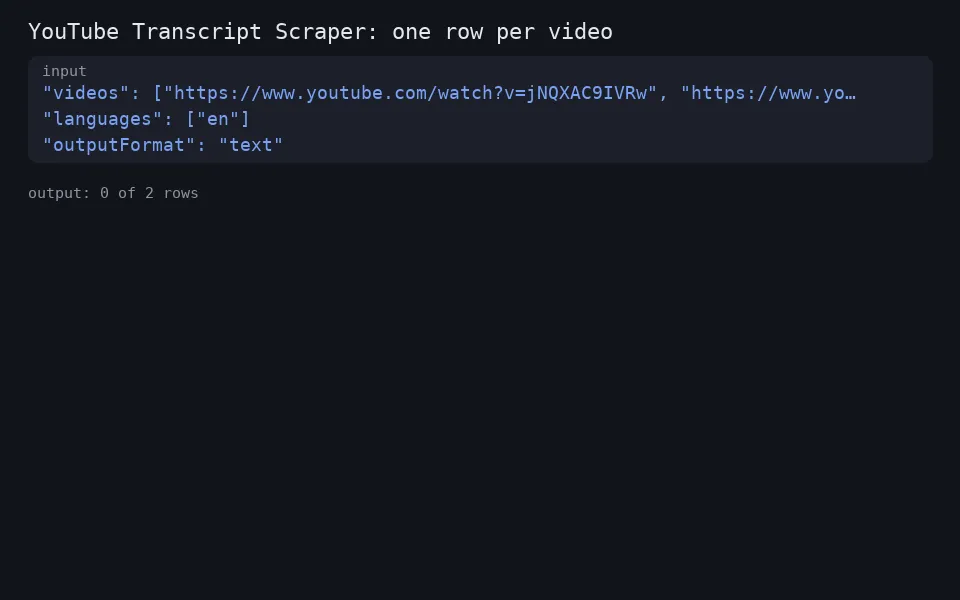
- videos: watch, youtu.be, Shorts, embed or live links, or bare 11-character ids. Up to 1,000 per run; duplicates are merged. Playlists, channels and search pages are not expanded (add video links instead).
- languages: caption languages in order of preference. Human-made captions come before automatic ones in the same language. If the video has none of them, you get its first available track, flagged with
languageFallback: true. - allowAutoGenerated (default on): use YouTube's automatic captions when there are no human-made ones.
- translateTo (optional): a language code. Uses YouTube's own caption translation, where the track allows it.
- outputFormat:
segments(text, start and duration in seconds),text,srtorvtt. - includeMetadata (default on): title, channel, channel URL and thumbnail.
More examples:
Plain transcript text for an LLM or RAG pipeline, with the metadata left out:
YouTube subtitles as SRT, human-made captions only, Spanish first and then English:
Translated captions as WebVTT, where YouTube allows it for the track:
Use it from code or an AI agent
Run it with the Apify API, the Apify Python or JavaScript clients, or as a tool through the Apify MCP server. Pass the same input JSON through any of these.
For small lists, one call returns the rows directly: POST https://api.apify.com/v2/acts/altronite~youtube-transcripts/run-sync-get-dataset-items with your token in the Authorization: Bearer header and the input JSON as the body. For long lists, start a run and read the dataset when it finishes.
Check each row's status before using it: ok rows have the transcript, error rows say why not.
Pricing
Pay per event:
- Transcript: charged once for each video whose transcript is delivered.
- Actor start: a tiny charge once per run.
Error rows are free. Check the Pricing tab for the current prices.
How it works, and what it does not do
- It reads the caption tracks YouTube itself publishes for a video, using the open-source
youtube-transcript-apilibrary. No sign-in, no browser and no audio download. - No captions, no transcript. It does not run speech-to-text. A video whose owner turned captions off (and that has no automatic captions) returns
no_captions, free of charge. - Age-restricted and members-only videos need a signed-in account, so they return an error instead.
- YouTube sometimes refuses requests from cloud servers. The actor uses Apify Proxy, retries each video on a fresh IP, then makes a second pass over any blocked videos through a different IP pool before giving up. A video still blocked after that returns
blockedand is not charged; run it again later. - Every video gets a row before the run's timeout. If the time runs out first, the remaining videos return
time_limit(not charged); raise the timeout in Run options for very long lists. - Only public data is collected. Transcripts can be copyrighted by the video owner, so check your use is allowed (for example research, accessibility or quoting with attribution).
Use cases
- Feed transcripts to ChatGPT, Claude or your own LLM pipeline to summarise, tag or search videos.
- Build subtitle files (SRT/VTT) for your own videos.
- Research and content analysis across many videos: keywords, topics, mentions.
- Repurpose talks and tutorials into notes, blog drafts or study material.
FAQ
How do I download YouTube subtitles or captions?
Set outputFormat to srt or vtt and pass the video link. The subtitle text is in the srt or vtt field of the row; save it as a .srt or .vtt file. This reads existing captions only, human-made or automatic.
Does it work for YouTube Shorts? Yes, when the Short has captions. Shorts links are accepted as input like any other video link.
Can I get transcripts for a whole playlist or channel? Not directly. Playlists, channels and search pages are not expanded, so pass the video links you want, up to 1,000 per run.
Why did a video I can watch return no_captions?
Its owner turned captions off and YouTube made no automatic ones (common for music-only or very short videos). Nothing is charged.
Why blocked?
YouTube refused every IP the actor tried for that video. It is not charged; running it again later usually works.
Can it transcribe videos without captions? No. It only reads existing caption tracks.
Does it get the auto-generated captions?
Yes, when allowAutoGenerated is on (the default) and the video has no human-made captions in your languages. isAutoGenerated tells you which you got.
Limits
- Up to 1,000 videos per run.
- Playlists, channels and search results are not expanded; pass video links.
- Translation depends on YouTube: some tracks can't be translated (
not_translatable). - Titles and channels come from YouTube's oEmbed data; if that call fails, the transcript is still delivered without them.
Integrations
Call it from the Apify API, Python or JavaScript clients, Make, Zapier, n8n or an MCP client, and get the dataset as JSON, CSV, Excel or XML.
Related tools
- Google Sheets Export & Import: send any run's results to a Google Sheet.
- Google Trends Scraper: track search interest for your keywords.
Support
Open an issue on the Issues tab with the video link and the run id. Error rows say why a video failed, which usually answers it. Published by Altronite.


