

URL to PDF: Bulk Webpage & HTML to PDF, Failed Free
Pricing
from $1.50 / 1,000 pdfs
URL to PDF: Bulk Webpage & HTML to PDF, Failed Free
Webpage, website and HTML page to PDF in bulk from URLs: A4, Letter or Legal, margins, page numbers, optional merge. Failed URLs are never charged.
Pricing
from $1.50 / 1,000 pdfs
Rating
0.0
(0)
Developer

Altronite
Maintained by CommunityActor stats
0
Bookmarked
2
Total users
1
Monthly active users
an hour ago
Last modified
Categories
Share
Webpage to PDF, HTML page to PDF and website to PDF, in bulk. Turn a list of public URLs into print-ready PDFs: A4, Letter or Legal, portrait or landscape, your margins, optional page numbers, and the site's print or screen styles. Optionally merge everything into one PDF with a bookmark per URL. Common cookie banners are hidden with CSS and robots.txt is respected by default. A URL that can't be converted becomes an error row with the reason, is never charged, and doesn't stop the run.
Need PNG or JPEG screenshots instead? Use Website Screenshot API.
Who it's for
- Research, legal and compliance: archive public pages, articles and disclosures as dated PDFs.
- Teams sharing reading packs: merge a list of articles or docs pages into one bookmarked PDF.
- Reporting: print dashboards or wide tables on landscape Letter with page numbers.
- AI agents and pipelines: turn URLs into files a document tool can read; every row has a
statusfield to branch on.
Quick recipes: convert a webpage to PDF in bulk
Copy one of these into the Input tab (JSON view) and press Start.
A4 PDFs in bulk (one PDF per URL, the site's print styles, 10 mm margins):
US Letter, landscape, with page numbers (wide pages, "1 / 12" footer):
Merged into one PDF (in input order, one bookmark per URL; the single PDFs are kept too):
Archive articles as PDFs, waiting for dynamic content (wait for the network to go quiet, then print):
Legal-size pages with wider margins (for forms and documents):
Looks like the browser (screen styles instead of the print stylesheet, no margins):
What you get
One dataset row per non-blank URL when the input contains at least one valid URL, plus one extra row for the merged file when mergeIntoOne produced one. PDFs are saved in the run's key-value store and pdfUrl links to each. The Output tab links to the dataset and the stored files.
finalUrl is the address after redirects; title is cut at 300 characters; pages is the page count of the PDF; bytes is the file size; takenAt is the UTC row creation time.
The merged file has its own row, with type: "merged" and no url:
Uncharged error rows have status, url, error (at most 500 characters), input, takenAt and scrapedAt (same time as takenAt). Rejected HTTP pages and bot checks also have httpStatus.
Use it from code or an AI agent
Run this actor with the Apify API, the Apify Python or JavaScript clients, or as a tool through the Apify MCP server. Pass the same input JSON through any of these. Check status on each row, then fetch pdfUrl for ok rows; error rows explain what failed.
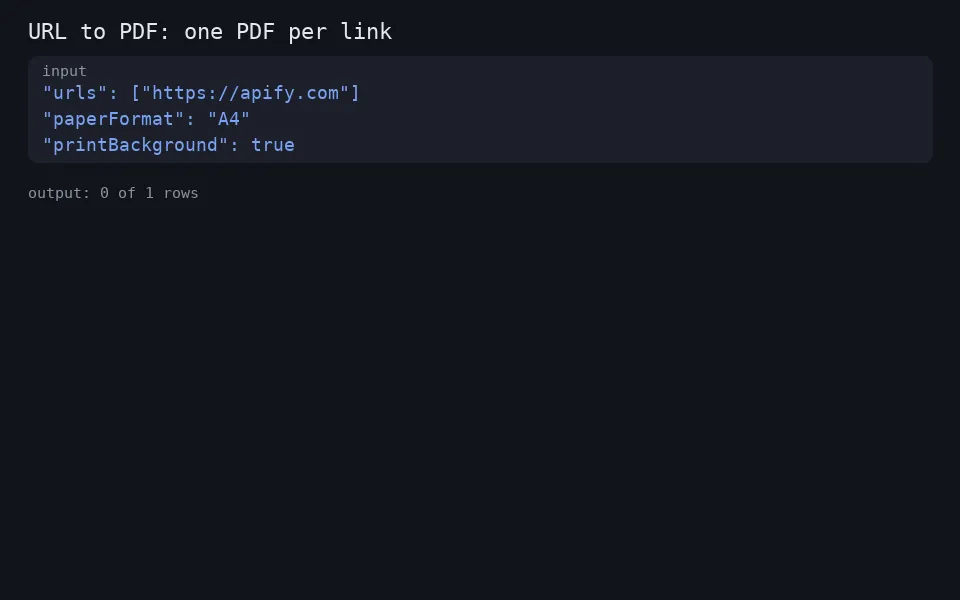
Minimal input:
How to use it
- URLs: one per line, up to 500 per run. Omit
urlsto use["https://apify.com"]for a single test conversion.example.comworks too:https://is added for you. - Paper:
paperFormatisA4(default),LetterorLegal;landscape(off) turns pages sideways. - Look:
mediaTypeisprint(default: the site's print stylesheet, often without menus) orscreen(as in the browser).printBackground(on) keeps background colours and images. - Margins and numbers:
marginis 0-50 mm on all four sides (default 10).pageNumbers(off) adds a centred "page / total" footer; the bottom margin is then at least 12 mm so it fits. - Waiting:
waitUntilisload(default),domcontentloadedornetworkidle.delayMsadds an extra wait after load, up to 30 s. - Merging:
mergeIntoOne(off) also joins every delivered PDF, in input order, intomerged.pdf, with one bookmark per URL named after the page title (or the URL if the page has none). It needs at least 2 delivered PDFs, and their total size must fit the merge limit: 10% of the run's memory (about 102 MB at the default 1 GB). - Options:
hideCookieBanners(on),respectRobotsTxt(on),timeoutSecs(5-180, default 45) andmaxConcurrency(1-7 pages in parallel, default 2). Allow about 400 MB of memory per parallel page; raise memory for heavy sites or higher concurrency. Memory defaults to 1 GB and goes up to 4,096 MB. The run log ends with a "Peak memory" line to help you size it.
Pricing
This actor uses pay-per-event pricing. The rates are on the actor's Pricing tab:
-
apify-actor-start: a small charge per run (once at the default 1 GB memory, once per GB if you raise memory). -
pdf: charged per PDF delivered, meaning eachokURL row. -
merge: charged per merged file produced (only withmergeIntoOne, and only when the merged file is stored). -
Not charged: error rows. That covers HTTP 4xx/5xx pages, detected bot checks, robots.txt skips, invalid URLs, pages that failed to load after the retry, prints that ran past the timeout, a failed merge, and a merge skipped over the memory limit. With fewer than 2 delivered PDFs no merged file is made and
mergeisn't charged. -
Charged: delivered PDFs, and the merged file. Successful-status login or paywall pages can still be printed and charged; there is no general login-wall detector.
-
A URL listed twice is converted, and charged, twice.
Any URL that fails costs nothing. The start fee is per run, so converting many URLs in one run is the cheapest way to use it. Check the Pricing tab for the current prices.
Reliability
- One bad URL never fails the run. Any failure becomes an error row with the reason.
- Navigation errors and timeouts, and browser errors while printing, are retried once, after a short random pause, in a fresh browser context. HTTP rejections, bot checks and robots skips are not retried.
- Timeouts apply per step.
timeoutSecslimits page loading, then PDF printing, separately. A print that runs past the limit is reported, not retried: raisetimeoutSecsfor very long pages. - Lazy images: before printing, native lazy images are switched to load immediately, the page is scrolled at most 20 steps / about 5 s and back to the top, then it waits up to 3 s for images still loading. Images that load later may be missing.
- Chinese, Japanese, Korean and emoji fonts are installed, so text doesn't print as empty boxes.
- Invalid input (for example, no valid URL at all, or a paper size that isn't offered) stops the run at the start with a message saying what to fix. Nothing is charged.
FAQ
How do I convert a webpage to PDF?
Put the page address in urls and run the actor. You get a PDF in the run's key-value store and a pdfUrl link in the dataset row. Paste many URLs to convert them all in one run.
Can I combine several web pages into one PDF?
Yes. Set mergeIntoOne to true and the delivered PDFs are joined in input order into merged.pdf, with one bookmark per URL. The single PDFs are kept too.
Can I convert a whole website to PDF? It converts the URLs you list; it does not crawl links. Pass the pages you want, up to 500 per run.
Why does my PDF look different from the website?
By default it uses the site's print styles, which many sites write to hide menus and ads. Set mediaType to screen to keep the on-screen look. Pages are laid out at paper width, so wide layouts may reflow; try landscape.
Does it respect robots.txt?
Yes, by default. Before converting a URL, it reads that site's robots.txt (cached per origin) and skips URLs disallowed for all user agents (User-agent: *). A robots.txt that returns any 4xx status or can't be reached counts as "allowed"; one that returns a server error (5xx) counts as "disallow everything". Rules use longest-match precedence, * wildcards and $ end anchors; Allow wins ties. The final redirect target is checked before printing if its host differs (after the redirected request has happened). Turn respectRobotsTxt off only for pages you have the right to capture.
Does it get past logins, paywalls or bot protection? No. It never logs in, uses no proxy and doesn't evade bot protection. Recognized Cloudflare bot checks become uncharged errors. Other protections may not be recognized.
How are cookie banners hidden? With CSS only; nothing is clicked or accepted. It targets common consent-manager containers and "cookie-consent" patterns. Custom pop-ups may still print.
Why was my merge skipped? The merged file is built in memory, which takes about 5 times the size of the PDFs being joined. To keep the run from running out of memory, merging stops at PDFs totalling 10% of the run's memory (about 102 MB at the default 1 GB). The error row gives the size and the limit. Raise the run's memory (up to 4 GB) or merge fewer URLs per run. The single PDFs are delivered either way.
Can I convert raw HTML to PDF? Not as pasted text. It converts HTML pages from a URL, so put the HTML somewhere reachable (a static host or a public storage link) and pass that URL. It renders in a real Chromium browser, so CSS, web fonts and images print as they do on the page.
How long are the files kept? They follow your Apify plan's data retention for run storage. Download anything you want to keep.
Limits
- Up to 500 URLs per run, http and https only.
- Paper sizes: A4, Letter and Legal. No custom sizes, page ranges, custom header or footer text, watermarks, encryption or password protection.
- Very long pages make large PDFs and can take longer than the default 45 s timeout.
- At the default 1 GB memory, keep
maxConcurrencyat 2 or below; image-heavy pages use the most memory. Allow about 400 MB per parallel page and raise memory for heavy sites or higher concurrency. - Merging is limited to PDFs totalling 10% of the run's memory: about 102 MB at 1 GB, 409 MB at 4 GB. Over the limit, no merged file is made and
mergeisn't charged; you get an error row saying so, and every single PDF is still delivered. - No raw-HTML input, custom cookies or headers, proxies or geo-targeting.
- For PNG or JPEG images of pages, use Website Screenshot API.
Related tools
- Website Screenshot API: capture pages as PNG, JPEG or PDF.
- Google Sheets Export & Import: send any run's results to a Google Sheet.
Support
Is a page not converting correctly? Open an issue on the Issues tab with the URL and your input.


