

Job Leads Scraper — $3/1K · Salaries, Skills & Hiring
Pricing
from $3.00 / 1,000 results
Job Leads Scraper — $3/1K · Salaries, Skills & Hiring
Collect supported LinkedIn and Indeed job leads; filter roles, salary signals and outreach opportunities. Bulk export: JSON, CSV, Excel and API. PPE: $3/1K job leads; start fee extra.
Pricing
from $3.00 / 1,000 results
Rating
0.0
(0)
Developer

Apivault Labs
Maintained by CommunityActor stats
1
Bookmarked
96
Total users
9
Monthly active users
8 hours ago
Last modified
Categories
Share
Job Leads Scraper — LinkedIn, Indeed & Glassdoor Job Research
Automate it in n8n
Install
n8n-nodes-apivault-job-leadsand import the ready-to-use CRM lead workflow. Add your Apify API credential, replace the sample search, and run it.
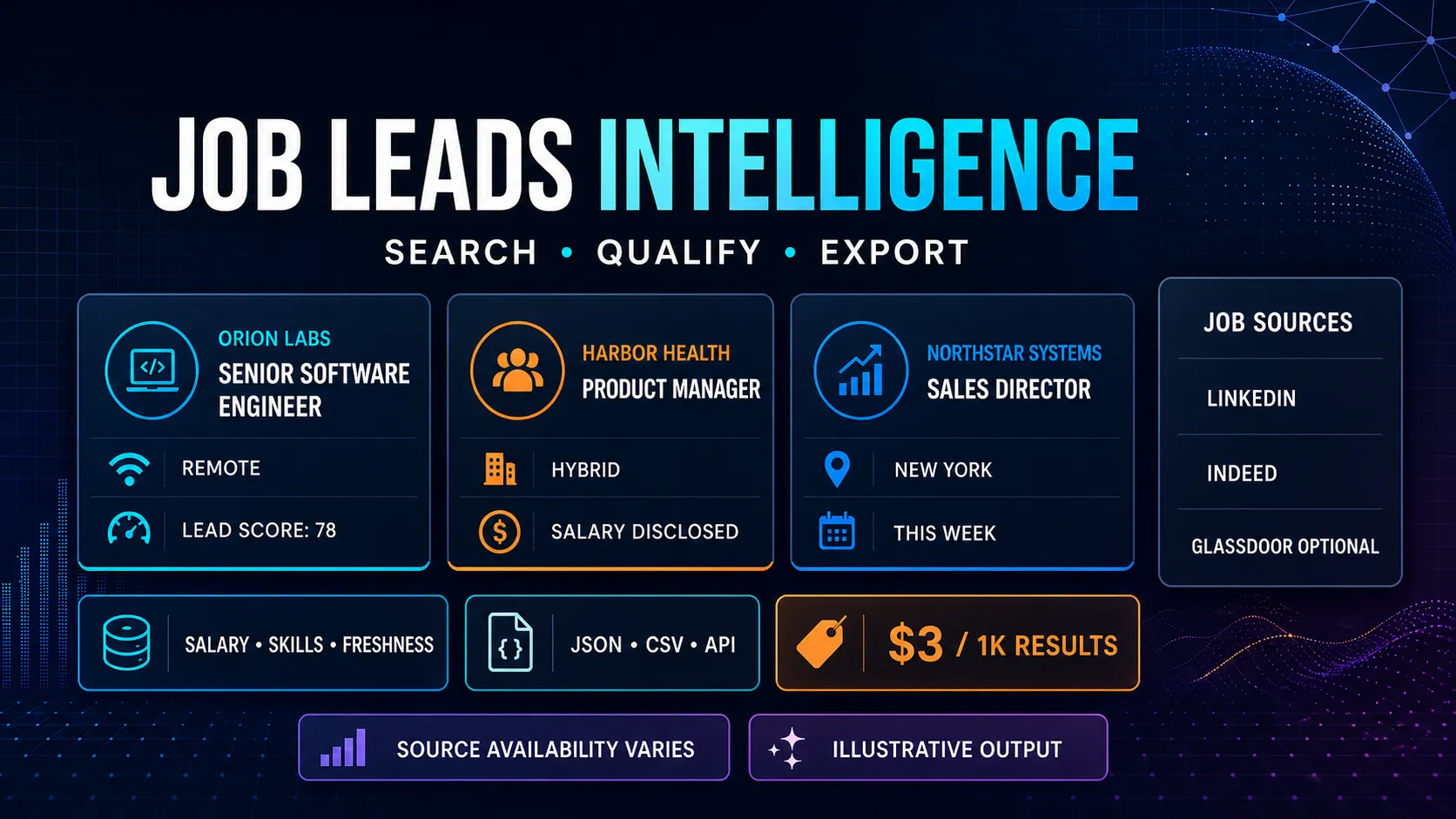
Search public job postings and turn current hiring activity into structured research data. Job Leads Scraper collects available LinkedIn and Indeed listings, with optional Glassdoor coverage, then extracts salary, skills, seniority, work mode, freshness, and heuristic lead signals.
Use it for recruiting research, B2B prospecting, salary analysis, remote-job monitoring, competitive intelligence, or scheduled data pipelines. Results are available as JSON, CSV, through the Apify API, and in Apify integrations.
Hiring-signal research for recruiters and B2B teams
Use Job Leads Scraper to create a bounded public-vacancy worksheet with source links and available enrichment. A recruiter can review relevant roles, a staffing team can inspect employers hiring in its market, and an analyst can compare salary/skill observations. A posting is a research signal, not proof of a company's budget, growth, willingness to buy or permission to contact someone.
| Workflow | Useful settings | Preserve in the export |
|---|---|---|
| Collect individual vacancies | workflow=linkedin, company deduplication off | Source job URL, title, employer and requested location |
| Build an employer shortlist | Company deduplication on | The selected vacancy and heuristic reasons |
| Inspect salary-disclosing jobs | onlyWithSalary and research preset | Currency, pay period and raw listing context |
| Review remote/fresh postings | Explicit supported filters | Missing/inferred fields and source limitations |
| Feed a CRM or spreadsheet | Compact/research/full preset and CSV mapping | Source errors, dedup/filter scope and collection time |
Start with an explicit workflow and small maxResults/maxPages. LinkedIn supports the documented subsequent-page path; Indeed/Glassdoor currently use one provider search page. This README update does not expand either provider's paging or source access.
Pricing and result limits
- $0.003 per delivered Dataset job — $3 per 1,000 results.
- Actor startup is $0.00005 per GB, with a one-event minimum.
maxResultsis a hard cap on delivered Dataset rows and result-event charges: 1,000 by default, up to 10,000. Start with an explicit small cap such as 25.- Free key-value-store reports do not create result charges.
- Apify platform usage is active and paid separately by the run owner.
The Actor only delivers a job when it has a title, company name, and valid HTTP(S) job URL. Strict filters, deduplication, or unavailable sources can produce fewer results than the selected maximum.
What you can extract
Depending on what the original listing exposes, each job can include:
- job title, company, location, source, posting date, and original URL;
- normalized salary range, median, currency, and pay period;
- remote, hybrid, or onsite work mode;
- normalized seniority and job category;
- detected skills, certifications, benefits, and textual DEI signals;
- freshness tier and estimated days since publication;
- heuristic
leadScore,leadTier, and scoring reasons; - salary-disclosure signals for configured US regions;
- company-research and outreach-draft links.
Duplicate vacancies found across sources are merged. With company deduplication enabled, the highest-scoring vacancy for each company is kept.
Quick start
For MCP and AI-agent calls:
Use compact for lower-token responses, research for salary, skills,
freshness and hiring signals, or full for every available field. Every run
writes SUMMARY and ERRORS; the legacy jobs and sourceErrors links remain
available alongside the standardized results and errors aliases.
| Input | Purpose |
|---|---|
keywords | Required role, skill, or job-search phrase |
location | City, region, country, or Remote |
sources | linkedin, indeed, and optional glassdoor |
maxResults | Maximum delivered jobs: 1–10,000, default 1,000; use an explicit small cap first |
deduplicateCompanies | Keep the strongest job per company |
minLeadScore | Filter by heuristic score from 0–100 |
onlyWithSalary | Keep jobs with detected compensation |
onlyRemote | Keep fully remote listings |
onlyFreshThisWeek | Keep listings detected as posted in the last seven days |
onlyPayTransparencyCompliant | Legacy input name: keep salary-disclosing jobs in configured covered regions; not a legal determination |
exportFormat | Full default JSON or flattened csv records |
writeSummary | Write free aggregate reports to the key-value store |
Duplicate source names are searched once. Unsupported source names are skipped and recorded in SOURCE_ERRORS.
Output example
The example below is illustrative and uses a fictional company.
Every delivered row also records the requested keywords and location, collection timestamp, and source history where available.
Free run reports
When writeSummary is enabled, the default key-value store can contain:
SUMMARY— raw, valid, eligible, delivered, and limited counts; source status; salary and market aggregates;TOP_JOBS— highest-scoring delivered jobs;TOP_HIRING_COMPANIES— company-level hiring activity and generated outreach drafts;SOURCE_ERRORS— unsupported or temporarily unavailable selected sources.
These records are separate from the Dataset and do not trigger per-result charges.
API, exports, and automation
Run the Actor from Apify Console or call it through the standard Apify API. Dataset items can be downloaded in JSON, CSV, Excel, XML, or RSS formats. For recurring research, schedule a run and connect the Dataset or webhooks to n8n, Make, Zapier, a CRM, Google Sheets, or your own application.
Useful workflows include:
- finding employers currently hiring roles your staffing agency covers;
- tracking salary ranges, skills, seniority, and work modes;
- monitoring fresh remote or location-specific jobs;
- enriching company research with current public hiring activity;
- exporting a bounded number of leads into a CRM or warehouse.
Bulk vacancy collection and pagination
For multiple vacancies from one broad search, use:
LinkedIn follows subsequent guest search pages instead of stopping after the initial page. maxPages bounds source requests (default 20, maximum 100). Collection stops at the requested number of valid unique jobs, an empty page, repeated results, a source error, or the run timeout. An error on a later page preserves earlier useful jobs and is reported as PARTIAL in SUMMARY and in SOURCE_ERRORS.
maxResults is an upper limit, not a promised number. Company deduplication is enabled by default and keeps one vacancy per company; turn it off for vacancy-level exports. Filters can reduce the delivered count after collection. Salary and description fields depend on public detail availability. coverage_complete remains false because a bounded search is not a complete export of a job board.
Indeed and Glassdoor currently use one provider search page; increasing maxResults does not add pagination for those sources. Use the dedicated board Actors for their supported paging controls, subject to source availability. The Actor does not manufacture rows to reach a requested cap.
Source availability and troubleshooting
Job-board availability varies by source, geography, and time. LinkedIn, Indeed, or Glassdoor may return partial data or no data during a run; selecting a source does not guarantee results. Sources are handled independently, so one unavailable board does not discard valid results from another.
If a run returns fewer jobs than expected:
- check
SUMMARYandSOURCE_ERRORS; - broaden the keyword or location;
- disable salary, freshness, remote, or minimum-score filters;
- disable company deduplication if you need every vacancy;
- retry later when a selected board is temporarily unavailable.
Responsible use and interpretation
leadScore, lead tiers, pay-transparency fields, DEI signals, work mode, freshness, and other enriched fields are text-based heuristics. They are not verified conclusions about company quality, growth, budget, legal compliance, hiring eligibility, or people. Salary disclosure does not by itself establish compliance with current law.
Verify important details on the original job listing and consult qualified professionals where legal or compliance decisions matter. Outreach text is a draft: confirm every claim, personalize it, follow applicable privacy and anti-spam rules, respect platform terms, and honor recipients' preferences.
Small vacancy and employer research inputs
Filters and company deduplication answer different questions. A count of one selected vacancy per company is not the board's total vacancy count. Keep the settings and source diagnostics with any market or hiring-volume comparison.
Three individual LinkedIn vacancies
This checks vacancy-level output rather than one result per company. A one-page request is a bounded sample, not all US software jobs. Optional description/salary availability can vary by listing.
Prepare a compact employer shortlist
Company deduplication keeps a highest-scored vacancy for each observed company. The score is a text heuristic, not a verified decision-maker contact or purchasing-intent signal. Compact reduces fields, not the per-job rate.
Review available salary disclosures
This requires detected compensation in the returned listing data. Currency/pay-period normalization needs context and can be incomplete. Salary availability is not a legal-compliance conclusion or proof of company budget.
Export a flattened vacancy worksheet
CSV mode changes row shape for tabular systems; it does not send jobs into a CRM automatically. Map fields deliberately and save SUMMARY/SOURCE_ERRORS alongside the export. Outreach drafts remain drafts and are not sent by these inputs.
Interpret hiring signals without overstating them
Retain jobUrl, source, companyName, requested keywords/location and collection time. A job can be reposted, expire or be duplicated across boards. The Actor's merge and company-dedup rules are useful normalization, not a census of every unique opening. Compare runs with the same source/filter scope before treating a count change as a hiring trend.
Skill, seniority, work-mode, freshness, DEI and lead-score fields are extracted/derived from available text. They can be incomplete or misclassified. A missing skill is not proof that it is unnecessary, and an undated vacancy cannot establish verified freshness. The legacy pay-transparency filter identifies configured salary-disclosure patterns; it does not determine compliance with current law.
Review raw, valid, eligible and delivered counts in SUMMARY. Source collection, filtering and final delivery caps are separate stages; strict filters can reduce the export. A later-page LinkedIn failure can preserve useful earlier jobs as partial. The run's green status does not make unavailable Indeed/Glassdoor coverage complete. ERRORS/SOURCE_ERRORS belong with the research record, not another paid vacancy row.
For recurring work, save dated job/source identities externally and choose whether you want every vacancy or one company representative. No persistent cross-run ledger or automatic contact-consent verification is added here. Review a job on its original source before relying on important details. A generated pitch should not claim facts that the listing did not establish.
Job leads API questions
Does maxResults guarantee this many jobs? No. It caps delivered valid rows after deduplication/filters. Source access, page limits and missing data can produce fewer. LinkedIn pagination is bounded; raising maxResults does not create more provider pages on every board.
Are these verified sales leads or contacts? They are public hiring observations and heuristic research fields. They do not prove budget, need for an agency, a decision maker's identity or consent to receive a message.
What is the fee? Each delivered job is $0.003, plus startup $0.00005 per GB with a one-event minimum. At 256 MB, three jobs create $0.00905 in event fees before separately paid platform usage. Free aggregate/error reports do not add result events; unsuccessful source work can still consume resources.
Can compact and full outputs be compared directly? They have different field coverage. Keep preset/export settings with the data, and do not interpret an omitted optional field as a measured absence. Billing remains per delivered useful job, not field count.
Can I send the outreach drafts automatically? This collection workflow does not send messages. Validate claims and follow your own authorized outreach process. Existing integrations below can transport the data, but they do not verify suitability, legality or recipient permission.
What should an agent report? Actual useful jobs, selected sources, filter/dedup scope, source errors and costs. It should poll the existing run and read its returned stores rather than creating duplicate paid searches while waiting.
n8n and developer integrations
Use this Actor in your automation or application with the existing community integrations below. An Apify account and API token are required; Actor and platform charges follow the current pricing.
- n8n community node: n8n-nodes-apivault-job-leads. Install package name
n8n-nodes-apivault-job-leadsin a self-hosted n8n instance that permits community packages. - Python client and examples: GitHub.
- n8n source and usage: GitHub.
- Python client and examples: GitHub.
- n8n source and usage: GitHub.
These are community packages. Publication on npm does not establish n8n verification or availability in n8n Cloud. Review the linked package README for supported inputs and setup.


![LinkedIn Jobs API & Scraper [NO COOKIES] ✅ avatar](https://images.apifyusercontent.com/NKfvWcCujNjiTmEWKy2pbPm5S3PwlphrBPipDzNxcVk/rs:fill:76:76/cb:1/aHR0cHM6Ly9hcGlmeS1pbWFnZS11cGxvYWRzLXByb2QuczMudXMtZWFzdC0xLmFtYXpvbmF3cy5jb20vc0NDU2R3bm1LTUoxUTJzVG4tYWN0b3ItekI2UXhSRDZHalNpVGZ2MlYtdFBwamJhSFBxTi1TcGFyc2VfaW5zdHJ1bWVudGF0aW9uX19kaXJlY3RfbHlyaWNzX191cmJhbl9yZWFsaXNtX195b3V0aGZ1bF9y.webp)


