
Google Maps Scraper — Business Emails & Phones API
Pricing
from $1.25 / 1,000 business leads
Google Maps Scraper — Business Emails & Phones API
Collect Google Maps business leads with published contacts, optional MX email signals and explicit coverage. Bulk export: JSON, CSV, Excel and API. Pay per result: from $1.25/1K business results; usage extra; mode rates differ.
Pricing
from $1.25 / 1,000 business leads
Rating
5.0
(1)
Developer

Apivault Labs
Maintained by CommunityActor stats
1
Bookmarked
57
Total users
14
Monthly active users
15 days ago
Last modified
Categories
Share
Google Maps Business Scraper — Emails, Phones & Local Leads
Automate it in n8n
Install
n8n-nodes-apivault-google-maps-contactsand import the ready-to-use local CRM workflow. Add your Apify API credential, choose a location and category, and run it.
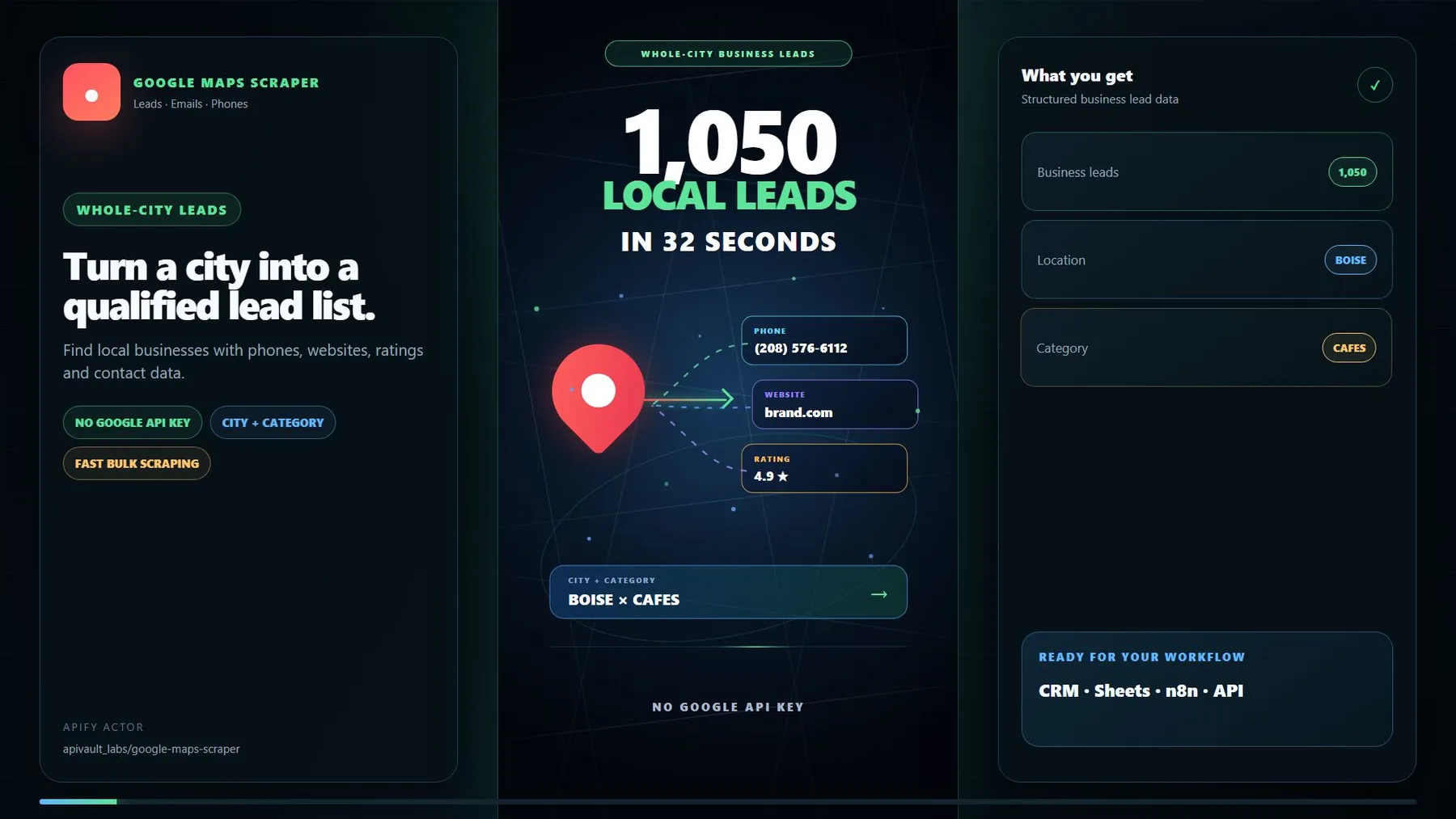
▶️ Watch the fast 20-second walkthrough — choose a city and business category, start the Actor, review phones, websites, ratings and optional email enrichment, then export clean leads.
Fast bulk Google Maps scraper and business leads extractor. Scrape Google Maps places by city, category, postal code, coordinates, or an exact geographic area and export structured local business data: names, addresses, phone numbers, websites, ratings, opening hours, place IDs, public emails, social profiles, and sales-ready lead signals — to CSV, Excel, JSON, XML, or RSS.
Use this Google Maps extractor for B2B lead generation, local SEO outreach, sales prospecting, market research, territory analysis, competitor discovery, no-website leads for web-design agencies, and building local business directories. Bulk processing, progressive results, no Google API key or Google account required — from $1.25 per 1,000 leads.
Ready-to-run lead generation Tasks
Open the Tasks tab to launch a focused workflow without configuring dozens of fields. Presets cover dentists, plumbers, real estate agents, lawyers, restaurants, marketing agencies, no-website prospects, reputation outreach, competitor research, and recurring fresh-lead monitoring. Each Task starts with a small result cap that you can increase after checking the sample.
The current input schema defaults to 1,000 maximum results, with contact enrichment and MX checking enabled. Set an explicit five-result limit for a first run. The raw empty-input demo path is a separate ten-result fallback; do not rely on it as a spending cap when clients apply schema defaults.
Why choose this Google Maps scraper & extractor?
- Broader area discovery: Standard mode searches multiple centers beyond one viewport.
- Ready-to-use contacts: get addresses, phones, websites, emails, and social links.
- Fast progressive delivery: results appear while the run is still working.
- Flexible targeting: combine 74 business categories with custom search terms.
- Lead qualification: filter no-website leads or businesses without booking — a review queue for agency research.
- Email options: extract public emails, inspect contact pages, and optionally check format, disposable domains, and MX availability.
- Clean exports: use focused Contacts views or download every available field.
- Automation-ready: run through API, schedules, webhooks, MCP agents, n8n, Make, or Zapier.
Coverage and runtime
Fast mode searches around one map center and pages through the returned cards.
Standard mode adds a bounded adaptive grid of nearby centers. Neither mode proves
that every business in a city has been collected: Google limits and localizes search
results, areas overlap, and strict filters remove candidates. maxResults is a
hard delivery cap, not a guarantee of that many matches. Use all four bounding-box
edges when results must fall inside an exact rectangle.
SUMMARY records parsed cards, pagination pages that returned rows, new cards on
later pages, delivered rows, source failures, event counts and the cost calculated
from the run's tier-specific event rates. coverageComplete is always false;
network request counts are operational diagnostics, not a completeness metric.
Available Google Maps data
| Group | Available fields |
|---|---|
| Business | Name, categories, description, status, Google Maps URL, place IDs |
| Contacts | Address, phone, website, domain, public emails, social profiles |
| Location | Street, city, state, postal code, country, coordinates, timezone |
| Reputation | Rating, review count, photo, price range |
| Availability | Opening status, weekly hours, closed-business status |
| Booking | Booking availability, provider, and available booking links |
| Website | Page title, HTTPS, certificate status, platform, response time |
| Lead intelligence | Opportunity signals, priority score, recommended offer |
| Monitoring | New, changed, or unchanged status and first/last seen dates |
Optional fields depend on what each business and its public website make available.
Google Maps email extractor — contact details enrichment
Enable contact enrichment to inspect public business websites for:
- business email addresses;
- Facebook, Instagram, LinkedIn, TikTok, YouTube, and other social profiles;
- likely Contact and About pages;
- email format, disposable-domain, and MX mail-server checks;
- website availability and sales opportunity signals.
Use Only leads with an email when you need an email list instead of all businesses.
This filter can significantly reduce the final number of Dataset rows because many
businesses do not publish an email address.
Website audit and lead scoring
The optional full audit evaluates public website characteristics such as HTTPS, certificate status, mobile readiness, platform information, response time, online booking, and visible opportunity signals. Results include a 0–100 priority score and a recommended service offer.
Search and filtering
Search using one or many categories, including restaurants, cafes, dentists, doctors, lawyers, plumbers, contractors, real estate agencies, hotels, salons, marketing agencies, software companies, retailers, schools, and custom niches.
Available filters include:
- with or without a website;
- with a phone or email;
- open now or not marked closed;
- without online booking;
- minimum and maximum rating;
- minimum and maximum review count;
- Google business category;
- exact or partial business-name matching;
- minimum lead priority score;
- only new or changed businesses.
Maximum leads to deliver is a hard output cap. For email and lead-score filters,
the Actor automatically checks a bounded pool of extra candidates to get closer to
the requested count. It can still return fewer rows when the selected niche does not
contain enough matching businesses; Standard mode provides broader coverage than Fast mode.
Monitoring new and changed businesses
Enable trackChanges to compare the same search between runs. State is stored in
google-maps-city-go-monitor, with a separate record key for each search location,
category set and qualification settings. The first run with the new scoped state
is a baseline; older unscoped STATE data is retained and is not reused. Keep the
same input on repeat runs. Avoid simultaneous runs for the same search: there is
no cross-run locking. Monitoring fingerprints include names, addresses, phones,
websites, ratings, review counts, contacts, hours and signals. Volatile timestamps
are excluded. Failed source/enrichment, Dataset errors and charge limits preserve
the saved baseline; if onlyFresh cannot be evaluated, it does not emit unclassified
rows as new. This tracks observed cards, not business openings/closures or deletions
missing from a truncated search.
Dataset views
- Contacts: names, categories, emails, phones, websites, social links, and addresses.
- Monitoring: change status with first and last seen dates.
- Prioritized leads: lead score, opportunity signals, and recommended offer.
- Website profile: website and email analysis.
- Hours & booking: opening hours and booking availability.
- Maps details: other available Google Maps fields.
- All fields: complete unabridged records.
If email enrichment is disabled, the Contacts view still contains address, phone, website, rating, and Google Maps information; email-related columns remain empty.
Example result
This is an illustrative record. Available fields depend on the business and the optional enrichment features enabled for the run.
Example input
For coordinate search, leave city empty and provide lat, lng, and span.
For an exact rectangular search area, provide north, south, east, and west.
Pricing
Pricing is event-based, and Apify platform usage is charged separately. Users pay only for the optional operations they enable and the work that is actually performed.
| Event | Price per 1,000 events |
|---|---|
| Delivered business lead | $1.25 on paid plans; $3 on Free |
| Website contact enrichment | $0.75 |
| Deep Contact/About page search | $0.50 |
| MX email quality check | $0.50 |
| Full website audit | $1.00 |
| Change monitoring | $0.25 |
Filtered-out records are not charged as delivered business leads. A readable
website without an email is a completed contact inspection and can be charged;
403/blocked/timeout responses without readable content are not charged as contact
enrichment. Deep search is charged only when at least one contact page was read;
full audit requires raw website markup. Completed optional work can still be billed
when an output filter excludes its card. Full audit honors deepContactPages.
The Actor enforces the run's maxTotalChargeUsd across result and optional events.
An exhausted event budget stops further delivery and appears as
CHARGE_LIMIT_REACHED in SUMMARY. Platform/proxy usage remains separate. On paid
plans, a row with contact enrichment and one MX check costs $0.0025 before resources
($0.00125 + $0.00075 + $0.00050); enabling deep search/full audit adds their events.
On Free, the base result event alone is $0.003 per row.
Common use cases
Local lead generation: collect restaurants, contractors, dentists, lawyers, salons, agencies, and other businesses with phones, websites, and emails.
Web design and SEO outreach (no-website leads): find local businesses without a website, without online booking, or with visible website improvement opportunities — possible prospects to review for web design, SEO, or marketing services.
Sales territory research: map companies across a city, postal code, coordinate radius, or exact bounding box.
Market monitoring: schedule repeat runs and export only newly discovered or changed businesses.
CRM and AI workflows: send structured business leads to spreadsheets, CRMs, automation tools, or MCP-compatible AI agents.
Frequently asked questions
Can it scrape an entire city?
Standard mode searches multiple centers in the selected area. It can discover more than one viewport, but it does not guarantee an exhaustive city directory.
Can it extract business emails?
Yes. Enable contact enrichment. Deep contact-page search and MX email quality checks
are optional and billed only when enabled and performed. MX verification checks published domain mail-server records; it does not verify
mailbox existence, SMTP acceptance or deliverability. If the disposable-domain
service is unavailable, output explicitly says mx_verified_disposable_unknown.
Can it find businesses without websites?
Yes. Choose Only without a website to build prospect lists for web design,
local SEO, marketing, booking, or digital transformation services.
Why is the final result count below Maximum leads to deliver?
The Actor checks extra candidates for email and score filters while keeping the Dataset at or below your maximum. A strict filter can still return fewer rows if the selected area or niche has too few matches. Disable Fast mode for broader city coverage.
Does it work with Apify API and automation tools?
Yes. Run it through Apify Console or API, schedule recurring jobs, trigger webhooks, and connect the Dataset to n8n, Make, Zapier, Google Sheets, or your CRM.
Is it legal to scrape Google Maps?
Review the source terms and applicable rules for your intended use. The Actor reads public business listings without a Google login; access to a public page is not a blanket permission for collection or reuse. Google's terms restrict automated collection. You are responsible for the data you collect and use.
Some fields (for example a phone number, email, or a person's name tied to a small business) can qualify as personal data under laws such as the EU/UK GDPR and the California CCPA/CPRA. When that applies, you — not Apify or the Actor — act as the data controller and are responsible for:
- having a lawful basis (for B2B outreach this is usually legitimate interest);
- honoring data-subject rights (access, correction, deletion, opt-out);
- following marketing/outreach rules (e.g. GDPR/ePrivacy, CAN-SPAM, CASL) before contacting anyone;
- keeping the data secure and using it only for the stated purpose.
Responsible use
- Results come from publicly available business information; availability varies by country, category, business, and website.
- Intended for B2B lead generation and market research — prefer business contacts (e.g.
info@,contact@) over personal details. - Do not use the data for spam, harassment, or any purpose prohibited by applicable law.
- Comply with the privacy, marketing, and data-protection rules of the jurisdictions you operate in and target.
This section is general information, not legal advice. If you are unsure how these rules apply to your use case, consult a qualified lawyer.
API and MCP for AI agents
Use this Actor when you need Google Maps business discovery by area plus optional public website contacts, no-website prospects, or recurring observed-card changes. It searches Google directly over HTTP; no Google API key or login is required. Proxy use may be needed and billed by Apify. Website access and keyless reader/MX sources can fail; inspect diagnostics instead of inventing missing contacts.
Start a run with POST /v2/acts/apivault_labs~google-maps-scraper-emails-contact-details-leads/runs
and an Apify bearer token. Poll /v2/actor-runs/{runId} until terminal, then read
/v2/datasets/{defaultDatasetId}/items and KVS SUMMARY/ERRORS.
Small search-only example (emails are not extracted from Google listings):
For website contacts set enrich:true, enrichmentMode:"contacts", optionally
verifyEmails:true and deepContactPages:true. requireEmail:true requires
enrich:true, checks a bounded extra pool, and may deliver fewer rows.
Connect a MCP client to
https://mcp.apify.com/?tools=apivault_labs/google-maps-scraper-emails-contact-details-leads
using an Apify bearer token. Direct tool:
apivault_labs--google-maps-scraper-emails-contact-details-leads.
The tool returns a run handle, not the complete Dataset: use get-actor-run, then
get-dataset-items, and get-key-value-store-record for SUMMARY/ERRORS. MCP
waitSecs is a server option, not an Actor input.
Codex configuration (~/.codex/config.toml), with APIFY_TOKEN in the environment:
Claude Code project .mcp.json:
Keep real tokens out of committed files. Agents must have the server connected and the tool enabled; naming Claude/Codex does not automatically install it or guarantee selection. Example request: "Find 5 dentists in Boise with public website contacts; report how many have MX records and list any access failures."
Diagnostics and unavailable fields
Dataset rows contain observed business cards; SUMMARY and ERRORS hold validation,
source, enrichment, billing, storage and monitoring diagnostics. INVALID_INPUT,
unresolvable geolocation, wholly unreadable Google search, billing errors and
Dataset failures fail the run. Useful mixed results remain in Dataset and SUMMARY
says PARTIAL. A valid filtered search with zero matches says EMPTY. Error samples
are capped at 100 with aggregate counts retained.
Fields absent from a listing remain null/empty. Opening status depends on Google's
localized status text; openNowOnly excludes unknown statuses. Review counts, hours,
booking and price may be absent. Priority score is a heuristic from observed signals,
not a prediction of buying intent. Contacts mode does not perform a full website audit.
Continue the workflow
- Website Leads Database — filter indexed business websites
- WhatsApp Number Validator — clean phone lists before outreach
- Shopify Store Analyzer — qualify ecommerce prospects
- Use this Actor through Apify MCP
Found this useful?
After a successful run, please leave an honest review. It helps other users find a reliable Google Maps lead workflow and guides future improvements.
Pick a local business research workflow
Choose the question before enabling enrichment. A local directory sample, an email-enriched prospect list and a website audit use different evidence and can incur different optional events. The same business card can be useful in one workflow while lacking the fields needed by another.
| Your workflow | Useful first configuration | Review before using the list |
|---|---|---|
| Phone and address territory research | Search-only, one city, one category | Google listing fields and the actual sampled area |
| Website-contact research | Contacts enrichment, small result cap | Published contact evidence and missing/blocked websites |
| Web-design agency research | Without-website filter | No website linked in the observed listing is not proof none exists |
| Reputation-service prospecting | Rating/review filters | Stored card observations, not a forecast of buying intent |
| Repeat local-market review | Stable search and change monitoring | Baseline health and bounded observed-card coverage |
Start with five business cards and no website enrichment
This is the lowest-complexity first check of the discovery workflow. Emails are not extracted from Google listings by this request. Add website enrichment deliberately if your next step requires published email contacts.
Inspect public contact routes for a small sample
The Actor can return fewer than five businesses. Not every listing has a website, and not every readable website publishes an email. MX checks are disabled here so contact discovery and domain mail checks are easy to evaluate separately.
Build a no-linked-website review queue
Treat these as businesses to investigate, not confirmed purchasers of web design. Check the listing and business identity before proposing a service; a site may exist under another name or simply be absent from the card.
Review rating-qualified businesses
These thresholds apply to observed Google card ratings and review counts. Unknown values can reduce the result. A rating alone neither diagnoses a business problem nor establishes a suitable commercial contact.
Read contact and qualification fields without overclaiming
email_status can report the legacy mx_verified label. That means the
configured format/disposable/DNS checks observed domain mail signals; it is
not proof of an existing inbox, SMTP acceptance, consent or deliverability.
An unavailable disposable-list check is distinct from a confirmed clean
domain. Keep the verification level with any email you export.
Lead priority and recommended offers organize a review queue. They are heuristics from observed signals, not measured conversion probabilities. Likewise, no booking link seen in the inspected content does not prove the business has no booking system. Open the original source when making an account-specific decision.
Calculate optional-event costs explicitly
With active pricing checked on 20 October 2026, five delivered search-only cards have result-event fees of $0.015 on Free or $0.00625 on paid plans, plus platform/proxy usage. There is no separate start event in the current configuration.
For five paid-plan results, five completed contact enrichments and five MX email checks, event arithmetic would be $0.00625 + $0.00375 + $0.00250 = $0.01250, before resources and any deep-search, audit or monitoring events. Counts need not equal five in a real run: one site can publish several addresses, and completed optional work can be charged even when a later output filter rejects its business card. Reconcile actual event counts rather than multiplying all optional prices by final rows blindly.
Handoff to CSV, n8n or a CRM
Export the Contacts view for ordinary routing, keep a Google place ID or listing URL as the business key where available, and preserve observation time. Website domains alone can merge different branches of the same chain. Check SUMMARY and ERRORS before treating missing contacts as empty facts. The linked n8n workflow is a starting template; importing it does not authorize outreach or verify the contacts it receives.
If a dataset download fails, read the completed run again. Starting the same search creates another run and applicable charges. Monitoring is a separate choice: keep its search configuration stable, avoid concurrent runs sharing the same baseline and do not infer business closures from truncated results.
n8n and developer integrations
Use this Actor in your automation or application with the existing community integrations below. An Apify account and API token are required; Actor and platform charges follow the current pricing.
- n8n community node: n8n-nodes-apivault-google-maps-contacts. Install package name
n8n-nodes-apivault-google-maps-contactsin a self-hosted n8n instance that permits community packages. - Python client and examples: GitHub.
- n8n source and usage: GitHub.
- n8n source and usage: GitHub.
These are community packages. Publication on npm does not establish n8n verification or availability in n8n Cloud. Review the linked package README for supported inputs and setup.


