

Eurostat Scraper: EU Statistics & Economic Series
Pricing
from $0.56 / 1,000 series scrapeds
Eurostat Scraper: EU Statistics & Economic Series
Extract Eurostat datasets: GDP, employment, trade, energy, demographics and prices across EU member states, with full dimension metadata. JSON-stat parsed into flat rows.
Pricing
from $0.56 / 1,000 series scrapeds
Rating
0.0
(0)
Developer

Arman Hossain
Maintained by CommunityActor stats
0
Bookmarked
1
Total users
0
Monthly active users
21 days ago
Last modified
Categories
Share
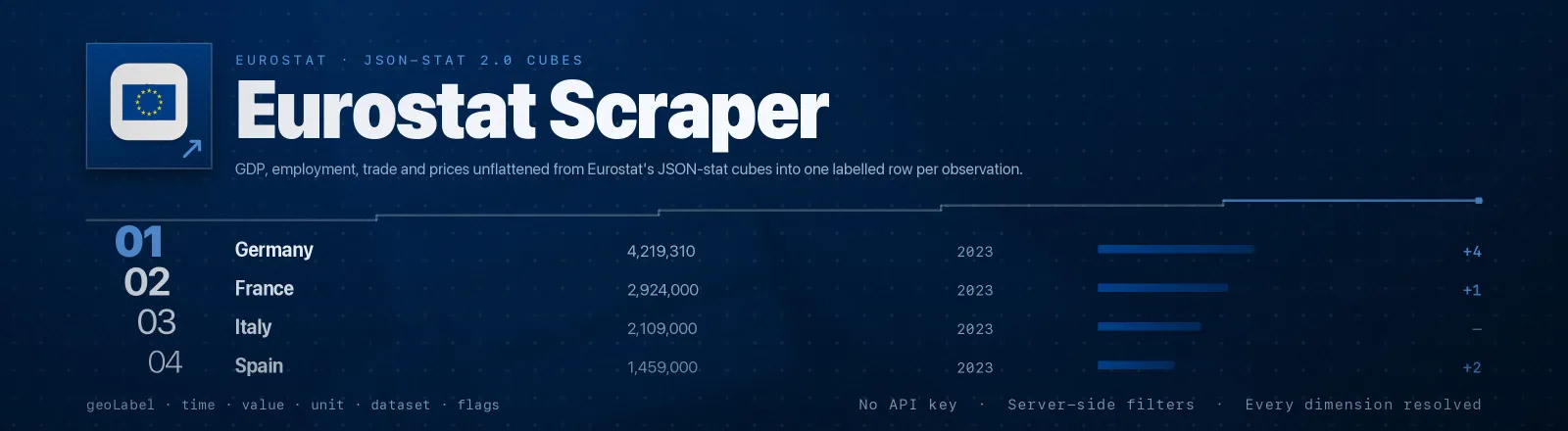
Eurostat Scraper extracts official European statistics, GDP, employment, trade, energy, demographics, prices, straight from the Eurostat dissemination API, and turns the raw JSON-stat 2.0 hypercube into flat, labelled rows you can put in a spreadsheet.
Eurostat does not publish rows. It publishes a cube: a flat map of numbers keyed by a single linear index, plus a separate block describing the axes. Nothing in the payload pairs a number with the country and year it belongs to. This Actor does that reconstruction for you, correctly, and hands back one record per observation with every dimension resolved to both its code and its human-readable label.
Agent skill: SKILL.md
What you get
| Output field | Meaning |
|---|---|
dataset | Eurostat dataset code, e.g. nama_10_gdp |
datasetLabel | Full dataset title in your chosen language |
geo, geoLabel | Territory code and its name, DE / Germany, EU27_2020 / European Union - 27 countries (from 2020) |
time | Period as Eurostat writes it: 2023, 2023-Q1, 2023-01 |
value | The observation itself, as a number |
unit | Unit of measure label, e.g. Current prices, million euro |
dimensions | Every dimension of the cube, each with code, label and dimensionLabel, nothing from the source is dropped |
flags | Observation status marks, decoded, p → provisional, e → estimated, b → break in time series |
lastUpdate | When Eurostat last refreshed the dataset |
scrapedAt | Run timestamp |
A RUN_SUMMARY record in the key-value store holds per-dataset counts, the cube shape, the filters used, and any dataset that failed.
Common use cases
- EU market analysis and country comparison. Pull one indicator across every member state on one time base.
- Policy and economic research. Unemployment and inflation on a common panel, ready for regression.
- Feed a European business dashboard. A small, cheap nightly refresh of headline population figures.
Quick start
Headline euro-area GDP, current prices, since 2018:
Two units side by side, so you can see nominal and real growth together:
Exploring a dataset you do not know yet, grab a capped slice and read the dimensions block to learn its axes:
Input
| Field | Type | Default | Notes |
|---|---|---|---|
datasets | array | - | Required. Dataset codes such as nama_10_gdp. Data Browser URLs are accepted and reduced to the code. |
geo | array | [] | Territory codes: countries (DE), aggregates (EU27_2020, EA20), NUTS regions (DE21). Empty = every territory in the dataset. |
timeFrom | string | "" | Oldest period, in the dataset's own format (2015, 2015-Q1, 2015-01). Empty = full history. |
timeTo | string | "" | Newest period, same format. Empty = up to the latest release. |
filters | object | {} | Any other dimension, as {"unit": "CP_MEUR", "na_item": "B1GQ"}. Values may be a single code or an array. |
maxSeriesPerDataset | integer | 0 | Cap observations saved per dataset. 0 = no limit. |
language | string | EN | Label language: EN, FR or DE. Codes are unaffected. |
Which combinations make sense. filters is applied to every dataset in the run, so batch datasets that share a dimension vocabulary. nama_10_gdp and nama_10_pc both understand unit and na_item; tps00001 does not define unit at all and will be rejected with INVALID_QUERY_DIMENSION if you send it. That failure is recorded per dataset and the rest of the run continues, but if your datasets do not share dimensions, give each one its own run.
geo, timeFrom/timeTo and filters all apply server-side, so every filter you add makes the download smaller and the run faster. Filtering matters more here than in most APIs: unfiltered, nama_10_gdp returns 1,093,133 observations in an 18 MB response. Adding unit and na_item, the two dimensions that dataset multiplies out most, usually cuts it by two orders of magnitude. If you do not know a dataset's dimensions yet, run it once with maxSeriesPerDataset: 50 and read them off the dimensions field.
Output example
A real record, GDP for Germany in 2023:
flags is an array because Eurostat concatenates status marks, a bp cell is a break in the series and provisional, and both are decoded separately.
RUN_SUMMARY looks like this:
cells is the size of the cube, observations the number that actually carry data. The gap is normal, Eurostat cubes are sparse, and a country that did not report a given year simply has no cell.
Finding a dataset code
Open the Eurostat Data Browser and pick any table. The code is the last path segment of the URL:
| URL you see | Code |
|---|---|
…/databrowser/view/NAMA_10_GDP | nama_10_gdp |
…/databrowser/view/tps00001/default/table | tps00001 |
…/databrowser/view/une_rt_a | une_rt_a |
You can paste the whole URL, the Actor extracts the code itself. The same page lists every dimension of the dataset and the codes each accepts; those are what go in filters.
Useful starting points: nama_10_gdp (GDP and main components), tps00001 (population on 1 January), une_rt_a (annual unemployment rate), prc_hicp_aind (harmonised inflation), nrg_bal_c (energy balances), ext_lt_intratrd (intra-EU trade).
API example
JavaScript example
Limits and behaviour
- JSON-stat is dimension-indexed, not tabular. The whole point of this Actor is the unflattening:
valueis a flat map keyed by a linear index into a cube whose axes are listed inidwith sizes insize, last axis varying fastest. The decoder insrc/jsonstat.jsreverses that arithmetic and asserts the cube's shape before it starts, because a wrong stride order does not throw, it silently attaches every number to the wrong country and year. - Sparse cubes are normal. A cube of 54 territories may carry 46 values. Missing cells are skipped, never emitted as zero or null.
- Unfiltered queries are big.
nama_10_gdpwith no filters is 18 MB and over a million observations. The Actor logs a warning when you run with no filters at all, andmaxSeriesPerDatasetexists as a hard stop. - A bad dataset code does not kill the run. Eurostat replies HTTP 404 with an explanatory
error.label, which is recorded verbatim inRUN_SUMMARY.failures; the Actor only errors out if every dataset fails. - Invalid dimension names are fatal per dataset, not per run. Passing a dimension the dataset does not define returns HTTP 400
INVALID_QUERY_DIMENSION, recorded the same way. - Transient errors are retried. 429 and 5xx get three attempts with linear backoff. 404 and 400 are not retried, because they will never succeed.
FAQ
Do I need a proxy? No. Proxy configuration is not required to run this Actor.
Do I need a Eurostat account or API key? No. You supply no credentials.
What happens if one dataset is unavailable? It is logged, added to RUN_SUMMARY.failures, and the run continues with the rest.
Why do I get fewer rows than cells in the summary? Eurostat cubes are sparse. cells counts every possible combination of dimensions; observations counts the ones with a published figure.
How do I know which filters a dataset accepts? Run it once with maxSeriesPerDataset: 50 and read the dimensions object on any returned row, it names every axis and shows an example code for each. The Data Browser page lists the full code lists.
What do the flags mean? They are Eurostat's observation status marks. The most common are p (provisional), e (estimated), b (break in time series), d (definition differs), u (low reliability). The Actor decodes each one to its label as published with the dataset.
Can I get quarterly or monthly data? Yes, pick a dataset that publishes at that frequency and use its period format in timeFrom/timeTo (2023-Q1, 2023-01). The freq dimension in the output tells you what you got.
Can I schedule it? Yes. Eurostat publishes on a release calendar, and lastUpdate on every row lets you skip runs where nothing changed.
Can I integrate it with something else? Yes, Apify API, client libraries, webhooks, scheduled runs, dataset exports (JSON/CSV/Excel) or MCP. Output is structured JSON.


