
Kraken Market Scraper: Ticker, OHLC & Spread Data
Pricing
from $0.37 / 1,000 series scrapeds
Kraken Market Scraper: Ticker, OHLC & Spread Data
Scrape Kraken public endpoints: ticker snapshots, OHLC candles, recent trades, spreads and asset pair specifications. No API key, no proxy, no browser.
Pricing
from $0.37 / 1,000 series scrapeds
Rating
0.0
(0)
Developer

Arman Hossain
Maintained by CommunityActor stats
0
Bookmarked
3
Total users
0
Monthly active users
2 months ago
Last modified
Categories
Share
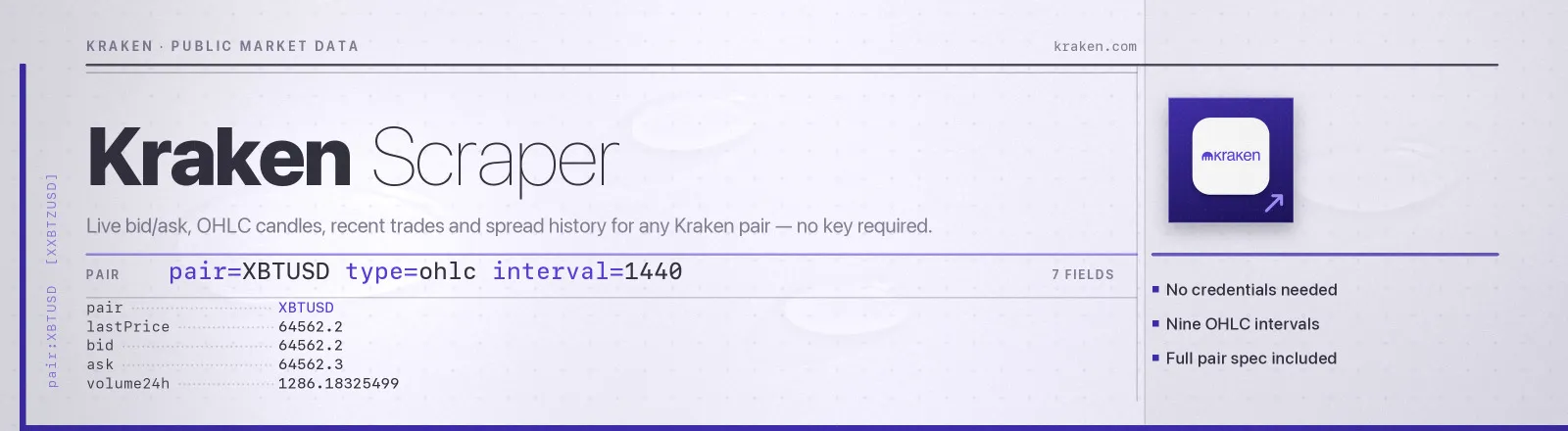
Pulls live market data for any Kraken pair. You get the best bid and ask, the last trade, 24-hour volume and VWAP, high, low and open, OHLC candles at nine intervals, recent trades, spread history, and the pair's full trading specification.
Kraken publishes all of this on unauthenticated endpoints under api.kraken.com/0/public, so there's no credentials, no signing, no proxy and no browser. A ticker snapshot for one pair takes about 120 ms, and the whole 1,430-pair specification index downloads in a single request.
Agent skill: SKILL.md
What you get
| Field | What it holds |
|---|---|
pair, krakenPair, wsname | The altname you'd type (XBTUSD), Kraken's canonical key (XXBTZUSD) and the WebSocket name (XBT/USD) |
baseAsset, quoteAsset | Readable base and quote symbols, plus baseAssetId and quoteAssetId for Kraken's internal codes |
status | online or post_only, meaning whether the pair is currently taking orders |
lotDecimals, pairDecimals, costDecimals, orderMin, costMin, tickSize | The full trading specification |
ask, bid, lastPrice, lastVolume | Top of book and the most recent fill |
spread, spreadPct | Current ask minus bid, in quote currency and as a percentage of the ask |
volume24h, volumeToday | Rolling 24-hour volume and volume since midnight UTC |
volumeWeightedAvg, volumeWeightedAvgToday | VWAP over the same two windows |
tradeCount, tradeCountToday | Number of trades over the same two windows |
high24h, low24h, highToday, lowToday, openPrice | Range and today's opening price |
ohlcCandles, ohlcInterval | Candle array with time, open, high, low, close, vwap, volume and tradeCount, plus the interval used |
recentTrades | Time, price, volume, side (buy or sell) and order type (market or limit) |
spreadHistory | Tick-level bid and ask history with the spread precomputed |
scrapedAt | When the run happened |
RUN_SUMMARY in the key-value store holds per-run counts, the filters you used, and any pair that failed.
Use cases
- Cross-exchange arbitrage. Poll ticker on a schedule and diff Kraken's bid and ask against another venue.
- OHLC history without a vendor. Pull daily or hourly candles for a basket of pairs and load them straight into a backtest.
- Execution-cost modelling.
spreadHistoryplustickSizeandcostMintells you what a fill actually costs. - Treasury marks. Take a nightly
lastPricesnapshot for the pairs your balance sheet holds. - Liquidity screening. Sort a wide pair list by
volume24handtradeCountto find where the depth is.
Quick start
Live prices for two pairs:
Daily candles plus the ticker, for a basket:
Microstructure detail for one pair:
Input
| Field | Type | Default | Notes |
|---|---|---|---|
pairs | array | required | Any Kraken spelling: XBTUSD, XBT/USD or XXBTZUSD. Duplicates that resolve to the same pair are fetched once. |
dataTypes | array | ["ticker"] | Any of ticker, ohlc, trades, spread. Each selection costs one extra request per pair. |
interval | integer | 60 | Candle width in minutes. Kraken supports exactly 1, 5, 15, 30, 60, 240, 1440, 10080 and 21600. |
since | string | "" | Unix timestamp in seconds. Returns only rows after it, for incremental polling. |
maxRows | integer | 200 | Caps ohlcCandles, recentTrades and spreadHistory length, keeping the newest rows. |
Pair specification fields are always included, whatever dataTypes you pick. They come from a single AssetPairs call made once per run, not once per pair.
Output example
Finding a pair name
Kraken has three names for every market and accepts all of them here.
| Where you see it | Example | Notes |
|---|---|---|
| Trade UI and most docs | XBT/USD | The WebSocket name |
| REST shorthand | XBTUSD | The altname, which is what most people type |
| REST response keys | XXBTZUSD | The canonical key, with Kraken's legacy X and Z prefixes |
Bitcoin is XBT on Kraken, not BTC, so BTCUSD will not resolve. The Actor downloads the full pair index at the start of every run, so an unrecognised pair is rejected locally with a clear error rather than costing a request.
API example
JavaScript example
Notes
- Kraken returns HTTP 200 for errors. Real problems arrive in an
errorarray inside a 200 response, so the status code alone tells you nothing. The Actor checks that array explicitly and only retries the entries that are transient, meaning rate limits and lockouts. - A bad pair poisons a batched request. Asking Kraken for
XBTUSD,NOPEin one call returns nothing at all, not a partial result. The Actor therefore requests one pair at a time so one bad symbol never costs you the rest. - Prices arrive as decimal strings and are converted to numbers here. Derived spreads are rounded back to 10 decimal places so binary float noise such as
0.09999999never reaches the dataset. - Volume windows come in pairs. Every Kraken volume, VWAP, trade-count, high and low field ships as today plus the last 24 hours, and both are exposed, with
Todaymeaning since midnight UTC. - One pair failing won't kill the run. Failures land in
RUN_SUMMARY.failures, and the Actor only errors out if every pair fails.
FAQ
Do I need a Kraken account or API key? No. You supply no credentials.
Do I need a proxy? No. Proxy configuration is not required to run this Actor.
How far back does OHLC go? Kraken returns up to 720 candles per call, so the window depends on the interval: 720 hours at 60, roughly two years at 1440. Use since to walk further back in steps.
What is the rate limit? Public endpoints allow roughly 1 request per second sustained. A run of 50 pairs with two data types is 101 requests and stays comfortably inside it.
Why is recentTrades null? Because trades was not in dataTypes. Unselected blocks are always present as null rather than missing, so the dataset schema stays stable across runs.
Can I plug it into something else? Yes. Apify API, the client libraries, webhooks, scheduled runs, dataset exports to JSON, CSV or Excel, or MCP. The output is structured JSON.


