
Google Play Reviews Scraper: App Reviews, Ratings & Replies
Pricing
from $0.09 / 1,000 review scrapeds
Google Play Reviews Scraper: App Reviews, Ratings & Replies
Scrape Google Play app reviews by package name or store URL: reviewer, star rating, full text, date, app version, thumbs-up count, per-aspect ratings and the developer's reply. Sort three ways, filter by stars, language, country and date. No API key, no proxies, no browser.
Pricing
from $0.09 / 1,000 review scrapeds
Rating
0.0
(0)
Developer

Arman Hossain
Maintained by CommunityActor stats
0
Bookmarked
1
Total users
0
Monthly active users
2 months ago
Last modified
Categories
Share
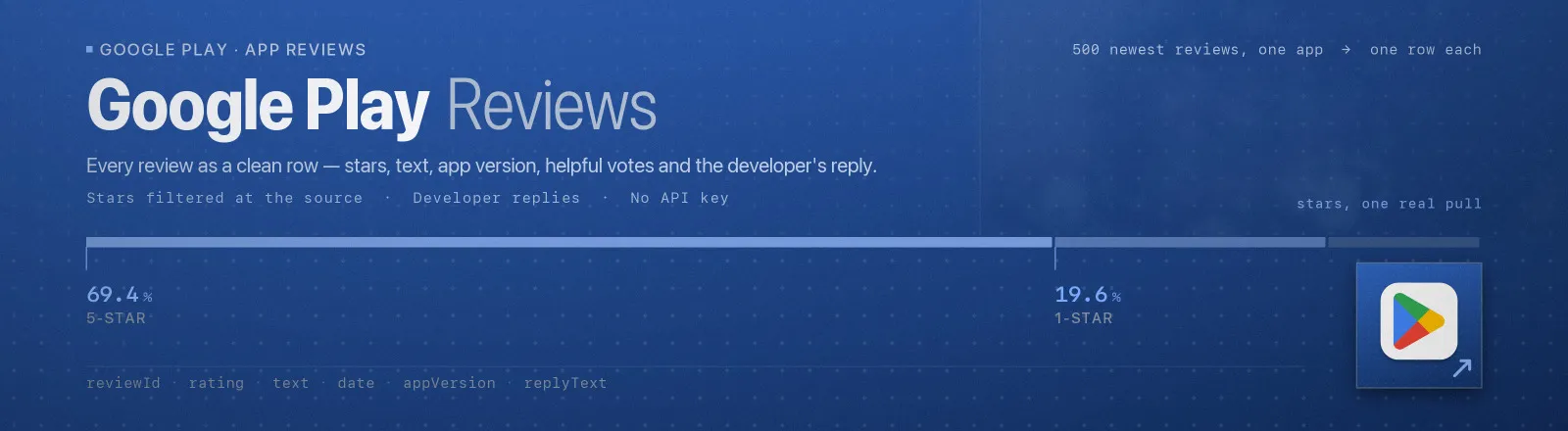
Google Play Reviews Scraper reads the user reviews of any Google Play app and returns one clean row per review: reviewer, star rating, full text, exact timestamp, app version, helpful-vote count, per-aspect ratings and the developer's reply with its own timestamp.
Point it at a package name or paste a store URL. Sort three ways, keep only chosen star ratings, read any language edition and storefront, and window by date. Every row carries reviewId, the review's stable identifier, so results join across runs and diff cleanly. No API key, no billing account, no proxy setup and no browser.
Agent skill: SKILL.md
What you get
| Output field | Meaning |
|---|---|
appId | The app's package name, e.g. com.spotify.music |
reviewId | The review's stable identifier. Use it as your join and diff key |
url | A store link straight to this review |
userName | Reviewer's display name |
userImage | Reviewer's avatar URL |
rating | Stars, 1–5, always a whole number |
text | The full review text. null for rating-only reviews |
date | When it was written, ISO 8601 with millisecond precision |
appVersion | The app version the review was written against, where the store records it |
thumbsUp | How many people marked the review helpful |
replyText, replyDate | The developer's public reply and when it was posted, or null |
criteria | Per-aspect ratings where the store collects them (ad frequency, battery use and similar), as name and rating pairs |
language, country | The language edition and storefront the run read |
sort | Which sort order produced the row |
position | The row's rank within its app for this run |
scrapedAt | Run timestamp |
A RUN_SUMMARY record in the key-value store holds per-app counts: pages read, reviews fetched, saved, duplicates collapsed, rows outside the date range, whether the app ran out of reviews or hit your cap, and any field that failed its shape check.
Input
| Field | Type | Default | Notes |
|---|---|---|---|
appIds | array | required | Package names (com.spotify.music), store URLs, or market:// links, in any mix. Each app is read independently |
sort | string | newest | newest, mostRelevant (the store's own default view), or rating (highest first) |
starRatings | array | all | Keep only these ratings, e.g. ["1", "2"] for complaints. Filtered at the source, so a 1-star pull does not page through 5-star reviews to find them |
maxReviewsPerApp | integer | 200 | Cap per app, and the main cost control since charging is per review. Popular apps carry millions |
language | string | en | The store's language code: en, de, ja, pt-BR. Selects the store's language grouping of reviews |
country | string | us | Two-letter storefront code. The review pool shifts with it |
dateFrom | string | Oldest review to keep: 2026-01-15, or relative 30 days, 36 hours. With sort: "newest" the run stops paging at the boundary | |
dateTo | string | Newest review to keep, same formats. Ignored unless dateFrom is set |
Output
One record per review. Every field is present on every record; null means the store has nothing there, never that it was skipped.
Use cases
- Complaint monitoring.
starRatings: ["1", "2"]withdateFrom: "7 days"on a schedule is a weekly digest of what is going wrong, with the app version attached to each report. - Release quality tracking. Filter rows by
appVersionto see whether the update that shipped on Tuesday is the reason ratings moved on Wednesday. - Competitor research. Read the most helpful reviews of the apps in your category:
sort: "mostRelevant"returns the reviews users actually see and upvote. - Support quality auditing.
replyTextandreplyDateshow which complaints a developer answers and how fast, yours or a competitor's. - Review corpora for analysis. Tens of thousands of dated, versioned, star-labelled texts per app, in any of the store's languages, for sentiment and topic work.
Limits and behaviour
reviewIdis the stable identity of a review. Diff runs on it.positionis this run's ordering, and the store reshuffles its rankings continuously.- Reviews arrive edited. When a user updates their review, the store shows only the latest version, under the same
reviewIdwith a newdate. A schedule catches the history that a single pull cannot. - The language setting selects an edition, not a detection.
language: "en"returns the store's English-edition review stream; a reviewer whose device is set to English but who wrote in another language still appears in it. - A date range is cheap only with the newest sort. That is the one order where the run can stop at the boundary. The other sorts apply the same filter exactly, but read on to the cap to apply it.
appVersionis missing on roughly a third of rows. Rating-only reviews and reviews from before the store recorded versions carrynull. Filter on it rather than expecting it.- Star-filtered pulls are fetched directly, not sifted client-side, so they cost what they return. The per-app cap applies to the app as a whole, not per star.
- A typo'd package name fails loudly. It is named in the log and
RUN_SUMMARY.failuresas not found; an app with genuinely no reviews returns zero rows and a clean exit instead. - Public data only. What the store shows every visitor, and nothing that gets around access controls.
FAQ
Do I need a Google account or API key? No. You supply no credentials.
Why did I get fewer reviews than maxReviewsPerApp? The app ran out of matching reviews. Check perApp in RUN_SUMMARY: exhausted: true means the store had no more; ceilingHit: true means there were more and the cap stopped the run.
Can I get all reviews of a big app? Up to 100,000 per app per run — raise maxReviewsPerApp and expect volume: the run pages steadily and charging is per review saved. Apps with more reviews than that are better pulled in shaped slices: one run per star rating, or date windows over dateFrom/dateTo, each slice with its own 100,000 ceiling.
How do I read reviews in another language? Set language (and usually country to match): language: "de", country: "de" returns the German-edition stream. Runs are per edition; two languages are two runs.
What are the criteria names? The store's own per-aspect rating tags, such as ad frequency or battery use, exactly as it records them. Coverage varies by app and review; most rows carry an empty list.
Does it return the app's overall star average? No — this Actor returns the reviews themselves. The overall rating belongs to an app-details scraper.
Can I plug it into something else? Yes. Apify API, the client libraries, webhooks, scheduled runs, dataset exports to JSON, CSV or Excel, or MCP. The output is structured JSON.
API example
JavaScript example


