

Wayback Machine Scraper: Historical URLs & Snapshots
Pricing
from $0.37 / 1,000 snapshot scrapeds
Wayback Machine Scraper: Historical URLs & Snapshots
Query the Internet Archive CDX API: every archived URL for a domain with timestamps, status codes, MIME types and snapshot links. No login, no proxy, no browser.
Pricing
from $0.37 / 1,000 snapshot scrapeds
Rating
0.0
(0)
Developer

Arman Hossain
Maintained by CommunityActor stats
0
Bookmarked
2
Total users
0
Monthly active users
2 months ago
Last modified
Categories
Share
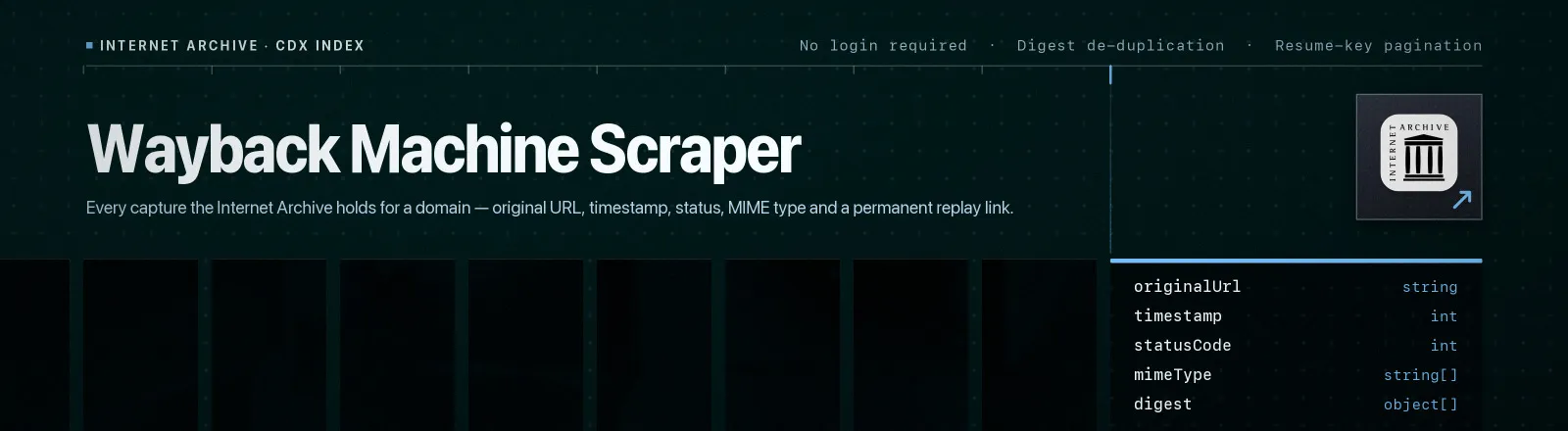
Wayback Machine Scraper queries the Internet Archive CDX index and returns every capture it holds for a domain or URL prefix, original URL, capture timestamp, archived HTTP status, MIME type, content digest, byte length and a permanent replay link.
The CDX index is the Wayback Machine's raw capture ledger. It is the fastest way to answer "what URLs has this site ever had?" without crawling the live site: no browser, no proxies, no login. A domain with two decades of history returns in a handful of paginated requests.
Agent skill: SKILL.md
What you get
| Output field | Meaning |
|---|---|
originalUrl | The URL as it was crawled at capture time |
timestamp | Raw Wayback timestamp, YYYYMMDDhhmmss in UTC |
snapshotDate | The same instant as an ISO-8601 string |
archivedUrl | Permanent replay link, https://web.archive.org/web/<timestamp>/<url> |
statusCode | HTTP status the archive recorded, or null for revisit records |
mimeType | Content type as served at capture time |
digest | SHA-1 content digest, identical digests mean identical bytes |
length | Compressed capture size in bytes |
urlkey | Canonical SURT key the archive sorts on (com,apify)/blog) |
scrapedAt | Run timestamp |
A RUN_SUMMARY record in the key-value store holds per-run counts (snapshotsSaved, duplicatesSkipped), the filters used, any target that failed, and any target skipped because maxResults was already reached.
Common use cases
- Recover deleted pages. Find the last good capture of a page that no longer exists and pull it from the replay link.
- SEO migration audits. Enumerate every URL a site ever published, then diff against the new sitemap to find what you forgot to redirect.
- Attack-surface discovery. Historical hostnames and paths often expose staging, admin and API endpoints that are still live.
- Competitor change tracking. Collapse on
digestand every row is a real content change, not a re-capture. - Link-rot repair. For any dead outbound link, resolve the newest 200 capture and rewrite the reference.
Quick start
Everything the archive has for a site, one row per unique URL:
Successful HTML pages from one section, in a date window:
Change detection on a single page, one row per distinct version:
Input
| Field | Type | Default | Notes |
|---|---|---|---|
urls | array | - | Required. Hosts, URL prefixes or full URLs. Schemes and trailing slashes are stripped automatically. |
matchType | string | prefix | exact, prefix, host or domain. See the table below. |
fromDate | string | "" | Earliest capture, YYYYMMDD (YYYY and YYYYMM also work). |
toDate | string | "" | Latest capture, same format. |
filterStatus | array | [] | Keep only these archived HTTP status codes. Empty = every capture. |
collapse | string | urlkey | Collapse consecutive rows sharing a field. Empty = every raw capture. |
maxResults | integer | 1000 | Hard cap on the total rows saved, split evenly between targets. Budget one target does not spend rolls to the next. 0 = no limit. |
Match types
matchType | For apify.com/blog it returns |
|---|---|
exact | Only apify.com/blog |
prefix | apify.com/blog and everything beneath it |
host | Every path on apify.com |
domain | Every path on apify.com and every subdomain |
Collapse values
collapse | Effect |
|---|---|
urlkey | One row per unique URL, the right default for URL discovery |
timestamp:8 | One row per URL per day, good for change frequency |
digest | Drops re-captures of unchanged bytes, one row per real content change |
| (empty) | Every raw capture, including thousands of identical ones |
Collapsing happens on consecutive rows in the archive's sort order, so urlkey and digest are reliable while an arbitrary field is not.
Output example
API example
JavaScript example
Notes
- Columns are read from the header row. CDX returns an array of arrays whose first row names the columns. This Actor builds its field map from that row on every response, so an archive-side column reorder cannot silently shift your data.
- Pagination uses resume keys. Each request asks for
showResumeKey=trueand feeds the returned cursor into the next call. If the archive ever hands back a cursor it already gave, the Actor stops and logs a warning instead of looping. - Identical rows are saved once per run. The index returns the same capture more than once — through two targets that overlap, and within a single uncollapsed target. Any row identical to one already saved (same URL, timestamp, digest, status, MIME type, byte length and sort key) is dropped before it reaches the dataset and counted in
RUN_SUMMARY.duplicatesSkipped. A row that differs in any of those fields is a different index record and is kept. - Bad targets don't kill the run. A target with no captures returns an empty list and is logged as a warning; a target that errors is recorded in
RUN_SUMMARY.failures. The Actor only throws if every target fails. - Long timeouts on purpose. CDX is a cold index scan, not a search engine, wide
domainqueries routinely take 30-60 s. Requests allow 120 s and retry 429/5xx with exponential backoff. - Public data only. No authentication, no personal data, no access-control bypass.
Limits and behaviour
- Always set
collapseandmaxResultson a big domain. An uncollapsedmatchType=domainquery on a large site can enumerate millions of captures and will exhaust the run timeout before it finishes. maxResultsis a hard ceiling on the run, not a per-target allowance. The budget is recomputed from what has actually been saved, so ten targets withmaxResults: 10finish at ten rows, and a target that matches only a few leaves the rest of its share to the targets after it. Targets the budget never reached are listed inRUN_SUMMARY.targetsSkipped.- The archive throttles under load. Retries are exponential (2 s, 4 s, 8 s) because linear backoff does not clear archive rate limits.
statusCodeisnullfor revisit records. The archive writes-where a capture is a pointer to identical earlier bytes; this Actor emitsnullrather than a fake code.
FAQ
Do I need a proxy? No. Proxy configuration is not required to run this Actor.
Do I need an Internet Archive account? No. You supply no credentials.
Can I get the page content itself? Not directly, this Actor returns the index. archivedUrl is a permanent replay link you can fetch for the bytes.
Why did my query return nothing? Usually matchType. exact on apify.com matches only the bare homepage URL; you probably want prefix or host. Check RUN_SUMMARY.filters for what actually ran.
Why does the same URL appear many times? Each row is one capture, so an uncollapsed query returns every visit the archive ever made to that URL. Set collapse to urlkey for one row per URL, or timestamp:8 for one per URL per day. Rows that are identical — same URL, timestamp, digest, status, MIME type, byte length and sort key — are a different matter: the index does repeat those, and the Actor drops the repeat before saving it, so you are never billed twice for the same row. The count is in RUN_SUMMARY.duplicatesSkipped. Two rows sharing a URL and timestamp but differing in status or MIME type are genuinely two index records, usually an original capture plus a warc/revisit pointer, and both are kept.
Why did I get fewer rows than maxResults? maxResults is a ceiling, not a quota. The archive may simply hold fewer matching captures, and identical rows dropped as duplicates do not consume it. If targets at the end of your list were never queried because the budget ran out, they are listed in RUN_SUMMARY.targetsSkipped.
What happens if the archive is unavailable? The target is retried with backoff, then recorded in RUN_SUMMARY.failures; the run continues with the remaining targets.
Can I schedule it? Yes, it is designed for scheduled runs. Diff on digest between runs to detect real content changes.
Can I integrate it with something else? Yes, Apify API, client libraries, webhooks, scheduled runs, dataset exports (JSON/CSV/Excel) or MCP. Output is structured JSON.


