

RSS & Atom Feed Scraper: Universal Content Monitor
Pricing
from $0.56 / 1,000 item scrapeds
RSS & Atom Feed Scraper: Universal Content Monitor
Parse any RSS, Atom or JSON feed into a single normalised schema: title, link, author, published date, categories, media enclosures and full content. Auto-discovers the feed from a plain site URL.
Pricing
from $0.56 / 1,000 item scrapeds
Rating
0.0
(0)
Developer

Arman Hossain
Maintained by CommunityActor stats
0
Bookmarked
1
Total users
0
Monthly active users
2 months ago
Last modified
Categories
Share
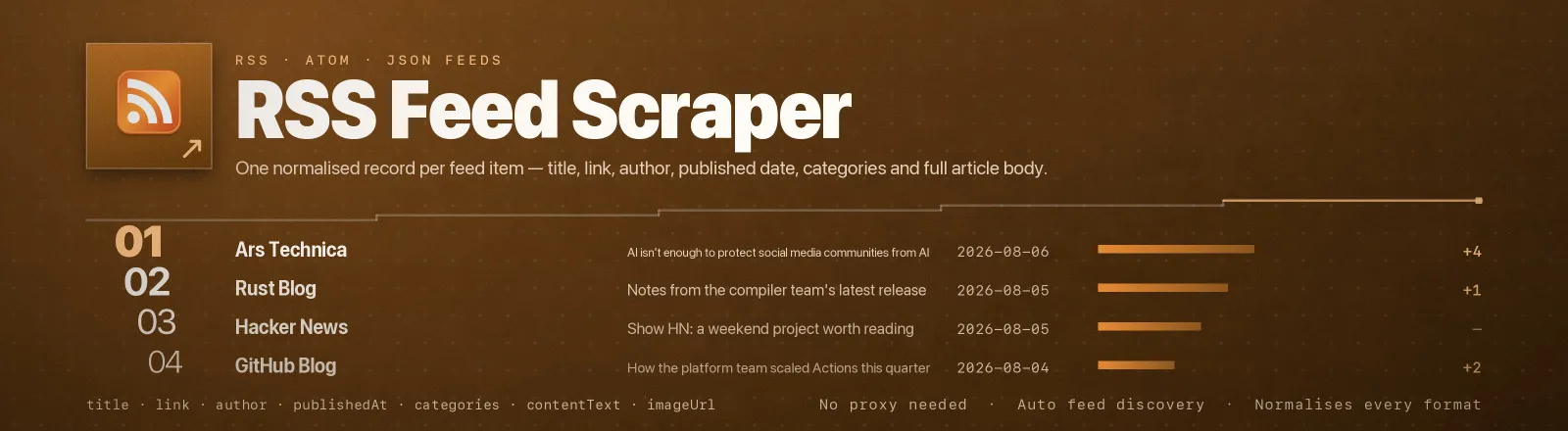
RSS & Atom Feed Scraper reads any RSS, Atom or JSON feed on the web and returns one flat, identically-shaped record per item, title, link, author, published date, categories, media enclosures and the full article body.
Syndication feeds are the oldest public API on the internet: publishers maintain them on purpose, for machines. This Actor reads them directly. No proxy setup, no browser, no credentials to manage. Point it at a feed URL, or at a plain site homepage, the page's advertised feed is discovered and followed for you.
Agent skill: SKILL.md
What you get
| Output field | Meaning |
|---|---|
requestedUrl, feedUrl | What you asked for, and the feed that was actually read after discovery and redirects |
feedTitle, feedType | Channel title, and which format it turned out to be, rss, rss-1.0, atom or json |
itemId | The feed's own identity for the item, RSS guid, Atom id, JSON Feed id |
title, link | Headline and permalink, resolved to an absolute URL |
author | dc:creator, Atom <author><name> or JSON Feed authors[], whichever the feed uses |
publishedAt, updatedAt | Always ISO-8601, whether the feed wrote RFC-822 or ISO-8601 |
summary | Short description as plain text |
contentText | Full article body as plain text, HTML stripped, entities decoded |
contentHtml | The publisher's original markup, when you ask to keep it |
categories | Tags and categories the item is filed under |
enclosures | Attached media as { url, type, length }, podcast audio, video, PDFs |
imageUrl | Lead image from media:content, media:thumbnail, itunes:image, an image enclosure, or the first <img> in the body |
scrapedAt | Run timestamp |
A RUN_SUMMARY record in the key-value store holds per-run counts, a per-feed breakdown, the filters used, and any source that failed.
Common use cases
- Competitor and newsroom monitoring. Watch dozens of blogs on a schedule and diff on
itemId. - News aggregation. One normalised schema across hundreds of publishers, so downstream code has one shape to handle.
- Content curation pipelines. Filter by keyword at ingest and hand the rest to a summariser.
- Brand monitoring. Track mentions across the feeds of trade press and forums.
- Archiving. Snapshot full article bodies before publishers rewrite or unpublish them.
Quick start
Three feeds, three different formats, everything they carry:
Homepages instead of feeds, the Actor finds them, and at most 20 items come back in total:
A filtered, recent, headline-only sweep for change detection:
Input
| Field | Type | Default | Notes |
|---|---|---|---|
feedUrls | array | - | Required. Feed URLs or site homepages. A bare host (github.blog) is accepted and gets https:// prepended. |
maxItems | integer | 0 | Cap on saved items for the whole run, applied after filtering and shared evenly across the sources — a feed that fails or carries fewer items than its share leaves the rest to the others, so the run reaches the cap when the items exist. 20 across five feeds is 20 items, not 100. 0 = no limit. |
sinceDate | string | "" | Keep only items published after this date. 2026-01-01 or a full ISO-8601 timestamp. |
keywordFilter | array | [] | Keep only items whose title, summary or categories contain one of these terms. Empty = all. |
includeContent | boolean | true | Include the full body in contentText. Off gives a much smaller dataset. |
stripHtmlTags | boolean | true | On, bodies are plain text only. Off additionally keeps the original markup in contentHtml. |
Filters combine with AND: an item must pass sinceDate and match at least one keyword. Items with no publish date at all are never dropped by sinceDate.
maxItems is the ceiling on rows you receive, and therefore on what you are charged. A value below 0, or one that is not a whole number, ends the run with an error instead of being read as "no limit". The former name of this field, maxItemsPerFeed, is still accepted and now means the same run-wide total.
Output example
Finding a feed URL
You usually do not have to. Paste the site and let the Actor look:
- The URL is fetched and parsed as a feed. If it is one, done.
- If it is an HTML page, its
<link rel="alternate" type="application/rss+xml">tags are read and the first advertised feed is followed. Atom and JSON Feedtypevalues work the same way. - If the page advertises nothing, the conventional paths are tried in order:
/feed,/rss,/rss.xml,/feed.xml,/atom.xml,/index.xml.
If you would rather be explicit, most publishers link their feed in the page footer, and WordPress sites are almost always at /feed/.
API example
JavaScript example
Limits and behaviour
- Feeds only carry a window. Most publishers expose their 10-50 most recent items and nothing older. This Actor returns what the feed contains; it is not an archive crawler.
- Formats are a mess, and that is handled. RSS 0.91, RSS 1.0 (RDF), RSS 2.0, Atom 1.0 and JSON Feed 1.x all normalise to the same record. CDATA, double-encoded entities,
content:encoded,media:*anditunes:*extensions and relative links are all dealt with. - Dates are normalised. RFC-822 (
Thu, 06 Aug 2026 03:56:29 GMT) and ISO-8601 both come out as ISO-8601 UTC, and a written-out zone such asCEST,BST,JSTorAESTis converted at its real offset. A date the parser cannot place — an abbreviation that means several offsets, such asIST, or a format nothing recognises — becomesnullrather than a wrong guess. - Text keeps its accents. A feed served as ISO-8859-1 or Windows-1252 is decoded as what it says it is, not as UTF-8, and HTML entities such as
öare decoded inside CDATA too.RUN_SUMMARY.perFeed[].encodingrecords which encoding each feed was read in. - The cap is a run total.
maxItemsbounds the rows the run delivers, so it bounds what you are charged. When it runs out, the sources that were never read are listed inRUN_SUMMARY.sourcesSkippedAtCaprather than silently dropped. - One item is charged once. An item already saved in this run — the usual cause is passing both a homepage and its feed URL — is not saved again;
RUN_SUMMARY.duplicatesSkippedcounts them. - One failure never kills the run. A dead host, a 404 or a page with no discoverable feed is logged, recorded in
RUN_SUMMARY.failures, and the next source is read. The Actor only errors out if every source fails. - Transient errors are retried. 429 and 5xx get three attempts with backoff, honouring
Retry-Afterwhen the server sends one. - One request per second between sources, with a 45-second timeout each.
- Public data only. No authentication, no personal data, no paywall circumvention.
FAQ
Do I need a proxy? No. Proxy configuration is not required to run this Actor.
Can it read a feed behind a login? No. Authenticated and private feeds are out of scope; you will get an "access denied" failure in RUN_SUMMARY.
What if a site has several feeds? Discovery follows the first advertised one. If you want a specific category feed, pass its URL directly, you can pass as many as you like in one run.
Why is contentText the same as summary for some feeds? Because that feed only publishes a summary. Hacker News and most link blogs never send a body; nothing is being dropped.
Why is author null? Plenty of RSS feeds simply omit dc:creator and <author>. The Actor does not guess.
Can I get only new items? Run on a schedule and diff on itemId, or set sinceDate to your last run time. includeContent: false makes those sweeps much cheaper.
Can I integrate it with something else? Yes, Apify API, client libraries, webhooks, scheduled runs, dataset exports (JSON/CSV/Excel) or MCP. Output is structured JSON.


