Apify Store Scraper (Incl Inputs & Outputs)
Pricing
from $0.07 / include schemas
Apify Store Scraper (Incl Inputs & Outputs)
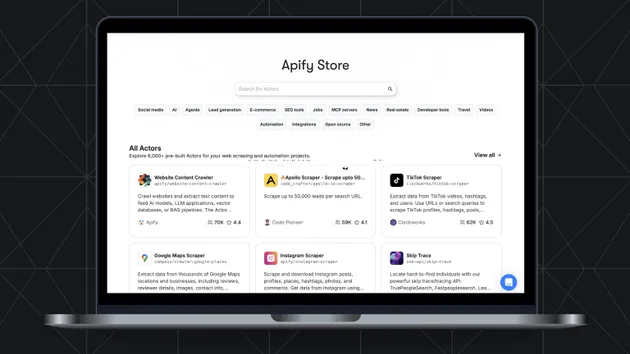
Discover and compare actors across the Apify Store in one run. This actor fetches the public catalog and can also scrape actor input and output schemas so you know exactly what each actor expects and returns. No browser required.
Pricing
from $0.07 / include schemas
Rating
0.0
(0)
Developer

Assmblr
Maintained by CommunityActor stats
0
Bookmarked
3
Total users
0
Monthly active users
9 months ago
Last modified
Categories
Share
Apify Store Intel Scraper (Actors + Inputs/Outputs)
Scrape the Apify Store catalog and optionally extract each actor’s input/output schema fields so you can compare competitors on what they actually accept and return — not just their titles and pricing.
No browser automation required.
Why you’d pick this over other “store scrapers”
Most Apify Store scrapers stop at “list actors + some stats”. This one is built for market/competitive intelligence:
- Schema intelligence (unique): extract
inputFields+outputFieldsso you can see how actors are designed. - Counts mode: get
nbHits+ facets (categories, pricing model, managedBy, …) for quick market snapshots. - Output shaping: return only the fields/paths you need (and rename them) to keep datasets clean.
- Stable IDs + normalized records: easier downstream joins and deduping.
If you only need generic “70+ fields”, there are other actors for that (e.g. “Smart Apify Actor Scraper”). If you need inputs/outputs for competitive analysis, this actor is the fast path.
Quick start
- Pick
operation: "search"(dataset output) oroperation: "counts"(summary output). - Add filters (keywords, category, pricing, ratings, freshness).
- Enable
include_schemaswhen you want input/output fields.
Inputs (plain language)
Core
operation:searchorcountsquery: keywords to search (items are OR; multiple words in one item are AND; wrap in quotes for an exact phrase)search_on: where to search (name, title, description, username, readme)limit: max number of actors to return (free plan capped at 100)sort: relevance, popular, newest, update
Filters
username: only these developer usernamesmanager: APIFY, COMMUNITY, or ALLcategory: filter by categoriesmodified_hours: only actors modified in the last N hoursfeatured: only featured actorsrating: minimum average ratingreviews: minimum review countbookmarks: minimum bookmark countusers_count: period for users filter (total, week, month, threemonth)users_min,users_max: users bounds for the selected periodprice_model: pricing model(s) to includeprice_min,price_max: price bounds (USD)
Schema intelligence
include_schemas: fetch input schema + output field lists (extra requests, slower)
Output shaping
fields: whitelist output fields (empty = default set)select_fields: project output items to specific paths (dot notation + array indexes)rename_fields: rename selected paths in the output
Performance controls
hitsPerPage: pagination size for the search APImaxChargedResults: soft cap to stop early (0 disables)
Monetization (recommended vs. competition)
Goal: cheap for market scans, paid when you extract the “premium” intel (schemas).
Pay-per-event:
apify-actor-start→ $0.05 per runincl-schemas→ +$0.10 per run (only wheninclude_schemas=true)
Why this works:
- Competing catalog scrapers tend to monetize by “more fields” or “per item”. We monetize the value add (schemas) while keeping baseline scans affordable.
- A low start fee makes it easy to adopt, then schema mode captures the willingness-to-pay of teams doing competitive research.
(We can later add an optional scaling event like “per 1k actors” if we see heavy users pulling full-catalog daily.)
Example: Search with schema intelligence
Input:
Output item (sample):
Example: Counts (market snapshot)
Input:
Output (verify-report excerpt):
Select only what you need
When select_fields is provided, each output item is projected to only those paths. Paths use dot notation for objects and numeric segments for array indexes (for example currentPricingInfo.pricingModel, categories.0). Missing paths are omitted. If multiple paths resolve to the same key, the last one wins.
Input:
Output item (sample):
Output notes
- In
searchmode, results are saved to the dataset. - In
countsmode, no items are saved; instead a summary is stored underverify-report. - After every run, a short
verify-reportis saved for validation.
Disclaimer
This actor provides informational data from the Apify Store. Schemas/fields are extracted as-is and may change at any time. You are responsible for how you use this information.