
Shopify Scraper - Products, Prices, Stock & Inventory
Pricing
from $0.70 / 1,000 products
Shopify Scraper - Products, Prices, Stock & Inventory
A Shopify product scraper for any public Shopify store: every variant's price, SKU and stock status, with barcodes, real inventory counts, videos and subscription plans where available. Crawl a whole catalog, a collection, one product URL or a keyword search. No API key needed. Pay per result.
Pricing
from $0.70 / 1,000 products
Rating
4.2
(7)
Developer

Proooxy
Maintained by CommunityActor stats
72
Bookmarked
2.4K
Total users
114
Monthly active users
11 hours
Issues response
3 days ago
Last modified
Categories
Security
Limited permissionsShare
Shopify Scraper
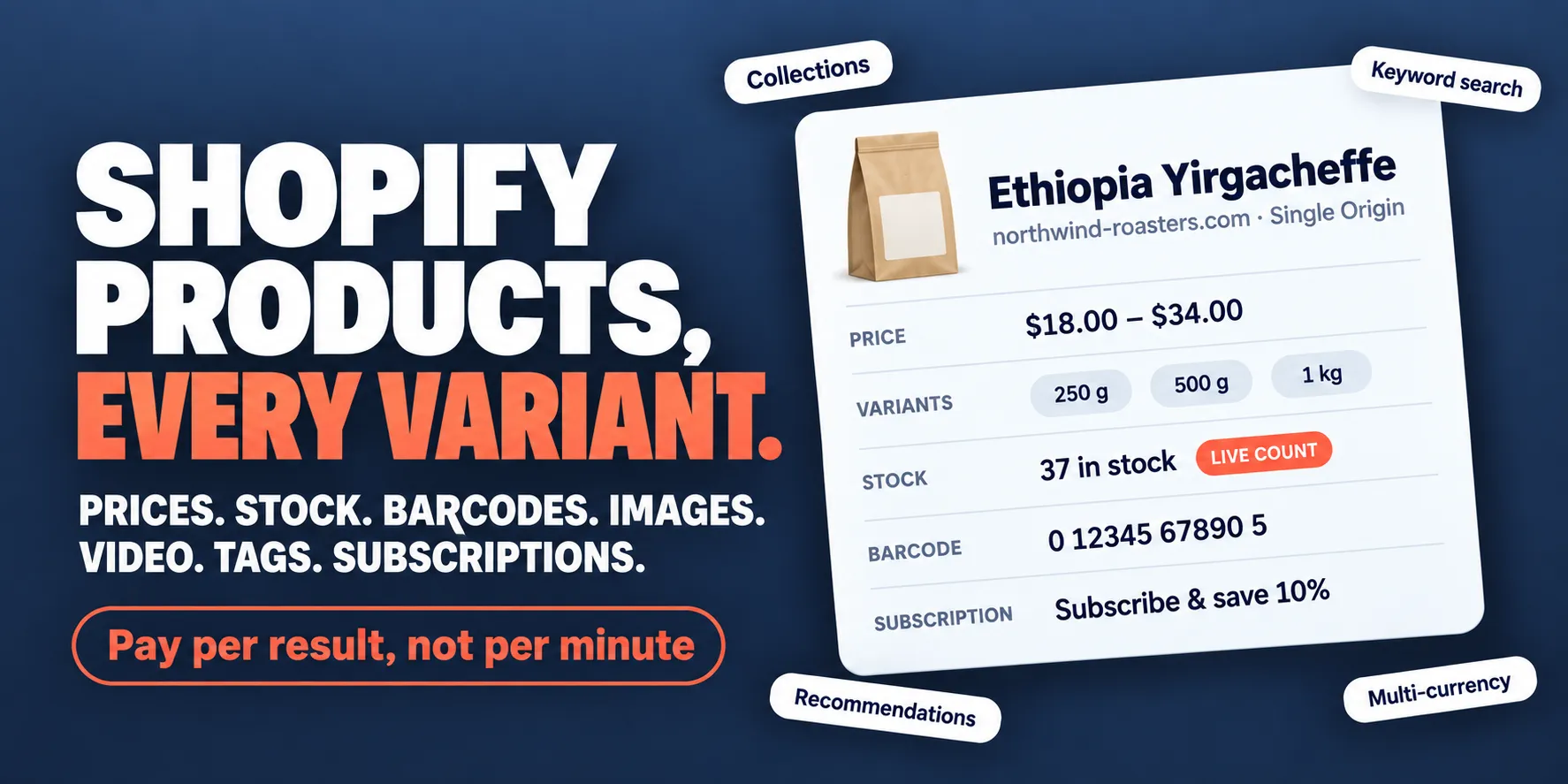
Every product a Shopify store publishes, down to the variant. Give it a store, a collection or a
product page, or a keyword to search the stores you list. Each product comes back with every variant's
price, stock status and SKU, and with its description, images, tags and options. Product pages, and
collection crawls with the matching option, add the merchant's barcode, weights and subscription plans.
With grabRealInventory, stores that publish their stock numbers give real counts. No API key needed.
🧰 Need the list of stores first? Shopify Store Leads finds Shopify stores by country, category or keyword, ready for this Actor to scrape.
Why choose this Actor?
The whole catalog, not the first page. Point it at a store's home page and it reads the entire catalog, page after page, to the end. Point it at a collection or a single product and it reads just that. A keyword search runs across every store you list. If a store has renamed a product, the scraper follows it to its new page.
More than Shopify's product JSON. A product read from its own data carries more than prices, stock
status, images, tags and options. You also get the merchant's barcode (UPC, EAN or GTIN), weight, tax and
fulfilment settings, order quantity rules and B2B volume price breaks. Its storefront adds what no JSON
endpoint publishes: subscription and pre-order plans with their prices, and product videos. With
grabContentSections you also get the information panels a store shows outside the description, such as
Features, Materials or Care. Every product also gets a rolled-up price, a priceRange and a
fullyOutOfStock flag. Output below says which
crawls return which fields.
Real stock counts, where a store publishes them. With grabRealInventory, each variant carries the
number in stock (quantityAvailable), not just in or out of stock. Many stores publish no stock numbers.
Those report the count as unknown and are never billed for it.
Prices in the currency the store charged. Prices are integers in minor units, so 2000 means 20.00.
source.currency labels them with the currency the store actually charged for the request. To get
another currency, add ?currency= to the start URL, or use a Shopify Markets locale path such as /nl-nl/.
Built for stores that push back. A request that a store's bot check refuses is sent again from a fresh proxy address, and so is a rate-limited one. A request refused from every address waits as long as the store asks, up to a minute, and a store that keeps refusing after that is answered at once rather than holding the run. A site that is not a Shopify store fails at once, with a message that says so. A store or product that fails never ends the run.
Pay per result, not per minute. A duplicate is never billed twice, and Max result records caps how much a run saves. A run that reaches its Max total charge stops cleanly and keeps everything it saved. Pricing below lists what each event costs.
🚀 Quick start
- Click Try for free. The input opens with one collection already filled in. Start it as it is to see what a record looks like.
- Put the pages you want into Shopify site start urls: a store's home page for its whole catalog, a
collection, or a single product. To check that a site runs on Shopify, open
https://<domain>/admin. If you see a Shopify login page, the site is compatible. - Set Max result records. It caps how many records the run saves, and so the most the run can
charge. The default is
100;0means no limit. - Optionally, under Extra data per product, set Max recommended products, or turn on Grab real inventory (experimental), Grab storefront detail (selling plans & video) or Grab product information panels (tabs & accordions).
- Click Start, then download the results from the Storage tab as JSON, CSV, Excel or XML, or pull them from the API.
Start small, check that the records look the way you expect, then raise Max result records.
💡 What people use it for
Research a competitor's range. Get a whole store with no cap on records: prices, variants, stock, and how the store tags and categorises its products.
Watch one category for launches and stock changes. Crawl one collection on a schedule and compare the runs:
Build one catalog across brands. Crawl several stores in one run; each record's
source.canonicalUrl shows which store it came from:
Check one product, variant by variant: the price, stock and barcode of every size.
See what a store recommends alongside a product:
Read real stock counts from a store that publishes them:
Find products by keyword in the stores you list:
Collect prices in another currency. On a store that does not use Shopify Markets, add ?currency=:
For a store on Shopify Markets, use its local market instead, with the locale in the path:
📋 Input
The scraper accepts a JSON input defining the target URLs and scraping behavior.
| Parameter | Type | Required | Description |
|---|---|---|---|
startUrls | Array | Yes | A list of URLs to scrape (Homepage, Collection, or Product URLs). |
proxy | Object | No | Proxy configuration. Defaults to the Apify proxy (datacenter). Residential proxies are highly recommended to avoid blocks. Pass { "useApifyProxy": false } to scrape without one. |
maxRequestsPerCrawl | Integer | No | Limit the number of records saved — and therefore billed. Set to 0 for unlimited (default 100). |
maxRecommendationsPerProduct | Integer | No | Number of recommended products to fetch per product. Billed per recommended product — see Pricing below. Set to 0 to disable (default 0). Max 20. |
grabRealInventory | Boolean | No | Fetch real per-variant inventory counts from each product's JSON. Billed per product that returns a real count; adds one request per product on collection crawls. Only stores that expose inventory in their storefront JSON are supported — others report it as unknown and are not billed for it (default false). |
maxInventoryFetches | Integer | No | Advanced, not shown in the form. Cap on the extra per-product inventory fetches during collection crawls (only when grabRealInventory is enabled). Unlimited unless set; pass a number in the JSON input to cap the run. |
grabStorefrontDetail | Boolean | No | On collection crawls, also fetch each product's storefront payload for selling plans, video media and the price span. Adds one request per product and is not billed as a separate event. Product URLs fetch this payload regardless — it is where their stock availability comes from (default false). |
maxStorefrontFetches | Integer | No | Advanced, not shown in the form. Cap on those extra per-product storefront fetches during collection crawls (only when grabStorefrontDetail is enabled). Unlimited unless set; pass a number in the JSON input to cap the run. |
grabContentSections | Boolean | No | Also return the labelled information panels the store shows outside the description — tabs and accordions such as Features, Materials or Care — in a contentSections field. Adds one request per product on stores that have them; a store with none is detected and skipped. Billed per product that returns panels — see Pricing below (default false). |
maxContentSectionFetches | Integer | No | Advanced, not shown in the form. Cap on the extra per-product panel fetches in one run (only when grabContentSections is enabled). Unlimited unless set; pass a number in the JSON input to cap the run. A product URL is not capped by it. |
query | String | No | Search query to find specific products. Each start URL is searched in turn; a store that cannot be searched is skipped. |
📤 Output
Data is stored in the default dataset. The scraper outputs either Product or Collection objects.
Every product record carries a rolled-up price (the cheapest variant), a priceRange
(min/max/varies) and a fullyOutOfStock flag, all derived from the variants themselves — no extra
request, every store, every crawl path. Variants always carry requiresShipping, taxable and weightGrams.
stockStatus takes one of three values: InStock, OutOfStock, or LowInStock. The last is reported
only where a real stock count was read and it is 5 or fewer, so a store that publishes no stock numbers
never returns it.
A product URL whose product the store has since moved — usually a rename — is followed to its new page.
The record's source.canonicalUrl is that page and source.redirectedFrom holds the URL you gave. A store
can also point an old product address at a replacement product, so compare the two where it matters which
product you get.
Detail enrichment
When the scraper holds a product's own JSON, variants additionally carry:
| Field | What it is |
|---|---|
barcode | The merchant's UPC, EAN or GTIN. Shopify stores all of them in this one field. |
weight, weightUnit | The weight as the merchant entered it. weightGrams is the same value normalised. |
quantityRule | Minimum, maximum and step size for ordering the variant. Shopify's default is {min: 1, increment: 1} with no maximum, and that is what the great majority of storefronts return — read it as no ordering rules configured, not as a measured value. |
quantityPriceBreaks | B2B volume pricing tiers — buy n or more, pay this unit price. Empty on a typical consumer storefront. |
taxCode, fulfillmentService | The merchant's tax code and who fulfils the variant. |
and the product carries publishedScope and templateSuffix. Image alt text is filled in here too, where the
store provides it.
Which crawls get it. A product URL always does — the scraper already holds that product's JSON, so enrichment
costs no extra request and needs no option enabled, including with grabRealInventory off. A collection crawl
gets it whenever grabRealInventory is on, because the detail fetch that option pays for carries these fields
too, at no additional request and no additional charge. A plain collection crawl with grabRealInventory off
fetches no product JSON and so returns none of them.
Storefront detail
A product's storefront payload publishes things none of the JSON endpoints do:
| Field | What it is |
|---|---|
sellingPlanGroups, requiresSellingPlan | Subscriptions, pre-orders and deposit plans the merchant offers, with each plan's options. requiresSellingPlan is true when the product cannot be bought outright. |
sellingPlanAllocations (per variant) | What that variant costs under each plan, including the per-delivery price on a recurring one. |
| Video media | medias entries typed Video. The other endpoints publish images only, so without this option a product's videos are invisible. |
Which crawls get it. A product URL always does, with no option to enable: that payload is where a
product URL's stock availability comes from, because the single-product JSON carries no availability flag
at all. A collection crawl gets it when grabStorefrontDetail is on — there the availability is already in
the listing, so the payload is bought purely for the fields above. It costs one extra request per product,
is not billed as a separate event, and is off by default; maxStorefrontFetches caps it, since one start
URL can mean hundreds of products.
How availability is resolved on a product URL. Three sources, strongest first: the storefront payload's per-variant flag (joined on variant id), then the product page's embedded schema.org data (joined on SKU), then the JSON API's own flag. The page is only fetched when the payload yields nothing for any variant — a partial answer is kept as-is rather than paying for a rendered page, which is roughly seventy times more data than the payload.
Inventory is narrower than enrichment.
quantityAvailable(real stock count),inventoryTrackedandinventoryPolicyneedgrabRealInventoryand a store that publishes stock numbers in its storefront JSON — many do not, and those are simply omitted and not billed. The enrichment fields above come from the same request but are published by a wider set of stores, so a store that reveals no stock counts at all can still return complete barcode, weight and quantity-rule data.
Information panels
With grabContentSections on, a product also carries contentSections: the labelled panels the store shows
outside the description, such as tabs and accordions for Features, Materials or Care. Each panel has:
| Field | What it is |
|---|---|
label | The panel's heading exactly as the store shows it. Empty when the store shows the panel without one. |
text | The panel's content as plain text. |
html | The panel's content as the store renders it. |
Labels are kept as shown, so store-wide panels such as Shipping or Returns come along too; filter them by
label if you don't want them. A Specifications table shown in its own tab is returned here and stays in
description as well. A product returns at most 10 panels.
Which crawls get it. Product URLs and collection crawls alike, whenever the option is on. It costs one
extra request per product on a store that has panels, and is billed once per product that returns at least
one (content-sections, see Pricing). A product without panels is not billed, and a store that shows
none is recognised after three products and skipped from then on.
💳 Pricing
This actor uses Apify's pay-per-event model: you are charged for the results it produces, not for how long it runs.
| Event | Price | Charged | Notes |
|---|---|---|---|
product | $0.0010 | Once per product saved to the dataset | The main unit of value. Volume tiers below. |
collection | $0.0004 | Once per collection saved to the dataset | Only /collections crawls emit these. |
recommends | $0.0010 | Once per recommended product | Off by default (maxRecommendationsPerProduct is 0). |
real-inventory | $0.0010 | Once per product with a real stock count | Off by default (grabRealInventory). |
content-sections | $0.0010 | Once per product returned with information panels | Off by default (grabContentSections). Charged from 20 October 2026. |
product is tiered by your total monthly Apify spend, so the more you run the less each product costs:
| Tier | FREE | BRONZE | SILVER | GOLD | PLATINUM | DIAMOND |
|---|---|---|---|---|---|---|
| Per product | $0.0010 | $0.0009 | $0.0008 | $0.0007 | $0.0007 | $0.0007 |
At the GOLD tier, 100,000 products costs $70.
Controlling your spend
maxRequestsPerCrawlcaps how many records are saved, so it capsproduct/collectioncharges directly. Default100;0means unlimited.- Max total charge (set per run or per task in the Apify UI) is a hard ceiling. When it is reached the actor stops of its own accord and the run finishes with everything it had already saved — it is not cut off mid-fetch.
- Duplicates are never billed twice. A product reached through several start URLs or through overlapping collections, or re-visited after a failed request is retried, is saved and charged once per run.
⚠️ What this Actor does not do
- It does not merge SKUs. On certain Shopify websites, multiple SKUs may be visually merged into a single product page. This scraper treats each SKU as an individual product entry and does not perform any merging of these SKUs.
- It does not return 3D or AR models. Shopify also publishes 3D/AR model media. The output spec has no type for it, so those entries are skipped rather than mislabelled as images.
- It does not guess stock counts. A real count needs
grabRealInventoryand a store that publishes its stock numbers. A store that does not publish them gets no count and is not billed for one.
🧰 Other Actors by autofacts
Apify only auto-recommends Actors in the same category, so here are the ones that actually pair with this scraper:
| Actor | What it's for |
|---|---|
| Shopify Store Leads | Find and qualify the stores first — catalog size, apps, theme, contacts — then feed the domains into this Actor |
| Schema Markup Scraper & SEO Auditor | Audit a store's structured data, Open Graph tags and canonical setup |
| Google Ads Scraper | The Google ads a store runs — search, Shopping and YouTube — with the landing pages they lead to |
| Google Trends API & Scraper | The rising searches in Shopping and its 44 subcategories, and how interest in a product moves over time |
| Sephora Product Scraper | Non-Shopify beauty retail, 29 countries |
| Macy's Scraper | Department-store catalog and pricing |
| HTML to PDF & URL to PDF API | Render any product page to PDF/PNG for archiving or evidence |
| WooCommerce Scraper | The same job on WooCommerce stores, with a matching record shape |
All of them: apify.com/autofacts
🛠️ Troubleshooting
| Issue | Possible Cause | Solution |
|---|---|---|
| 0 Results Found | The site may not be Shopify-based or has strong anti-bot protection. | Verify with the /admin trick. Try using residential proxies. |
| Access Denied / 403 | Your IP has been flagged. | Enable useApifyProxy and ensure you have sufficient proxy quota. |
| Incorrect Price | Raw integer format. | Prices are integer minor units — 2000 means 20.00 in source.currency. |
| Wrong currency | The store runs Shopify Markets, where ?currency=XYZ is ignored. | Use the store's locale-prefixed URL instead (e.g. /nl-nl/collections/...), which selects the market and its currency. Verified on one Markets store; ?currency= still works on stores that are not using Markets. |
| Run stopped early | The run's Max total charge limit was reached. | Expected behaviour — the actor stops cleanly and keeps everything it saved. Raise the limit, or lower maxRequestsPerCrawl to fit the budget. |
🤖 Use with AI agents
This Actor is callable as a tool by any MCP-capable agent — Claude, Cursor, VS Code — or by your own code, with no wrapper and nothing extra to deploy.
Connect over MCP
In a client that reads an mcpServers configuration block:
The agent reads this Actor's parameters and their descriptions straight from the input schema, and the hosted server infers the result field types from the dataset schema — so a model knows what to send and what comes back before it ever calls anything.
Or call the API directly
The response body is the dataset records described above.


