Barcode Generator
Pricing
Pay per event
Barcode Generator
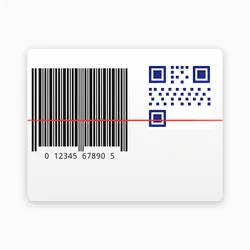
Generate EAN-13, Code128, UPC-A, QR codes, and 10+ barcode formats as PNG or SVG images. Batch generation with customizable colors and dimensions.
Pricing
Pay per event
Rating
0.0
(0)
Developer

Stas Persiianenko
Maintained by CommunityActor stats
0
Bookmarked
3
Total users
0
Monthly active users
2 months ago
Last modified
Categories
Share
Generate EAN-13, Code128, UPC-A, QR codes, and 10+ barcode formats as PNG and SVG images — in bulk. Define a list of barcodes, hit run, and download your images from the key-value store. No external APIs, no proxy costs, instant results.
🏷️ What does it do?
Barcode Generator takes a list of barcode specifications (data, format, size, color) and produces:
- PNG images — raster images ready for print or embedding in documents
- SVG images — vector graphics that scale to any resolution without quality loss
- Both formats — generate PNG + SVG in a single run
Every generated image is saved to the actor's key-value store with a named key (e.g., my-product-ean13.png). The dataset contains a record for each barcode with metadata, KV store key references, and any error messages for failed items.
Supported barcode formats
| Format | Description | Example data |
|---|---|---|
| EAN-13 | European Article Number, retail standard | 012345678901 (12 digits) |
| EAN-8 | Compact version of EAN | 0123456 (7 digits) |
| UPC-A | Universal Product Code, North American retail | 012345678905 (12 digits) |
| UPC-E | Compact UPC for small packages | 01234565 (8 digits) |
| Code128 | Alphanumeric, variable length | Hello World, ORDER-1234 |
| Code39 | Uppercase alphanumeric + symbols | HELLO WORLD, ABC-123 |
| ITF-14 | Shipping carton barcodes | 0000012345678 (13 digits) |
| MSI | Inventory and warehouse | 1234567 |
| Codabar | Library books, blood banks | A1234567B |
| Pharmacode | Pharmaceutical packaging | 1234 |
| QR Code | 2D matrix code for URLs, text, data | Any text or URL |
👤 Who is it for?
E-commerce store owners
Bulk-generate EAN-13 or UPC-A barcodes for product catalogs. Generate 500+ product barcodes in one run and download them all as print-ready PNGs.
Logistics and warehouse teams
Create Code128 or ITF-14 shipping labels programmatically. Integrate with your inventory system via the Apify API to auto-generate barcodes whenever new items are added.
Developers and QA engineers
Generate barcode images for testing receipt parsers, mobile scanning apps, or POS system integrations — without setting up a barcode library in your own project.
Print-on-demand and label design
Generate SVG barcodes for vector workflows. SVG barcodes can be imported into Adobe Illustrator, Affinity Publisher, or Figma and scaled to any size without pixelation.
No-code automation builders
Use with Zapier, Make (Integromat), or n8n to auto-generate QR codes for customer URLs, loyalty cards, or event tickets.
✅ Why use Barcode Generator?
- Batch processing — generate hundreds of barcodes in a single run
- Zero proxy cost — pure computation, runs in seconds at negligible cost
- PNG + SVG — use raster for print, vector for design workflows
- Full customization — colors, dimensions, margins, font size per barcode
- Named output keys — images saved with predictable KV store keys for easy retrieval
- Error isolation — one invalid barcode doesn't stop the whole batch; errors are reported per item
- 11 formats — covers retail (EAN/UPC), logistics (Code128/ITF), pharma, and QR
📦 What data does it extract?
Each dataset record contains:
| Field | Type | Description |
|---|---|---|
label | string | The identifier used as the KV store file key prefix |
data | string | The data encoded in the barcode |
format | string | Barcode format (EAN13, CODE128, QR, etc.) |
outputFormat | string | PNG, SVG, or BOTH |
width | number | Image width in pixels |
height | number | Image height in pixels |
kvKey | string | KV store key for single-format output |
kvKeyPng | string | KV store key for PNG when outputFormat is BOTH |
kvKeySvg | string | KV store key for SVG when outputFormat is BOTH |
success | boolean | Whether generation succeeded |
error | string | Error message if generation failed |
💰 How much does it cost to generate barcodes?
Barcode generation is pure computation — no web requests, no proxy, no external APIs. Costs are minimal:
| Event | FREE | BRONZE | SILVER | GOLD | PLATINUM | DIAMOND |
|---|---|---|---|---|---|---|
| Actor start (one-time per run) | $0.005 | $0.00475 | $0.00425 | $0.00375 | $0.003 | $0.0025 |
| Per barcode generated | $0.0003 | $0.00027 | $0.00024 | $0.000195 | $0.00015 | $0.00012 |
Example costs (FREE tier):
- 100 barcodes → ~$0.035
- 500 barcodes → ~$0.155
- 1,000 barcodes → ~$0.305
Example costs (DIAMOND tier):
- 100 barcodes → ~$0.0145
- 1,000 barcodes → ~$0.1225
Free plan estimate: Apify's free tier ($5/month credit) covers approximately 14,000 barcodes/month.
Pricing is Pay-Per-Event — you only pay for what you generate. Higher Apify subscription tiers get automatic volume discounts (up to 50% off at DIAMOND tier).
🚀 How to generate barcodes
Quick start (3 steps)
- Open the actor on Apify Console
- Fill in the
barcodeslist with your data, format, and optional label - Click Start — download your images from the key-value store when done
Step-by-step with the visual editor
- In the Barcodes to generate field (JSON editor), add one object per barcode:
[{ "data": "012345678901", "format": "EAN13", "outputFormat": "PNG", "label": "my-product" },{ "data": "https://mystore.com", "format": "QR", "outputFormat": "BOTH", "label": "store-qr" }]
- Set Default output format (PNG, SVG, or Both) — applies when individual barcodes don't specify one
- Adjust width, height, colors, and margin in the Advanced Options section
- Click Start and wait for the run to complete (seconds to minutes depending on batch size)
- Go to Key-value store tab in the run detail — download your images by key name
Downloading all images via API
After the run completes, fetch all generated images:
⚙️ Input parameters
Barcodes list (required)
The barcodes array is the core input. Each item supports:
| Parameter | Type | Required | Description |
|---|---|---|---|
data | string | ✅ Yes | The value to encode (number, text, URL) |
format | string | No | Barcode format — defaults to CODE128. Options: EAN13, EAN8, UPC, UPC_E, CODE128, CODE39, ITF14, MSI, PHARMACODE, CODABAR, QR |
outputFormat | string | No | PNG, SVG, or BOTH — overrides global setting |
label | string | No | File key prefix. Auto-generated if omitted (e.g., barcode-1-EAN13-012345678901) |
width | number | No | Override default width for this barcode |
height | number | No | Override default height for this barcode |
lineColor | string | No | Override bar/module color for this barcode |
background | string | No | Override background color for this barcode |
includeText | boolean | No | Override text display for this barcode |
Default settings
| Parameter | Default | Description |
|---|---|---|
outputFormat | PNG | Default output format for all barcodes |
width | 300 | Default image width in pixels |
height | 150 | Default image height in pixels |
lineColor | #000000 | Default bar/module color |
background | #ffffff | Default background color |
includeText | true | Show human-readable text below barcode |
fontSize | 20 | Font size for text label (px) |
margin | 10 | White space margin around barcode (px) |
qrErrorCorrection | M | QR error correction: L/M/Q/H |
Color values
All color fields accept any CSS color string:
- Hex:
#000000,#ff5500 - Named:
black,white,red - RGB:
rgb(0, 0, 0) - Transparent background:
transparent
📊 Output examples
Dataset record (EAN-13 → PNG)
Dataset record (QR → BOTH)
Dataset record (error case)
💡 Tips and best practices
Format selection guide
- Use EAN-13 for retail products sold in Europe, Australia, and most of the world
- Use UPC-A for retail products sold in North America
- Use Code128 for shipping labels, inventory, internal tracking — most flexible format
- Use Code39 for legacy systems (older industrial scanners) — uppercase only
- Use QR for URLs, contact info, WiFi credentials, app links
- Use ITF-14 for outer carton/shipping container barcodes
Data format requirements
| Format | Data requirements |
|---|---|
| EAN-13 | Exactly 12 digits (checksum auto-calculated) |
| EAN-8 | Exactly 7 digits (checksum auto-calculated) |
| UPC-A | Exactly 12 digits |
| Code128 | Any ASCII characters, any length |
| Code39 | Uppercase A-Z, 0-9, space, - . $ / + % |
| ITF-14 | Exactly 13 digits (even total) |
| QR | Any text, URL, JSON, or binary data |
SVG for print, PNG for web
SVG files are resolution-independent — perfect for printing at any DPI or importing into design tools. PNG files are better for web embedding, email, or systems that don't support SVG.
Custom colors for branding
Override lineColor and background per barcode to match brand colors. For example, a dark blue barcode on a light blue background:
Note: Ensure sufficient contrast between
lineColorandbackground— scanners need at least 3:1 contrast ratio.
Batch labeling strategy
Use descriptive label values that map to your data source:
This makes it easy to download specific files by name from the KV store.
🔌 Integrations
Zapier — auto-generate QR codes for new orders
- Trigger: New order in WooCommerce / Shopify
- Action: Run Barcode Generator via Apify HTTP API with the order URL
- Action: Get the generated PNG from KV store
- Action: Attach to order confirmation email
Make (Integromat) — product catalog barcodes
- Schedule: Daily at midnight
- Get new products from your database or Google Sheet
- HTTP: POST to Apify API with product EAN list
- Wait for run completion (webhook or poll)
- Download all PNGs from KV store to Google Drive
n8n — warehouse label generation
- Webhook: receives SKU + quantity from WMS
- Code node: build barcode list JSON (CODE128 per SKU)
- HTTP Request: POST to Apify run endpoint
- HTTP Request: GET run status until SUCCEEDED
- HTTP Request: download each barcode image
- Send to label printer via network API
API integration — embed in your backend
Generate barcodes on demand from any backend:
🧑💻 API usage
Node.js
Python
cURL
🤖 MCP — Use with Claude AI
Use Barcode Generator directly in Claude conversations via the Model Context Protocol (MCP).
Claude Code (terminal)
Claude Desktop / Cursor / VS Code
Add to your MCP configuration file (claude_desktop_config.json or .cursor/mcp.json):
Example Claude prompts
Once connected, you can ask Claude:
- "Generate an EAN-13 barcode for the number 012345678901 as a PNG"
- "Create a QR code for https://mystore.com with blue bars on a light blue background"
- "Generate Code128 barcodes for these 20 SKUs and save them as SVG files"
- "Make a batch of barcodes for my product catalog: [paste CSV]"
⚖️ Legality and usage
Barcode generation is fully legal. The barcode formats (EAN, UPC, Code128, QR, etc.) are open standards. You own any barcodes you generate.
Note on EAN/UPC retail use: If you plan to sell products in retail stores, EAN-13 and UPC-A codes should be registered with GS1 (gs1.org) to ensure global uniqueness. Self-generated barcodes are fine for internal inventory, warehouse, or testing use. For production retail listings on Amazon, Walmart, etc., obtain a licensed GS1 prefix.
QR codes have no registration requirement — generate freely for any use.
❓ FAQ
Q: What is the maximum number of barcodes per run? A: There is no hard limit — the actor processes barcodes sequentially. 500 barcodes typically complete in under 30 seconds. For very large batches (10,000+), consider splitting into multiple runs or using the API with parallel calls.
Q: Can I use transparent backgrounds?
A: Yes — set background to "transparent" for transparent PNG backgrounds. This is useful when overlaying barcodes on colored labels or product images.
Q: Why did my EAN-13 barcode fail?
A: EAN-13 requires exactly 12 numeric digits. The checksum digit (13th) is calculated automatically. Common mistakes: providing 13 digits (include the check digit), letters, or special characters. Use 012345678901 (12 digits), not 0123456789012.
Q: My Code39 barcode shows an error — why?
A: Code39 only supports uppercase A-Z, digits 0-9, and the symbols - . $ / + % and space. Convert your data to uppercase and remove unsupported characters before encoding.
Q: Can I retrieve multiple images at once?
A: Yes — use the Apify API to list all KV store keys and download them programmatically. See the API usage section above for examples. You can also use the Apify CLI: apify kv get --store-id STORE_ID --key my-barcode.png.
Q: The generated PNG looks blurry when printed — what's wrong?
A: For print use, either use SVG (vector, infinitely scalable) or increase the width and height values significantly. For 300 DPI printing at 2 inches wide, set width to 600 pixels. For labels, SVG is almost always the better choice.
Q: How do I download all generated barcodes as a ZIP? A: The actor doesn't produce ZIP files directly. Use the Apify API to iterate over KV store keys and download each file. Or use the Apify CLI's batch download feature.
🔗 Related actors
- automation-lab/fake-test-data-generator — Generate fake product data (names, SKUs, prices) to pair with barcode generation
- automation-lab/unicode-text-inspector — Inspect and clean text before encoding to avoid invalid character errors