Google Maps Email Extractor
Pricing
from $3.99 / 1,000 results
Google Maps Email Extractor
Google Maps email extractor that finds business emails, phone numbers, and social profiles alongside every listing, so sales teams can reach local businesses directly without manual research.
Pricing
from $3.99 / 1,000 results
Rating
0.0
(0)
Developer

B2B Lead Generation
Maintained by CommunityActor stats
1
Bookmarked
21
Total users
1
Monthly active users
5 months ago
Last modified
Categories
Share
Google Maps Email Extractor: Find Business Emails, Phone Numbers, and Social Profiles Directly from Google Maps
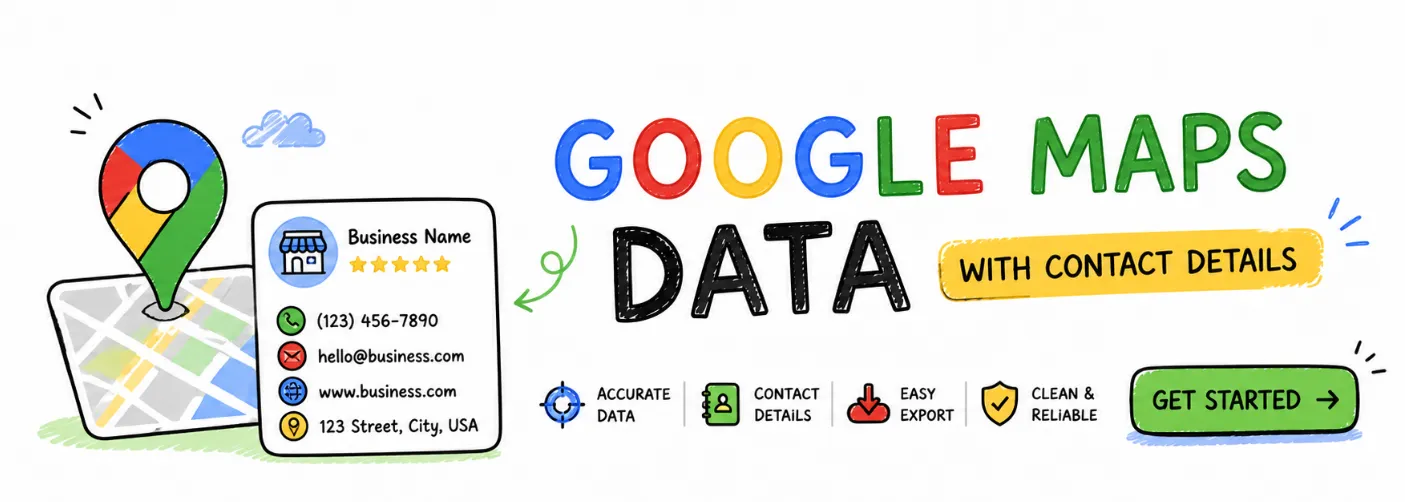
You already know which businesses you want to reach
Search "plumbers in Austin TX" on Google Maps and you get hundreds of results. Names, addresses, star ratings, maybe a phone number. But no email. No Instagram. No LinkedIn.
To actually reach those businesses, you have to click every listing, find the website, hunt through the contact page, copy the email, paste it somewhere, and repeat. Two hundred times. For one search.
That's not a workflow. That's a full afternoon gone.
The gap between finding a business and reaching one
Google Maps is the most complete local business directory on earth. It knows about every contractor, dentist, lawyer, restaurant, and agency in every city. But it gives you just enough to find them, not enough to contact them.
The email is on their website. The Instagram link is on their website. The LinkedIn page is on their website. You already know this, because you've visited those pages manually.
The problem is doing it at scale.
Sales teams lose entire days to this kind of research. Marketers build half their prospect lists by hand. Agencies spend more time finding clients than pitching them. And by the time the data is collected manually, some of it is already wrong.
There should be a way to turn any Google Maps search into a ready-to-use outreach list without touching a single website yourself.
There is. It takes three steps.
Google Maps Email Extractor searches Google Maps, visits each business website, and delivers a complete contact record for every result — email, phone, and social profiles included. No manual work.
Step 1: Add your search queries Use the same searches you'd type into Google Maps: "roofing contractors in Miami FL," "real estate agents in Houston TX," "wedding photographers near Atlanta GA." Add as many queries as you need.
Step 2: Run the actor The actor searches each query, finds every matching business, visits the website for each one, and collects email addresses, phone numbers, Facebook pages, Instagram profiles, LinkedIn pages, and Twitter accounts — automatically, concurrently, at scale.
Step 3: Download your contact list Records appear in your dataset one by one as each business finishes processing. When the run completes, export as CSV or JSON, push directly to Google Sheets, or connect to your CRM or email tool.
No spreadsheet work. No copy-pasting. No visiting a single website manually.
What you get for every business
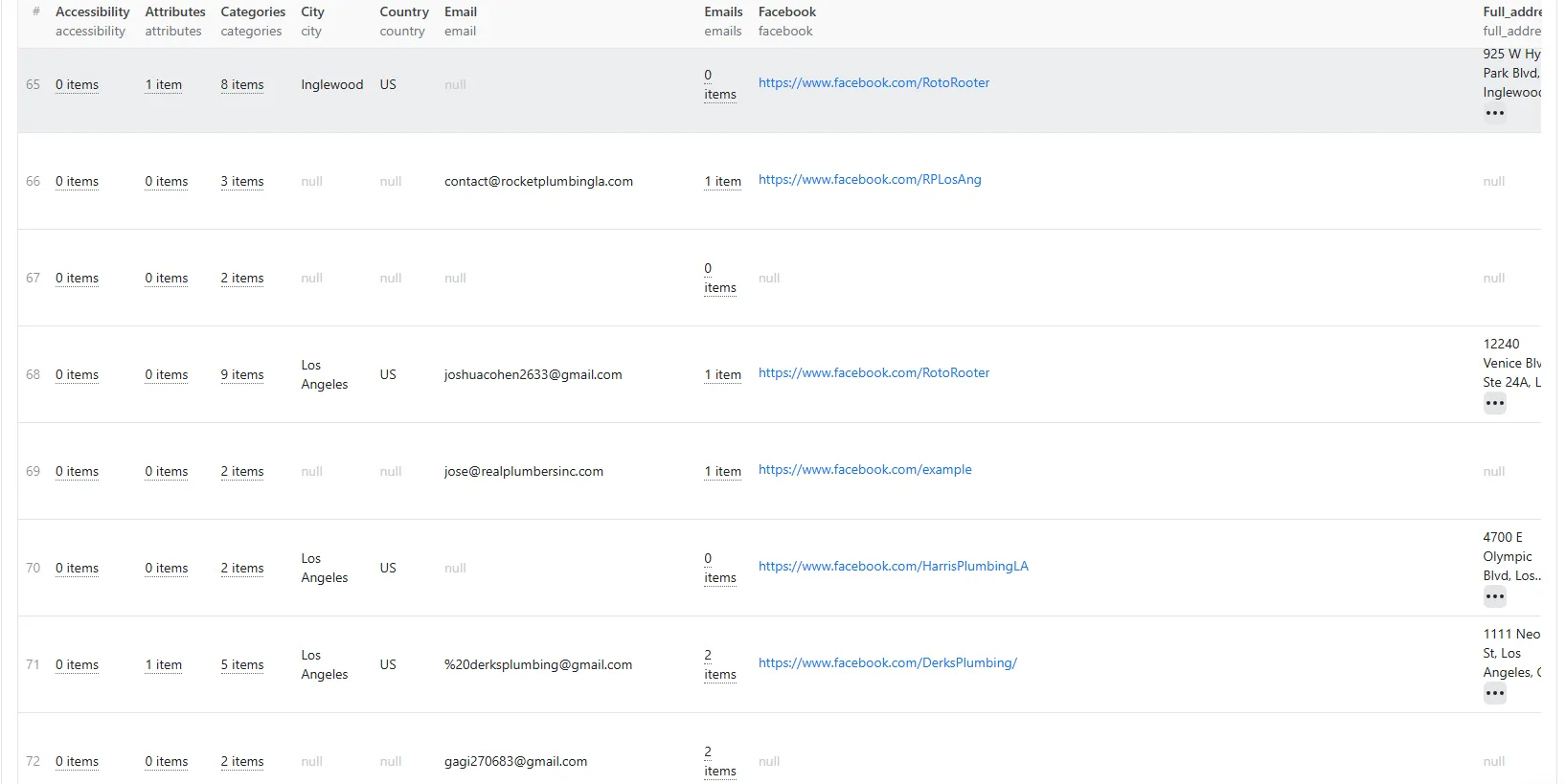
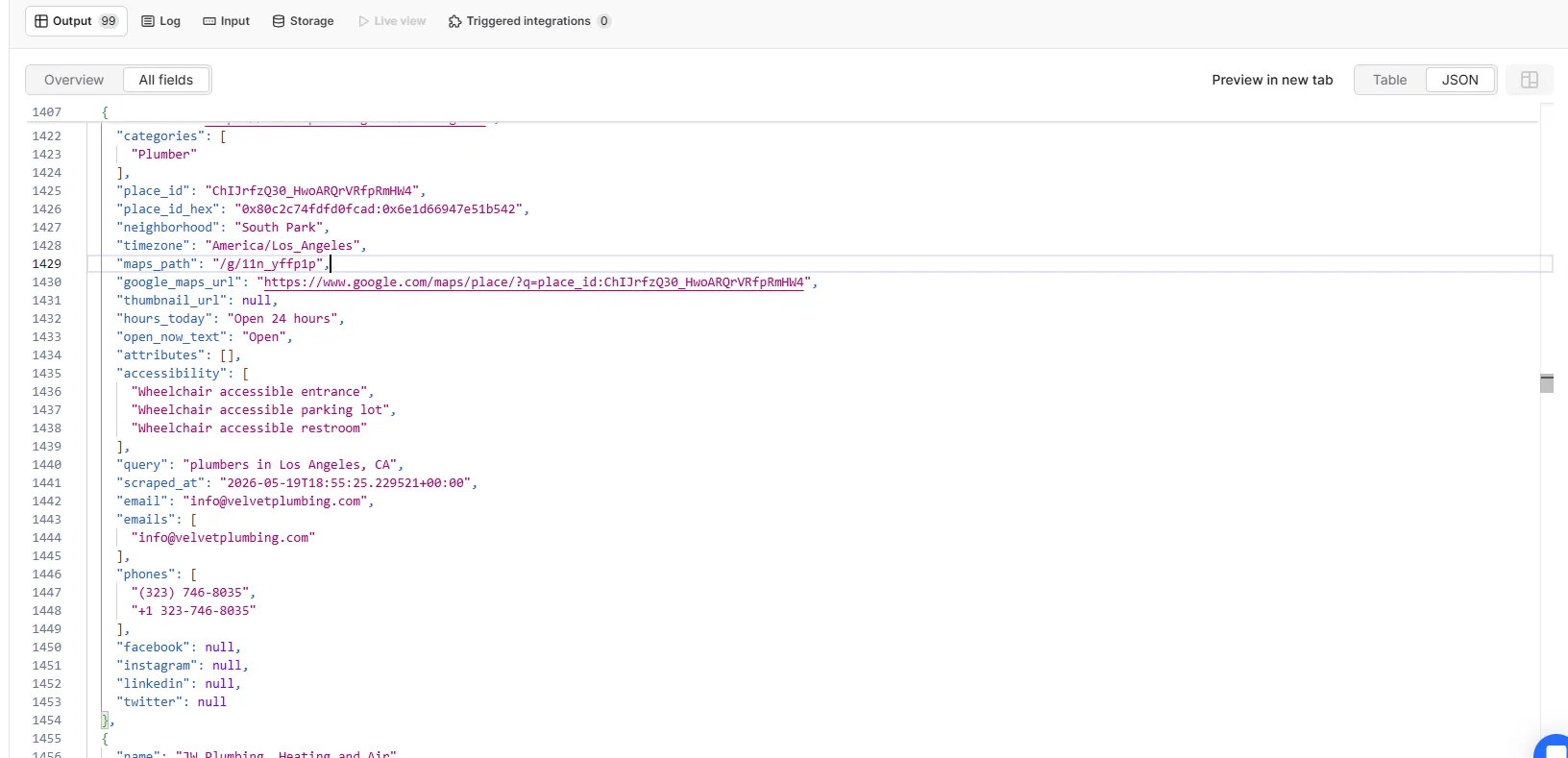
For each business, the actor returns everything Google Maps has plus the contact details found on the business website:
From Google Maps:
- Business name
- Full address (street, city, state, ZIP — parsed separately)
- Primary phone number in local and international format
- All phone numbers collected (including any extra numbers found on the website)
- Website URL
- Star rating and review count
- GPS coordinates (latitude and longitude)
- Business categories
- Google Maps place ID and direct Maps link
- Neighborhood or district name
- Timezone
- Today's opening hours and current open/closed status
- Thumbnail image URL
- Business attributes (Women-owned, LGBTQ+ friendly, Veteran-owned, Black-owned, etc.)
- Accessibility features
From the business website:
- Primary business email address
- All email addresses found on the site
- Facebook page URL
- Instagram profile URL
- LinkedIn company page URL
- Twitter/X profile URL
Output fields
| Field | Type | Description |
|---|---|---|
name | string | Business name as listed on Google Maps |
full_address | string | Complete street address including city, state, and ZIP |
city | string | City extracted from the address |
state | string | State abbreviation (e.g. FL, NY, CA) |
state_full | string | Full state name (e.g. Florida, New York, California) |
zip_code | string | ZIP or postal code |
country | string | Two-letter country code (e.g. US, GB) |
latitude | number | GPS latitude coordinate |
longitude | number | GPS longitude coordinate |
rating | number | Average star rating (1.0 to 5.0) |
review_count | integer | Total number of Google Maps reviews |
phone | string | Primary phone in local format, e.g. (305) 555-1234 |
phone_international | string | Primary phone in international format, e.g. +13055551234 |
phones | array | All phone numbers collected, including any extra numbers found on the website |
website | string | Business website URL |
email | string | Primary business email address extracted from the website |
emails | array | All email addresses found on the business website |
facebook | string | Facebook page or profile URL |
instagram | string | Instagram profile URL |
linkedin | string | LinkedIn company page URL |
twitter | string | Twitter/X profile URL |
categories | array | Business category labels from Google Maps |
place_id | string | Unique Google Maps place identifier (ChIJ... format) |
place_id_hex | string | Hexadecimal internal place identifier |
neighborhood | string | Neighborhood or district name |
timezone | string | IANA timezone, e.g. America/New_York |
maps_path | string | Short Google Maps path, e.g. /g/abc123 |
google_maps_url | string | Direct Google Maps URL for this business |
thumbnail_url | string | Business thumbnail image URL from Google |
hours_today | string | Today's hours, e.g. 8 AM-5 PM or Open 24 hours |
open_now_text | string | Current status, e.g. Open or Closed · Opens 8 AM |
attributes | array | Identity labels: Women-owned, LGBTQ+ friendly, Veteran-owned, etc. |
accessibility | array | Accessibility features: Wheelchair accessible entrance, etc. |
query | string | The search query that returned this result |
scraped_at | string | ISO 8601 timestamp of when this record was collected |
What you can do with this data
Most people doing outreach manually research 20 to 30 businesses per hour. Running a query here takes minutes and returns hundreds of enriched contacts. Here is what this actually gets used for:
- Cold email outreach: build targeted prospect lists with verified email addresses for contractors, dentists, lawyers, gyms, restaurants, or any category in any city — ready to import into your email tool
- B2B lead generation: collect names, phone numbers, emails, and LinkedIn pages for direct outreach campaigns across specific ZIP codes or neighborhoods
- Social media and ad targeting: find Instagram and Facebook pages for local businesses to run geo-targeted campaigns or identify partnership and influencer opportunities
- Sales prospecting: get direct contact emails and phone numbers for decision-makers at local businesses without spending hours on manual research
- CRM enrichment: append verified addresses, phone numbers, emails, and social profiles to existing records using Google Maps place IDs as the linking key
- Agency client prospecting: search by industry and city, then filter for businesses without websites or with thin social presence to find clients who need help
- Market research: run the same category query across multiple cities, compare result counts and ratings, and identify underserved markets
- Local SEO benchmarking: pull competitor ratings, review counts, and social presence for every listing in a category to see exactly where each one stands
- Franchise scouting: query multiple cities with the same category search to find coverage gaps before committing to a market
- Real estate research: find businesses near a target property by ZIP code and collect contact details to build neighborhood profiles or tenant partnership lists
- Event and vendor sourcing: find caterers, photographers, venues, and florists in any city with their direct contact details in a single run
- Directory building: collect complete business listings with contact information for an entire city or industry to power a local directory or lead database
- International outreach: works in any country — set language and country to collect business emails and social profiles in the UK, Canada, Japan, Germany, and more
Without this, here's what you're doing instead
You're spending three to four hours building a 200-contact list that should take ten minutes. You're paying list vendors for data that hasn't been updated since last year. You're sending outreach to phone numbers only because the email took too long to find. You're watching competitors move faster on the same prospects because they are not doing the same manual work you are.
Every hour spent visiting websites and copying emails is an hour not spent on the actual outreach. The research itself closes no deals.
Input
| Parameter | Type | Default | Description |
|---|---|---|---|
searchQueries | array | required | One or more search queries. Each can return up to 200 results. |
language | string | en | Language code for results (e.g. en, es, fr, ja). |
country | string | us | Two-letter country code to localize results (e.g. us, gb, ca). |
maxResultsPerQuery | integer | 10 | Max results per query. Default is 10, maximum is 200. The actor paginates automatically. |
maxTotalResults | integer | 50000 | Total result cap across all queries per run. |
proxyConfiguration | object | Datacenter (Anywhere) | Proxy type and location. Supports Datacenter, Residential, and custom proxies. Optional. |
Example input
FAQ
What email addresses does this actor collect?
The actor visits each business website and extracts email addresses publicly listed there. It returns both business domain emails (e.g. info@company.com) and personal contact emails (e.g. owner@gmail.com) if they appear on the site. The email field is the primary address and emails contains the full list found.
What social media platforms are supported? Facebook, Instagram, LinkedIn, and Twitter/X. One URL per platform per business is returned.
What happens if a business has no website or no email?
The email, emails, facebook, instagram, linkedin, and twitter fields return null or empty arrays. All Google Maps data — address, phone, rating, coordinates — is still returned for every business regardless.
How many results does each query return? Up to 10 per query by default. You can increase this up to 200 per query. The actor paginates automatically. If Google has fewer results for a specific query, you get whatever is available.
Can I search by ZIP code?
Yes. Queries like "plumbers near 90210" or "dentists in zip 10001 New York" work exactly the same as city-name queries.
Does it work outside the US?
Yes. Set language and country to match your target region. For example, language: "en", country: "gb" for the UK, or language: "ja", country: "jp" for Japan. Phone numbers and addresses are returned in local format.
Are duplicate businesses removed? Yes. Results are deduplicated by Google Maps place ID across all queries in the same run. If the same business appears in two queries, you get one record.
Do results appear while the run is still going? Yes. Each business record is pushed to your dataset the moment its contact extraction finishes, so data appears one record at a time as the actor works — no waiting for the full run to complete.
Can I run many queries at once? Yes, up to 5 queries run in parallel. Pass in hundreds and they process in batches automatically.
Integrations
Connect Google Maps Email Extractor with other tools via Apify integrations. Works with Make, Zapier, Slack, Airbyte, GitHub, Google Sheets, Google Drive, and others. Webhooks let you trigger downstream actions the moment results are ready.
Powered by EmailReach.io
Email and social media extraction is powered by EmailReach.io, which helps discover publicly listed emails, phone numbers, and social profiles from business websites. Without it, this actor would only return data directly available from Google Maps.