

YouTube AI Summary, Transcript & Channel Analytics
Pricing
from $1.85 / 1,000 video or channel rows
YouTube AI Summary, Transcript & Channel Analytics
AI summaries (short, detailed, key points), timestamped AI descriptions and official captions for YouTube videos, plus channel analytics: posting frequency, engagement, rising topics and keywords. Bring your own AI key. Captions only, never audio. Not affiliated with YouTube.
Pricing
from $1.85 / 1,000 video or channel rows
Rating
0.0
(0)
Developer

Badr Bouargan
Maintained by CommunityActor stats
0
Bookmarked
2
Total users
1
Monthly active users
a day ago
Last modified
Categories
Features
Share
YouTube AI Summary & Channel Analytics
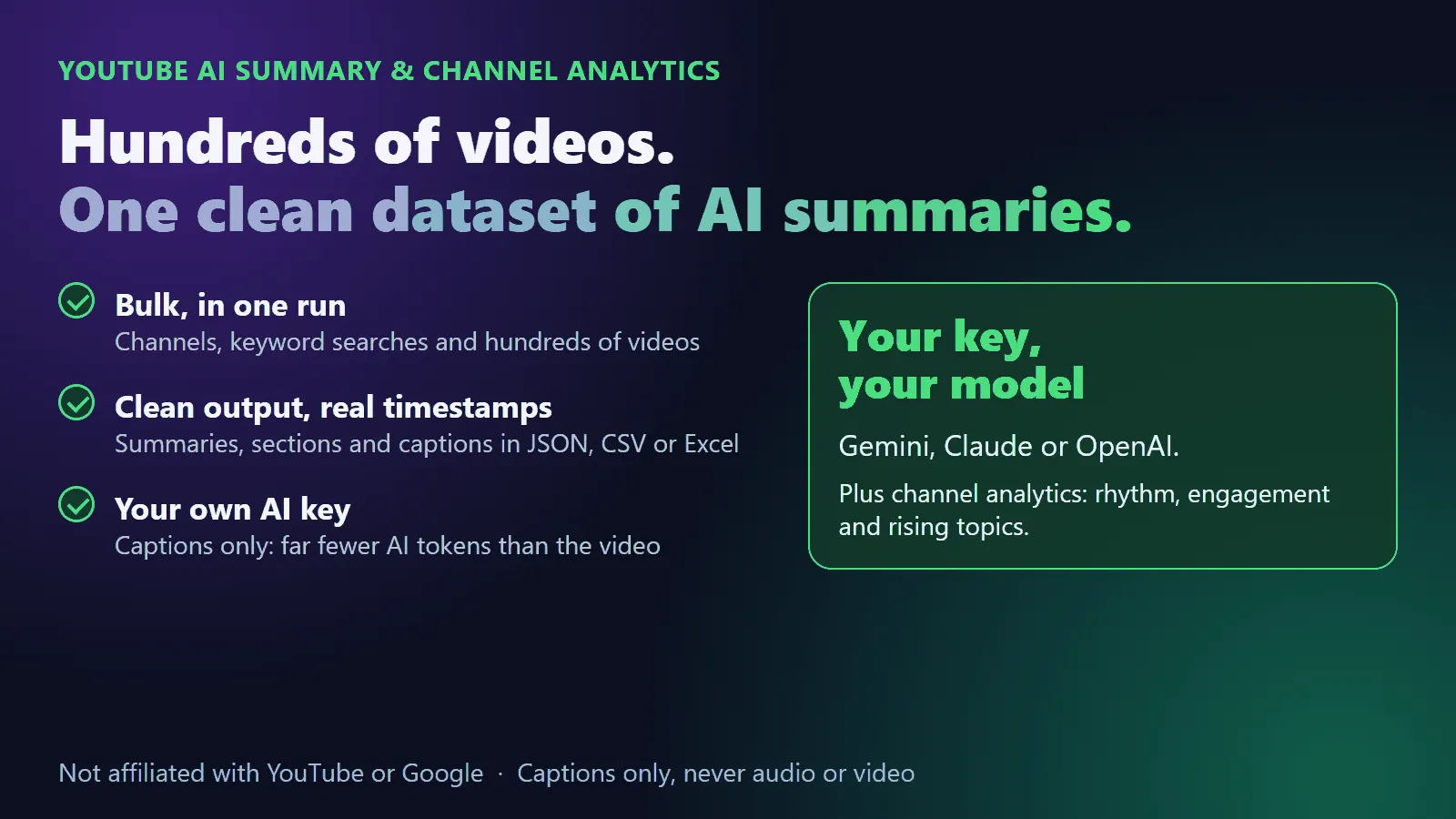
Summarize hundreds of YouTube videos and whole channels in one run with your own AI key, and get one clean dataset with real timestamps.
- 📦 Channels, searches and hundreds of videos in one run: mix video links, channels and keyword searches.
- 🕒 Clean output with real timestamps: summaries, sections and captions in JSON, CSV or Excel.
- 🔑 Your own Gemini, Claude or OpenAI key, and your model. Captions only, never audio or video: far fewer AI tokens than sending the video.
💰 Cost example (Free plan prices): 1 channel and 30 videos with captions, AI summary, AI sections and channel analysis cost about $0.87 (about $0.94 from December 13, 2026, when the video row price changes), plus your own AI tokens. Details in Pricing.
Images marked Illustrative example and the JSON examples on this page use fictional data. This Actor is not affiliated with, endorsed by or sponsored by YouTube or Google.
Try it: run it with the prefilled input (no AI key needed for videos, captions and channel analytics), then add your AI key for summaries.
What you get
| Feature | Details |
|---|---|
| 🎬 Videos, channels and searches | Video links or IDs, channels (URL, UC… ID or @handle) and keyword searches. You can give several of each in one run, with limits per channel and per search. |
| 📅 Date filter, free | Use publishedAfter / publishedBefore (2026-01-31 or "30 days") or maxAgeDays. It works on channels, searches and videos and costs nothing extra. |
| 📝 Official captions with timestamps | [{start, end, text}] segments from the caption track the channel published. If there is none, YouTube's automatic captions are used, and they are always marked source: "auto" with a plain-English note. |
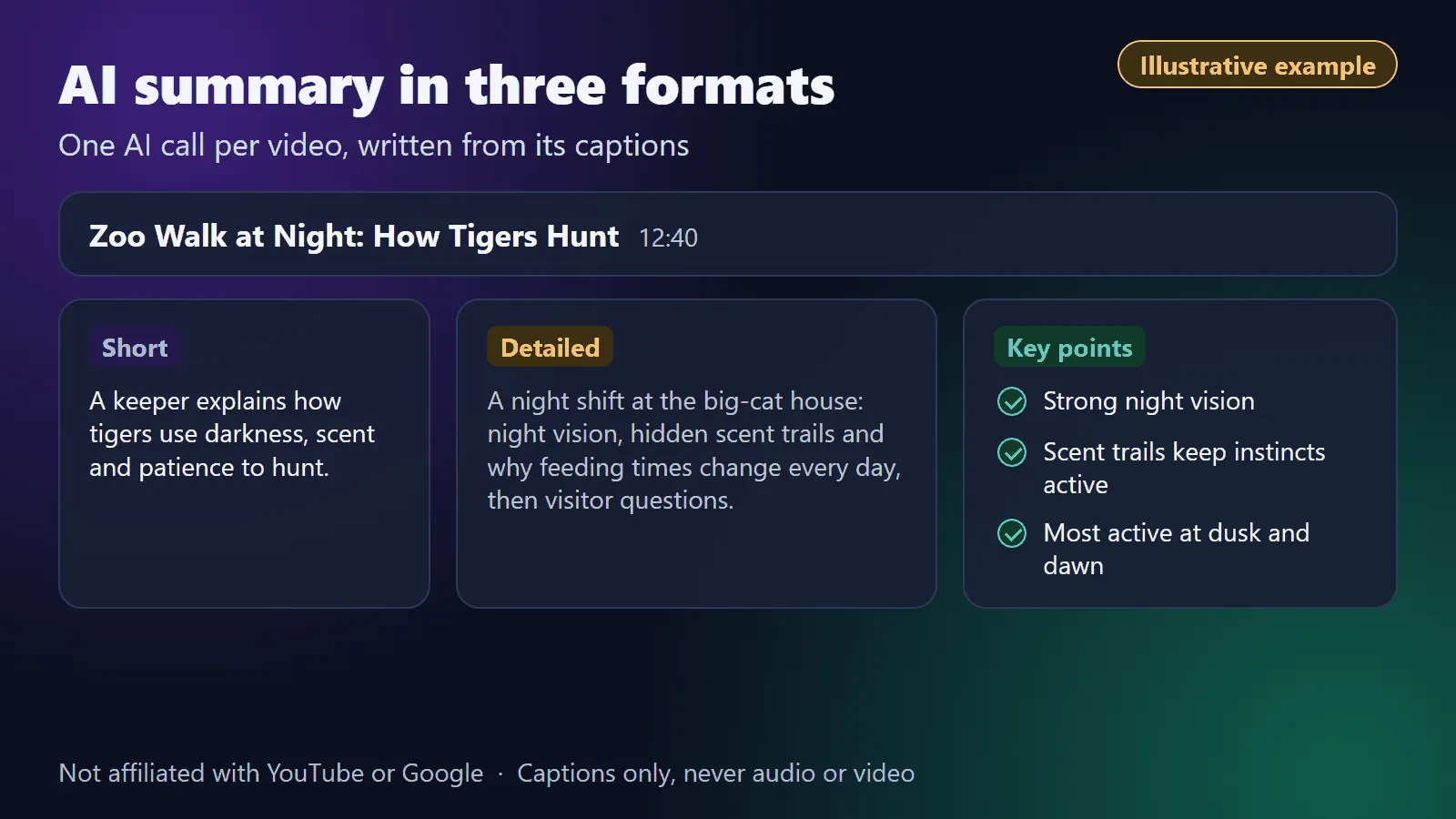
| 🤖 AI summary in 3 formats | Short (1–2 sentences), detailed (2–4 paragraphs) and key points (3–8 bullets), all from one AI call per video. |
| 🧭 AI description by sections | The video is split into timestamped sections, each with a title and what is said in it. Every section starts on a real caption timestamp. |
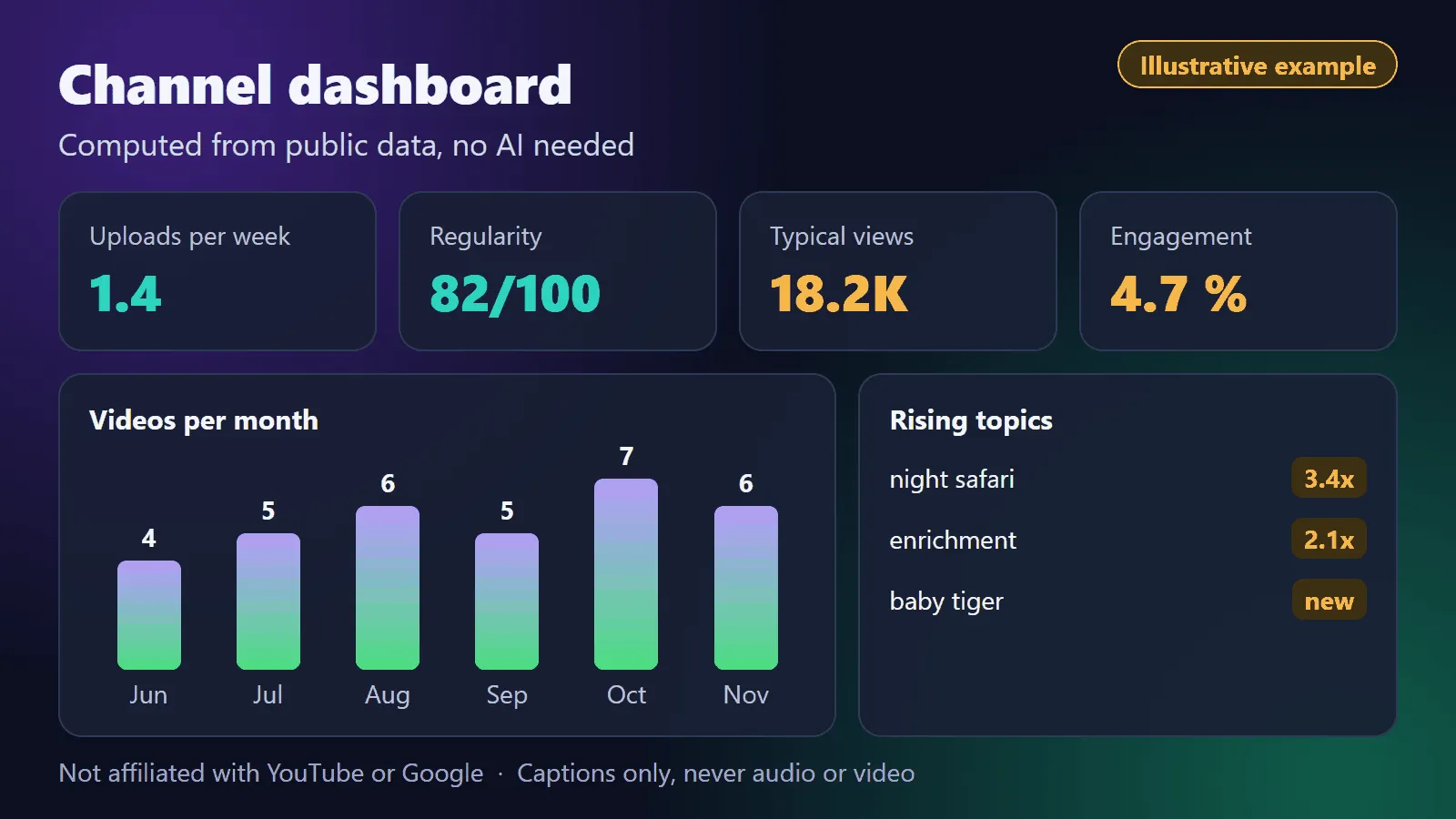
| 📊 Channel analytics | Uploads per week, days between uploads, a consistency score, the most active weekday and hour, median views, views per day, outliers, engagement, Shorts and live share, durations, caption coverage, top keywords, tags and hashtags, and rising topics. |
| 💡 AI channel insights (optional) | Main topics, content pillars, an audience guess (clearly labelled as an AI estimate) and video ideas. |
| 🧱 Clean, separated output | Each row has youtube (what YouTube publishes), computed (what this Actor calculates) and ai (what your AI wrote), plus sourceUrl and collectedAt. A flat mode is available for spreadsheets. |
Who it is for
- Researchers and analysts: summarize dozens of talks, lectures or reviews and keep the timestamps to cite them.
- Marketers and agencies: audit a creator's channel before a partnership (rhythm, engagement, topics).
- Content teams: see which subjects are rising on a channel and turn videos into notes, show notes or briefs.
- AI and RAG builders: get timestamped caption segments plus structured summaries as clean JSON.
Why not just paste the video into ChatGPT or Gemini?
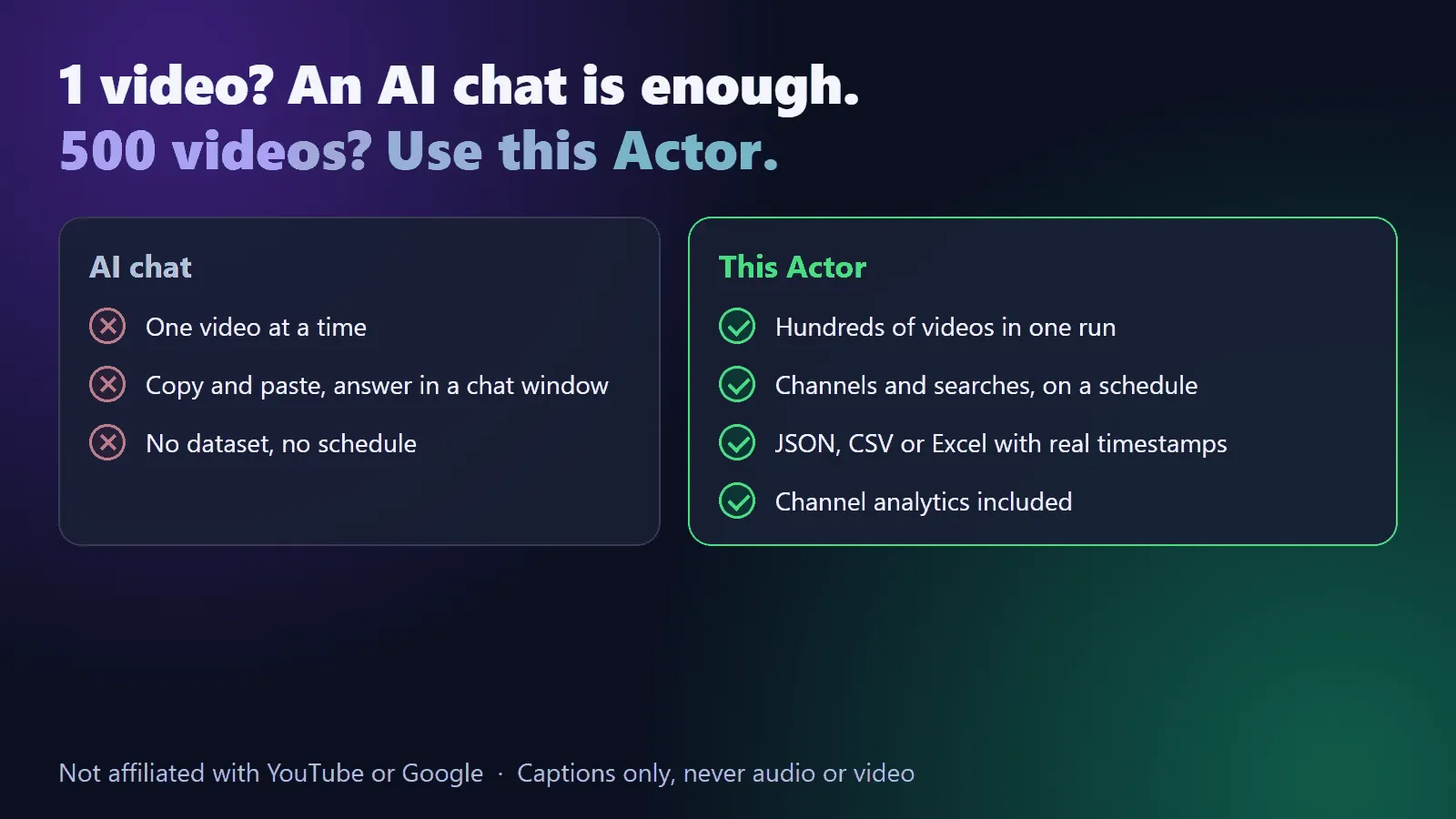
For one video, an AI chat is enough. This Actor is built for the rest:
- Bulk work: whole channels, keyword searches and hundreds of videos in one run, on a schedule, connected to Make, n8n, Zapier or Google Sheets.
- Structured output: JSON, CSV or Excel with the real caption timestamps, ready for a spreadsheet, a database or a RAG pipeline.
- Channel analytics without AI: posting frequency, regularity, engagement, views per day and rising topics, computed from public data.
- Lower AI cost: only the caption text is sent to your AI, not the video, so each summary uses far fewer AI tokens.
How to use it
- Paste videos, channels and/or keyword searches.
- Pick the options you need: captions, AI summary, AI description, channel analysis, AI insights.
- For AI options, choose your provider (Gemini, Claude or OpenAI) and paste your own API key. No AI key? Gemini offers a free tier in many countries: create a key at aistudio.google.com/app/apikey.
- Run, then download JSON, CSV or Excel, or open the visual report.
Example 1: summarize two videos
Example 2: analyse channels over the last 90 days
Example 3: keyword research with AI insights, flat output
Output
Illustrative example with fictional data, shortened.
Each channel also gives a type: "channel" row. Its youtube block holds the profile (title, handle, subscribers, verified, description) and its computed.analysis block holds the analytics: activity, performance, engagement, format, keywords (top keywords, tags, hashtags, rising topics) and limits. With AI insights on, its ai.channelInsights block is filled too.
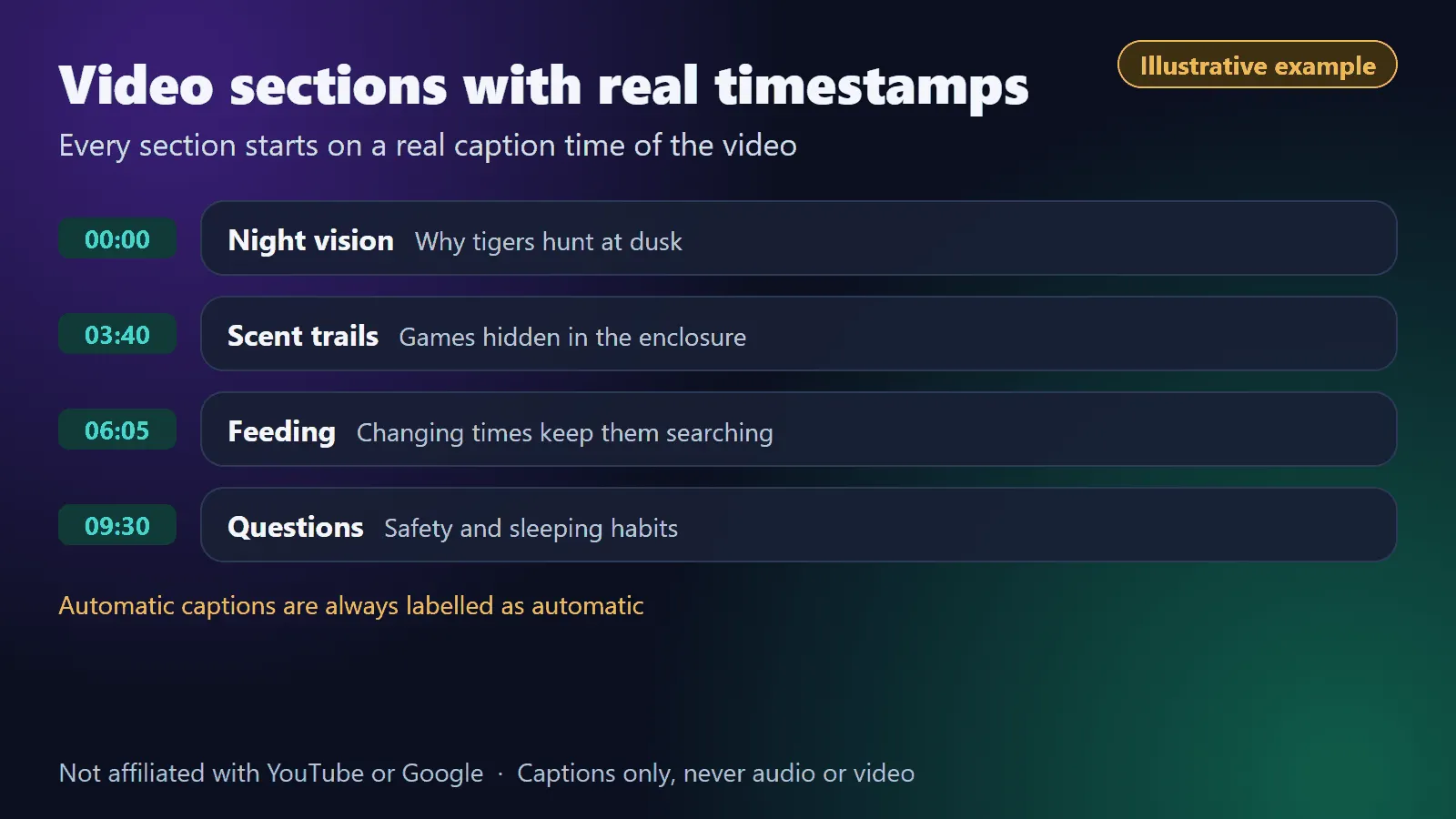
Automatic captions are always marked. When a channel published no caption track and YouTube's automatic captions are used, you see:
youtube.captions.source: "auto"andisAutoGenerated: true;ai.captionSource: "auto"andstatus.captionSource: "auto";- a note: "Based on YouTube automatic captions… names and technical words may be wrong."
To use only captions the channel published, set allowAutoCaptions: false.
Dataset views: Overview, AI summaries, Captions, Channel analytics. Run files: visual report, RUN_SUMMARY (units counted and charged per event, AI tokens) and FAILED_INPUTS (never charged).
Pricing (pay per event)
The Pricing tab of this Store page is the reference for current prices.
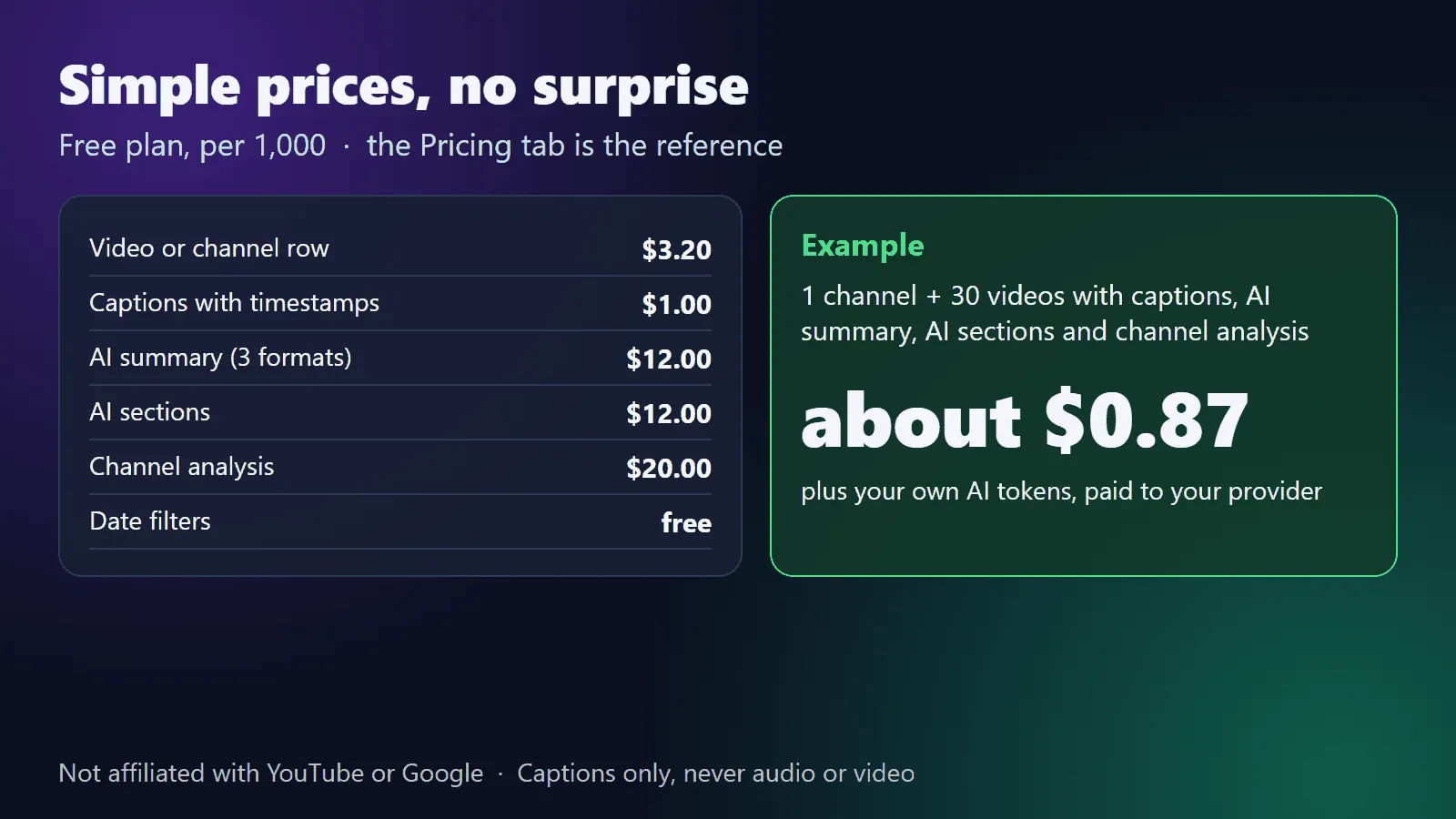
| Event (per 1,000) | Free | Starter | Scale | Business | Platinum | Diamond |
|---|---|---|---|---|---|---|
| Video or channel row | $3.20 | $2.50 | $2.10 | $1.85 | $1.85 | $1.85 |
| Video or channel row from December 13, 2026 | $5.50 | $5.00 | $4.50 | $4.00 | $4.00 | $4.00 |
| Captions with timestamps (only videos that have them) | $1.00 | $0.80 | $0.70 | $0.60 | $0.60 | $0.60 |
| AI summary (short + detailed + key points, per video) | $12.00 | $9.60 | $8.40 | $6.00 | $6.00 | $6.00 |
| AI description by sections (per video) | $12.00 | $9.60 | $8.40 | $6.00 | $6.00 | $6.00 |
| Channel analysis (per channel) | $20.00 | $16.00 | $14.00 | $12.00 | $12.00 | $12.00 |
| AI channel insights (per channel) | $12.00 | $9.60 | $8.40 | $6.00 | $6.00 | $6.00 |
| Enhanced recovery (residential proxy, opt-in) | $20.00 | $20.00 | $20.00 | $20.00 | $20.00 | $20.00 |
| Date filters | free | free | free | free | free | free |
- AI events are counted per video (see the table above).
- Nothing is charged for a video without captions, an AI error, a failed input or a row that could not be saved.
- Rows with incomplete details are free. If YouTube refuses the full video page, the row is still saved (
status.detailsLevel: "partial"or"listing"), but no video, captions or AI event is charged for it. The run summary counts these rows inpartialRowsNotCharged. - Your AI tokens are paid to your AI provider directly. With the default cheapest models this is usually a fraction of a cent per video; check your provider's prices.
- "Maximum cost per run" is always respected.
Example (Free plan prices): 1 channel and 30 videos, with captions, AI summary, AI description and channel analysis: 30 × ($3.20 + $1.00 + $12.00 + $12.00) / 1,000 + $3.20 / 1,000 for the channel row + $20.00 / 1,000 for the channel analysis = about $0.87, plus your own AI tokens. From December 13, 2026 (video or channel row $5.50 on Free): 30 × ($5.50 + $1.00 + $12.00 + $12.00) / 1,000 + $5.50 / 1,000 + $20.00 / 1,000 = about $0.94.
API and integrations
Run it from your code with the Apify API client, or connect it to Make, n8n, Zapier or Google Sheets, or to AI assistants through the Apify MCP server.
FAQ
Does it transcribe audio for videos without captions? No. The Actor reads only caption text that YouTube already publishes. It never downloads or transcribes audio or video. A video without captions gets status.captions: "noCaptions", and no AI or caption event is charged for it.
Does the AI see the images of the video? No. Summaries and sections describe what is said, from the captions.
Which AI providers work? Google Gemini (default model gemini-3.5-flash-lite), Anthropic Claude (claude-haiku-5-5) and OpenAI (gpt-6-luna). You can set another model id in aiModel.
Is my API key safe? The key field is a secret field, encrypted by Apify. The key is sent only to your provider, in a header. It is never written to logs, the dataset, the report or the key-value store. If the key is wrong or your account is out of credit, the run stops with a clear message and nothing more is charged.
Can you use your own key for me (managed key)? Not at the moment. This Actor works only with your own key.
Am I charged for rows with incomplete details? No. Rows with incomplete details are free: if YouTube refuses the full page of a video, the Actor still saves what it got (status.detailsLevel is "partial" or "listing", and status.detailsNote says what is missing) and charges nothing for that row.
How many videos can I analyse? Up to 1,000 per channel or search per run. Channel analysis uses up to 500 recent videos (analysisSampleSize). Dates of videos that are not opened come from the channel list, where YouTube shows "3 weeks ago", so they are approximate. The analysis says so in datesPrecision.
What are "rising topics"? Keywords whose share of views is higher in the recent half of a channel's analysed videos than in the older half. They show what is growing on that channel, not YouTube's Trending page.
I need comments, playlists in bulk or the cheapest raw data. Use YouTube Data Scraper. It is built for raw data at scale.
Limits
-
Public videos and channels only. No login, no cookies, no CAPTCHA solving, and no access to private, members-only or age-restricted content.
-
Subscriber history, audience data, watch time and revenue are not public, so the Actor does not provide them.
-
Very long videos (about 2 hours of speech or more) are sent to the AI in a shortened form that still covers the whole video. These rows show
ai.inputTruncated: true. -
YouTube sometimes refuses automated requests. Each item is retried up to 8 times with new IPs. Enhanced recovery through a residential proxy is off by default and only runs if you turn it on.
-
When YouTube refuses the full page of several videos in a row, the next videos are delivered with the data from the channel or search list only: title, views, duration and channel. These rows are marked
status.detailsLevel: "listing"and carry astatus.detailsNote. Likes, comments, the exact date, captions and AI are missing on them, and these rows are free (no video, captions or AI event). For full details, choose the RESIDENTIAL proxy group or turn on enhanced recovery. -
Sometimes YouTube answers with the video page but not the player data. The row is then marked
status.detailsLevel: "partial", and itsstatus.detailsNotelists the missing values. Captions cannot be read in that case, so the row showsstatus.captions: "captionsUnavailable"instead of"noCaptions", and the row is free (no video, captions or AI event). -
A video that YouTube refuses after every attempt, with no list data to fall back on, goes to
FAILED_INPUTSwith the codeBLOCKED_BY_YOUTUBEand is never charged. -
If a run gets close to its timeout, the Actor stops starting new work about 90 seconds before. It saves everything done so far and ends normally; the items it did not reach are listed in
FAILED_INPUTSwith the codeTIME_LIMIT. To finish them, raise the timeout or lower the limits.
Privacy and compliance
- The Actor reads only public pages, and only the information YouTube shows to every visitor.
- No media files are downloaded or stored.
- Channel rows describe channels (public profiles). The audience guess is labelled as an AI estimate.
- You are responsible for using the data in line with the laws that apply to you (for example GDPR) and with YouTube's terms.
Related Actors
Other Actors by the same developer that work well with this one:
- YouTube Scraper – bulk videos, channels, playlists and comments.
- YouTube Email Scraper – contact the creators you analysed through the e-mails they publish.


