🔥 Apple Store Api
Pricing
from $0.20 / 1,000 app results
🔥 Apple Store Api
🚀 Discover the "Apple Store API" by Bebity! Unlock the power of the Apple Store and unleash its vast potential with ease and efficiency! 🌟 Whether you are an app developer 🛠️, a data analyst 📊, or a marketer 🚀, this versatile tool is your ultimate companion for all your Apple Store data needs.
Pricing
from $0.20 / 1,000 app results
Rating
5.0
(1)
Developer

Bebity
Maintained by CommunityActor stats
4
Bookmarked
93
Total users
1
Monthly active users
a month ago
Last modified
Categories
Share
Apple App Store Scraper — apps, charts, reviews, in-app purchases & version history
Brought to you by Bebity
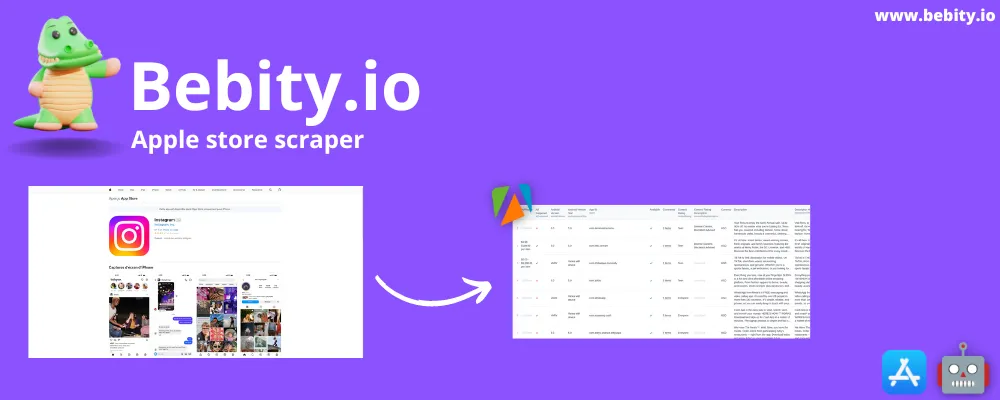
Apple App Store Scraper turns the App Store into clean datasets: app details, search results, top charts, developer catalogues, similar apps, ratings histograms, privacy labels, in-app purchases, version history — and user reviews with developer replies, far beyond Apple's usual 500. Paste App Store URLs, app IDs, bundle IDs, search terms or developer names; pick what you want; get JSON, CSV or Excel. iPhone, iPad, Mac, Apple TV, Apple Watch and Vision Pro, in 115 countries.
🚀 Version 2 — a full rebuild
A ground-up rewrite of the engine, the input and the pricing. Reviews now go past the 500-review wall with developer replies and 4 sort orders; in-app purchases and version history are new; privacy labels work again; every failure is a visible row, never a silent empty run. Priced per result — see the changelog.
What does Apple App Store Scraper do?
The App Store has no public API for this data. Apple's official App Store Connect API only covers your own apps; the iTunes Search API returns thin rows and no reviews, charts, privacy or purchases. This actor is the missing App Store API: one input, four actions, three add-on boxes, two datasets.
| What you get | |
|---|---|
| 🔎 Search apps · action | Apps for a keyword, a top chart (free, paid, grossing, new) or a developer — by ID or by name |
| 📱 App details · action | The full listing: description, release notes, price, genres, size, languages, devices, screenshots, developer |
| 🧭 Similar apps · action | The App Store's "You might also like" apps, each as an app row |
| 💬 App reviews · action | Rating, title, text, date, votes, developer reply — up to 100,000 per app |
| 🏪 App Store page · box | Privacy nutrition labels, in-app purchases with local prices, the 25 latest versions, the app's chart rank and its ratings histogram |
| ⭐ Ratings · box | Total ratings and the 5★ → 1★ histogram |
Who is it for?
- App marketers & ASO teams — track rankings, competitors' listings, pricing and release cadence.
- Product managers — mine thousands of reviews and developer replies for bugs and feature requests.
- Market researchers & analysts — build category or country datasets from charts and search.
- Investors & agencies — monitor portfolios by developer, ratings trends and monetisation (in-app purchases).
- Privacy researchers — compare privacy labels across an entire category.
- Developers & AI agents — call it from the Apify API or MCP and get typed JSON back.
How to scrape App Store data — quick start
- Click Try for free.
- Pick one Action: Search apps, App details, Similar apps or App reviews.
- Fill its source — Apps for the last three (
https://apps.apple.com/us/app/id324684580,324684580orcom.spotify.client, one per line), Search terms, Chart or Developers for Search apps — and tick the extra info you want on each app. - Click Start. Apps land in the default dataset, reviews in the Reviews dataset. Export as JSON, CSV, Excel, XML or HTML, or read them from the API.
Example input
Everything about one app — full details, privacy, in-app purchases, version history, chart rank and ratings histogram:
A search and a chart in one run — Health & Fitness apps only, with their ratings histogram:
The 700 latest reviews of one app, developer replies included:
Example output
One app row from the first input (long strings and arrays shortened):
Two review rows (reviewer names anonymised):
Input parameters
| Parameter | Type | Default | What it does |
|---|---|---|---|
🔨 action | select, required | — | searchApps · appDetails · similarApps · appReviews — one per run |
➕ includeAppFullDetails | checkbox | on | The app's full details. Always on for appDetails; unticked, a search or similar apps give short rows (see below) |
➕ includeAppStorePage | checkbox | off | Privacy, in-app purchases, version history, chart rank and ratings histogram, from the app's App Store page |
➕ includeRatings | checkbox | off | Ratings total and histogram only — already in the previous box when it is ticked |
🔗 appIdsOrUrls | list | — | Read by appDetails, similarApps and appReviews: one app per line — numeric ID, bundle ID or App Store URL |
👤 developers | list | — | Read by searchApps: numeric developer ID or name (Supercell). Alone: the developer's whole catalogue. With searchTerms: filters the search results |
🔎 searchTerms | list | — | Read by searchApps: one keyword per line; each term is its own source |
📊 chart | select | none | Read by searchApps: top-free · top-paid · top-grossing · new · new-free · new-paid |
🏷️ genre | select | all | Apple's official list: 27 genres and 61 sub-genres, e.g. 6014 Games, 7012 Puzzle |
💬 maxReviewsPerApp | integer | 50 | Read by appReviews: 1 to 100,000 |
💬 reviewsSort | select | recent | Read by appReviews: recent · helpful · favorable (5★ first) · critical (1★ first) |
🌍 platform | select | iphone | iphone · ipad · mac · tv · watch · vision — applies to search and charts |
🌍 country | text | us | Two-letter store code — catalogue, prices and currency. Empty via the API: the country of the first App Store URL |
🌍 lang | text | en | Metadata language when the app is localised in that store (49 codes). Reviews are never translated |
⚙️ maxItems | integer | 200 | Hard cap on rows for the whole run, apps and reviews together |
The boxes apply to every app row the action produces — found apps, targeted apps or similar apps. appReviews produces reviews only, so the boxes have no effect there. On a source without full rows (iPhone, Apple TV, Watch or Vision search, a chart, similar apps), ticking ratings or filtering by developer or genre adds the full details automatically: they are needed to read ratings and filter reliably.
What data does it extract?
App rows — default dataset
| Group | Fields |
|---|---|
| Identity | id, appId (bundle ID), title, url, icon |
| Listing | description, releaseNotes, version, released, updated, genres, genreIds, primaryGenre, contentRating, advisories, languages, size, requiredOsVersion, supportedDevices, features, screenshots, ipadScreenshots, appletvScreenshots |
| Price | price, currency, free, formattedPrice |
| Developer | developer, developerId, developerUrl, developerWebsite, sellerName, developerConfidence (when resolved from a name) |
| Ratings | score, reviews (rating count), currentVersionScore, currentVersionReviews, ratings { total, histogram } |
| Enrichments | privacy, inAppPurchases [{ name, price }], versionHistory [{ version, date, releaseNotes }], chartRank { position, chart, genre, genreId } |
| Provenance | sourceType (search · chart · developer · direct · similar), sourceAppId, searchTerm, position, platform, scrapedAt |
Short rows. With includeAppFullDetails unticked, a row carries what the source itself gives: a chart gives name, icon, description, price, developer, genre and release date; an Apple TV, Watch or Vision search gives name, developer, rating, age rating and price type; an iPhone search or similar apps give the app ID and store URL only. Every field is still there — null when the source doesn't have it. An iPad or Mac search and a developer catalogue always give full rows.
An enrichment you did not ask for is absent from the row; one Apple does not publish is empty ([], or histogram: {}).
Review rows — Reviews dataset
id, appId, userName, userUrl, score, title, text, updated, voteCount, voteSum, isEdited, developerResponse { id, body, modified }, position, scrapedAt — plus version and url, which Apple does not publish with deep reviews (null).
Failed rows
A request that fails for good becomes a row: { "failed": true, "reason", "inputUrl", "error", "scrapedAt" }, with reason one of not-found · parse-error · rate-limited · timeout · chart-unavailable · developer-unresolved · upstream-empty. Both datasets have a Failed items view. Failed rows are never charged.
How much does it cost to scrape the App Store?
Pay per result — no subscription, no platform usage costs. You pay for the rows delivered, plus $0.00005 when a run starts.
| Event | Free plan | Bronze · Silver | Gold and above | Charged for |
|---|---|---|---|---|
scraped-app | $0.20 / 1,000 | $0.20 / 1,000 | $0.20 / 1,000 | each app row — search, chart, developer catalogue, app details, similar apps |
app-full-details | +$0.30 / 1,000 | +$0.30 / 1,000 | +$0.20 / 1,000 | each app row with full details — always with App details, and when ratings or a filter add them automatically |
app-public-store-details | +$0.30 / 1,000 | +$0.30 / 1,000 | +$0.20 / 1,000 | each App Store page read — privacy, in-app purchases, versions, chart rank and histogram, one charge however much it gives |
app-ratings | +$0.20 / 1,000 | +$0.20 / 1,000 | +$0.20 / 1,000 | each ratings histogram read on its own — never when the App Store page is ticked |
app-review | $0.50 / 1,000 | $0.40 / 1,000 | $0.40 / 1,000 | each review |
apify-actor-start | $0.00005 | $0.00005 | $0.00005 | once per run — Apify's start event, at the actor's fixed 1 GB |
| Run | Cost on the Free plan |
|---|---|
| 200 apps for one search term, full details | $0.10 |
| The top-free chart (100 apps), short rows | $0.02 |
| 50 apps with full details and their App Store page | $0.04 |
| 100 apps for a keyword with ratings | $0.07 |
| 5,000 critical reviews of one app | $2.50 — $2.00 from Bronze |
With the $5 of monthly credit on Apify's free plan, that is about 10,000 apps with full details or 10,000 reviews. Set a maximum cost per run in the run options, and maxItems, to cap any run. A box that brings nothing is not charged — a histogram Apple does not publish, or an App Store page that failed.
Modes at a glance
| Action | You fill… | You get |
|---|---|---|
searchApps | searchTerms | up to ~200 apps per term |
searchApps | chart (+ genre, platform) | up to 100 ranked apps |
searchApps | developers | the developer's catalogue, up to 200 apps |
searchApps | searchTerms + developers | the search results from those developers only |
appDetails | appIdsOrUrls | one row per app, full details included |
similarApps | appIdsOrUrls | one row per similar app, linked by sourceAppId |
appReviews | appIdsOrUrls | reviews only, in the Reviews dataset |
Limitations
- One action per run. Reviews of the apps a search finds take two runs: the search, then
appReviewson their IDs. - Short rows: without full details, an iPhone search or similar apps give the app ID and URL only.
- Search: about 200 apps per term, no pagination beyond. Apple TV, Watch and Vision searches return 12 apps per term. A Mac search also returns iPad apps that run on the Mac.
- Developers: 200 apps per developer. Charts: 100 apps. iPad has no new charts, Mac only top free, Apple TV top free/paid/grossing, Watch and Vision none. Apple ignores
genreon new charts: the actor filters them after the fact, so fewer than 100 apps can come back. - Reviews: up to 100,000 per app, one store per run. Deep reviews carry no app version and no review URL. Many apps have far fewer reviews — the run stops by itself.
- In-app purchases: the purchases the store page lists — 10 at most — with prices as the store prints them (
5,99 €). Version history: the 25 latest versions. - Mac apps: Apple publishes no ratings and no similar apps for the Mac App Store —
ratingsisnulland similar apps come back as a failed row explaining why. - Stores and languages: 115 country stores and 49 language codes; any other code is refused before a single request. The Stickers genre returns nothing on charts.
- Ratings, privacy, purchases and versions come from the App Store web page and can lag behind an Apple redesign — reported as a
parse-errorrow, never as silent empty data.
Tips
- One box for all the store extras. Privacy, in-app purchases, version history, chart rank and the ratings histogram come from the same App Store page — one
app-public-store-detailsper app. Tick ratings alone when the histogram is all you need: its page is 10× lighter. - Untick full details to list a chart or collect app IDs at $0.20 per 1,000.
- Paste URLs as they are. The country of the first URL becomes the run's store when you leave
countryempty via the API. - Developer names are resolved for you; each app row carries a
developerConfidence. Use the numeric ID when you need certainty. - Target the extremes of the review history with
criticalorfavorable— they reach the 1★ or 5★ reviews first, however old. - Raise
maxItemsfor review-heavy runs: it caps apps and reviews together. - Schedule the actor to track ranks, prices or new reviews over time, and connect it to Google Sheets, Slack, Make or Zapier from the Integrations tab.
FAQ
Is there an official App Store API? Apple's App Store Connect API only exposes your own apps. The iTunes Search API returns basic listings without reviews, charts, privacy labels or purchases. This actor reads Apple's public App Store pages and feeds and returns them as one structured API.
Is it legal to scrape the App Store? The actor only collects publicly visible data. Reviews contain reviewer pseudonyms: if you store them, handle them under the privacy law that applies to you (GDPR, CCPA). This is not legal advice.
How many reviews can I get? Up to 100,000 per app, per country store — Apple serves the full history (over 200,000 reviews measured on Spotify). The run stops by itself when an app has no more.
Why is version empty on reviews? Apple does not publish the reviewed app version with deep review history. Every other field — including the developer's reply — is there.
Which platforms are supported? iPhone, iPad, Mac, Apple TV, Apple Watch and Vision Pro, through platform. Details, reviews and privacy labels work for any app ID, whatever its platform.
Why did my run return fewer rows than expected? Check the Failed items view of each dataset: every failure has a reason. The other usual causes are maxItems and Apple's own caps listed in Limitations.
What happens if my input is invalid? The run stops before sending any request and nothing is charged: the log explains in red what to fix, and the run ends as succeeded. Values the input form itself forbids are refused by Apify before the run starts.
Can I call it from code or an AI agent? Yes — from the Apify API, the Python and JavaScript clients, or Apify's MCP server.
Something broke, or I need a field you don't have? Open an issue in the Issues tab — we read them. For a custom build, contact us at bebity.io.
More from Bebity
- Vinted Scraper — listings and seller profiles across 12 Vinted marketplaces
- Booking Scraper — hotels, apartments, hostels, B&Bs and villas by location, URL or property
- Glassdoor Jobs Scraper — job listings from Glassdoor
Changelog
Full history in CHANGELOG.md.
2.0.2 — 2026-09-15
Pay-per-event is live. App rows $0.20 / 1,000; full details and the App Store page +$0.30 / 1,000 (+$0.20 from Gold); ratings +$0.20 / 1,000; reviews $0.50 / 1,000 ($0.40 from Bronze); $0.00005 per run start.
2.0.1 — 2026-09-15
An invalid input no longer fails the run: the log explains what to fix, nothing is requested or charged, and the run ends as succeeded. Memory is fixed at 1 GB.
2.0.0 — 2026-09-15 · full rewrite
Breaking — input. One action per run: action is now searchApps, appDetails, similarApps or appReviews, and the extras are checkboxes — includeAppFullDetails (replaces fullDetail, on by default), includeAppStorePage, includeRatings. appIdOrUrl → appIdsOrUrls, devIdOrUrl → developers, search → searchTerms (all lists); collection / category → chart / genre; num → maxItems and maxReviewsPerApp. A v1 input is refused with a message that maps it to the new fields.
Breaking — output. App rows keep the 33 historical fields and their types (id and developerId stay numbers). Reviews moved to their own Reviews dataset. Failures are failed: true rows instead of empty runs.
New. Pay-per-event pricing · iPad, Mac, Apple TV, Watch and Vision · Apple TV charts · developer lookup by name · in-app purchases · version history · chart rank · reviews up to 100,000 per app with developer replies, isEdited and favorable / critical sorts · ratings histogram with its total · provenance fields (sourceType, searchTerm, position, sourceAppId).
Fixed. Privacy labels (dead since Apple removed the page token) · numeric app IDs sent as bundle IDs (0 rows) · App Store URLs never parsed · reviews capped at 50 · developer catalogues capped at 50 · rating counts truncated (42,036,572 read as 42).
0.0.18 — 2023-07
Legacy actor: a wrapper around the app-store-scraper library, on a monthly subscription.