

🔥 Booking Scraper
Pricing
from $0.90 / 1,000 results
🔥 Booking Scraper
⚡️ Fast, no-code Booking.com scraper with LLM- & 🤖 agent-optimized input & output. Extract hotels, apartments, hostels, B&Bs & villas by location, URL or property ID — prices, availability, star ratings, review scores, photos, facilities & coordinates. Export to JSON, CSV or Excel.
Pricing
from $0.90 / 1,000 results
Rating
0.0
(0)
Developer

Bebity
Maintained by CommunityActor stats
14
Bookmarked
583
Total users
4
Monthly active users
a month ago
Last modified
Categories
Share
Booking.com Stays Scraper
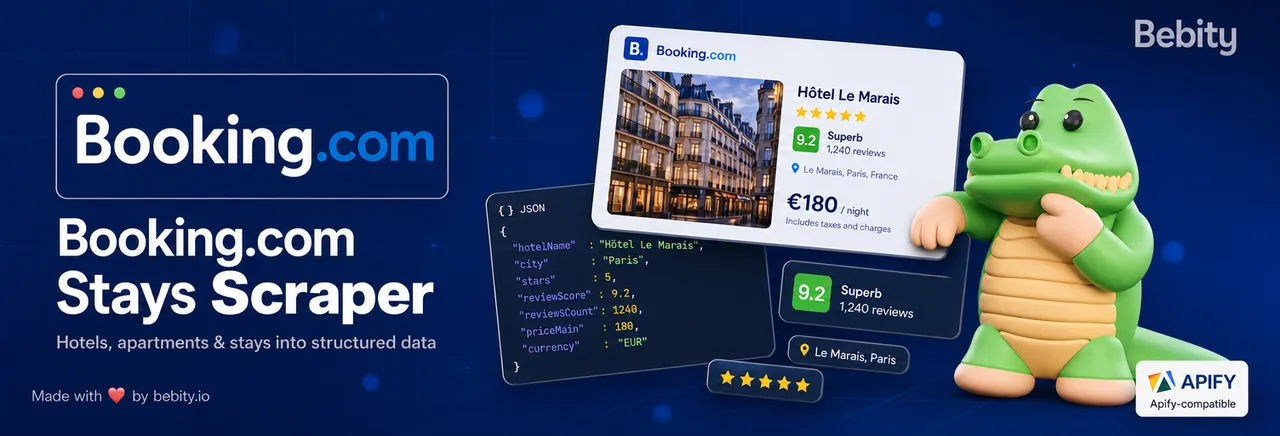
Scrape stays from Booking.com — hotels, apartments, hostels, B&Bs, villas — fast, with the full schema. Search by location & filters, by URL, by property ID, by geographic bounding box, or by hotel chain.
🤖 Built for LLMs & AI agents. Clean, typed JSON out — plain text, canonical URLs, stable IDs, zero HTML noise — ready to drop straight into RAG pipelines, vector stores, and agent tools. Typed input in, so an agent can fill it and call the actor over the API or MCP.
Fast by design. Runs start in seconds and results stream into your dataset as they're found. Everything about reaching Booking — proxies, anti-blocking, and retries — is handled for you: you bring a query, you get clean data back.
🏨 What does it do?
You give the actor a query — a city, a Booking search URL, a list of property URLs, a bounding box, or a hotel chain — and it returns one row per stay with name, prices, review score, photos, address, coordinates, facilities, and (optionally) the full hotel detail schema. Every output URL is canonicalised: tracking parameters are stripped so rows are deduplicable and shareable.
🤖 Built for LLMs & AI agents
Both the input and the output are designed to be consumed by language models and autonomous agents — not just humans.
Output → LLM-ready.
- 📐 Structured, typed JSON with a fully documented schema — every field carries a title and description, so a model knows exactly what it's reading.
- 🧹 No HTML, no tracking noise — plain-text descriptions, canonical URLs (tracking params stripped), image URLs (not bytes). Feed it straight into a RAG pipeline, vector store, or context window with no post-processing.
- 🔑 Stable IDs (
hotelId,cc/slug) for reliable de-duplication, joins, and incremental updates across runs. - ✅ Failures as data — failed rows are typed (
{ failed: true, reason, … }), so an agent can branch on them instead of scraping logs.
Input → agent-fillable.
- 🎛️ Typed input schema an agent can populate programmatically — JSON in, JSON out, no brittle form-filling.
- 🔌 Callable over the Apify API and via MCP — plug it into your agent framework (LangChain, LlamaIndex, custom tool-calling) as a ready-made Booking.com data tool.
- 🧩 One call returns a whole city — no pagination bookkeeping on your side; the actor fans out and de-duplicates for you.
👥 Who is it for?
- 🧳 Travel agencies and OTAs building hotel search/aggregation tools.
- 📊 Price-comparison and rate-parity teams monitoring nightly rates at scale.
- 🏨 Hotel revenue managers pulling competitive intel for a city.
- 🤖 Content aggregators and AI/RAG pipelines indexing detailed property descriptions, photos, and facilities.
- 🔬 Researchers mapping stay supply by neighborhood, chain, or sustainability tier.
☁️ Why run it on Apify?
This is a Booking.com data pipeline, not just a script — the Apify platform adds the parts you'd otherwise build and maintain yourself:
- 🗓️ Schedule runs (hourly, daily, weekly) to keep rate and availability data fresh.
- 🔌 Call it from your stack via the Apify API, or wire it into 5,000+ tools through native integrations (Make, Zapier, n8n, webhooks, Google Drive, Slack).
- 🌐 Residential proxy rotation is built in — no proxy list to buy or manage.
- 📈 Monitor every run, get failure alerts, and re-run jobs straight from the Console.
🚀 How to scrape Booking.com?
- Open the actor on the Apify Console.
- In Section 1 — Search by location & filters, type a destination (e.g.,
Paris), pick check-in / check-out dates, set adults/rooms. - (Optional) Pick a sort order, check
scrapeDetailsif you want the full schema, setcurrencyandlanguage. - Click Run. Data lands in the run's dataset as it streams.
📤 Example output (one row, lite mode)
With scrapeDetails: true, the row also gets description, photos[], facilities[], rooms[], houseRules, reviewBreakdown, propertyType, sustainability, plus address.latLng and address.full when available.
🎛️ Input parameters
The input is split into 8 collapsible sections in the Console. Below are the most common ones — see the input schema panel for the full list with per-field descriptions.
🔍 Section 1 — Search by location & filters
| Field | Type | Description |
|---|---|---|
location | string | City / area / property name. |
checkIn / checkOut | ISO date | Stay window. |
adults / children / childrenAges / rooms | integers | Guest mix. |
propertyClass | string[] | One or more star levels. |
reviewScoreMin | string | pleasant-6+ / good-7+ / very-good-8+ / wonderful-9+. |
priceMin / priceMax | integers | Budget per night, in currency. |
propertyTypes | string[] | Hotels / apartments / hostels / B&Bs / villas / boats / guesthouses / vacation-homes / homestays. |
mealPlans, hotelFacilities, roomFacilities, accessibleFacilities, accessibleRoomFacilities, stayType, paymentTypes, bedPreference, reservationPolicy, distanceFromCenter, ratedHigh, sustainabilityLevel | various | See input schema for the enum values. |
sortBy | string | Result ordering. |
🔗 Section 2 — Search by URL
| Field | Type | Description |
|---|---|---|
searchUrls | string[] | Paste full Booking search URLs. Useful for contextual filters not exposed above (district, chain, landmark). |
🗺️ Section 3 — Geographic search
| Field | Type | Description |
|---|---|---|
bbox | {north, south, east, west} | Bounding rectangle. |
center | {lat, lng} | Center point. Pair with radiusMeters. |
radiusMeters | integer | 500–50,000 meters. |
🏷️ Section 4 — Hotel chain
| Field | Type | Description |
|---|---|---|
chain | string | Restrict the search to a known chain. Combine with location for "Mercure in Paris"-style queries. |
📄 Section 5 — Direct property lookup
| Field | Type | Description |
|---|---|---|
propertyUrls | string[] | Direct hotel detail URLs. |
propertySlugs | {slug, cc}[] | Slug + ISO-2 country pairs. |
📦 Section 6 — Output
| Field | Type | Default | Description |
|---|---|---|---|
scrapeDetails | boolean | false | Adds rooms/photos/facilities/coords. +1 HTTP request per stay. |
maxItems | integer | 1000 | Hard ceiling. 0 = unlimited. |
🌍 Section 7 — Localization
| Field | Type | Default | Description |
|---|---|---|---|
currency | enum | EUR | Forces selected_currency URL param. |
language | enum | en-us | Forces lang URL param. |
⚙️ Section 8 — Advanced
| Field | Type | Default | Description |
|---|---|---|---|
maxConcurrency | integer | 5 | Parallel requests. |
proxyConfiguration | proxy | Apify residential | Custom proxy. |
📊 What data can I extract?
| Field | Type | Lite | Full | Description |
|---|---|---|---|---|
hotelId | integer | ✓ | ✓ | Booking's stable numeric ID. |
slug / cc | string | ✓ | ✓ | URL slug + ISO-2 country. |
name | string | ✓ | ✓ | Property name. |
url | string | ✓ | ✓ | Canonical detail URL. |
starRating | int | ✓ | ✓ | 1–5. |
reviewScore | number | ✓ | ✓ | 0–10 aggregate. |
reviewLabel | string | ✓ | ✓ | "Good", "Superb", … |
reviewCount | int | ✓ | ✓ | Total reviews. |
thumbnail | string | ✓ | ✓ | Pre-signed image URL. |
address | object | ✓ | ✓ | neighborhood, distanceFromCenterMeters, latLng, full. |
price | object | ✓ | ✓ | amount, total, currency, nightCount. |
badges | string[] | ✓ | ✓ | Cards-level annotations. |
description | string | ✓ | Property description. | |
photos | array | ✓ | { thumbnail, full, caption }[] — URLs only. | |
facilities | array | ✓ | Categorised amenities. | |
rooms | array | ✓ | Room offers, occupancy, bed type, price, conditions. | |
houseRules | object | ✓ | Check-in/out, pets, parties, smoking, children. | |
reviewBreakdown | object | ✓ | Per-category scores. | |
propertyType | string | ✓ | Hotel / Apartment / Hostel / … | |
sustainability | string | ✓ | Certification when present. | |
source | object | ✓ | ✓ | mode, srpvid, blockId, scrapedAt. |
Failed rows ship as { failed: true, reason, inputUrl, error, scrapedAt } — they're queryable just like data rows.
ℹ️
source.srpvidandsource.blockIdare Booking's search-scoped identifiers, handy for debugging a specific run. They are not stable across runs — always key onhotelId(orcc/slug) for de-duplication and joins.
Download any run's dataset as JSON, CSV, Excel, or HTML from the run's Storage tab, or pull it programmatically via the Apify API — a clean, no-code stand-in for an official Booking.com API.
💰 How much does it cost?
Pay-per-event (PPE) — you pay per stay returned, never per page or per run. A lite stay is billed once; a full stay adds the detail add-on on top.
🚀 Launch promo — 50% off the regular price for the first 2 months.
| Event | Launch (−50%) | Regular | Charged |
|---|---|---|---|
| Stay result | $1.25 / 1,000 | $2.50 / 1,000 | Once per stay returned — lite and full modes. |
| Full hotel detail (add-on) | $2.50 / 1,000 | $5.00 / 1,000 | Only with scrapeDetails: true (or direct-property modes), on top of the stay result. |
Which means, end to end:
| What you scrape | Launch (−50%) | Regular |
|---|---|---|
| Lite — list data (name, price, review score, stars, address, photos) | $1.25 / 1,000 stays | $2.50 / 1,000 |
| Full — everything above + rooms, facilities, coordinates, description, full gallery | $3.75 / 1,000 stays | $7.50 / 1,000 |
Prices are the list (Free-plan) rate — higher Apify subscription plans pay less automatically, shown as "from $…" on the actor's Store card. That's roughly half the going rate for Booking hotel data.
Worked examples (launch pricing):
| Job | Cost |
|---|---|
| List 1,000 hotels in Paris (lite) | $1.25 |
| List 5,000 hotels across a region (lite) | $6.25 |
| Full schema for 1,000 hotels | $3.75 |
| Full schema for 250 hotels | $0.94 |
You're never charged for failed rows, duplicate hotels, or retried requests — only for unique stays actually returned to you. (A negligible Apify actor-start fee of ~$0.00005/run applies, as it does to every PPE actor.)
🧭 Scraping modes
| Section | Mode | Use case |
|---|---|---|
| 1. Location + filters | A | "All 4-star hotels in Paris under €300" |
| 2. Search URLs | B | "Pre-built Booking URL with district / chain / landmark filter" |
| 3. Bbox / center+radius | E | "All stays within this neighborhood polygon" |
| 4. Hotel chain | F | "All Mercure hotels in France" |
| 5. Direct property | C / D | "Just give me the schema for hotel camelia prestige" |
You can combine multiple modes in a single run — they're enqueued together and de-duplicated by hotelId / slug.
⚠️ Limitations
- ~1,000 stays per search. Booking limits how deep any single search can go. For broad cities (e.g., "Paris" → 4,256 properties) the actor automatically splits the search into smaller slices to reach the long tail — the limit still applies to each slice.
- No reviews list. This actor returns a review summary (score, count, label, breakdown), not individual reviews. The sister actor (coming soon) will handle full reviews.
- No flights / cars / attractions / airport taxis. Stays only.
- Image URLs, not files. We return image URLs; download the files yourself if you need them. (Intentional — it keeps runs fast and cheap.)
- Currency. Your chosen currency is applied reliably, but a handful of properties may fall back to another currency if Booking has no quote in yours.
- Desktop listings. Data reflects Booking's desktop results for consistency across runs.
💡 Tips & advanced options
- For chains not in the dropdown, copy the URL from Booking after applying their
chaincode=filter, paste it in section 2. - For neighborhood / district filters, same trick — apply on Booking, copy URL, paste in section 2.
- For huge cities, leave
maxItemsat the default 1000 unless you really need everything — Booking's pagination cap means past ~1000 results, the marginal cost grows fast. - For dataset deduplication, use
hotelId(orcc/slug) as the key. Both are stable across runs.
❓ FAQ
Q: Why is scrapeDetails: false the default?
A: Most buyers want a list, not detailed schemas. Lite mode skips the detail add-on, so it's 3× cheaper ($2.50 vs$7.50 / 1,000 stays at regular pricing). Flip it on only when you actually need rooms/photos/facilities.
Q: Will the scraper get blocked? A: No — anti-blocking is fully handled for you. The actor manages access and proxy rotation transparently and retries automatically when needed, so you just get your data. You're only charged for stays actually returned.
Q: Can I use my own proxies?
A: Yes. Section 8 → proxyConfiguration accepts custom URLs. Apify residential is the safe default.
Q: What if my input has extra fields, typos, or values from another scraper?
A: The run still works. Common field names are mapped automatically (query / search / keyword / city → location, startUrls → search or property URLs, maxResults → maxItems), unknown fields are ignored, and values that are out of range, misspelled, or in the wrong format are repaired — every fix is reported as a warning in the log so you can clean up your input. Invalid entries in a URL list are skipped individually instead of stopping the run, and stay dates that have gone by are dropped in favour of an undated search. If nothing searchable is left, the run finishes successfully with a single row explaining what to set — and charges you nothing.
Q: What time zone are dates / timestamps in?
A: scrapedAt is ISO-8601 in UTC. checkIn / checkOut are calendar dates with no time zone — they map to Booking's interpretation in the property's local time.
Q: Are output URLs OK to share? A: Yes — every URL in the dataset is cleaned of tracking parameters, so they're safe to store, de-duplicate, and share.
Q: Is it legal to scrape Booking.com? A: This actor collects only publicly available listing data — property names, prices, star ratings, review summaries, photos, and facilities. It does not log in, bypass any paywall, or extract private personal data. Scraping publicly available data is generally legal, but your results can still contain personal data (protected by the GDPR in the EU and similar laws elsewhere), so only collect and store what you have a legitimate reason to process — and consult a lawyer if you're unsure. See Apify's blog post on the legality of web scraping.
🛟 Support & feedback
Found a bug, need an output field we don't return yet, or want a Booking vertical we don't cover (flights, cars, attractions, reviews list)? Open a ticket on the Issues tab of this actor — it's monitored, and feature requests genuinely shape the roadmap. For a tailored or private build, reach out via the actor's Store page.
🗓️ Changelog
0.6 — Per-result pricing
- 💳 Billing moved from per-page to per-result — pay for stays returned, not pages fetched (
stay-resultbase +detail-resultadd-on). - 🚀 Launch promo: 50% off the regular price for the first 2 months.
- ✅ Failed rows, duplicate hotels, and retried requests are never charged.
- ⚡ Faster by default — tuned for speed.
0.5 — Setup & reliability
- 🧩 Works out of the box with less configuration; steadier behaviour on long runs.
0.4 — Data-privacy hardening
- 🔒 Your run's storage stays clean — no internal state left behind.
0.3 — Cleaner run logs
- 🧾 Friendlier, concise logs by default.
- 🏷️ Branded run-start summary in the log.
0.2 — Reliability & precise limits
- 🎯 Precise
maxItems— the run stops exactly at your limit instead of finishing the current page. - 🛡️ More reliable on large cities.
0.1 — Initial release
- 🔀 6 input modes: location + filters, search URL, direct property URL, slug + country, geo bounding box, and hotel chain.
- 🎛️ 16 typed filters for location search.
- 🏨 Optional full-detail enrichment (rooms, photos, facilities, coordinates, description).
- 🧭 Automatic search-splitting to reach past Booking's ~1,000-result cap on large cities.
- ⚡ Built for speed and low cost.
- 🌐 Apify residential proxy by default.


