

Indeed Jobs Scraper
Pricing
from $20.00 / 1,000 api calls
Indeed Jobs Scraper
Powerful, high-speed scraper extracting detailed job listings from Indeed.com. Quickly get structured data like job title, company, salary, location, posting date, descriptions, and direct job links. Perfect for recruiters, market analysis, and job seekers.
Pricing
from $20.00 / 1,000 api calls
Rating
0.0
(0)
Developer

Caprolok
Maintained by CommunityActor stats
4
Bookmarked
197
Total users
4
Monthly active users
13 hours ago
Last modified
Categories
Share
Indeed Jobs Scraper



Extract Indeed job listings by keyword and country. Get clean, structured rows (title, company, location, salary, posted date, description, job link, thumbnail) ready for recruiting workflows, market research, job monitors, and AI agents.
What it does
Enter a search keyword (and optional country / recency window). The actor returns structured Indeed job listings.
No Indeed login, cookies, or browser setup required.
When to use it
- Recruiters sourcing roles by keyword and country
- Job seekers building tailored lists
- Analysts tracking salary and hiring trends
- Developers powering job monitors or dashboards
- AI agents that need a typed dataset of open roles
Highlights
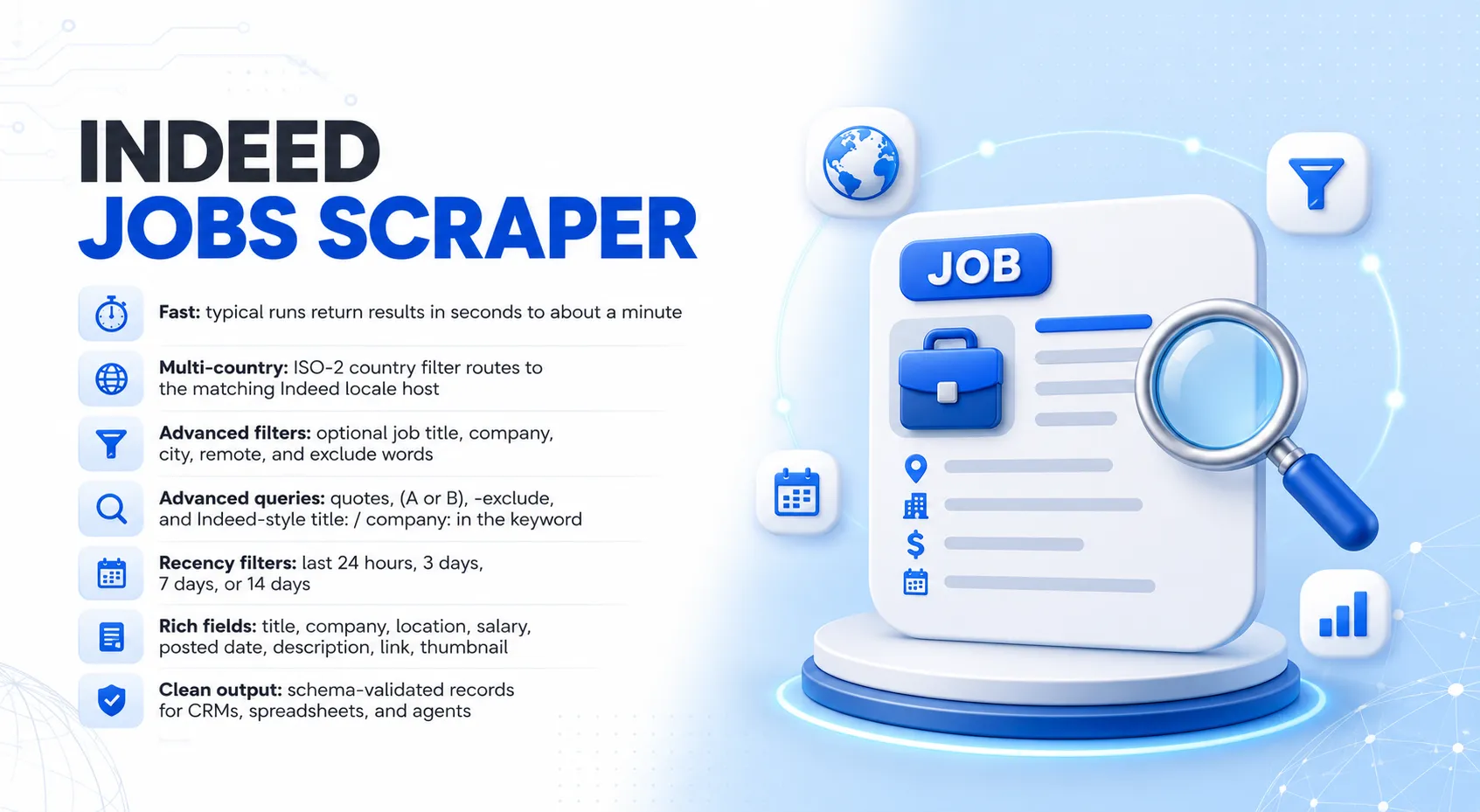
- Fast: typical runs return results in seconds to about a minute
- Multi-country: ISO-2 country filter routes to the matching Indeed locale host
- Advanced filters: optional job title, company, city, remote, and exclude words
- Advanced queries: quotes,
(A or B),-exclude, and Indeed-styletitle:/company:in the keyword - Recency filters: last 24 hours, 3 days, 7 days, or 14 days
- Rich fields: title, company, location, salary (when available), posted date, description, link, thumbnail
- Clean output: schema-validated records for CRMs, spreadsheets, and agents
How to use it
- Open the actor on Apify.
- Enter a keyword (and optionally a country and posted-within window).
- Optionally set Advanced filters (job title, company, city, remote, exclude words).
- Set how many jobs you need.
- Click Start. Download results as JSON, CSV, or Excel from the Storage tab.
Query tips
| Pattern | Example |
|---|---|
| Exact phrase | "software engineer" |
| Any of terms | (Python or Java) |
| Exclude in keyword | -junior -internship |
| Title (in keyword) | title:"Senior Developer" |
| Company (in keyword) | company:"Acme" |
Or use the Advanced input fields for title, company, city, remote, and exclude words.
Inputs
| Field | Type | Required | Default | Description |
|---|---|---|---|---|
keyword | string | yes | Search keyword / advanced query. | |
location | string (ISO-2) | no | US | Prefer jobs in this country. |
max_results | integer | yes | 20 | Maximum jobs to return. |
job_posted_in | string | no | 24 hours, 3 days, 7 days, or 14 days. Leave blank for a wider window. | |
title | string | no | Prefer this job title. | |
company | string | no | Prefer this employer name. | |
city | string | no | Prefer this city or area. | |
remote | boolean | no | false | Prefer remote roles. |
exclude | string[] | no | Words to exclude from results. |
Sample input
Outputs
| Field | Type | Description |
|---|---|---|
position | string | Job title. |
company | string | Company name when available. |
location | string | Job location text. |
salary | string | Salary / pay text when available. |
posted_date | string | Parsed date (YYYY-MM-DD) when available. |
description | string | Short snippet. |
link | string (URL) | Indeed viewjob URL. |
thumbnail | string (URL) | Listing image URL when available. |
Sample output
Pricing & limits
Pay-per-event. Mark the primary event in Console > Publication > Monetization (required for Store quality / monetization readiness).
| Event | When |
|---|---|
api_call (primary) | Per real job written to your dataset. Free-plan sample / upgrade-hint rows are not billed. |
platform-usage | Small top-up that tracks the run's actual Apify platform cost ($0.001 per event). |
You can cap spend per run with Apify's actorMaxPaidDatasetItems setting.
- Free Apify plan: a short sample of real results; further rows show an upgrade hint. Free users only use monthly free credit.
- Paid plans: full results up to
max_results.
Programmatic usage
Node.js:
Python:
cURL:
MCP (Model Context Protocol)
Use this actor from AI agents via the Apify MCP server (stdio or https://mcp.apify.com with your Apify token). Input and output schemas are published with the actor so agents can call it with typed arguments.
Integrations
Works with Make, Zapier, Airbyte, Slack, Google Sheets, GitHub, cloud storage, webhooks, and anything that can call the Apify API.
Troubleshooting
| Symptom | What to try |
|---|---|
| Zero results | Broaden the keyword, clear job_posted_in, or try another country. |
| Thin salary fields | Many listings omit pay text; try a broader keyword or another country. |
| Unexpected country mix | Set location to the ISO-2 country you want. |
| Locale language titles | Use local keywords (e.g. Softwareentwickler for DE). |
| Too broad | Set Advanced filters: title, company, city, remote, or exclude words. |
Questions or bugs: use the actor Issues tab.
Related actors
| LinkedIn Employees Scraper | People at a company or school. |
| LinkedIn Company URL Retriever | Build lists of company URLs. |
| LinkedIn People URL Retriever | Resolve names to profile URLs. |


![🚀 Indeed jobs scraper [PPR] avatar](https://images.apifyusercontent.com/PEDOk9MmTf1yHtczA1A4wQEoGyAKCe5Aft1HzkhwROk/rs:fill:76:76/cb:1/aHR0cHM6Ly9hcGlmeS1pbWFnZS11cGxvYWRzLXByb2QuczMudXMtZWFzdC0xLmFtYXpvbmF3cy5jb20vTVhMcG5nbVZwRThXVEVTUXIvQjFrZ3BRS1p5dzJvVEpJUmctTG9nby1IZXJvLVN0YXRpYy1lemdpZi5jb20td2VicC10by1qcGctY29udmVydGVyLmpwZw.webp)


