

Apple App Store Reviews Scraper
Pricing
from $0.10 / 1,000 apple app store reviews
Apple App Store Reviews Scraper
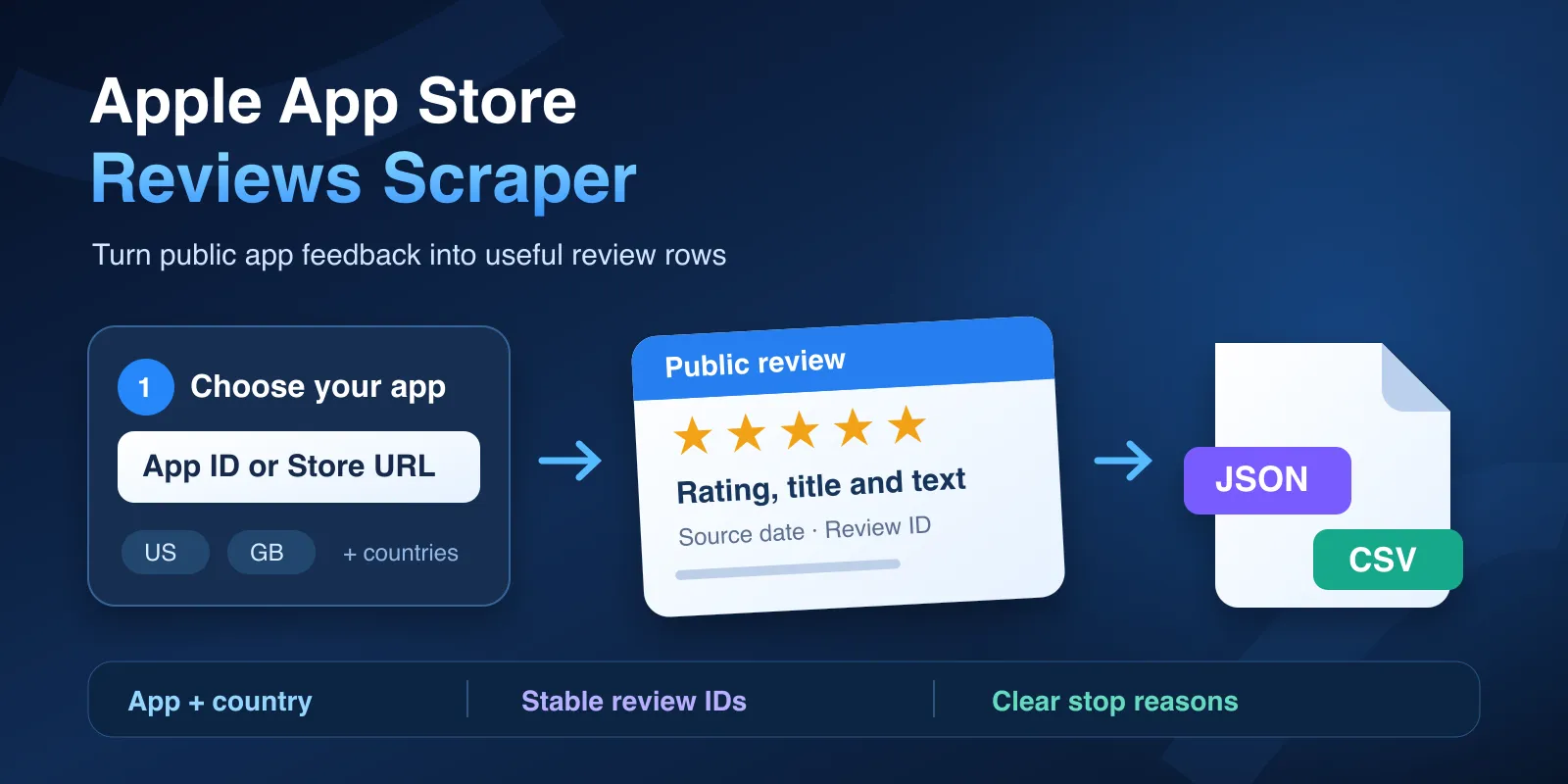
Export public Apple App Store reviews by app ID or URL and country. Get ratings, review text, dates, stable IDs, and clear partial-result reports.
Pricing
from $0.10 / 1,000 apple app store reviews
Rating
0.0
(0)
Developer

Cliqto Media
Maintained by CommunityActor stats
1
Bookmarked
2
Total users
0
Monthly active users
11 days ago
Last modified
Categories
Share
Apple App Store Reviews Scraper exports public reviews by app and country. Save the results as JSON, CSV, Excel, XML, or read them through the Apify API.
Add an Apple app ID or an App Store URL. Then choose the countries you need. The Actor saves one clean row for each unique review.
Use the data for product research, ASO, release checks, and customer feedback. Each row includes the rating, title, text, author, date, and stable IDs.
This Actor is unofficial and is not affiliated with Apple. It does not use the official App Store Connect API.
The fresh Input form is prefilled with one public app and 10 reviews. Click
Start, then open the Dataset to check rating, title, and text.
The start event is USD 0.036, even when no reviews are saved. Apple may return
fewer reviews or a partial result; open RUN_SUMMARY for the reason.
Contents
- What you get
- Use cases
- How to use it
- Input fields
- Review output
- Run report
- Limits
- Pricing
- API and exports
- Troubleshooting
- FAQ
What you get
- Up to 2,000 reviews for each app and country.
- Up to 10,000 reviews in one run.
- One Dataset row for each unique review.
- Stable IDs for updates and later comparisons.
- Review data for several apps and countries in one run.
- A run report that explains every stop or error (
RUN_SUMMARY). - No Apple account, API key, proxy, or browser setup.
Use cases
| Job | Input choice | Useful fields | Next step |
|---|---|---|---|
| Compare feedback by market | One app, countries: ["us", "gb"] | country, rating, text | Export to CSV and compare groups |
| Study common product issues | App IDs and a small cap | title, text, reviewedAt | Filter the exported rows |
| Merge repeated snapshots | The same app and country | recordId, scrapedAt, isEdited | Update your own database by recordId |
Good fit: public iOS app feedback and country comparisons. Not a fit: non-public App Store Connect data, complete lifetime history, developer replies, date or rating filters, or an only-new-reviews monitor.
How to use it
- Open Input. A new form suggests app ID
324684580, US, and 10 rows. To use another app, add an app ID or App Store URL. - Add two-letter country codes, such as
us,gb, orde. - Set a small review limit for your first run.
- Start the Actor and open the Dataset.
- Open
RUN_SUMMARYif you need details about the run.
Example with an app ID:
Example with an App Store URL:
The URL and country fields have separate jobs:
- Add the App Store URL.
- Choose countries in the
countriesfield. - The Actor uses those countries for review collection.
- The Actor reads only the app ID from the URL.
Input fields
| Field | Type | Required | Runtime default | New-form prefill | Allowed values / effect |
|---|---|---|---|---|---|
appIds | string[] | One ID or URL is needed | [] | ["324684580"] | 6–20 digits; trim spaces; up to 50 combined IDs/URLs |
startUrls | object[] | Alternative to appIds | [] | None | Each object has only url |
startUrls[].url | string | Yes, in each URL object | None | None | HTTPS on apps.apple.com or itunes.apple.com, up to 2,048 characters; exactly one /id<digits> segment; no credentials or custom port |
countries | string[] | No | ["us"] | ["us"] | 1–10 supported two-letter storefront codes; trim and lowercase |
sort | string | No | "appleDefault" | "appleDefault" | Only appleDefault; no newest/helpful sorting option |
maxReviewsPerAppCountry | integer | No | 10 | 10 | 1–2,000 saved rows for each app-country pair |
maxReviewsTotal | integer | No | 10 | 10 | 1–10,000 saved rows across all pairs |
You can add up to 50 app IDs and URLs in total. The app and country plan can contain up to 50 pairs.
The default limits are 10 reviews. This keeps your first run small and cheap.
The UI prefill is a demo suggestion. API input {} fails validation; send at
least one app ID or supported URL. Numeric IDs must be strings. Duplicate
IDs, URLs, and countries are merged before requests. Unknown fields are
rejected. countries defaults to ["us"]; add up to 10 supported countries.
A country chooses the storefront, not the language of every review. An empty
country array, unsupported country, invalid ID/URL, wrong type, unknown field,
or plan over 50 pairs fails before Apple requests. No demo app is inserted for
an API call with no app.
Settings that work together
| Settings | What happens |
|---|---|
| ID plus URL for the same app | One app after deduplication |
Country in URL plus countries | URL gives only the app ID; countries selects the markets |
| Per-pair limit plus total limit | The first limit reached stops saving rows; later pairs may be unprocessed |
| Many apps plus many countries | Their product must be at most 50 pairs |
| Actor max cost plus row limits | Max cost includes start and row events; it can stop before the row limit |
Review output
The Dataset contains review rows only. This trimmed example is from a real
US run with app ID 324684580, appleDefault, and a one-review limit.
The title, text, and public author name are omitted to keep user content out
of this example. Its input was:
Review row:
Use recordId to update existing rows in your system. The same review keeps
the same ID for the same app and country.
Some fields can be empty. Apple does not provide app version or vote counts
through this source, so these fields are null.
Output fields
| Field | Type | Meaning / missing values |
|---|---|---|
schemaVersion | string | Review schema 1.1; always present |
recordId | string | apple-app-store-review:v1:<appId>:<country>:<reviewId>; dedupe key |
reviewId | string | Apple's review ID; always present |
appId | string | Normalized Apple app ID |
appName | string or null | App name from lookup; null when not supplied |
appUrl | string | Canonical app URL in the selected country |
country | string | Requested lowercase storefront code |
sort | string | appleDefault |
authorName | string | Public display name, not a verified person ID |
title | string | Source headline; Unicode and line breaks are preserved |
text | string | Source review body; no sentiment score or HTML conversion is added |
rating | integer | Stars, 1–5 |
appVersion | null | This web source does not provide the reviewed version |
reviewedAt | string | ISO 8601 source date; source time offset is kept |
helpfulVotes | null | Not supplied by this web source |
totalVotes | null | Not supplied by this web source |
isEdited | boolean | Source edit flag |
sourcePage | integer | Requested page, starting at 1 |
sourceTransport | string | apple-web-reviews-api:v1 |
sourceUrl | string | Constructed Apple-hosted review request, not a link to one review |
scrapedAt | string | UTC collection time, not the review's publication date |
Every Dataset row has all these fields. Null means an unavailable value, not a missing row. There is no developer reply field. A changed or invalid required source field produces a technical error; the Actor does not invent a value.
Run report
The Actor saves a separate report named RUN_SUMMARY. Open it when the Dataset
is empty or smaller than expected.
The Output tab links to the default Dataset and the RUN_SUMMARY record in
the default Key-value store. The Output schema is a link view, not an extra
review Dataset. A separate OUTPUT record is not promised.
| Situation | Dataset | RUN_SUMMARY | Action |
|---|---|---|---|
| Normal capped run | Unique review rows | Counts and result-limit stop | Export or read rows |
| Valid zero-review observation | Empty | NO_PUBLIC_REVIEWS_OBSERVED only with zero ratings and a valid empty response | Check app and country |
| Missing / unavailable app | Empty for that pair | Scoped APP_NOT_FOUND_OR_REMOVED / APP_UNAVAILABLE_IN_STOREFRONT | Check ID and storefront |
| Late page error / timeout | Earlier saved rows remain | PARTIAL, stop reason, affected pair | Use those rows and inspect the report |
| Technical failure before rows | Empty | Error code, not a claim of no reviews | Follow troubleshooting |
The report shows:
- how many app and country pairs were checked;
- how many reviews were found, saved, and charged;
- which pages were requested;
- why each app and country pair stopped;
- whether the run stopped because of your result or charge limit;
- safe error details for support.
Limits
Apple provides a changing window of public reviews. This Actor does not promise a complete review history.
- Each source page can contain up to 20 reviews.
- The Actor requests up to 100 pages for each app and country.
- The maximum is 2,000 reviews for each app and country.
- The whole run stops at 10,000 saved reviews.
- Apple controls the order shown as
appleDefault. - Different countries can return different reviews.
- A run can return fewer reviews than you request.
The Actor checks that every next page is new. It stops if Apple repeats a page, skips a page, changes the data shape, or returns an error.
Reviews saved before a later error stay in the Dataset. The run report explains why collection stopped. Source work has a 29.5-minute internal time limit. A shorter run timeout leaves 30 seconds for the report. A timeout or cancel can therefore stop a large request before its row limit. Platform force stops can prevent final storage writes.
Pricing
The current price is:
- USD 0.036 when the Actor starts;
- USD 0.0001 for each unique review saved.
The following amounts are Actor event charges. A run with no saved reviews still has the USD 0.036 start event. Partial runs charge only for reviews already saved, plus the start event.
A run with 10 saved reviews costs USD 0.037. A run with 200 saved reviews costs USD 0.056. A run with 2,000 saved reviews costs USD 0.236. A run with 10,000 saved reviews costs USD 1.036.
You do not pay the review charge for repeated or unsaved reviews. A charge limit
stops the run before another review is saved. RUN_SUMMARY row-cost estimates
cover the review event only; total Actor charge also includes the start. The
platform max-cost setting includes both events. The Actor uses 512 MB, which
means one start event; the platform charges starts by memory, with a one-event
minimum. There are no optional paid AI, proxy, filter, or monitoring events.
Filtering after export does not refund saved rows. Repeated snapshots charge
again for rows saved in that run; only-new monitoring is not supported.
The minimum platform max cost per run is USD 0.0361, covering one start and one review. This minimum is a spending control, not an extra charge.
Always check the Pricing tab before a large run. Normal published PPE runs include platform usage in the event price. Developer test runs and Standby can follow separate Apify platform billing rules.
API and exports
Use the Actor API with the same
input fields. When the run finishes, read its defaultDatasetId through
Dataset items. Use recordId
as the update key in your database. In Console, open Dataset and choose an
export format. JSON keeps every field; CSV or Excel makes review comparison
easier. Existing tasks and schedules can use the same input.
Troubleshooting
If the Dataset is empty, open RUN_SUMMARY. APP_NOT_FOUND_OR_REMOVED and
APP_UNAVAILABLE_IN_STOREFRONT are scoped app outcomes. Check the ID and
country. NO_PUBLIC_REVIEWS_OBSERVED means Apple exposed no written reviews
for an app with zero reported ratings.
An access error, HTTP_RATE_LIMITED, AMBIGUOUS_EMPTY_FEED, or
PARSER_SCHEMA_DRIFT is a technical failure. It does not prove the app has no
reviews. Check the stop reason, wait before retrying a rate limit, or open an
Issue with the Run ID. Rows from earlier pages remain useful after a late error.
Why results can be smaller
You may receive fewer rows when:
- Apple exposes fewer reviews for that country;
- the app is not available in the selected country;
- Apple returns the same review more than once;
- your total result limit is reached;
- your maximum charge is reached;
- Apple repeats or skips a page;
- Apple returns an error or changes the response.
Open RUN_SUMMARY to see the exact reason for each app and country.
Common uses
- Export iOS app reviews to JSON, CSV, or Excel.
- Compare App Store reviews across countries.
- Study customer feedback for product and ASO work.
- Check feedback after an app release.
- Send review data to your database through the Apify API.
FAQ
Do I need an Apple account or API key?
No. The Actor reads a public Apple-hosted source. It cannot access non-public App Store Connect data.
Does the Actor return the newest reviews first?
Not always. Apple controls appleDefault order. The order can change between
runs.
Can I get all historical reviews?
No. The Actor returns up to 100 current source pages. This is not a complete history.
Can I get developer replies?
No. Developer replies are not available in this output.
How do I remove repeated reviews across runs?
Use recordId as the update key. It combines the app ID, country, and Apple
review ID.
What happens after a late error?
Reviews already saved remain available. Open RUN_SUMMARY to see the stop
reason and affected app-country pair.
Can I filter by date, rating, or keyword?
There are no such input filters. Export the reviews and filter the saved rows
in your own tool. The Actor does not monitor only new reviews. Repeated runs
collect a fresh bounded snapshot; use recordId to merge them.
Related Actors
- Google Play Reviews Scraper — collect Android app feedback for a separate platform comparison. Its input and output contract is different.
Need help?
- Open the failed or incomplete run.
- Open
RUN_SUMMARYfrom the Output tab. - Check the app ID, country, limits, final status, and stop reason.
- Open an Actor Issue with the Run ID and these safe details.
Do not send review text, author names, tokens, cookies, or authorization headers.
Privacy and responsible use
Review text and author names are public user content. They can still contain personal data.
Collect only the data you need. Protect exported files and follow privacy, retention, and Apple rules that apply to your work.
Apple and App Store are trademarks of Apple Inc. This Actor is unofficial and is not endorsed by Apple.


